1. Introduction
This manual provides essential information for the proper use and installation of your Tjyuze BN39-02470A One Connect Cable. This cable is designed to connect specific Samsung Frame TVs to their compatible One Connect Box, facilitating a clean and organized entertainment setup by consolidating multiple connections into a single cable.
What's in the Box:
- 1 x Tjyuze BN39-02470A 5M/16Ft One Connect Cable

Image 1.1: The Tjyuze BN39-02470A 5M/16Ft One Connect Cable, shown coiled with both connector ends visible.
2. Compatibility
The Tjyuze BN39-02470A One Connect Cable is specifically designed for certain Samsung Frame TV models and their corresponding One Connect Boxes. It is crucial to verify compatibility before use to ensure proper functionality and avoid damage.
How to Determine Compatibility:
- Check your TV model: Refer to the list of compatible and incompatible models below.
- Compare your One Connect Box: Ensure your One Connect Box has the correct port type for this cable.
- Compare cable plugs: The shape of the cable plug is unique and not interchangeable with other Samsung One Connect cables.

Image 2.1: Visual guide for checking compatibility, emphasizing TV model, connection box, and plug comparison.
Compatible Samsung TV Models (5M/16Ft Cable):
- The Frame 43"-85" LS03FA QLED 4K (2025): QN43LS03FAFXZA, QN50LS03FAFXZA, QN55LS03FAFXZA, QN65LS03FAFXZA
- The Frame 43"-85" LS03DA Smart TV (2024): QN43LS03DAFXZA, QN50LS03DAFXZA, QN55LS03DAFXZA, QN65LS03DAFXZA, QN75LS03DAFXZA, QN85LS03DAFXZA
- The Frame 43"-85" LS03BA Smart TV (2021): QN43LS03BAFXZA, QN50LS03BAFXZA, QN55LS03BAFXZA, QN65LS03BAFXZA, QN75LS03BAFXZA, QN85LS03BAFXZA
- The Frame 43"-85" LS03AA Smart TV (2020): QN43LS03AAFXZA, QN50LS03AAFXZA, QN55LS03AAFXZA, QN65LS03AAFXZA, QN75LS03AAFXZA
- The Frame 43"-85" LS03RA Smart TV (2019): QN43LS03RAFXZA, QN49LS03RAFXZA, QN55LS03RAFXZA, QN65LS03RAFXZA
- The Frame 43"-85" LS03TA Smart TV (2019): QN43LS03TAFXZA, QN50LS03TAFXZA, QN55LS03TAFXZA, QN65LS03TAFXZA, QN75LS03TAFXZA
- 4K Q85R Q90R Q95T QLED Smart TV (2019): QN65Q90RAFXZA, QN75Q90RAFXZA, QE65Q85RAT, QE65Q85RAT, QE75Q95TAT, QE75Q95TAT

Image 2.2: Detailed list of compatible and incompatible Samsung TV models for the BN39-02470A cable.
Incompatible Samsung TV Models:
- All 8K TVs
- All 32" Frame S95D TVs
- S95C S95D Series OLED 4K TV
- MU7000, MU9000, MU8500, MU8000 LED TV Series
- KS7000, KS800D, KS850D, KS8000, KS9000, KS9500F LED TV Series
- QN700, QN800, QN900, QN95A, QN95B QLED TV Series
One Connect Box Port and Cable Plug Verification:
The One Connect Box port must match the specific design for the BN39-02470A cable. Different Samsung One Connect cables have distinct plug shapes and are not interchangeable.

Image 2.3: Correct One Connect Box port for the BN39-02470A cable (YES) versus incompatible ports (NO).

Image 2.4: Comparison of the BN39-02470A cable plug with other Samsung One Connect cable plugs, highlighting non-interchangeability.

Image 2.5: Visual comparison of different plug sizes, emphasizing the need to match the correct plug to the port.
This cable is 5 meters (16.4 feet) in length. Ensure this length is suitable for your setup.
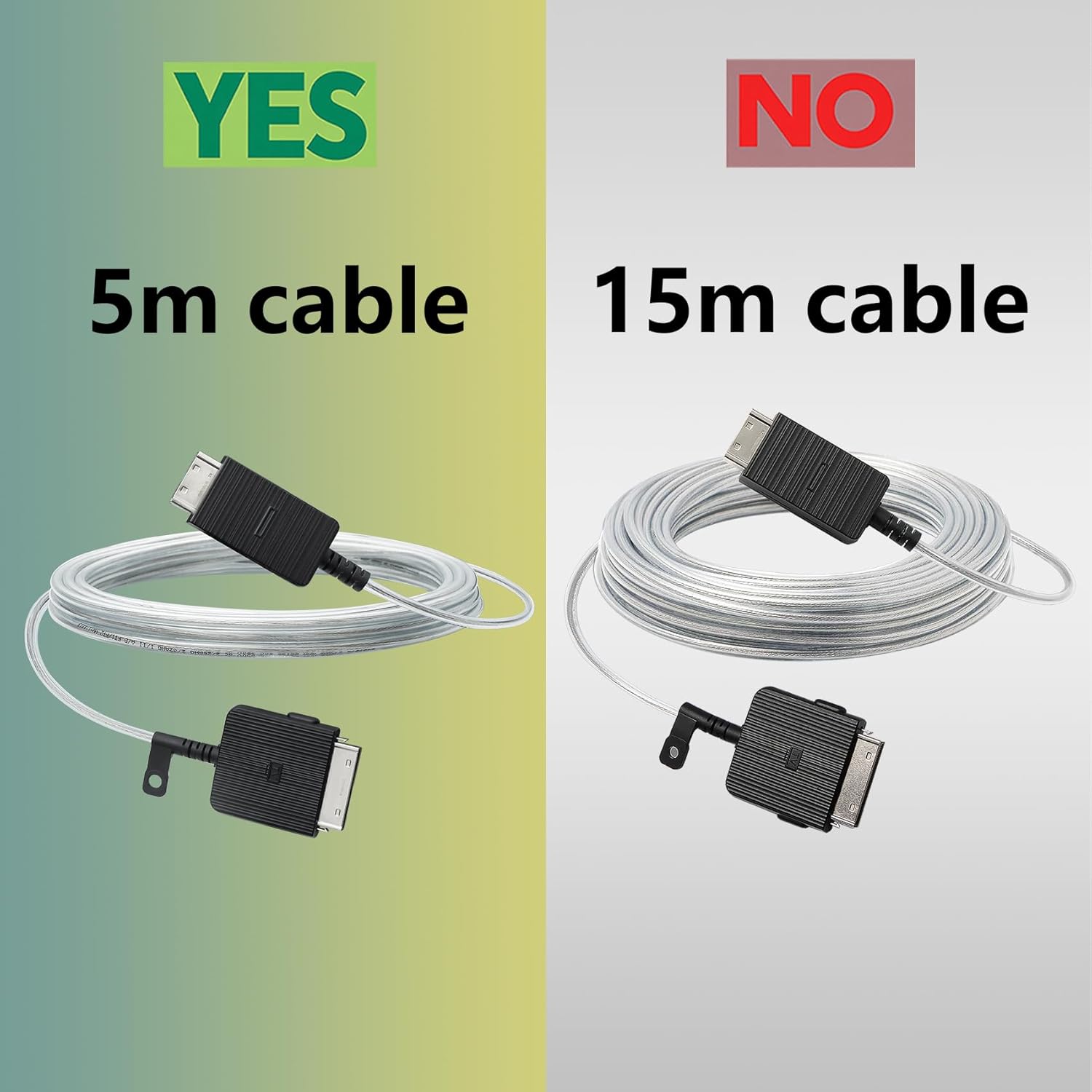
Image 2.6: The 5-meter cable is the correct length for this product.
3. Setup and Installation
Follow these steps to properly connect your Tjyuze BN39-02470A One Connect Cable:
- Power Off Devices: Before connecting, ensure both your Samsung Frame TV and the One Connect Box are powered off and unplugged from the electrical outlet.
- Identify Ports: Locate the 'One Connect' port on the back of your Samsung Frame TV and on the compatible One Connect Box.
- Connect Cable: Carefully insert one end of the BN39-02470A cable into the 'One Connect' port on your TV. Ensure it is fully seated and secure.
- Connect to One Connect Box: Insert the other end of the cable into the 'One Connect' port on your One Connect Box. Again, ensure a firm and secure connection.
- Cable Management: The 5-meter length allows for flexible placement of your One Connect Box. You can route the cable discreetly behind furniture or, if applicable, pre-bury it within a wall for a seamless look.
- Power On: Once the cable is securely connected at both ends, plug in and power on your One Connect Box and then your Samsung Frame TV.

Image 3.1: The slim design of the cable allows for discreet routing or in-wall installation.
4. Operation
The Tjyuze BN39-02470A One Connect Cable functions as a direct link between your compatible Samsung Frame TV and its One Connect Box. Once properly installed, it transmits all necessary audio, video, and power signals, allowing your TV to operate as intended. No additional user interaction is required for the cable itself beyond initial setup.
5. Maintenance
To ensure the longevity and optimal performance of your One Connect Cable, consider the following maintenance tips:
- Avoid Kinks and Bends: Do not sharply bend or kink the cable, as this can damage the internal optical fibers and conductors.
- Protect from Physical Damage: Keep the cable away from pets, heavy objects, or areas where it might be stepped on or snagged.
- Clean Gently: If necessary, gently wipe the cable with a soft, dry cloth. Do not use harsh chemicals or abrasive materials.
- Secure Connections: Periodically check that both ends of the cable remain securely plugged into the TV and One Connect Box.
6. Troubleshooting
If you encounter issues after connecting your One Connect Cable, consider the following:
- No Picture/Sound:
- Ensure both ends of the cable are fully and securely inserted into the TV and One Connect Box.
- Verify that the TV and One Connect Box are powered on.
- Confirm that the correct input source is selected on your TV.
- Intermittent Signal:
- Check for any physical damage to the cable (kinks, cuts, severe bends).
- Ensure the cable is not being pinched or stressed.
- Compatibility Issues:
- Double-check your TV model and One Connect Box model against the compatibility list in Section 2.
- Confirm that the cable plug shape matches your One Connect Box port exactly.
- General Tip: Before purchasing, please check if the TV failure is caused by the cable. If you are not sure where the problem lies, it is recommended to contact a qualified TV repair professional.
7. Specifications
| Model Number | BN39-02470A |
| Brand | Tjyuze |
| Cable Length | 5 meters (16.4 feet) |
| Compatible Connect Box Models | BN96-54413V, BN44-01066B |
| Connector Type | Proprietary Samsung One Connect |
| Compatible Devices | Specific Samsung Frame TVs (as listed in Section 2) |
| Package Dimensions | 7.56 x 6.69 x 1.65 inches |
| Item Weight | 5.29 ounces |
8. Warranty and Support
For information regarding warranty coverage, returns, or technical support for your Tjyuze BN39-02470A One Connect Cable, please refer to the manufacturer's official website or contact their customer service directly. Keep your purchase receipt as proof of purchase.


