
Vvikizy Vvikizyi2bfw06qpm
Vvikizy 2 Channel Stereo Mixer User Manual
Model: Vvikizyi2bfw06qpm
1. Introduction
This manual provides essential information for the safe and efficient operation of your Vvikizy 2 Channel Stereo Mixer. This compact device is designed to combine and distribute audio signals, offering two simultaneous sound inputs and two outputs. It features independent volume control for each channel, making it suitable for various audio setups including headphones and speakers.
2. Safety Information
- Power Supply: This device requires a DC 5-24V power supply. A power supply is NOT included with the mixer. Ensure you use a premium low ripple power supply with the correct voltage and polarity to prevent damage to the unit.
- Ventilation: Do not block ventilation openings. Ensure adequate airflow around the unit.
- Moisture: Keep the device away from water, moisture, and high humidity.
- Temperature: Operate the device within a stable temperature range. Avoid extreme heat or cold.
- Handling: Handle the unit with care. Avoid dropping or subjecting it to strong impacts.
- Servicing: Do not attempt to open or service the unit yourself. Refer all servicing to qualified personnel.
3. Package Contents
Please check the package for the following items:
- Vvikizy 2 Channel Stereo Mixer (Model: Vvikizyi2bfw06qpm)
- Note: A DC 5-24V power adapter is not included and must be purchased separately.
4. Product Overview
The Vvikizy 2 Channel Stereo Mixer is a compact audio mixing and distribution device. It features 3.5mm stereo input and output jacks and independent volume controls.
4.1 Front View

Figure 4.1: Front view of the mixer with volume controls and output jack.
4.2 Top and Rear Views with Ports
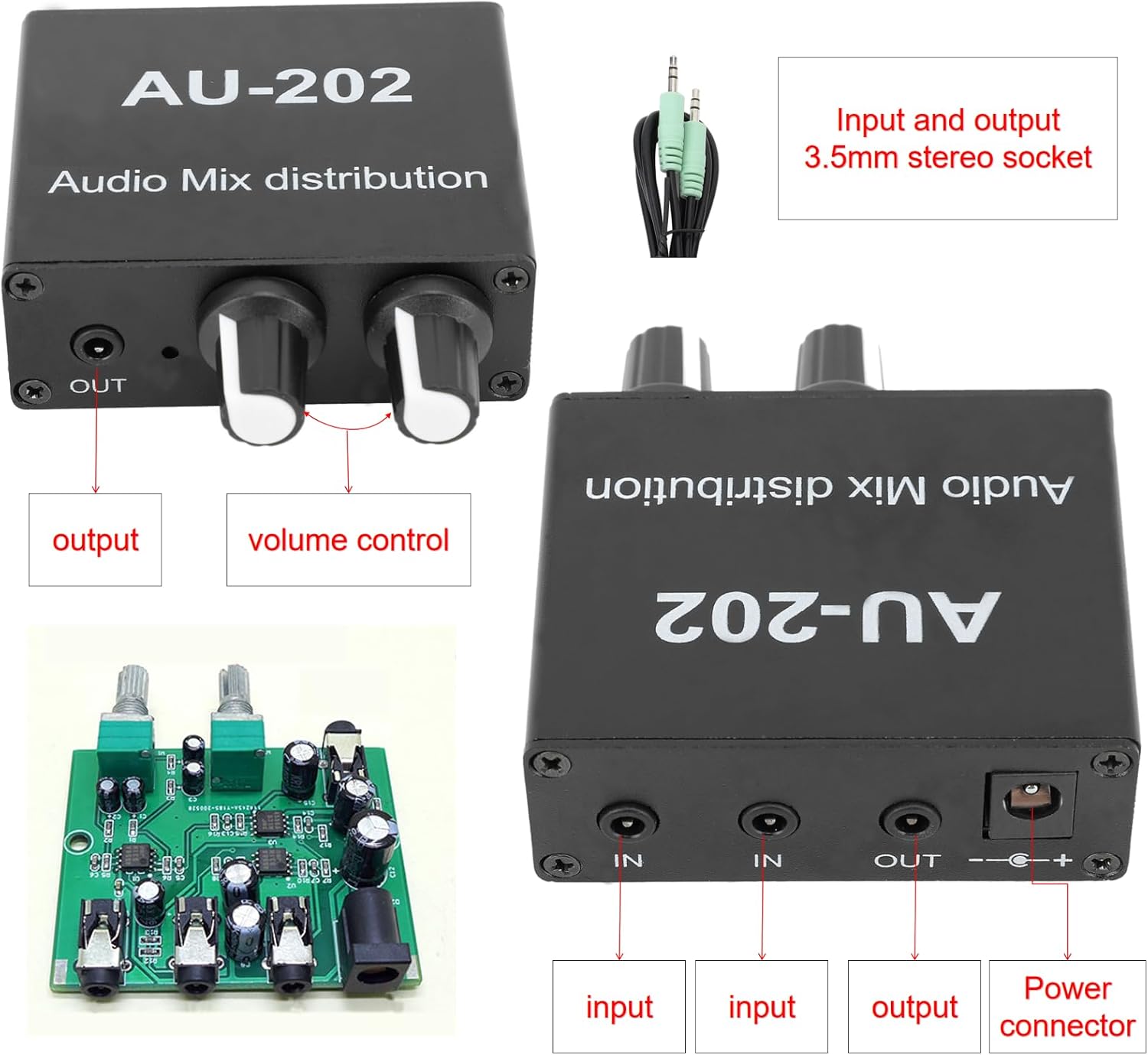
Figure 4.2: Top and rear views illustrating input, output, and power connections.

Figure 4.3: Close-up of the input and output jacks on the mixer.
4.3 Internal Components

Figure 4.4: Internal circuit board of the mixer.
4.4 Amplification Gain

Figure 4.5: Details on the mixer's 6dB amplification gain.
5. Setup
Follow these steps to set up your Vvikizy 2 Channel Stereo Mixer:
- Power Connection: Connect a DC 5-24V power supply (not included) to the power input jack on the mixer. Ensure the power supply is a premium low ripple type for optimal performance and longevity.
- Input Devices: Connect your audio source(s) to the 'IN' 3.5mm stereo jacks. Compatible devices include DVD players, CD players, set-top boxes, MP3 players, TVs, cell phones, computers, tablets, turntables, sound cards, guitars, basses, electronic musical instruments, and game consoles.
- Output Devices: Connect your audio output device(s) to the 'OUT' 3.5mm stereo jack. Compatible devices include speakers, subwoofers, reverb units, AV receivers, post amplifiers, and headsets.
5.1 Connection Diagram

Figure 5.1: Typical connection setup for the stereo mixer.
5.2 3.5mm Stereo Cable
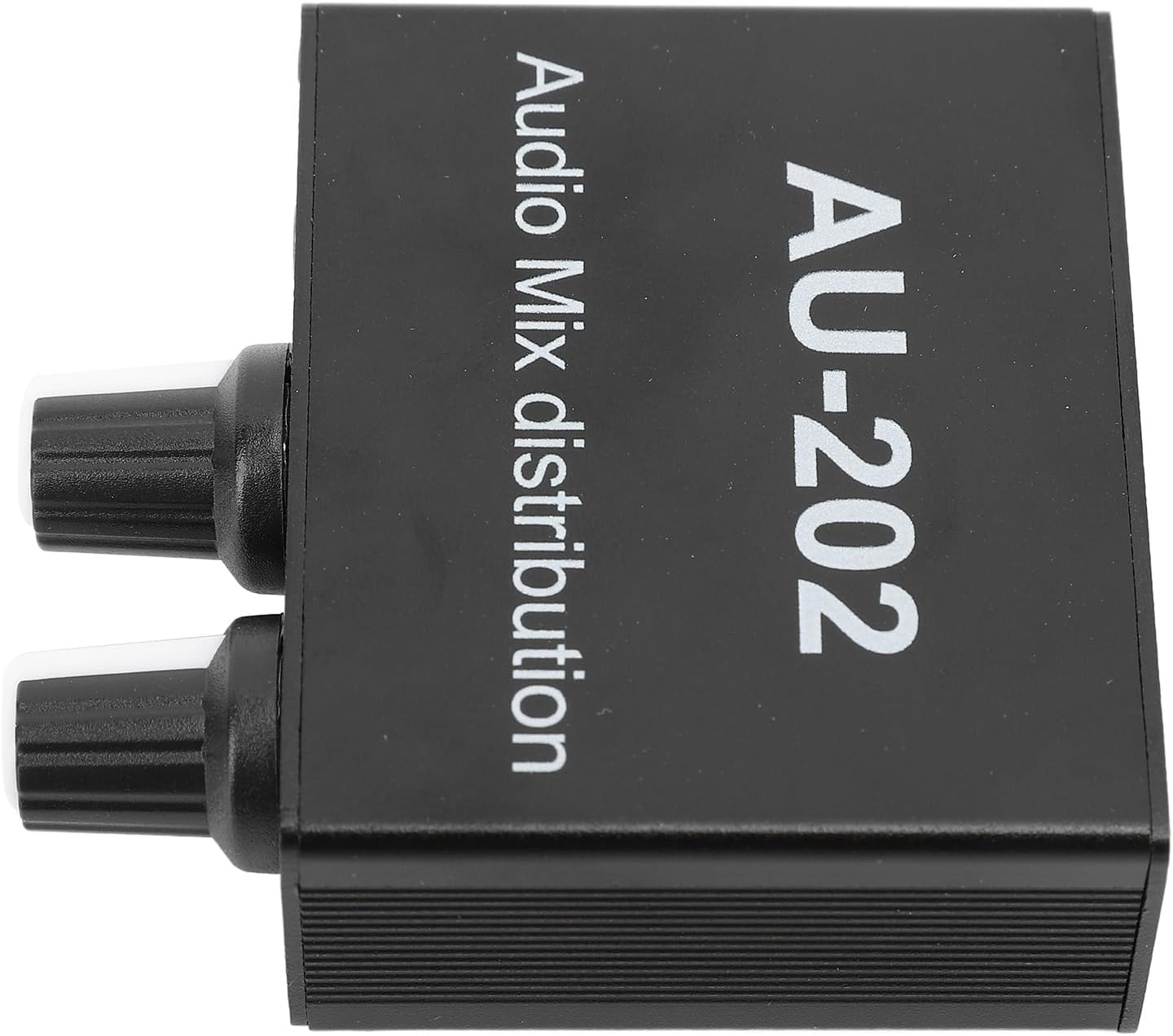
Figure 5.2: Example of a 3.5mm stereo audio cable for connections.
6. Operating Instructions
The mixer supports two main operation modes:
6.1 Type 1: 1 In 2 Out (Simple Output)
If you connect only one audio source to either of the 'IN' jacks, the signal will be output through both 'OUT' channels. This allows you to split a single stereo input to two output devices simultaneously.

Figure 6.1: Diagram for 1 In 2 Out configuration.
6.2 Type 2: 2 In 2 Out (Mixed Sound)
When two different audio sources are connected to both 'IN' jacks simultaneously, the mixer will combine these signals into a mixed stereo output. Both inputs can be active at the same time without affecting each other. The mixed output can then be connected to two headsets or two amplifiers.
Figure 6.2: Diagram for 2 In 2 Out (Mixed Sound) configuration.
6.3 Volume Control
Use the independent volume adjustment knobs on the front of the unit to control the output level of the mixed audio. Adjust these knobs to achieve your desired listening volume and mix balance.
7. Maintenance
- Cleaning: Use a soft, dry cloth to clean the exterior of the mixer. Do not use liquid cleaners or aerosols.
- Storage: When not in use for extended periods, store the mixer in a cool, dry place away from direct sunlight.
- Connections: Periodically check all cable connections to ensure they are secure and free from damage.
8. Troubleshooting
| Problem | Possible Cause | Solution |
|---|---|---|
| No power/Unit not turning on | No power supply connected or incorrect power supply. | Ensure a DC 5-24V power supply is correctly connected. Verify the power supply meets the voltage and polarity requirements. A power supply is not included with the unit. |
| No sound output | Incorrect cable connections; volume knobs turned down; faulty cables; input device not playing audio. | Check all 3.5mm input and output cable connections. Ensure volume knobs are turned up. Test with different cables. Verify the input audio source is active and playing. |
| Distorted sound | Input signal too strong; faulty cables; poor quality power supply. | Reduce the volume of the input audio source. Test with different cables. Ensure you are using a premium low ripple power supply. |
| Humming or buzzing noise | Ground loop issue; interference from other electronics; poor quality power supply. | Try connecting the mixer to a different power outlet. Ensure all audio cables are properly shielded. Use a high-quality, low-ripple power supply. |
9. Specifications
| Feature | Specification |
|---|---|
| Model Number | Vvikizyi2bfw06qpm |
| Item Weight | 4.6 ounces |
| Package Dimensions | 5.91 x 3.94 x 1.57 inches |
| Power Source | Corded Electric (Adapter not included) |
| Voltage | DC 5-24 Volts |
| Number of Channels | 2 (2 In, 2 Out) |
| Connectivity Technology | 3.5mm Stereo |
| Output Connector Type | RCA (Note: Feature bullets mention 3.5mm output, specifications mention RCA. Please verify actual product output type.) |
| Amplification Gain | 6dB |
| First Stage Op Amp | NJM4580 |
| Second Stage Driver | NJM4556A (High Current) |
10. Warranty and Support
For warranty information and customer support, please refer to the product listing on the retailer's website or contact the manufacturer directly. Keep your purchase receipt as proof of purchase.
Ask a question about this manual
Ask about setup, troubleshooting, compatibility, parts, safety, or missing instructions. Manuals+ will review the question and use this page’s manual context to help answer it.