
Introduction
The TABYIK 101oz Dehumidifier, accompanied by two reusable dehumidifying boxes, is engineered to effectively manage dampness and humidity in various indoor environments. This unit incorporates advanced semiconductor modules and high-efficiency fans to provide optimal dehumidification for spaces such as living rooms, bedrooms, bathrooms, closets, kitchens, cloakrooms, and RVs. It features automatic shut-off, a timer function, and multiple operating modes for user convenience. The included rechargeable dehumidifying boxes offer a portable solution for smaller, enclosed areas like wardrobes, drawers, safes, and suitcases.
Package Contents
- 1 x TABYIK 101oz Dehumidifier Unit
- 2 x Rechargeable Dehumidifying Boxes
- 1 x Power Adapter
- 1 x User Manual (this document)

Image: The main dehumidifier unit with its power adapter and two black rechargeable dehumidifying boxes.
Product Overview
Main Dehumidifier Unit
The main unit is designed for efficient moisture removal from larger spaces. It features a sleek, compact design with a concealed handle for easy portability. The water tank is located at the back for convenient access.

Image: The dehumidifier unit with its dimensions (12"H x 9.8"W x 5.5"D) and the two rechargeable boxes (8.5"H x 2.7"W).
Control Panel
The control panel is located on the top of the main unit, providing intuitive access to all functions.
- Power Button: Turns the unit on or off.
- Mode Button: Cycles through Standard, Strong, and Sleep modes.
- Dry Button: Activates the drying function for the rechargeable dehumidifying boxes.
- Timer Button: Sets the operating timer for 6, 12, or 24 hours.
- Defrost Button: Activates the defrost function when temperatures are low.
- Indicator Lights: Display current mode, timer setting, and water tank status.

Image: A detailed view of the dehumidifier's top control panel, showing buttons for Defrost, Timer, Dry, Mode, and Power, along with indicator lights.
Setup
- Unpack: Carefully remove the dehumidifier unit and all accessories from the packaging.
- Placement: Place the dehumidifier on a flat, stable surface in the desired location. Ensure there is adequate space around the unit for proper airflow.
- Power Connection: Connect the power adapter to the power input port on the back of the dehumidifier. Plug the adapter into a suitable electrical outlet.
- Water Tank: Ensure the water tank is properly inserted into its compartment at the back of the unit. The unit will not operate if the tank is not correctly seated or if it is full.
Operating Modes
The TABYIK Dehumidifier offers four distinct operating modes to suit various humidity control needs:
- Standard Mode: Provides typical dehumidification for general use. This mode balances efficiency and quiet operation.
- Strong Mode: Boosts dehumidification power for quicker moisture removal in highly humid conditions.
- Sleep Mode: Operates quietly with minimal noise output (under 30dB) and turns off all indicator lights, making it ideal for use during sleep.
- Defrost Mode: Automatically engages when the ambient temperature is low to prevent ice buildup on the internal components, ensuring continuous efficient operation.
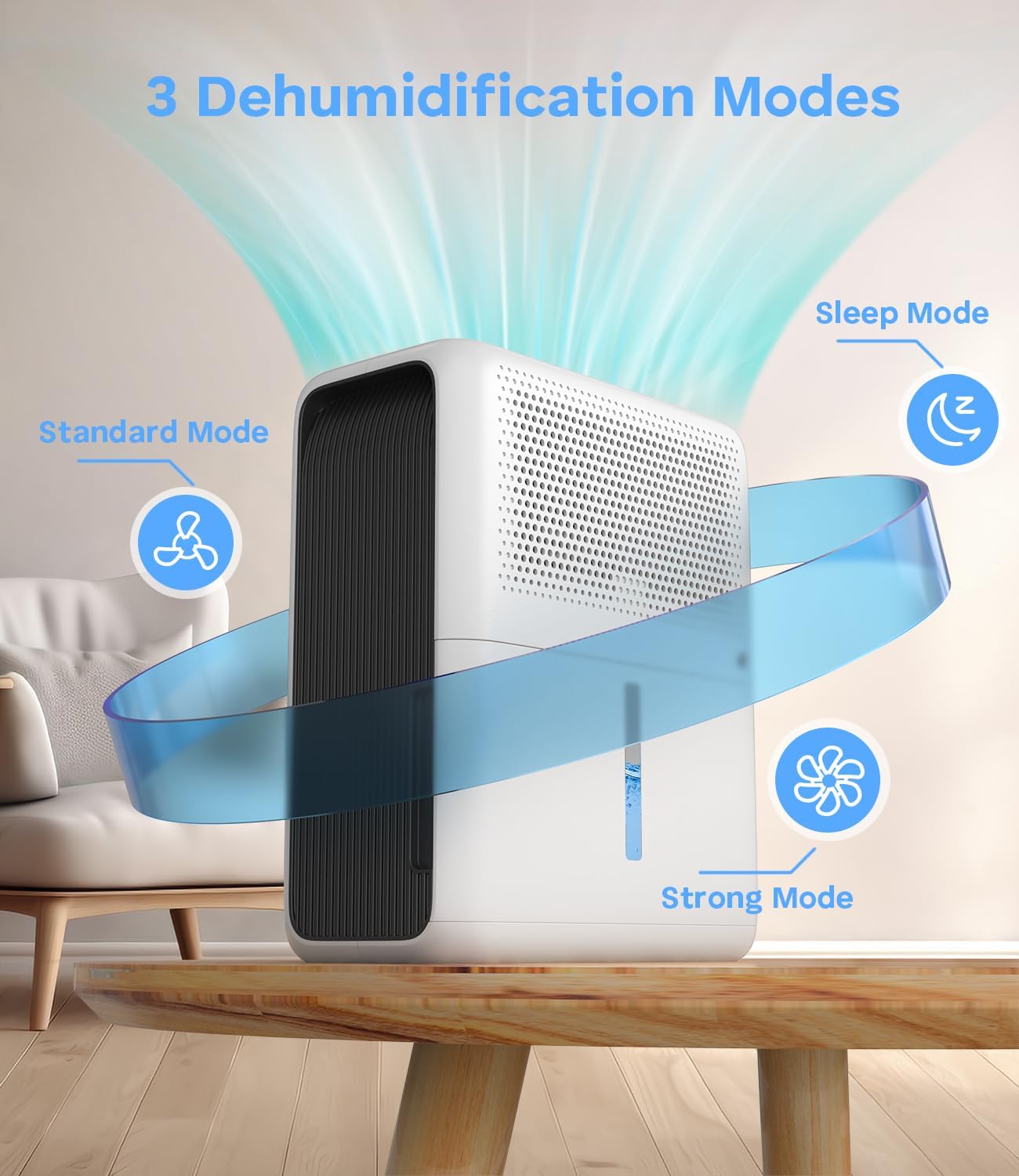
Image: Visual representation of the three main dehumidification modes: Standard, Sleep, and Strong, indicating airflow and quiet operation for Sleep mode.
Timer Function
The unit can be set to operate for a specific duration using the Timer button. Available timer settings are 6 hours, 12 hours, and 24 hours. The dehumidifier will automatically shut off once the set time has elapsed.

Image: The dehumidifier placed on a bedside table, illustrating its quiet operation (30dB) and 24-hour timer capability with 6H, 12H, and 24H options.
Rechargeable Dehumidifying Boxes
The two included rechargeable dehumidifying boxes are designed for use in small, enclosed spaces where the main unit may not be practical. They utilize silica gel to absorb moisture safely and effectively.

Image: The rechargeable dehumidifier boxes shown in various small environments such as a closet, drawer, kitchen cabinet, tool cabinet, and suitcase, highlighting their versatility.
Reactivation Process
- Saturation Indicator: The silica gel granules inside the boxes will change color from orange (dry) to dark green (saturated) when they have absorbed their maximum moisture.
- Placement for Drying: When the granules turn dark green, place the saturated dehumidifying box on top of the main dehumidifier unit.
- Activate Dry Mode: Press the "DRY" button on the main unit's control panel. The unit will begin a drying cycle.
- Drying Time: The drying process typically takes about 3 hours. In colder environments (winter), it may require a longer duration.
- Reactivation Complete: Once the silica gel granules return to their orange color, the box is fully reactivated and ready for reuse.
Maintenance
Water Tank Emptying
The dehumidifier features a 101oz (3L) water tank. When the tank is full, the unit will automatically shut off, and an indicator light will illuminate to prevent spills. To empty the tank:
- Gently slide out the water tank from the back of the unit.
- Remove the lid and carefully pour out the collected water.
- Replace the lid and slide the empty tank back into the unit until it clicks securely into place.
Image: The dehumidifier with its water tank pulled out, showing the collected water and an exclamation mark icon indicating the auto shut-off feature when the tank is full.
Cleaning
- Wipe the exterior of the unit with a soft, damp cloth.
- Clean the water tank regularly to prevent mold or mildew buildup.
- Do not use abrasive cleaners or solvents.
Troubleshooting
| Problem | Possible Cause | Solution |
|---|---|---|
| Dehumidifier not turning on. | Power cord not properly connected; Water tank not correctly inserted or full. | Ensure power cord is securely plugged in. Check if the water tank is empty and properly seated. |
| No water collected. | Humidity level is too low; Unit is in Defrost mode; Room temperature is too low. | Verify the humidity level in the room. Ensure the unit is not in Defrost mode unless necessary. Operate in recommended temperature range. |
| Rechargeable box not drying. | Not placed correctly on the main unit; Dry cycle not initiated or completed. | Ensure the box is properly seated on the main unit. Press the "DRY" button and allow the full 3-hour cycle (or longer in winter) to complete. |
Specifications
| Brand: | TABYIK |
| Model Name: | MGC24S13 |
| Tank Volume: | 101 Fluid Ounces (approx. 3 Liters) |
| Product Dimensions: | 5.5"D x 9.8"W x 11.9"H |
| Item Weight: | 7.77 pounds |
| Recommended Uses: | Residential (Living rooms, bedrooms, bathrooms, closets, kitchens, cloakrooms, RVs) |
| Special Feature: | Automatic Shutoff, Timer, Multiple Modes (Standard, Strong, Sleep, Defrost) |
| Material: | Metal, Plastic |
| Color: | White |
| UPC: | 860011529668 |
Warranty and Support
For warranty information, technical support, or any inquiries regarding your TABYIK Dehumidifier, please refer to the contact details provided on the product packaging or the official TABYIK website. Please retain your proof of purchase for warranty claims.