
Introduction
Thank you for choosing the Fidelo Minimalist Sliding Wallet. This manual provides essential information for the proper setup, operation, and maintenance of your new wallet. Designed for convenience and security, this wallet features a sleek profile, quick card access, and advanced RFID protection.
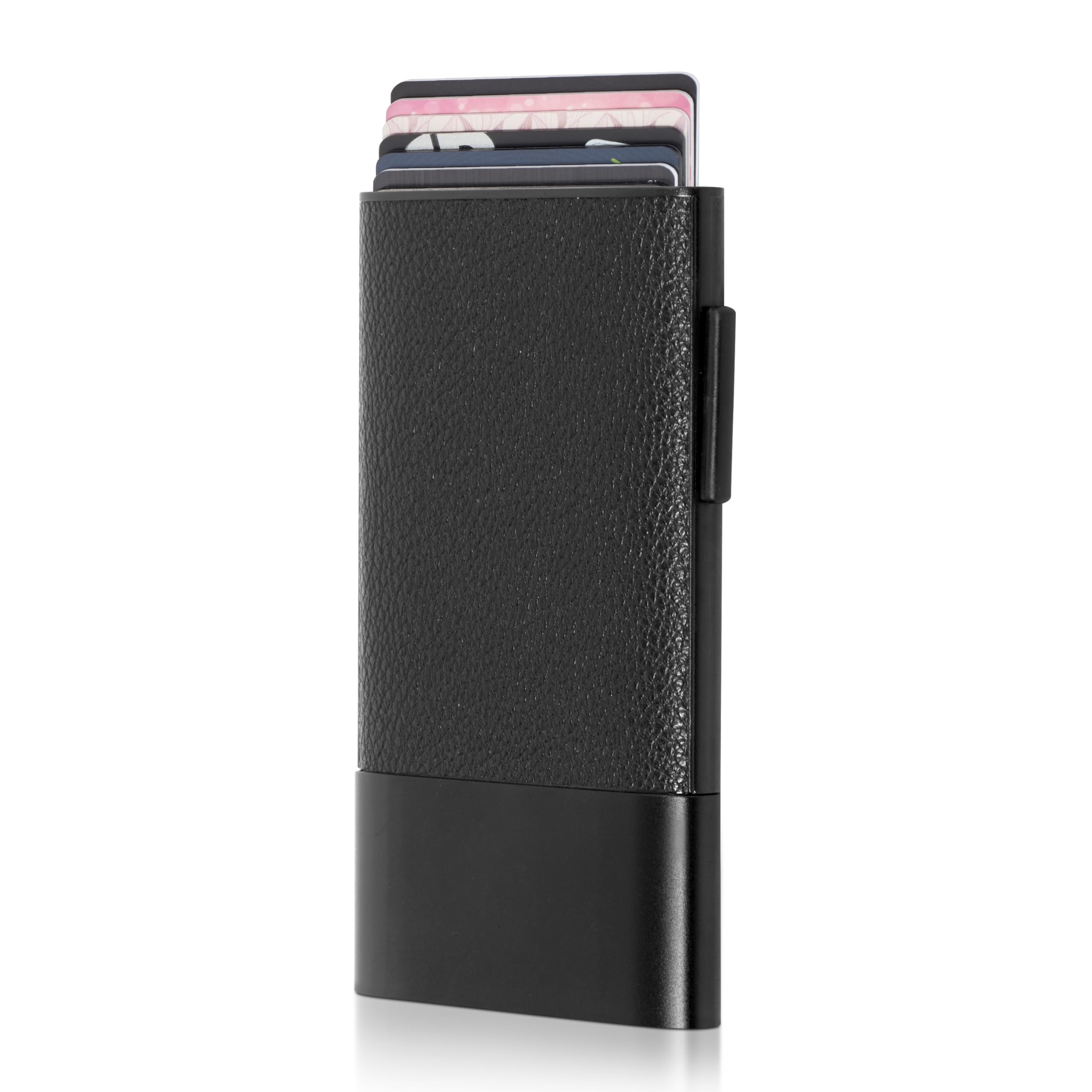
Image: Front view of the Fidelo Minimalist Sliding Wallet, showcasing its black leather and aluminum construction.
Setup
To begin using your Fidelo Minimalist Sliding Wallet, follow these simple steps:
- Loading Cards: Gently slide your standard-sized cards into the aluminum card holder slot. The wallet is designed to securely hold up to 6 cards.
- Initial Placement: Ensure cards are inserted fully and evenly to prevent jamming and allow for smooth ejection.

Image: The Fidelo Minimalist Sliding Wallet demonstrating quick access with cards partially ejected from the top.

Image: A close-up view of several cards fanned out from the wallet, illustrating its capacity.
Operation
The Fidelo Minimalist Sliding Wallet is designed for effortless card access and secure storage.
- Card Ejection: To access your cards, locate the trigger mechanism on the side of the wallet. Push the trigger upwards with your thumb. Your cards will smoothly slide out in a fanned arrangement, allowing you to easily select the desired card.
- Card Retraction: After selecting a card, gently push the remaining cards back into the aluminum holder until they are fully secured.
- RFID Protection: The aluminum construction of the wallet provides advanced RFID blocking, protecting your cards from unauthorized 13.56 MHz scans and electronic pickpocketing. Your cards are protected when fully retracted into the wallet.
- Tap Payment: For cards with tap-to-pay functionality, you can perform transactions by partially ejecting the card and tapping the wallet against the payment terminal.

Image: A hand demonstrating the trigger mechanism to slide cards out of the wallet.

Image: The Fidelo wallet being used for a tap payment, with a card partially extended.
Maintenance
To ensure the longevity and optimal performance of your Fidelo Minimalist Sliding Wallet, follow these maintenance guidelines:
- Cleaning: Use a dry cloth to clean the exterior of the wallet. Avoid using harsh chemicals or abrasive materials, which can damage the leather and aluminum finish.
- Leather Care: For the leather components, occasional conditioning with a leather-specific product can help maintain its appearance and suppleness.
- Avoid Overloading: Do not exceed the recommended card capacity (up to 6 cards) to prevent strain on the ejection mechanism and potential damage to your cards or the wallet.
- Storage: Store the wallet in a cool, dry place away from direct sunlight and extreme temperatures.
Troubleshooting
If you encounter any issues with your Fidelo Minimalist Sliding Wallet, consider the following common solutions:
- Cards Sticking: If cards are difficult to eject or retract, ensure you are not exceeding the 6-card capacity. Remove all cards and reinsert them one by one, ensuring they are standard thickness and free of debris.
- Trigger Mechanism Issues: If the trigger feels stiff or unresponsive, check for any foreign objects obstructing its movement. Avoid forcing the mechanism.
- RFID Protection Concerns: The wallet provides RFID blocking for 13.56 MHz frequencies. Ensure cards are fully inside the aluminum casing for maximum protection.
If problems persist, please refer to the support section for further assistance.
Specifications
| Brand | Fidelo |
| Model Name | Fide-000114 |
| Model Number | FIDE-000114 |
| Material | Leather, Aluminum |
| Special Feature | RFID Protected |
| Wallet Compartment Type | Business Card, Credit Card, ID Card |
| Closure Type | Lobster Clasp (for external attachment point) |
| Number of Card Slots | 6 |
| Form Factor | Slim |
| Item Dimensions (D x W x H) | 4.6" x 2.8" x 0.5" (approximate) |

Image: A diagram illustrating the precise dimensions of the Fidelo Minimalist Sliding Wallet.
Warranty Information
For detailed warranty information regarding your Fidelo Minimalist Sliding Wallet, please refer to the product packaging or visit the official Fidelo website. Warranty terms and conditions may vary.
Customer Support
Should you require further assistance, have questions, or need to report an issue, please contact Fidelo customer support. You can typically find contact information on the official Fidelo website or through the retailer where you purchased the product.
Online Resources: For FAQs and additional product information, please visit the Fidelo Brand Store on Amazon.