
JEUJUG d1a509b2-eccb-49f9-be81-3f9d24f41f36
JEUJUG Portable AM FM Digital Radio User Manual
Model: RETRO-LCD (d1a509b2-eccb-49f9-be81-3f9d24f41f36)
1. Introduction
Thank you for purchasing the JEUJUG Portable AM FM Digital Radio. This manual provides detailed instructions for the safe and efficient operation of your new radio. Please read this manual thoroughly before use and retain it for future reference.
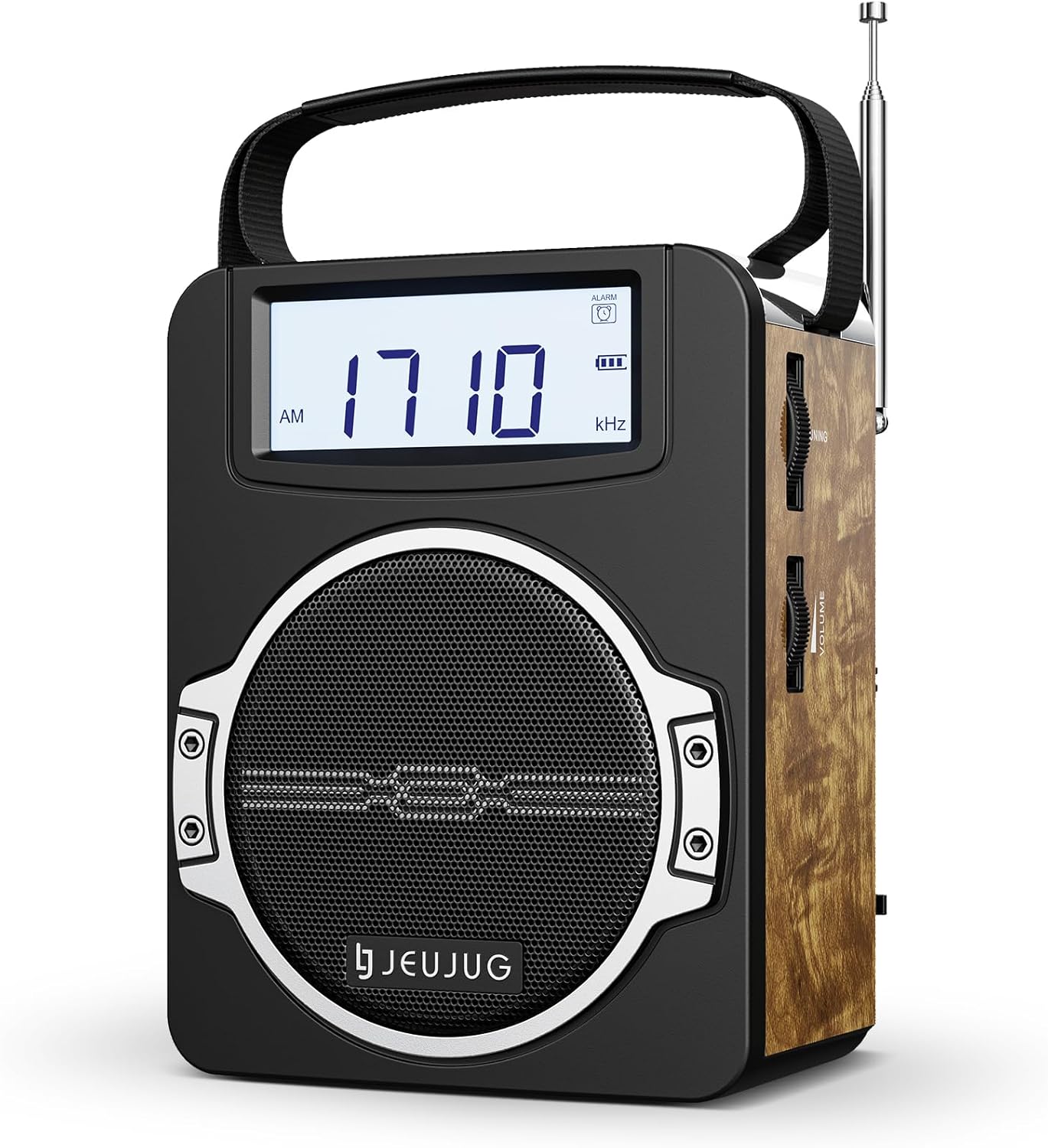
Figure 1.1: JEUJUG Portable AM FM Digital Radio (RETRO-LCD model)
2. Safety Information
To ensure safe operation and prevent damage, please observe the following precautions:
- Do not expose the radio to rain, moisture, or extreme temperatures.
- Avoid dropping or subjecting the radio to strong impacts.
- Do not disassemble or attempt to repair the radio yourself. Refer all servicing to qualified personnel.
- Keep the radio away from strong magnetic fields.
- Use only the provided power cord for charging and operation.
- When using D-cell batteries, ensure correct polarity and do not mix old and new batteries or different types of batteries.
3. Package Contents
Verify that all items are present in the package:
- JEUJUG Portable AM FM Digital Radio
- Power Cord
- User Manual (this document)
4. Product Overview
Familiarize yourself with the various components of your JEUJUG radio.

Figure 4.1: Key Features of the JEUJUG Digital Radio
The radio features an oversized LCD display for clear readability, Bluetooth 5.0 for seamless connectivity, and a powerful 5-watt speaker for impressive sound. It supports both AM and FM radio bands and includes an alarm clock function.
Video 4.2: Overview of the JEUJUG Portable AM FM Digital Radio's features and design.
5. Setup
5.1 Powering the Device
Your JEUJUG radio offers three power options:
- Built-in Rechargeable Battery: The radio comes with an integrated 1800mAh rechargeable lithium battery. For first use, it is recommended to fully charge the battery.
- AC Power Cord: Use the included power cord to connect the radio to a standard wall outlet for continuous operation and to charge the built-in battery.
- D-Cell Batteries (Not Included): For extended portable use, you can install 4 D-cell batteries in the battery compartment. Ensure correct polarity when inserting.

Figure 5.1: Power Supply Options
6. Operating Instructions
6.1 Turning On/Off and Volume Control
Locate the Volume/Power knob on the side of the radio. Rotate it clockwise to turn the radio on and increase the volume. Rotate counter-clockwise to decrease volume and turn the radio off.
6.2 Radio Tuning (AM/FM)
The radio supports FM (87.5-108MHz) and AM (520-1710kHz) frequencies. Extend the telescopic antenna for optimal FM reception. For AM reception, rotate the radio for the best signal.
- Automatic Tuning: The radio features an automatic tuning function. Simply turn the tuning dial, and the digital display will show the frequency. The radio will automatically lock onto strong signals.
- Manual Tuning: Fine-tune the frequency by slowly rotating the tuning dial until your desired station is clear.

Figure 6.1: Enhanced Radio Reception
6.3 Bluetooth Connectivity
To connect your radio to a Bluetooth-enabled device:
- Turn on the radio.
- Switch the mode to Bluetooth. The display will indicate Bluetooth mode, and you may hear an audible prompt.
- On your smartphone or other smart device, enable Bluetooth and search for available devices.
- Select "JEU-DP1622" from the list of devices.
- Once paired, the radio will confirm the connection, and you can begin playing audio through the radio's speaker. The Bluetooth range is approximately 50 feet (15 meters).

Figure 6.2: Seamless Bluetooth 5.0 Connection
6.4 Setting Clock and Alarm
The oversized LCD display shows the time and allows for alarm settings.
- Refer to the specific buttons on the radio (usually labeled "Time Set", "Alarm Set") to adjust the clock and alarm.
- The display supports 12H/24H format.
- An alarm icon will appear on the LCD when the alarm is active.

Figure 6.3: Larger LCD Display for Time and Frequency
7. Maintenance
Proper care will ensure the longevity of your radio:
- Cleaning: Wipe the radio with a soft, dry cloth. Do not use abrasive cleaners or solvents.
- Storage: When not in use for extended periods, store the radio in a cool, dry place. If using D-cell batteries, remove them to prevent leakage.
- Battery Care: Recharge the built-in battery regularly, even if not in frequent use, to maintain its health.
8. Troubleshooting
If you encounter issues with your radio, refer to the following table for common problems and solutions:
| Problem | Possible Cause | Solution |
|---|---|---|
| Radio does not turn on. | Low battery or no power connection. | Charge the built-in battery, connect to AC power, or install fresh D-cell batteries. |
| Poor radio reception. | Antenna not extended (FM) or poor orientation (AM). | Fully extend the telescopic antenna for FM. Rotate the radio for optimal AM signal. |
| Bluetooth not connecting. | Radio not in Bluetooth mode, device too far, or not in pairing mode. | Ensure radio is in Bluetooth mode. Move device closer. Re-initiate pairing on both devices. |
| Sound is distorted or too low. | Volume too low, poor signal, or speaker obstruction. | Adjust volume. Improve radio reception. Ensure speaker is not blocked. |
9. Specifications
| Feature | Detail |
|---|---|
| Brand | JEUJUG |
| Model Number | d1a509b2-eccb-49f9-be81-3f9d24f41f36 |
| Color | RETRO-LCD |
| Product Dimensions | 6.4"L x 3.4"W x 5"H (6.4 x 3.4 x 5 inches) |
| Item Weight | 2.14 pounds |
| Connectivity Technology | Bluetooth 5.0 |
| Tuner Technology | AM/FM Digital |
| Radio Bands Supported | FM (87.5-108MHz), AM (520-1710kHz) |
| Power Source | Battery Powered (Built-in 1800mAh Lithium Polymer, 4 D-cell optional), AC Power Cord |
| Special Features | Portable, Lightweight, Digital Display, Built-In Clock, Rechargeable |
| Included Components | Power Cord |
10. Warranty and Support
JEUJUG products are manufactured to the highest quality standards. For warranty information or technical support, please refer to the contact details provided with your purchase documentation or visit the official JEUJUG website.
For further assistance, you may also refer to the JEUJUG Store on Amazon.
Ask a question about this manual
Ask about setup, troubleshooting, compatibility, parts, safety, or missing instructions. Manuals+ will review the question and use this page’s manual context to help answer it.