Introduction
This manual provides detailed instructions for the safe and efficient operation of your YOUXIU K1 Portable Bluetooth Karaoke Machine. Please read this manual thoroughly before using the product and retain it for future reference.
Package Contents
Verify that all items listed below are included in your package:
- Bluetooth speaker x1
- Microphone x2
- 3.5mm Audio cable x1
- Type-C Charging cable x1
- Instructions x1
Product Overview
Familiarize yourself with the components of your YOUXIU K1 Karaoke Machine.
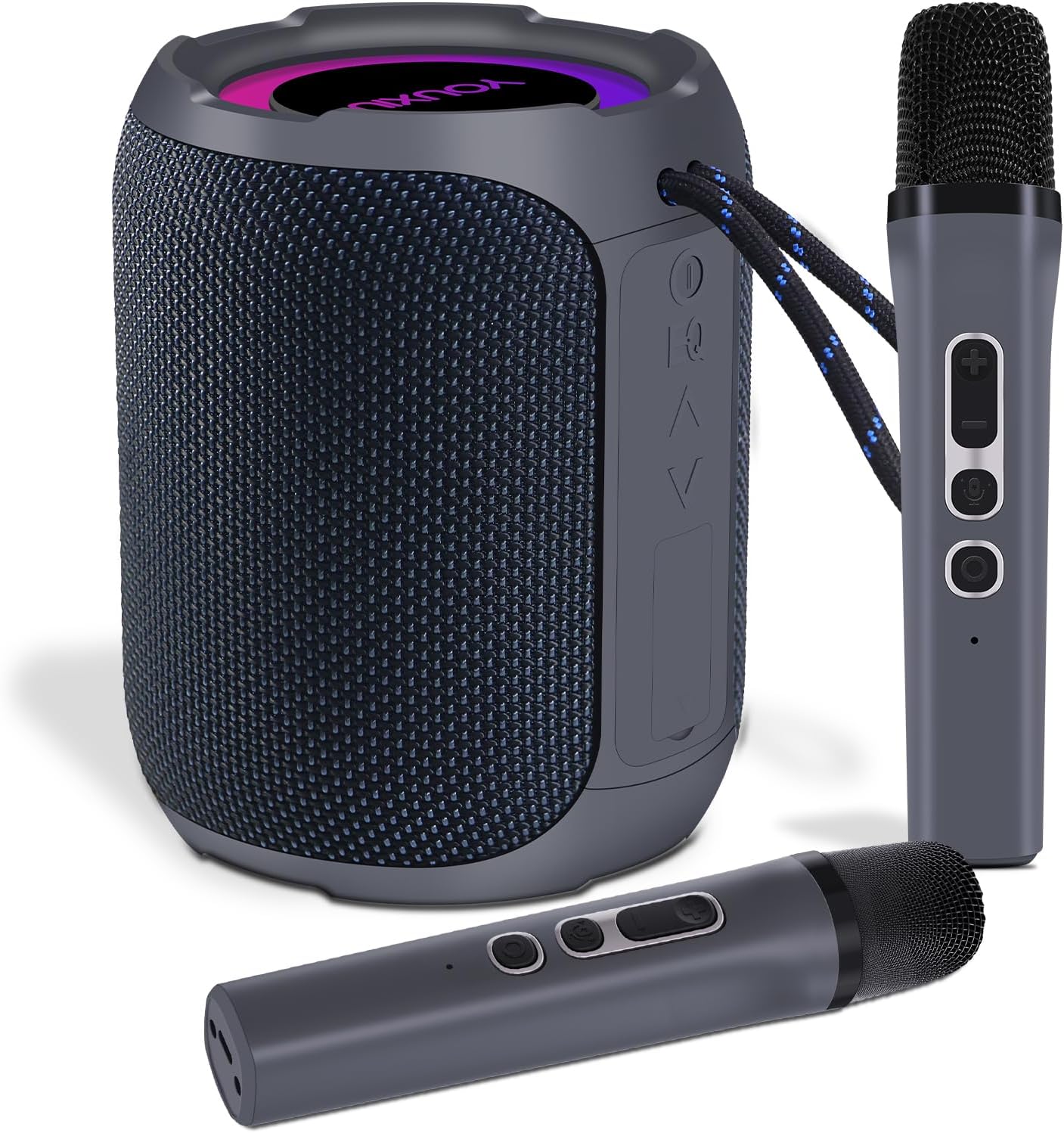
Image: The YOUXIU K1 speaker and two wireless microphones. The speaker is cylindrical with a mesh grille and top-mounted controls, while the microphones are sleek and gray.
Speaker Controls and Ports
- Power Button: Press and hold to power on/off.
- Volume Up/Next Track: Short press for volume up, long press for next track.
- Volume Down/Previous Track: Short press for volume down, long press for previous track.
- Play/Pause Button: Controls media playback.
- Mode Button: Switches between Bluetooth, TF Card, and AUX input modes.
- Type-C Charging Port: For charging the speaker.
- TF Card Slot: For playing music from a TF card.
- AUX Input Port: For wired audio connection.
Microphone Controls
- Power Button: Press and hold to power on/off.
- Volume +/- Buttons: Adjust microphone volume.
- Sound Effect Button: Cycles through 5 sound effects (e.g., AWarCraft, Doll, Soundtrack, KTV).
- Charging Port: For charging the microphone.
Setup
1. Charging the Device
Before first use, fully charge the speaker and both microphones.
- Speaker: Connect the Type-C charging cable to the speaker's charging port and a USB power adapter (not included). The charging indicator will show charging status.
- Microphones: Connect the Type-C charging cable to each microphone's charging port. Each microphone has a built-in 800mAh lithium battery, requiring approximately 1 hour for a full charge, providing about 5 hours of use.
2. Powering On/Off
- Speaker: Press and hold the power button on the speaker for 2-3 seconds.
- Microphones: Press and hold the power button on each microphone for 2-3 seconds. The microphones will automatically connect to the speaker when both are powered on and within range.
3. Bluetooth Pairing
To connect your device (smartphone, tablet, etc.) to the YOUXIU K1 speaker via Bluetooth:
- Ensure the speaker is powered on and in Bluetooth mode (indicated by a flashing blue light).
- Enable Bluetooth on your device and search for available devices.
- Select "YOUXIU K1" from the list. Once connected, the speaker will emit a confirmation sound, and the Bluetooth indicator light will become solid.
4. TF Card / AUX Input
- TF Card: Insert a TF card with music files into the TF card slot. The speaker will automatically switch to TF card mode and begin playback.
- AUX Input: Connect one end of the 3.5mm audio cable to the speaker's AUX port and the other end to your audio source's headphone jack. Press the Mode button to switch to AUX mode.

Image: Diagram illustrating the various connectivity options of the YOUXIU K1 speaker, including wireless microphones, TF card, AUX input, and Bluetooth 5.1.
5. TWS (True Wireless Stereo) Pairing (Optional)
If you have two YOUXIU K1 speakers, you can pair them for a stereo sound experience:
- Ensure both speakers are powered on and not connected to any Bluetooth device.
- On one speaker (this will be the primary speaker), double-press the Play/Pause button. It will enter TWS pairing mode.
- The primary speaker will automatically search for and connect to the second speaker. Once connected, both speakers will play audio in stereo.

Image: Two YOUXIU K1 speakers positioned on a cabinet, wirelessly connected to a television, demonstrating the True Wireless Stereo (TWS) functionality for enhanced audio.
Operating Instructions
1. Microphone Usage
The YOUXIU K1 comes with two wireless microphones for duet performances.
- Volume Adjustment: Use the +/- buttons on the microphone to increase or decrease your vocal volume.
- Sound Effects: Press the sound effect button to cycle through various vocal effects. There are 5 distinct effects available, including AWarCraft sound, Doll sound, Soundtrack, and KTV sound.
- Optimal Performance: For best sound quality, speak directly into the top of the microphone.

Image: Detailed view of the wireless microphone, highlighting its metal construction, buttons for sound effects switching, and the 800mAh rechargeable battery specification.
2. Speaker Audio Controls
The speaker features triple EQ sound controls to adapt to different audio preferences:
- Pop Mode: Optimized for vocal-centric music.
- Bass Mode: Enhances low-frequency sounds for a deeper bass experience.
- 3D Mode: Creates a more immersive, spatial audio experience.
Refer to the speaker's control panel for buttons related to EQ adjustment, if available, or use the connected device's audio settings.
3. Light Show Function
The speaker features dynamic ambient lights that synchronize with your music.
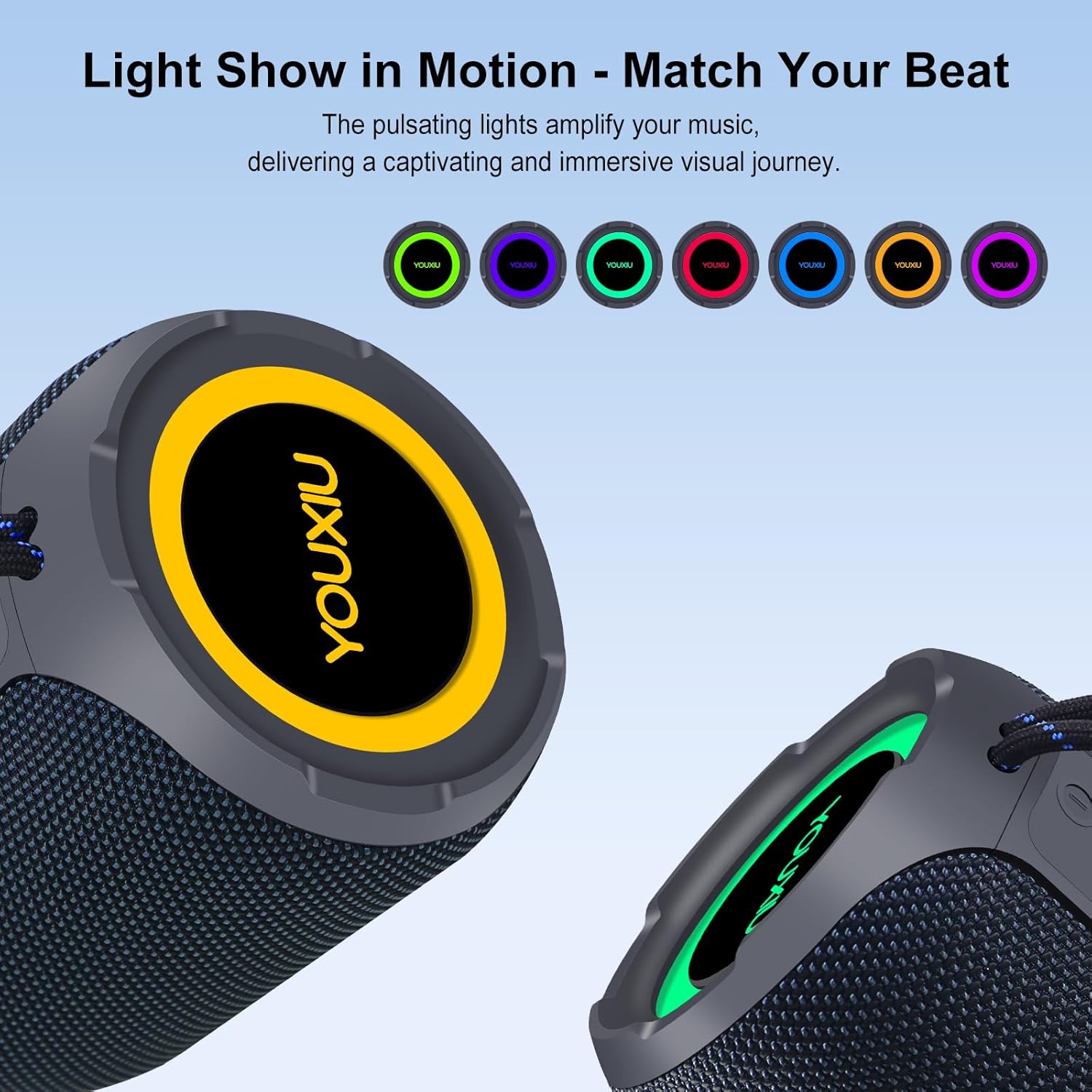
Image: The YOUXIU K1 speaker emitting vibrant, pulsating lights, illustrating its light show feature that matches the rhythm of the music.
4. Hands-Free Calling
When connected to a smartphone via Bluetooth, the speaker allows for hands-free calls. Press the Play/Pause button to answer or end a call.
Maintenance
Cleaning
- Wipe the speaker and microphones with a soft, dry cloth.
- Do not use abrasive cleaners, alcohol, or chemical solvents.
Storage
- Store the device in a cool, dry place away from direct sunlight and extreme temperatures.
- If storing for an extended period, charge the batteries periodically to maintain their lifespan.
Waterproof Information (IPX7)
The YOUXIU K1 speaker features an IPX7 waterproof rating, meaning it can withstand splashes, rain, and brief submersion in water up to 1 meter for 30 minutes. Ensure all ports are securely closed before exposure to water. This rating applies to the speaker only, not the microphones.

Image: The YOUXIU K1 speaker with water splashing on it, visually representing its IPX7 waterproof capability. Additional icons indicate 20W bass, RGB light, tuning, and high-fidelity audio frequency.
Troubleshooting
If you encounter issues with your YOUXIU K1 Karaoke Machine, refer to the following common solutions:
| Problem | Possible Cause | Solution |
|---|---|---|
| No power/Device won't turn on | Low battery; Power button not pressed correctly. | Charge the speaker/microphones fully. Press and hold the power button for 2-3 seconds. |
| No sound from speaker | Volume too low; Incorrect input mode; Device not paired. | Increase volume on speaker and connected device. Ensure correct mode (Bluetooth, TF, AUX). Re-pair Bluetooth device. |
| Microphone not working/No sound from mic | Microphone off; Low battery; Not paired with speaker. | Ensure microphone is powered on and charged. Microphones should auto-pair with the speaker. If not, power cycle both. |
| Echo from microphone | Microphone gain too high; Room acoustics. | Reduce microphone volume. Adjust sound effects. Try using in a different environment. |
| Bluetooth connection unstable | Device too far; Interference. | Move device closer to the speaker (within 10 meters). Avoid obstacles. Disconnect and re-pair. |
Specifications
| Feature | Detail |
|---|---|
| Model Number | YOUXIU K1 |
| Brand | YOUXIU |
| Connectivity Technology | AUX, Bluetooth 5.1, USB |
| Audio Input | AUX, Bluetooth |
| Power Source | Battery Powered |
| Speaker Output | 20W (Large size bass unit) |
| Frequency Response | 60.18 Hz |
| Waterproof Rating | IPX7 (Speaker only) |
| Speaker Battery Life | Up to 20 hours |
| Microphone Battery | 800mAh Lithium Ion (each) |
| Microphone Usage Time | Approx. 5 hours (per microphone) |
| Product Dimensions | 4.13 x 4.13 x 5.12 inches |
| Item Weight | 1.75 pounds (796 Grams) |
| UPC | 797417895595 |
Warranty and Support
Your YOUXIU K1 Portable Bluetooth Karaoke Machine is covered by a manufacturer's warranty. Please refer to the warranty card included in your package for specific terms and conditions.
For technical support, troubleshooting assistance, or warranty claims, please contact YOUXIU customer service through the retailer where you purchased the product or visit the official YOUXIU website.
Online Resources:
- YOUXIU Store on Amazon: Visit Store