
Laviniar A01
Laviniar Bladeless Desk Fan User Manual
Model: A01
Desk Fan Bladeless, Table Fan 6 Speeds Quiet Personal Mini Fan 14.25 inch
1. Introduction
Thank you for choosing the Laviniar Bladeless Desk Fan. This innovative fan combines functionality with a sleek design, providing a safe and efficient cooling solution for your office, living room, or bedroom. Its bladeless design ensures safety for users and pets, while also making cleaning effortless. This manual provides essential information for the proper setup, operation, and maintenance of your new fan.

Figure 1.1: The Laviniar Bladeless Desk Fan, showcasing its modern silver design and compact form factor, ideal for various indoor settings.
2. Product Features
- Futuristic Bladeless Design: Utilizes turbine technology for a safe and modern cooling experience, eliminating concerns about rotating blades.
- Integrated Aromatherapy Compartment: Features a removable compartment for solid scents, allowing the fan to double as a diffuser for a pleasant aroma in your space.
- 6 Wind Speed Options: Offers versatile airflow control with options for strong wind, natural wind, and sleep wind, adaptable to various indoor temperatures and preferences.
- Quiet Operation: Engineered with innovative turbocharging technology and air duct design to deliver strong airflow with minimal noise, as low as 30dB.
- Easy to Clean: Constructed from durable ABS + PC material, the bladeless design simplifies cleaning; simply wipe with a damp cloth.
- Touch Control: Conveniently adjust settings with a simple touch interface.

Figure 2.1: The bladeless design ensures safety and allows for the integration of an aromatherapy feature, providing both cooling and a pleasant scent.

Figure 2.2: An internal view illustrating the innovative spiral air duct system, designed to generate strong wind force and simulate natural wind diffusion for effective air circulation.

Figure 2.3: The fan's capability to provide 360-degree air supply, ensuring cool coverage throughout a room with its 720-degree ultra-wide angle air distribution.

Figure 2.4: Demonstrating the fan's low noise output, with sound levels as low as 30dB, making it suitable for quiet environments like bedrooms.
3. Package Contents
Please check the package contents upon unboxing to ensure all items are present:
- 1x Laviniar Bladeless Desk Fan
- 1x USB Cable
4. Setup Guide
- Unboxing: Carefully remove the fan and all accessories from the packaging. Retain packaging for future storage or transport.
- Placement: Place the fan on a stable, flat surface in your desired location (e.g., desk, table). Ensure there is adequate space around the fan for optimal airflow.
- Power Connection: Connect the provided USB cable to the fan's power input port. Plug the other end of the USB cable into a compatible 5V 1A USB power adapter (not included) or a USB port on a computer/power bank.
- Initial Charge: For battery-powered operation, ensure the fan is fully charged before first use. The battery capacity is 1800 mAh.
5. Operating Instructions
The Laviniar Bladeless Desk Fan features intuitive touch controls for easy operation.
- Power On/Off: Locate the touch button on the front of the fan. Lightly touch the button to turn the fan on or off.
- Adjusting Wind Speed: The fan offers 6 wind speed settings. After turning on the fan, lightly touch the control button repeatedly to cycle through the different wind speeds (e.g., low, medium, high, natural, sleep, strong). The fan will indicate the current speed setting.
- Aromatherapy Function:
- To use the aromatherapy feature, locate the removable aromatherapy storage compartment.
- Gently pull out the compartment by inserting your hand in reverse (as shown in Figure 5.1).
- Place a solid scent or aromatherapy tablet into the compartment.
- Reinsert the compartment securely into the fan. The fan will then circulate the aroma with the airflow.

Figure 5.1: Illustration of how to detach the aromatherapy compartment for adding solid scents or tablets.
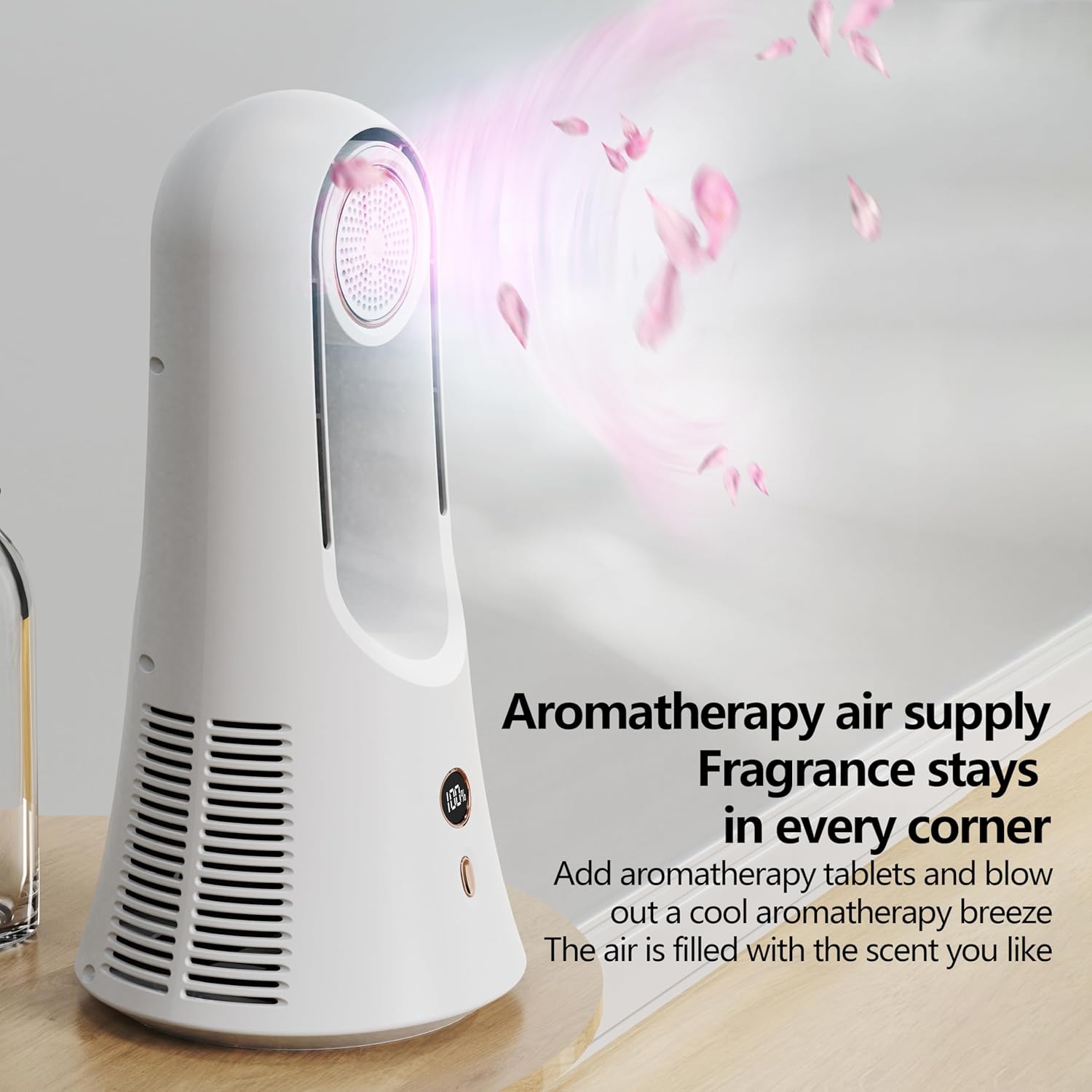
Figure 5.2: The fan distributing aromatherapy into the air, creating a pleasant and scented environment.
6. Maintenance and Cleaning
Regular cleaning will help maintain the fan's performance and longevity.
- Power Off: Always ensure the fan is turned off and unplugged from the power source before cleaning.
- Exterior Cleaning: The fan is made of ABS + PC material, which is easy to clean. Simply wipe the exterior surfaces with a soft, damp cloth. Avoid using abrasive cleaners or solvents that may damage the finish.
- Aromatherapy Compartment: If using the aromatherapy feature, periodically clean the compartment to prevent residue buildup. Remove the compartment and wipe it clean with a damp cloth. Ensure it is dry before reinserting.
- Storage: When not in use for extended periods, store the fan in a cool, dry place, preferably in its original packaging.
7. Troubleshooting
If you encounter any issues with your Laviniar Bladeless Desk Fan, please refer to the following common problems and solutions:
| Problem | Possible Cause | Solution |
|---|---|---|
| Fan does not turn on. | No power supply or low battery. | Ensure the USB cable is securely connected and plugged into a working power source. Charge the fan if operating on battery. |
| Weak airflow. | Fan setting is too low or air intake/outlet is obstructed. | Increase the wind speed setting. Check for any obstructions around the air intake vents or the air outlet and clear them. |
| Unusual noise. | Fan is not on a stable surface or internal obstruction. | Place the fan on a flat, stable surface. If the noise persists, ensure no foreign objects have entered the fan. |
| Aromatherapy scent is weak. | Aromatherapy tablet needs replacement or compartment is dirty. | Replace the aromatherapy tablet. Clean the aromatherapy compartment as per maintenance instructions. |
If the problem persists after attempting these solutions, please contact customer support.
8. Specifications
| Attribute | Detail |
|---|---|
| Brand | Laviniar |
| Model Name | A01 |
| Color | Silver |
| Material | ABS plastic + electronic components |
| Product Dimensions | 7.16"D x 7.16"W x 14.25"H (362x182x182mm) |
| Product Power Consumption | 5W |
| Rated Input | 5V 1A |
| Battery Capacity | 1800 mAh |
| Wind Speed Settings | 6 gears |
| Control Method | Touch |
| Weight | 600G |
| Indoor/Outdoor Usage | Indoor |
9. Safety Information and Attention
- Always unplug the fan before cleaning or performing any maintenance.
- Do not immerse the fan in water or other liquids.
- Keep the fan away from direct sunlight, heat sources, and open flames.
- Do not block the air intake or outlet vents during operation.
- This appliance is not intended for use by persons (including children) with reduced physical, sensory or mental capabilities, or lack of experience and knowledge, unless they have been given supervision or instruction concerning use of the appliance by a person responsible for their safety.
- Children should be supervised to ensure that they do not play with the appliance.
- Please allow for minor variations (1-2 cm) in manual measurements.
- Color display may vary slightly due to differences in display and indicator settings.
10. Warranty and Support
Laviniar is committed to providing high-quality products and excellent customer service. We offer continuous support for our customers.
For any inquiries, technical assistance, or support needs regarding your bladeless desk fan, please contact our customer service team. We aim to provide 24-hour uninterrupted service to ensure your satisfaction.
Your satisfaction is our priority.
Ask a question about this manual
Ask about setup, troubleshooting, compatibility, parts, safety, or missing instructions. Manuals+ will review the question and use this page’s manual context to help answer it.