
Krüger&Matz KM0291
Krüger&Matz Vision L400 Sports Camera User Manual
Model: KM0291
1. Introduction
This manual provides detailed instructions for the Krüger&Matz Vision L400 Sports Camera (Model KM0291). Please read this manual thoroughly before using the camera to ensure proper operation and to maximize its performance and lifespan. Keep this manual for future reference.

Figure 1: Krüger&Matz Vision L400 Sports Camera in its waterproof housing, ready for action.
2. Package Contents
Verify that all items listed below are present in your package:
- Krüger&Matz Vision L400 Sports Camera
- Waterproof Housing
- USB Cable
- Interchangeable Panel Housing
- Bicycle Mount
- Frame with Clip
- 2 x Pin for attaching with strap
- 2 x Short Connectors
- 1 x Long Connector
- Head Mount
- 2 x Velcro Strap
- 2 x Fastening Tape
- Safety Rope
- 4 x Cable Ties
- Cleaning Cloth

Figure 2: Overview of all included accessories for the Vision L400 camera.
3. Setup
3.1. Battery Installation and Charging
The camera uses a Li-ion 900 mAh battery. Ensure the battery is fully charged before first use.
- Open the battery compartment cover located on the bottom of the camera.
- Insert the Li-ion battery (30 x 10 x 3 13 mm) into the compartment, ensuring correct polarity.
- Close the battery compartment cover securely.
- Connect the camera to a 5V/1A power source using the provided USB-C cable. The charging indicator light will illuminate.
- Charging is complete when the indicator light turns off or changes color (refer to camera display for battery status).
3.2. MicroSD Card Installation
A microSD card (up to 64GB, not included) is required for recording videos and photos.
- Locate the microSD card slot on the side of the camera.
- Insert the microSD card with the gold contacts facing the front of the camera until it clicks into place.
- To remove, gently push the card until it springs out.

Figure 3: Side view of the camera, illustrating the location of the microSD card slot and USB-C port.
3.3. Waterproof Housing Assembly
The waterproof housing protects the camera up to 30 meters depth.
- Ensure the camera is clean and dry before placing it into the housing.
- Open the latch on the top of the waterproof housing.
- Carefully insert the camera into the housing, ensuring it fits snugly.
- Close the latch firmly until it clicks, creating a watertight seal.
- Before submerging, always perform a dry test of the housing without the camera inside to ensure no leaks.
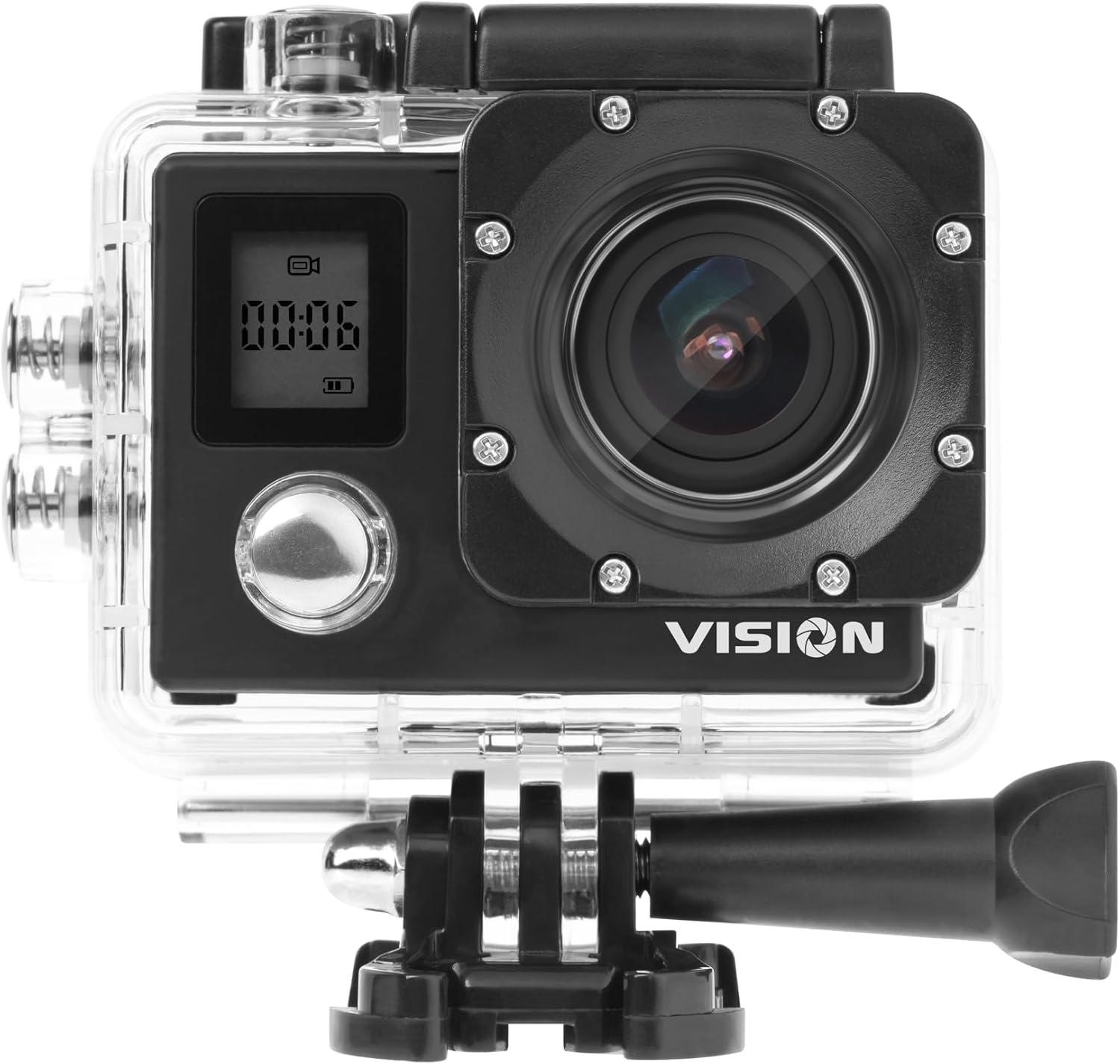
Figure 4: The Vision L400 camera securely placed within its waterproof housing.
4. Operating the Camera
4.1. Power On/Off
Press and hold the Power/Mode button (usually on the front) to turn the camera on or off.

Figure 5: Top view of the camera, highlighting the Power/Mode button.
4.2. Mode Selection
Press the Power/Mode button repeatedly to cycle through different modes: Video Recording, Photo Mode, Slow Motion, and Playback.
4.3. Video Recording
In Video Recording mode, press the OK/Shutter button (usually on top) to start recording. Press again to stop. The camera supports 4K@30 FPS, 1080p@60 FPS, and 720p@120 FPS resolutions.

Figure 6: The camera's 2-inch display showing the video recording interface with 4K 30FPS indicator.
4.4. Photo Capture
In Photo Mode, press the OK/Shutter button to take a picture. The camera captures images in JPG format.
4.5. Wi-Fi Connectivity
The camera features 802.11a/b/g/n Wi-Fi for remote control via a mobile application. Compatibility includes Android 4.1 (or later) and iOS7 (or later).
- Enable Wi-Fi on the camera through the settings menu.
- Download and install the compatible application on your smartphone or tablet.
- Connect your device to the camera's Wi-Fi network (SSID and password will be displayed on the camera screen).
- Use the application to control camera functions, preview footage, and transfer files.
4.6. Remote Control Operation
The included wrist remote control allows for convenient operation from up to 10 meters away.
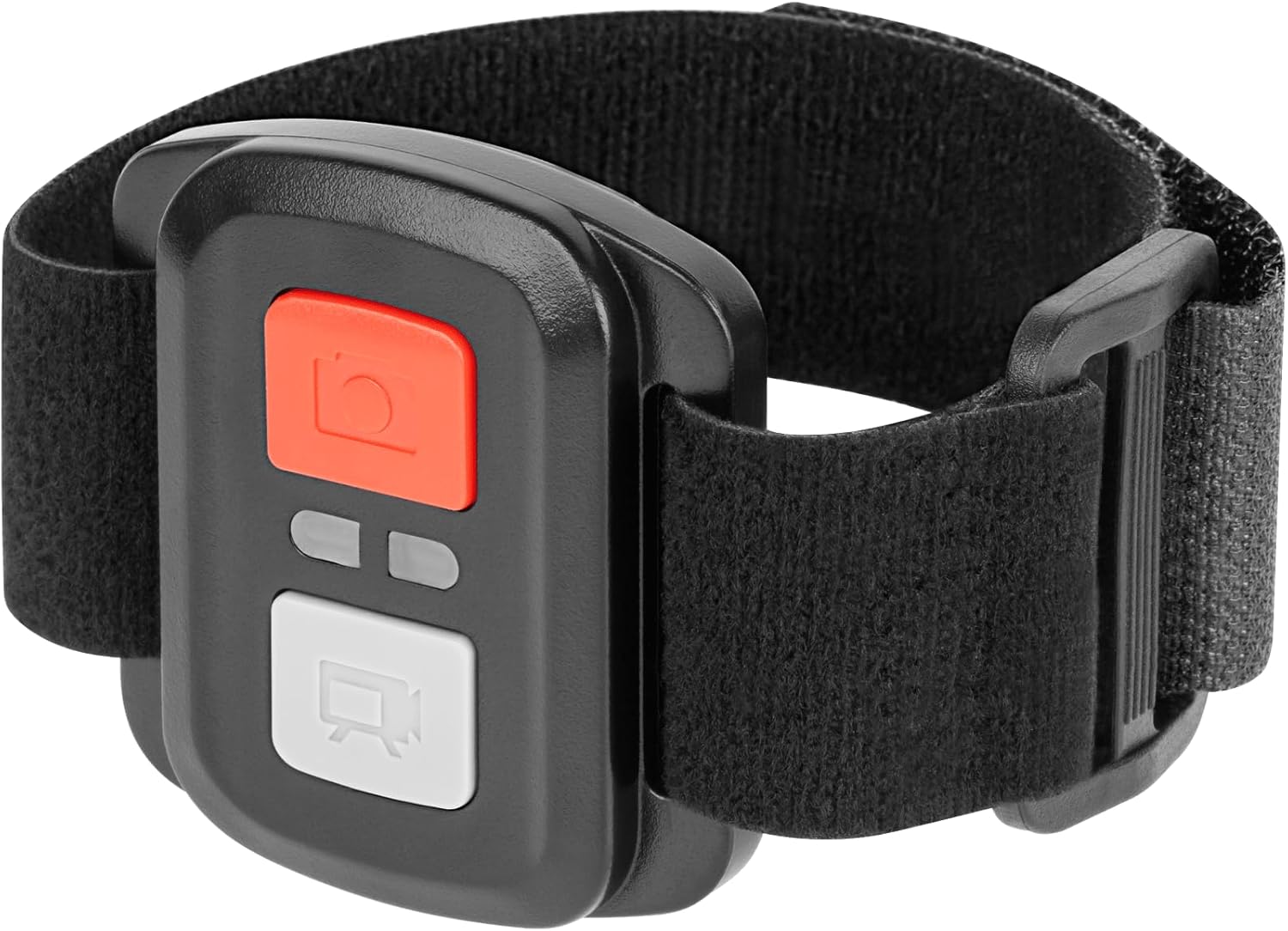
Figure 7: The wrist-worn remote control for convenient camera operation.
- Video Button: Press to start/stop video recording.
- Photo Button: Press to take a photo.
5. Maintenance
5.1. Cleaning the Camera and Housing
- Use the provided cleaning cloth or a soft, lint-free cloth to wipe the camera lens and display.
- For the waterproof housing, rinse with fresh water after each use in saltwater or chlorinated water. Allow to air dry completely before storage.
- Do not use harsh chemicals or abrasive cleaners.
5.2. Battery Care
- Store the battery in a cool, dry place when not in use.
- Avoid exposing the battery to extreme temperatures.
- If storing for extended periods, charge the battery to approximately 50% capacity.
5.3. Storage
Store the camera and accessories in a dry, dust-free environment away from direct sunlight and extreme temperatures.
6. Troubleshooting
| Problem | Possible Cause | Solution |
|---|---|---|
| Camera does not power on. | Battery is depleted or not installed correctly. | Charge the battery. Ensure the battery is inserted with correct polarity. |
| Cannot record video/take photos. | MicroSD card is full, not inserted, or corrupted. | Insert a microSD card. Format the card (this will erase all data). Replace the card if corrupted. |
| Wi-Fi connection issues. | Incorrect Wi-Fi password, out of range, or app issue. | Re-enter password. Move closer to the camera. Restart camera and mobile device. Update app. |
| Poor video/photo quality. | Lens is dirty, low light conditions, or incorrect settings. | Clean the lens. Ensure adequate lighting. Adjust resolution settings. |
| Water inside housing. | Housing not sealed properly or damaged. | Ensure latch is fully closed. Check O-ring for debris or damage. Do not use if housing is damaged. |
7. Specifications
| Feature | Detail |
|---|---|
| Model | KM0291 |
| Converter | IMX179 |
| Resolution | 4K@30 FPS (3840 x 2160 px), 1080p@60 FPS (1920 x 1080 px), 720p@120 FPS (1280 x 720 px) |
| Focal Length | 2.0 |
| Aperture | 2.0 |
| Angle | 170 degrees |
| CPU | Allwinner V3 |
| RAM | 1GB |
| Recording Time (4K) | Up to 80 minutes |
| Display | 2" (320 x 240 pixels) |
| Connectivity | WLAN: 802.11a/b/g/n |
| Video Format | MP4 (H.264 codec) |
| Picture Format | JPG |
| Audio | Built-in microphone, Built-in speaker |
| Remote Control Range | Up to 10 m |
| Battery | Li-ion 900 mAh |
| Charging Voltage | 5 V/1 A |
| Ports | USB-C, microSD card slot (max. 64GB), Micro HDMI |
| Compatibility | Android 4.1+ and iOS7+ |
| Waterproof | Up to 30 m (in waterproof casing) |
| Dimensions | 60 x 41 x 32 mm |
| Weight | 55 g |
8. Warranty and Support
For warranty information and technical support, please refer to the documentation provided at the time of purchase or visit the official Krüger&Matz website. Keep your proof of purchase for warranty claims.
Ask a question about this manual
Ask about setup, troubleshooting, compatibility, parts, safety, or missing instructions. Manuals+ will review the question and use this page’s manual context to help answer it.