
Important Safety Instructions
Read all instructions carefully before using your HUABAO A101 karaoke machine. Keep this manual for future reference.
- Do not expose the device to rain or moisture to prevent electric shock or fire.
- Do not block any ventilation openings. Ensure adequate space around the unit for proper airflow.
- Use only attachments and accessories specified by the manufacturer.
- Refer all servicing to qualified service personnel. Do not attempt to repair the unit yourself.
- Ensure the power source and charging methods comply with the product's specifications.
- Avoid placing the unit near heat sources such as radiators, heat registers, stoves, or other apparatus that produce heat.
- Protect the power cord from being walked on or pinched, particularly at plugs, convenience receptacles, and the point where they exit from the apparatus.
Package Contents
Please verify that all the following items are included in your package:
- 1 x HUABAO A101 Speaker
- 1 x Wireless Microphone
- 1 x Remote Control
- 1 x Shoulder Strap
- 1 x AUX Cable
- 1 x Type-C Charging Cable
- 1 x User Manual (this document)
This image displays all components included in the HUABAO A101 package: the main speaker unit, a wireless microphone, a remote control, a shoulder strap for portability, an AUX cable, a Type-C charging cable, and the user manual.
Product Overview
Familiarize yourself with the various parts and controls of your HUABAO A101 karaoke machine.
Control Panel Layout

This image provides a close-up of the speaker's control panel, highlighting key functions such as TF Card slot, USB Drive port, USB Charge port, Microphone input, Echo control, AUX input, Volume control, Microphone/Instrument input, Microphone Priority button, Record button, Previous track, Play/Pause, Next track, Cancel button, and Power On/Off switch.
Main Features
- All-in-One PA System: Supports TF card (MP3), USB flash drive (MP3), AUX, and FM radio modes for versatile audio playback.
- Portable Design: Lightweight at 3.3 lbs with a built-in carrying handle and an adjustable shoulder strap for easy transport.
- High-Fidelity Sound: Features a 15W PA system with a 6.5-inch subwoofer, advanced audio drivers, and a digital signal processor for clear and balanced sound. Includes a vocal removal feature for karaoke.
- Bluetooth 5.0 Connectivity: Ensures stable wireless transmission for seamless connection to phones, tablets, laptops, and smart TVs.
- Versatile Inputs: Equipped with 6.5mm and 3.5mm jacks for connecting wired microphones and musical instruments.
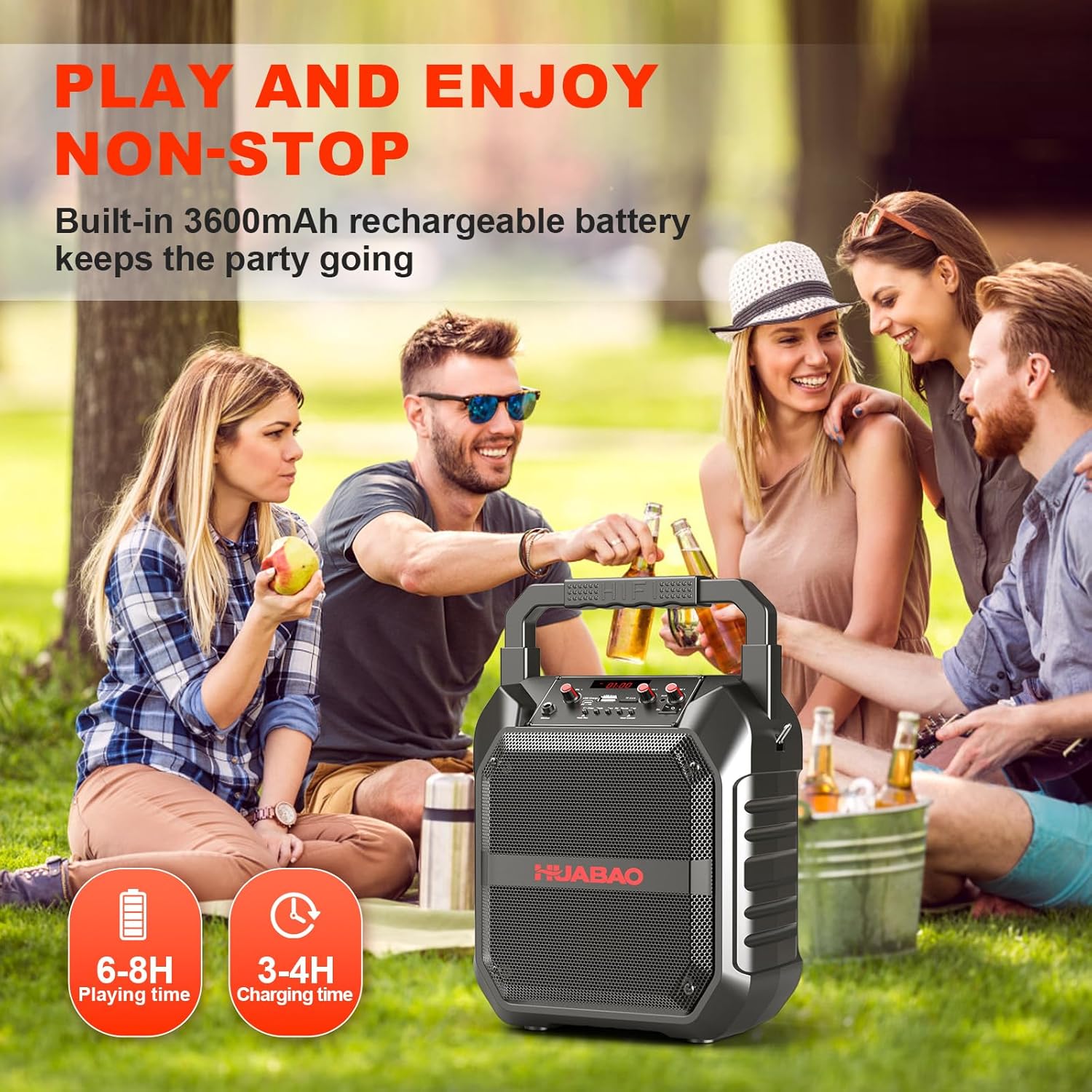
- Long Battery Life: A 3600 mAh rechargeable battery provides 6-8 hours of continuous playtime.

This graphic highlights the internal components responsible for the speaker's audio performance, specifically a 6.5-inch subwoofer and 15W power, indicating a high-fidelity sound experience.

A family is shown enjoying the HUABAO A101 karaoke machine, surrounded by icons representing its various connectivity options and features: Bluetooth 5.0, TF Card, USB, AUX, FM radio, Microphone input, Instrument input, and Remote control functionality.
Setup
Charging the Speaker
Before first use, it is recommended to fully charge the speaker.
- Connect the provided Type-C charging cable to the speaker's charging port.
- Connect the other end of the cable to a standard USB power adapter (not included).
- The charging indicator on the speaker will illuminate. A full charge typically takes 3-4 hours.
Microphone Setup
The wireless microphone requires 2 AA batteries (included).
- Unscrew the bottom part of the wireless microphone to access the battery compartment.
- Insert 2 AA batteries, ensuring correct polarity (+/-).
- Screw the bottom part back on securely.
- Turn on the microphone using its power switch. It will automatically attempt to pair with the speaker when the speaker is powered on and in an appropriate mode.
Operating Instructions
Power On/Off
Locate the On/Off switch on the control panel of the speaker. Toggle it to power the speaker on or off.
Adjusting Volume
The speaker's overall volume is influenced by both its physical volume knob and the volume setting of the connected device. For the loudest and clearest sound, ensure the volume on your connected device (e.g., smartphone, tablet) is turned up to its maximum level, then adjust the speaker's volume knob to your desired output.

This image demonstrates that the speaker's output volume is influenced by both its physical volume knob and the digital volume setting on a connected device, such as a smartphone. Users should maximize the volume on their connected device for the best sound.
Bluetooth Mode
- Turn on the speaker. It will automatically enter Bluetooth pairing mode, indicated by a flashing Bluetooth icon or voice prompt.
- On your device (e.g., phone, tablet, laptop), enable Bluetooth and search for available devices.
- Select "HUABAO A101" from the list of found devices to pair. A confirmation sound will indicate successful pairing.
- You can now play audio from your device wirelessly through the speaker.
USB/TF Card Mode
- Insert a USB flash drive or TF card (containing MP3 audio files) into the corresponding port on the control panel.
- The speaker will automatically detect the storage device and begin playing music from it.
- Use the "Prev" and "Next" buttons on the control panel or remote control to navigate between tracks.
AUX Mode
- Connect one end of the provided AUX cable to the speaker's AUX input jack.
- Connect the other end to the audio output (e.g., headphone jack) of your external device.
- The speaker will automatically switch to AUX mode. If not, press the "Mode" button to select AUX.
FM Radio Mode
- Press the "Mode" button repeatedly until FM radio mode is selected.
- Press and hold the "Play/Pause" button to initiate an auto-scan for available FM stations. The speaker will automatically save detected stations.
- Use the "Prev" and "Next" buttons to cycle through the saved FM stations.
Using the Wireless Microphone
- Ensure the wireless microphone has fresh batteries and is powered on.
- The microphone will automatically connect to the speaker when both are powered on.
- Adjust the microphone volume and echo effect using the dedicated knobs on the speaker's control panel.
- Press the "Mic Prior" button to activate microphone priority, which lowers background music volume when you speak into the microphone.
Vocal Removal Feature
The vocal removal feature can be activated to reduce or eliminate vocals from music tracks, enhancing the karaoke experience. Refer to the control panel diagram for the specific button or combination to activate this feature (often labeled "Vocal Cut" or similar, or integrated with the "Mode" button).
Connecting Wired Microphones/Instruments
The speaker features 6.5mm and 3.5mm jacks for connecting wired microphones or musical instruments. Simply plug your device into the appropriate jack. The speaker will amplify the audio input.

This image shows a person playing an acoustic guitar, with the guitar connected to the HUABAO A101 speaker, illustrating the speaker's capability to amplify musical instruments through its 6.5mm input.
Maintenance
- Clean the speaker and microphone with a soft, dry cloth. Do not use abrasive cleaners, solvents, or harsh chemicals.
- Store the speaker in a cool, dry place away from direct sunlight, extreme temperatures, and high humidity.
- If the speaker will not be used for an extended period, charge the battery every 3 months to help maintain its lifespan and performance.
- Remove batteries from the wireless microphone if it will not be used for a long time to prevent potential battery leakage and damage.
Troubleshooting
If you encounter any issues with your HUABAO A101, please refer to the following table for common problems and solutions:
| Problem | Possible Cause | Solution |
|---|---|---|
| Speaker does not power on | Battery drained; Power switch is off | Charge the speaker fully; Ensure the power switch is in the "On" position |
| No sound output | Speaker volume too low; Connected device volume low; Incorrect input mode selected; Device not properly connected | Increase speaker and connected device volume; Press "Mode" button to select correct input; Reconnect audio cable or re-pair Bluetooth device |
| Wireless microphone not working | Microphone is off; Low microphone battery; Microphone not paired with speaker | Turn on the microphone; Replace AA batteries; Ensure speaker is powered on and microphone is within range for automatic pairing |
| Bluetooth connection is unstable or disconnects | Connected device is too far from the speaker; Obstacles between devices; Interference from other wireless devices | Move the connected device closer to the speaker; Remove any physical obstructions; Turn off other nearby Bluetooth devices if interference is suspected |
| Poor FM radio reception | Weak signal in current location | Relocate the speaker to an area with better signal reception; Ensure the speaker's antenna (if applicable) is fully extended |
| Volume is not loud enough even at maximum speaker setting | Volume on the connected device is set too low | Increase the volume on your connected device (phone, tablet, etc.) to its maximum level. |
Specifications
| Feature | Detail |
|---|---|
| Model Number | A101 |
| Output Wattage | 15 Watts |
| Subwoofer Size | 6.5 inches |
| Connectivity | Bluetooth 5.0, USB, TF Card, AUX (3.5mm, 6.5mm) |
| Battery Capacity | 3600 mAh (Lithium Ion) |
| Playtime | 6-8 hours |
| Charging Time | 3-4 hours |
| Item Weight | 3.3 pounds |
| Product Dimensions | 7.5 x 10.6 x 14.57 inches |
| Microphone Batteries | 2 AA batteries (included) |
| Material | Plastic |
Warranty and Support
HUABAO offers a one-year warranty and lifetime technical support for this product.
For any questions, concerns, or technical assistance, please feel free to contact our customer support team. You can reach us via Amazon's messaging system or through the contact information provided in your purchase documentation.
