
Introduction
This manual provides detailed instructions for the installation, operation, and maintenance of your Modern Fan Co. IC/Brisa DC 56-inch Ceiling Fan. Please read this manual thoroughly before beginning installation or operation to ensure safe and efficient use of your fan. Keep this manual for future reference.
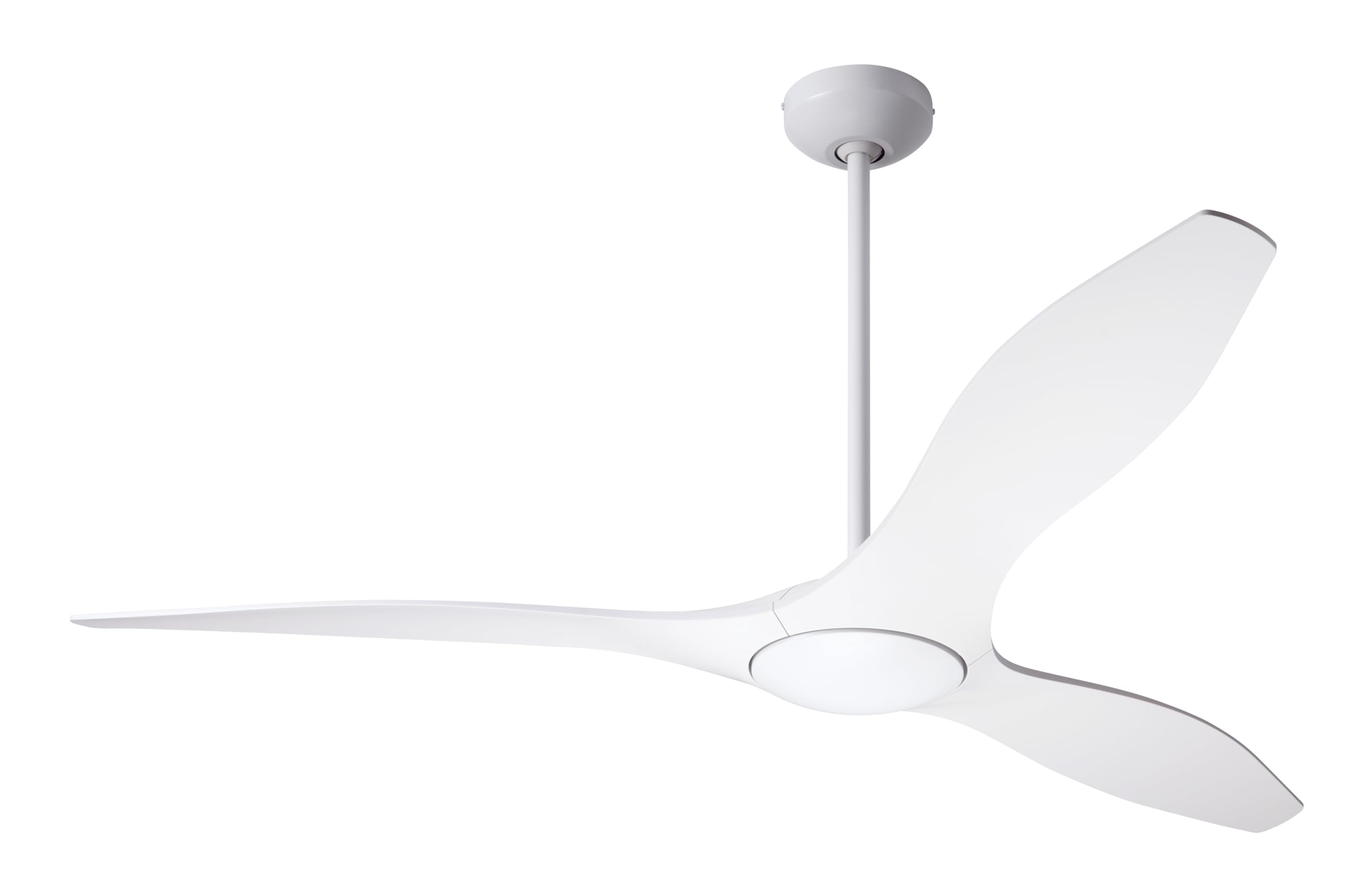
Image: The Modern Fan Co. IC/Brisa DC 56-inch Matte White Ceiling Fan, showcasing its sleek design and three blades.
Safety Information
WARNING: To reduce the risk of fire, electric shock, or personal injury, always follow these safety guidelines:
- Ensure the installation site is structurally sound and capable of supporting the fan's weight (at least 35 lbs).
- All wiring must be in accordance with national and local electrical codes. Consult a qualified electrician if you are unsure.
- Turn off power at the circuit breaker or fuse box before beginning installation or performing any maintenance.
- Do not operate the fan with damaged wiring or if any parts are missing or damaged.
- Keep hands, clothing, and other objects clear of the fan blades when the fan is operating.
- This fan is ETL listed for dry and damp locations. It can be installed indoors or in covered outdoor areas.
Package Contents
Verify that all components are present before beginning installation. If any parts are missing or damaged, contact customer support.
- Ceiling Fan Motor Housing
- Fan Blades (3)
- 6-inch Down Rod
- 18-inch Down Rod
- Mounting Bracket
- Canopy
- 6-Speed Hand-Held Remote Control
- Hardware Pack (screws, washers, wire nuts, etc.)
- Instruction Manual
Setup and Installation
Professional installation is recommended. Ensure power is disconnected at the circuit breaker before proceeding.
- Mounting Bracket Installation: Secure the mounting bracket to a ceiling joist or an outlet box approved for fan support.
- Down Rod Assembly: Choose either the 6-inch or 18-inch down rod. Feed the electrical wires from the fan motor through the down rod.
- Hanging the Fan: Carefully lift the fan assembly and hang it from the mounting bracket.
- Wiring Connections: Connect the fan's electrical wires to the household wiring according to the wiring diagram provided in the separate wiring guide (not included in this manual, typically with the product). Ensure all connections are secure and insulated with wire nuts.
- Canopy Installation: Slide the canopy up to the ceiling and secure it to the mounting bracket, covering the wiring connections.
- Blade Attachment: Attach the three fan blades to the motor housing using the provided screws. Ensure blades are securely fastened.

Image: Dimensional drawing illustrating the fan's measurements, including height with 6-inch and 18-inch down rods, and blade sweep.
Operating Instructions
Your IC/Brisa DC ceiling fan is controlled by the included 6-speed hand-held remote control.

Image: The 6-speed hand-held remote control for the IC/Brisa DC ceiling fan, showing buttons for speed adjustment, reverse, and power.
- Power On/Off: Press the OFF button (fan icon) to turn the fan on or off.
- Speed Control: Use the SPEED+ and SPEED- buttons to cycle through the six available fan speeds.
- Reverse Function: Press the REV button to change the direction of the fan blades. This function is useful for seasonal air circulation:
- Summer Mode (Counter-clockwise): Creates a downward airflow, producing a cooling effect.
- Winter Mode (Clockwise): Creates an upward airflow, circulating warm air near the ceiling.
- Light Control (if applicable): If your model includes a light kit, use the light button (bulb icon) to control the light. This specific model (BRI-MW-56-NL-RC) does not include a light.
Maintenance
Regular maintenance ensures optimal performance and extends the life of your ceiling fan. Always turn off power at the circuit breaker before cleaning or performing any maintenance.
- Cleaning: Use a soft, damp cloth to clean the fan blades and motor housing. Do not use abrasive cleaners or solvents, as these can damage the finish.
- Blade Inspection: Periodically check the blade screws to ensure they are tight. Loose blades can cause wobbling and noise.
- Dust Removal: Dust the fan regularly to prevent buildup, which can affect performance and appearance.
Troubleshooting
Before attempting any repairs, ensure the power to the fan is turned off at the circuit breaker.
| Problem | Possible Cause | Solution |
|---|---|---|
| Fan does not start | No power to the fan; Loose wire connections; Remote control battery depleted. | Check circuit breaker/fuse; Verify all wire connections are secure; Replace remote control battery. |
| Fan wobbles | Loose blade screws; Improperly balanced blades; Loose mounting bracket. | Tighten all blade screws; Use a blade balancing kit (not included) if necessary; Ensure mounting bracket is securely fastened. |
| Remote control not working | Depleted battery; Remote not paired with fan (if applicable); Obstruction between remote and receiver. | Replace battery; Refer to remote pairing instructions (if provided separately); Ensure clear line of sight. |
| Noisy operation | Loose screws; Motor issues; Blades hitting an obstruction. | Check and tighten all screws; Ensure no obstructions are in the blade path; If noise persists, contact customer support. |
Specifications
| Feature | Detail |
|---|---|
| Model | IC/Brisa DC |
| Brand | Modern Fan |
| Color | Matte White |
| Blade Sweep | 56 inches |
| Number of Blades | 3 |
| Height (with 6" down rod) | 11.4 inches |
| Power Source | DC Motor |
| Control Type | 6-Speed Hand-Held Remote Control |
| Airflow (High Speed) | 5,584 CFM |
| Airflow (Low Speed) | 1,522 CFM |
| Indoor/Outdoor Usage | Indoor / Damp Locations (ETL Listed) |
| Included Components | Remote Control, 6 in. and 18 in. down rods |
| Material | Plastic (Blades) |
| UPC | 663481921648 |
| ASIN | B0D1HS61FG |
Warranty Information
The Modern Fan Co. IC/Brisa DC Ceiling Fan comes with a Manufacturer's Limited Lifetime Motor Warranty. For specific terms and conditions, please refer to the warranty documentation included with your product or contact Modern Fan Company customer support.
Support and Contact
If you have any questions, require technical assistance, or need to report missing/damaged parts, please contact Modern Fan Company customer support.
Contact information (e.g., phone number, website) is typically provided in separate documentation or on the manufacturer's official website.