1. Introduction
Thank you for choosing the LogiLink LED017 LED Desk Lamp. This manual provides essential information for the safe and efficient use of your new desk lamp. Please read these instructions carefully before use and retain them for future reference.
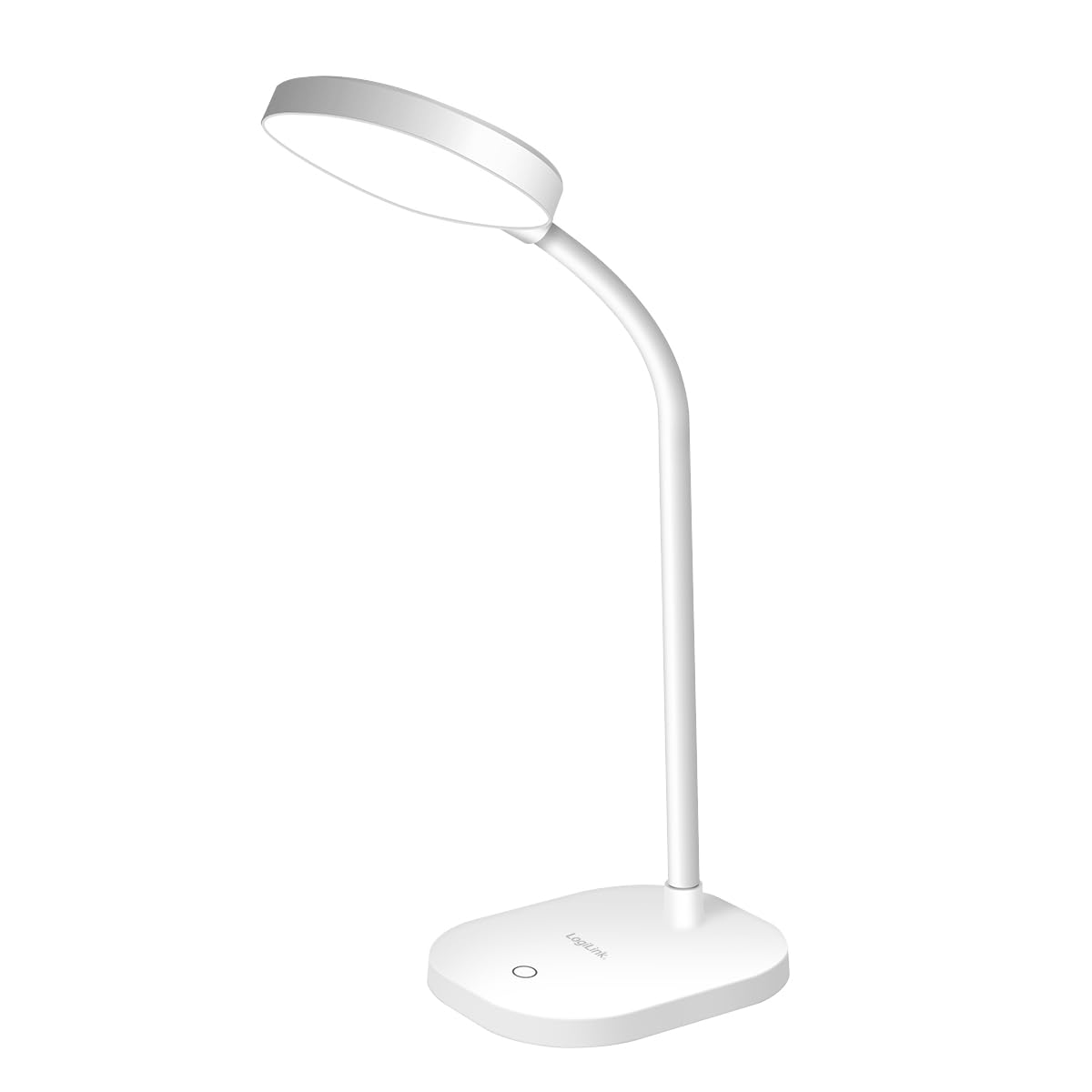
Image 1.1: LogiLink LED017 LED Desk Lamp
This image shows the LogiLink LED017 LED Desk Lamp from a front perspective, highlighting its compact design and flexible gooseneck.
2. Product Features
The LogiLink LED017 LED Desk Lamp is designed for optimal illumination and user comfort. Key features include:
- Flicker-Free Illumination: Reduces eye strain and fatigue during prolonged use.
- Adjustable Brightness: Three distinct brightness levels controlled by a touch sensor.
- Flexible Gooseneck: A 360° adjustable neck allows for precise light positioning.
- Eye-Caring Technology: Provides uniform lighting with no ghosting.
- USB-C Powered: Convenient power supply via a USB-C cable.
- Compact and Lightweight Design: Easy to place and move.
- Non-Slip Base: Ensures stability on various surfaces.

Image 2.1: Eye-Caring Features
This image illustrates the eye-caring benefits of the lamp, highlighting its flicker-free, no ghosting, and uniform lighting capabilities.
3. Package Contents
Please check the package for the following items:
- LogiLink LED017 LED Desk Lamp
- USB-C Power Cable
- User Manual (this document)

Image 3.1: Product Packaging
This image displays the retail packaging of the LogiLink LED017 LED Desk Lamp, showing the lamp and its key features on the box.
4. Setup Instructions
- Unpack: Carefully remove the lamp and all accessories from the packaging.
- Placement: Place the lamp on a stable, flat surface such as a desk or table. Ensure the non-slip base is securely positioned.
- Connect Power: Insert the USB-C end of the power cable into the USB-C port located on the back of the lamp's base.
- Power Source: Connect the other end of the USB-C cable to a compatible USB power adapter (5V/1A recommended, not included) or a USB port on a computer.
- Adjust Gooseneck: Gently bend the flexible gooseneck to position the lamp head as desired.

Image 4.1: USB-C Power Port
This image provides a close-up view of the USB-C power input port located on the base of the lamp.
5. Operating Instructions
The LogiLink LED017 lamp features intuitive touch control for easy operation.
- Power On/Off: Lightly touch the power icon on the lamp's base to turn the lamp on. Touch it again to turn the lamp off.
- Adjust Brightness: When the lamp is on, repeatedly touch the power icon to cycle through the three available brightness levels (Low, Medium, High).
- Positioning: Adjust the flexible gooseneck to direct the light precisely where needed. The 360° flexibility allows for various angles and heights.

Image 5.1: Brightness Levels
This image demonstrates the three distinct brightness levels of the LogiLink LED017 LED Desk Lamp, from dim to bright.

Image 5.2: Flexible Gooseneck
This image highlights the flexible gooseneck design of the lamp, allowing users to adjust the light direction easily.
6. Maintenance
To ensure the longevity and optimal performance of your lamp, follow these simple maintenance guidelines:
- Cleaning: Disconnect the lamp from the power source before cleaning. Use a soft, dry cloth to wipe the lamp's surface. Do not use abrasive cleaners, solvents, or harsh chemicals, as these may damage the finish.
- Storage: If storing the lamp for an extended period, ensure it is clean and dry. Store it in a cool, dry place away from direct sunlight.
- LEDs: The LED light source is integrated and not user-replaceable. Do not attempt to disassemble the lamp head.
7. Troubleshooting
If you encounter any issues with your LogiLink LED017 lamp, please refer to the following troubleshooting guide:
| Problem | Possible Cause | Solution |
|---|---|---|
| Lamp does not turn on. |
|
|
| Brightness levels do not change. |
|
|
| Lamp flickers. |
|
|
8. Specifications
| Model | LED017 |
| Brand | LogiLink |
| Light Source | 16 x SMD 2835 LEDs |
| Power | 5 W |
| Input | 5 V / 1 A |
| Luminous Flux | 240 lm |
| Color Temperature | 5000 K |
| Brightness Levels | 3 (adjustable via touch control) |
| Gooseneck Flexibility | 360° |
| Protection Class | IP20 |
| Power Supply | USB-C |
| Standby Consumption | 0.01 W |
| Dimensions (L x W x H) | 11.8 x 10 x 42.5 cm |
| Weight | 233.5 g |
| Material | Aluminum (base) |
| Color | White |
| Energy Efficiency Class | F (EPREL Link) |

Image 8.1: Energy Efficiency Label
This image displays the EU energy efficiency label for the LogiLink LED017 LED Desk Lamp, indicating its energy class F.
9. Safety Information
Please read and follow these safety precautions to prevent injury or damage to the product:
- This product is intended for indoor use only.
- Do not expose the lamp to water or high humidity.
- Do not attempt to disassemble, repair, or modify the lamp. This will void the warranty and may cause electric shock or fire.
- Keep the lamp away from heat sources, direct sunlight, and flammable materials.
- Ensure the power adapter used is compatible with the lamp's specifications (5V/1A).
- Do not look directly into the LED light source for extended periods, as it may cause eye discomfort.
- Keep out of reach of children.
- If the lamp is damaged, discontinue use immediately and contact customer support.
10. Warranty and Support
LogiLink products are manufactured with quality and reliability in mind. For specific warranty terms and conditions, please refer to the warranty card included with your purchase or visit the official LogiLink website.
For technical support, troubleshooting assistance beyond this manual, or to inquire about replacement parts, please contact LogiLink customer service through their official website or the contact information provided with your product.


