
AF-05
Electric Aroma Diffuser User Manual
Model: AF-05 | Brand: Generic
1. Product Overview
The Generic Electric Aroma Diffuser (Model AF-05) is designed to create a pleasant and refreshing atmosphere in various environments, including homes, offices, hotels, and spas. This versatile device disperses captivating fragrances and soothing scents, enhancing the ambiance of any space.
Key Features:
- LCD display with 4-stage timing adjustment and intelligent time management.
- Density setting for fragrance concentration.
- Flexible installation: can be hung on the wall or placed on a surface.
- 160ml capacity for essential oils.
- Built-in fan for efficient diffusion.
- Shell UV process for durability.
- Silent atomization for quiet operation.
- Removable spray head for easy maintenance.
- Covers an area of up to 300m³.
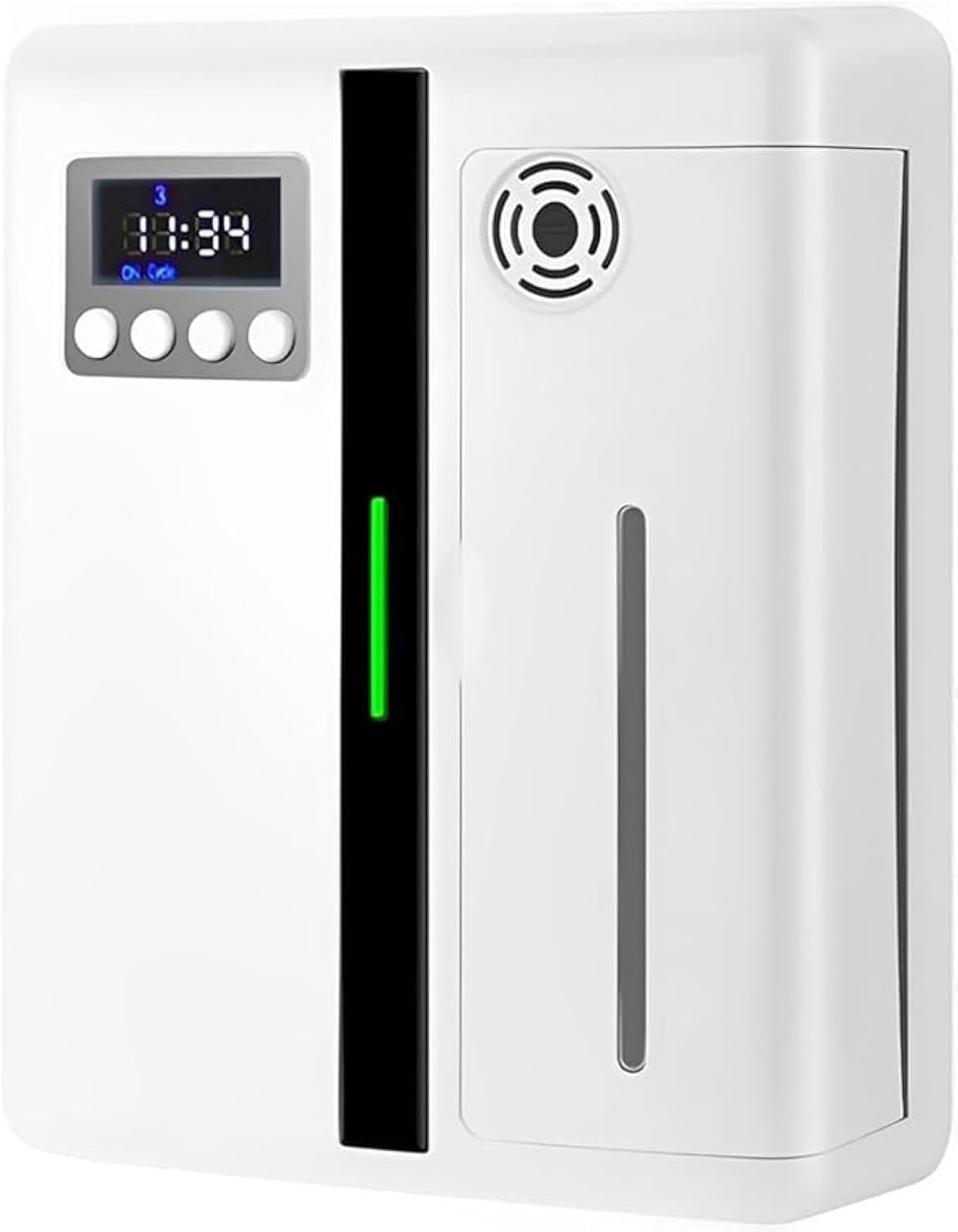
This image shows the front view of the Generic Electric Aroma Diffuser, highlighting its sleek white design, integrated LCD display, and control buttons. A vertical green light indicator is visible on the left side of the main panel.

This image illustrates the key features of the aroma diffuser, including its 160ml capacity, built-in fan, LCD display, shell UV process, 4-stage timing, hanging and table placement options, silent atomization, and removable spray head.
2. Important Safety Information
Please read all instructions carefully before using the device. Keep this manual for future reference.
- Ensure the device is placed on a stable, flat surface or securely mounted on a wall.
- Do not immerse the device in water or any other liquid.
- Keep out of reach of children and pets.
- Use only recommended essential oils or fragrance liquids.
- Unplug the device before cleaning or refilling.
- Do not block the mist outlet.
Notice:
- Please allow slight deviation of measurement due to manual measurement.
- Due to different monitors and different light, the picture may not reflect the actual color of the item.
- Please consider the actual sizes shown in the listing as the pictures are generally enlarged to show detail.
3. Setup and Initial Configuration
3.1 Physical Setup
- Unpack the aroma diffuser and all its components.
- Choose a suitable location for the diffuser. It can be placed on a flat surface or mounted on a wall using appropriate hardware (not included).
- Open the side panel to access the essential oil bottle compartment.
- Fill the essential oil bottle with your desired fragrance. Do not overfill.
- Insert the filled bottle back into the compartment and close the panel securely.
- Connect the power adapter to the device and then plug it into a suitable power outlet.
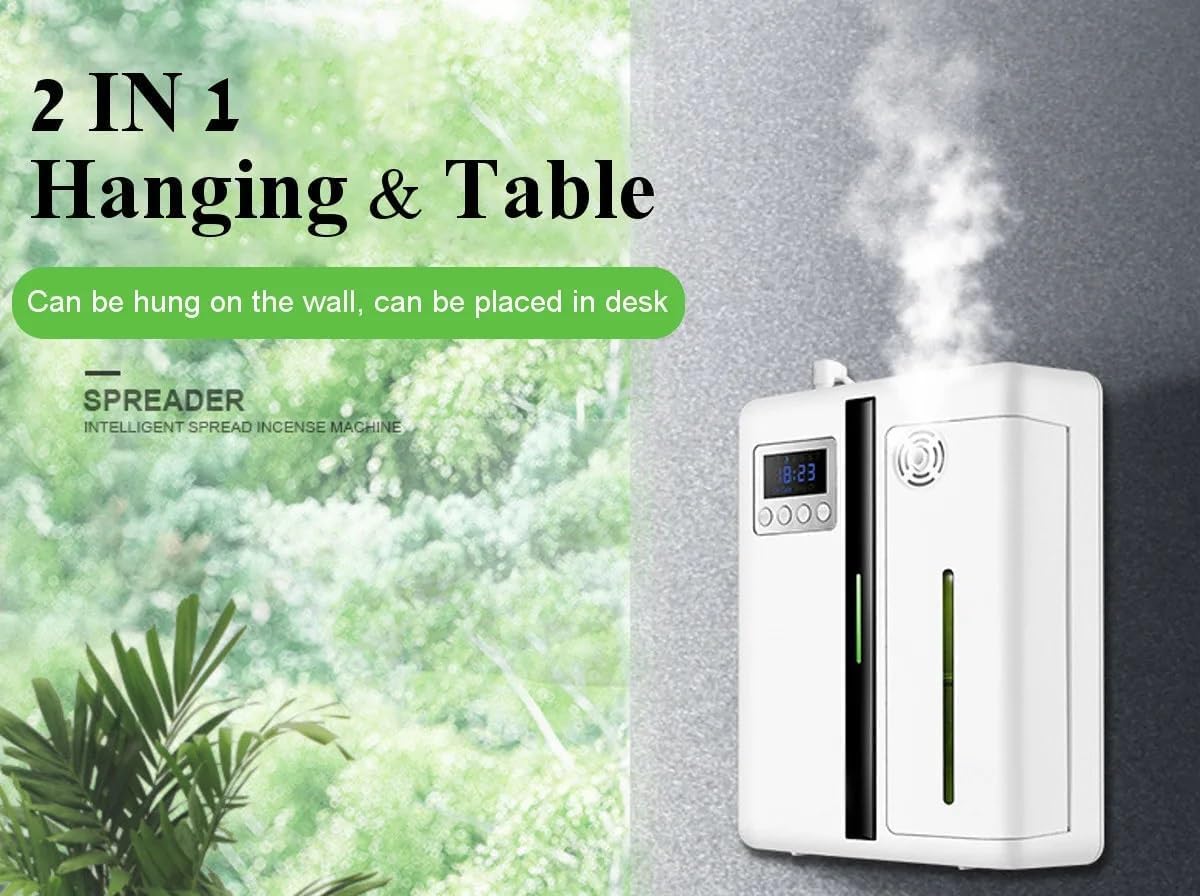
This image demonstrates the versatility of the diffuser, showing it can be both hung on a wall and placed on a table or desk, offering flexible installation options.
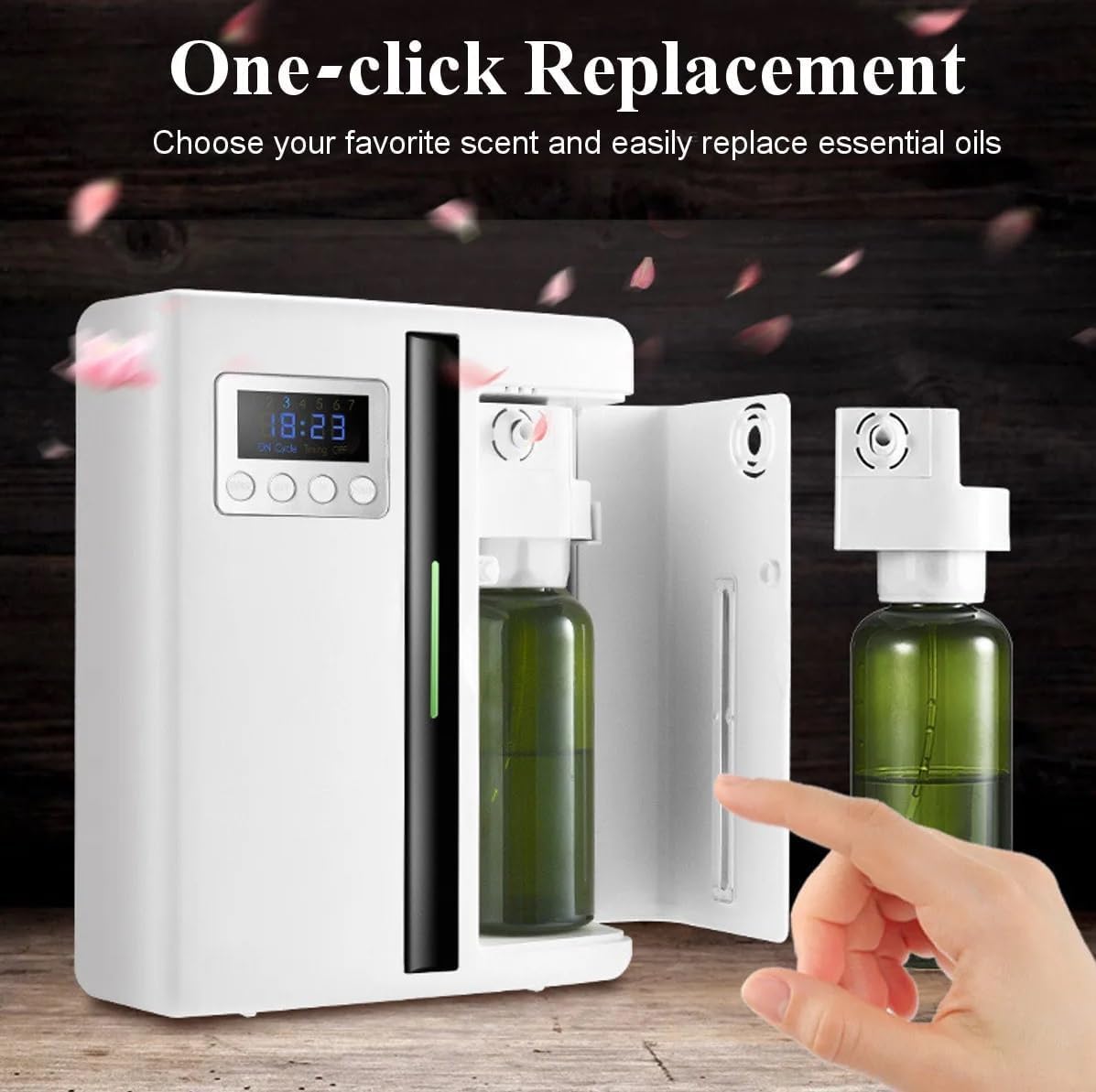
This image demonstrates the easy one-click replacement mechanism for essential oils. The side panel of the diffuser is open, revealing the essential oil bottle, which can be easily removed and replaced.
3.2 Setting the System Time
Adjust the device's internal clock to match your local time (24-hour format).
- Press the SET key for the first time. The hour digit of the time period will flash. Press UP/DOWN to adjust the hour.
- Press the SET key for the second time. The minute number will flash. Press UP/DOWN to adjust the minute.
- Press the SET key for the third time. The current working day will flicker. Press UP/DOWN to adjust the day (1=Monday, 7=Sunday).
- Press the SET key for the fourth time to confirm and save the system time.
3.3 Setting the Operating Period (Up to 4 Periods)
Configure specific times for the diffuser to operate.
- Press and hold the MODE key for 3 seconds. The day indicators (1-7) will blink on the screen.
- Use UP or DOWN keys to select the desired duty cycle (e.g., specific days of the week).
- After selecting, press the MODE key. The interface will display "1" to prompt for the first period time setting.
- Press the SET key. The "00" of the "00:00" clock will flash, and the "Timing ON" light will illuminate.
- Press UP/DOWN to adjust the hour for the device to power on. Press SET.
- The minute "00" will flash. Use UP/DOWN to adjust the minute for power on time. Press SET.
- To set the power off time, the interface will display "00" of the "00:00" clock flashing, and "Timing OFF" will be on. Press UP/DOWN to adjust the hour for power off. Press SET.
- The minute "00" will flash. Use UP/DOWN to adjust the minute for power off time. Press SET.
- After finishing the first period, press MODE key to enter the second operating period. Repeat steps 4-8 for up to four operating periods.
Note: The end time for each period must be greater than the start time for a valid setting.
3.4 Setting Concentration (Work/Stop Cycle)
Adjust the duration of fragrance release and pause within each operating period.
- After setting the fourth time period (or if you only need fewer periods, continue pressing MODE), continue pressing MODE until "Cycle ON" appears on the LCD screen.
- This sets the working time of the device for each fragrant cycle, from 5 seconds to 200 seconds. Press UP/DOWN once to adjust by 5-second increments.
- Continue pressing MODE until "Cycle OFF" appears on the LCD screen.
- This sets the stop time of the device for each fragrant cycle, from 5 seconds to 900 seconds. Press UP/DOWN once to adjust by 5-second increments.
Example: If you set work time to 30 seconds and stop time to 50 seconds, the device will operate for 30 seconds, then pause for 50 seconds, repeating this cycle during its active operating periods.
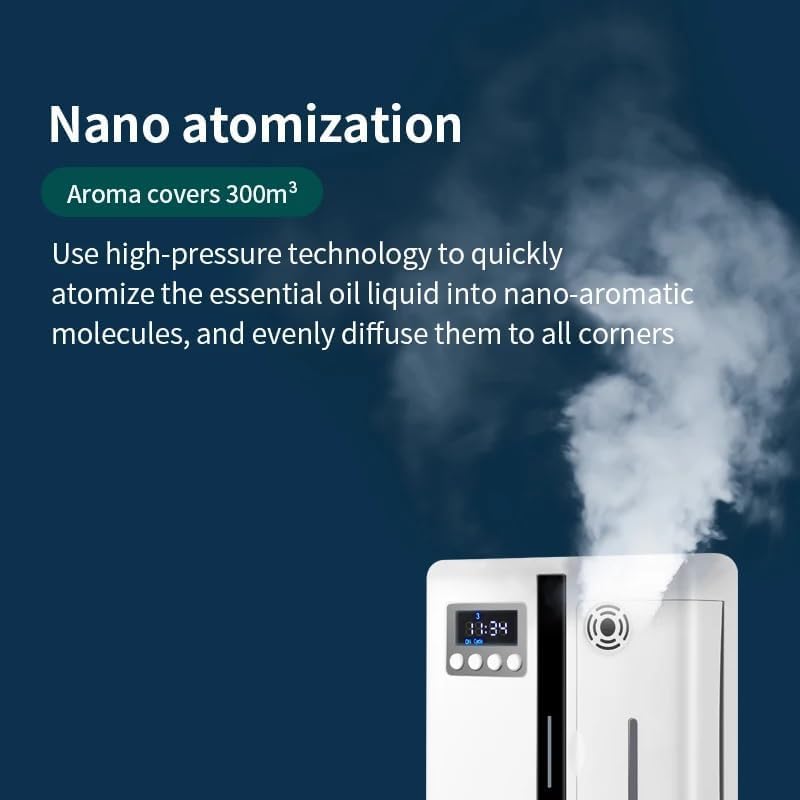
This image shows the diffuser emitting a fine mist, illustrating its nano atomization technology. The text indicates that high-pressure technology atomizes essential oil liquid into nano-aromatic molecules for even diffusion across 300m³.
4. Daily Operation
Once the initial setup and timing are configured, the diffuser will operate automatically according to your settings. You can adjust the concentration or turn the device on/off manually as needed.
- To manually turn the device on or off, refer to the control buttons on the front panel.
- To temporarily adjust the scent intensity, you can modify the "Cycle ON" and "Cycle OFF" settings as described in Section 3.4.
5. Maintenance
Regular maintenance ensures optimal performance and longevity of your aroma diffuser.
5.1 Cleaning the Device
- Unplug the device from the power outlet before cleaning.
- Wipe the exterior of the diffuser with a soft, damp cloth. Do not use abrasive cleaners or solvents.
- For the essential oil compartment, remove the bottle and wipe any residue with a clean cloth.
- If the spray head appears clogged, gently clean it according to manufacturer guidelines (refer to removable spray head feature).
5.2 Essential Oil Replacement
- Ensure the device is turned off and unplugged.
- Open the side panel to access the essential oil bottle.
- Carefully remove the empty bottle.
- Insert a new bottle of essential oil, ensuring it is securely seated.
- Close the side panel.
6. Troubleshooting
If you encounter issues with your aroma diffuser, please refer to the following common problems and solutions:
| Problem | Possible Cause | Solution |
|---|---|---|
| Device does not turn on. | No power, loose connection, or power outlet issue. | Check power adapter connection. Ensure power outlet is functional. |
| No mist or weak scent. | Empty essential oil bottle, clogged spray head, or incorrect settings. | Refill essential oil. Clean the spray head. Verify "Cycle ON" and "Cycle OFF" settings. |
| Timer function not working. | Incorrect time or operating period settings. | Review and reconfigure system time and operating periods as per Section 3.2 and 3.3. Ensure end time is after start time. |
7. Product Specifications
Detailed technical specifications for the Generic Electric Aroma Diffuser (Model AF-05).
| Specification | Detail |
|---|---|
| Brand | Generic |
| Model Number | AF-05 |
| Color | WHITE |
| Item Weight | 790 g |
| Capacity | 160 Milliliters |
| Power / Wattage | 8 watts |
| Material | Polypropylene (PP) |
| Auto Shutoff | Yes |
| Special Features | Multiple Light Setting, Sleep Mode, Automatic Shut-Off, Long Lasting Aroma, Timer Setting |
| Product Dimensions | 17.3L x 7.2W x 22H centimeters |
| Coverage Area | Up to 300m³ |

This image provides a detailed overview of the product's parameters, including its model (AF-05), size (173*72*220mm), voltage (DC12V), power (8W), noise level (<35dBA), weight (0.79KG), color (Black/White), applicable area (300m³), capacity (160ml), material (PP), and installation methods (flat, wall hanging). Dimensions are also visually represented.
8. Warranty and Support
For warranty information or technical support, please refer to the product packaging or contact the retailer/manufacturer directly. Keep your purchase receipt as proof of purchase.