1. Introduction
This manual provides comprehensive instructions for the installation and operation of your LocoLee LED Light Kit, designed specifically for the LEGO Millennium Falcon 75375 set. This lighting kit enhances the visual appeal of your model, bringing it to life with dynamic illumination. Please read all instructions carefully before beginning installation.
2. Safety Information
To ensure safe use and prevent damage, please observe the following:
- Preventing accidental ingestion: Keep small parts and wires out of reach of young children.
- Power Source: Use only a USB power source or battery pack with a voltage less than 5V. Batteries are not included.
- Handle Wires Carefully: The light kit components include delicate wires. Do not pull wires too hard during installation to avoid damage.
- Test Components: Always test each light part before assembling to ensure proper functionality.
3. Package Contents
Verify that all components listed below are present in your package:
- LED Light Kit components (various lights and wires)
- Instruction Manual (this document)
- USB Power Cable
- Battery Box (batteries not included)
- Expansion Board
- Assorted connecting cables and small bricks for integration


4. Setup and Installation
Installation of the LED light kit requires careful attention to detail. The kit is designed to integrate seamlessly with your LEGO Millennium Falcon 75375 model. No building set is included with this light kit.
4.1. General Guidelines
- Online Instructions: Detailed video and PDF installation instructions are available online. Refer to the website printed in the booklet provided in the package.
- Model Disassembly: You may need to carefully disassemble certain sections of your LEGO model to properly install the light fixtures.
- Wire Management: Ensure wires are neatly tucked away and not pinched between bricks to prevent damage and maintain the model's appearance.
4.2. Installation Steps (Refer to Online Resources for Full Details)
The following steps provide a general overview. For precise, step-by-step guidance, please consult the official online video or PDF instructions.
- Prepare the Model: Carefully identify the sections of your Millennium Falcon 75375 model where lights will be installed. This may involve removing specific brick assemblies.
- Connect Lights: Attach the small LED lights to the designated areas on your model. The wires are thin and designed to fit between LEGO studs.
- Route Wires: Route the wires discreetly through the model's structure to the central expansion board.
- Connect to Expansion Board: Plug the individual light wires into the expansion board.
- Power Connection: Connect the expansion board to the USB power cable or battery box.
- Reassemble Model: Carefully reassemble the disassembled sections of your LEGO model, ensuring no wires are pinched.


4.3. Installation Video Guide
For a visual walkthrough of the installation process, please refer to the official installation video:
5. Operating Instructions
Once installed, your LocoLee LED Light Kit is ready for operation.
5.1. Powering the Lights
- USB Power: Connect the provided USB cable to a 5V USB power source (e.g., a USB wall adapter, power bank, or computer USB port). The lights will illuminate.
- Battery Box: Insert 3 AA batteries (not included) into the battery box. Connect the battery box to the light kit. Ensure correct battery polarity.
- Brightness: Lights powered by USB typically appear brighter than those powered by a battery pack.
5.2. Light Effects
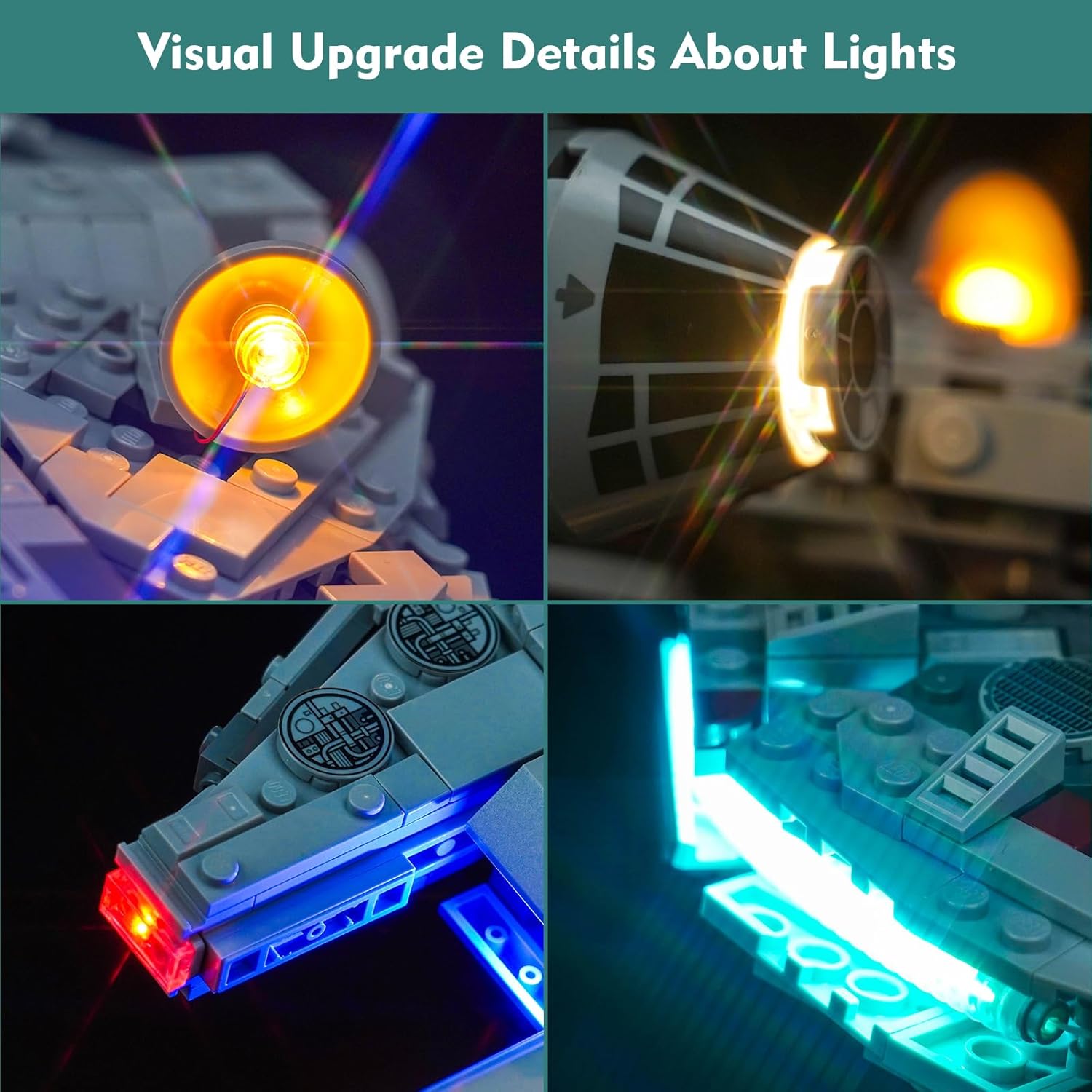
The light kit features various light effects to enhance your model. Specific controls for these effects (if any, e.g., on/off switch, mode button) will be detailed in the online instructions.
6. Maintenance
To maintain the longevity and performance of your LED Light Kit:
- Cleaning: Gently dust the lights and wires with a soft, dry cloth. Avoid using liquids or abrasive cleaners.
- Wire Inspection: Periodically check wires for any signs of wear or damage. If damage is found, discontinue use and contact support.
- Storage: When not in use for extended periods, disconnect the power source.
7. Troubleshooting
| Problem | Possible Cause | Solution |
|---|---|---|
| Lights do not turn on. | No power, loose connection, incorrect battery installation, damaged component. | Check power source (USB or batteries). Ensure all connections are secure. Verify battery polarity. Test individual light parts. |
| Some lights are dim or flickering. | Low battery power, loose connection, faulty light. | Replace batteries or use a different USB power source. Check connections. If a specific light is faulty, contact support. |
| Wires are visible or not neatly arranged. | Improper wire routing during installation. | Carefully re-route wires, ensuring they are tucked between bricks or along seams as instructed in the online guide. |
8. Specifications
| Feature | Detail |
|---|---|
| Brand | LocoLee |
| Model Number | 75375 (for LEGO Millennium Falcon compatibility) |
| Material | Copper, ABS Plastic |
| Light Source Type | LED |
| Power Source | Battery Powered (3x AA, not included) or USB (Voltage less than 5V) |
| Voltage | 4.5 Volts (DC) |
| Mounting Type | Embedded |
| Product Dimensions | 6.06 x 3.98 x 1.26 inches (packaging/kit dimensions) |
| Item Weight | 3.84 ounces |
| Recommended Age | 16 years and up |
9. Warranty and Support
LocoLee is committed to providing high-quality products. If you encounter any issues or have questions regarding your LED Light Kit, please contact our customer support team.
- Quality Guarantee: The lighting set is made of high-quality copper lines and ABS plastic, ensuring durability and compatibility with LEGO blocks.
- Contact: For product inquiries or support, please send an email to the address provided in your product packaging or on the official LocoLee website.
10. Additional Resources
Explore more lighting kits and products from LocoLee: