1. Introduction
This manual provides essential information for the proper installation, operation, and maintenance of your Spektrum SMART Avian 70-Amp Smart Lite Brushless Electronic Speed Controller (ESC) (SPMXAE70E). The Avian Smart Lite ESC is designed for use in various RC aircraft applications, offering reliable power delivery and integrated Smart technology for telemetry data.
Please read this entire manual to become familiar with the features and functions of the product before operating. Failure to operate the product correctly can result in damage to the product, personal property, and cause serious injury.
2. Safety Precautions
Always observe the following safety precautions to prevent injury or damage:
- Battery Safety: Always use compatible batteries (3S-6S LiPo) and ensure correct polarity. Incorrect battery connection can cause severe damage.
- Motor Compatibility: Ensure the brushless motor used is compatible with the ESC's specifications.
- Wiring: Double-check all wiring connections before applying power. Loose connections can cause arcing and damage.
- Ventilation: Ensure adequate airflow around the ESC during operation to prevent overheating.
- Water and Moisture: Keep the ESC away from water and moisture unless explicitly rated as waterproof.
- Children: This product is not a toy. Keep out of reach of children.
- Disassembly: Do not attempt to disassemble or modify the ESC. This will void the warranty and may cause malfunction.
3. Key Features
- Smart Technology: Integrated Smart technology provides real-time telemetry data to compatible Spektrum Smart receivers and transmitters.
- Brushless Compatibility: Designed for use with 3S-6S LiPo batteries and compatible brushless motors.
- 70-Amp Continuous Current: Capable of handling up to 70 amps continuous current.
- IC3 Connector: Equipped with an IC3 battery connector for secure and efficient power transfer.
- Compact Design: Lite version offers a compact and lightweight design suitable for various aircraft.
4. Components Included
The package includes:
- Spektrum SMART Avian 70-Amp Smart Lite Brushless ESC (SPMXAE70E)
- Instruction Manual (this document)
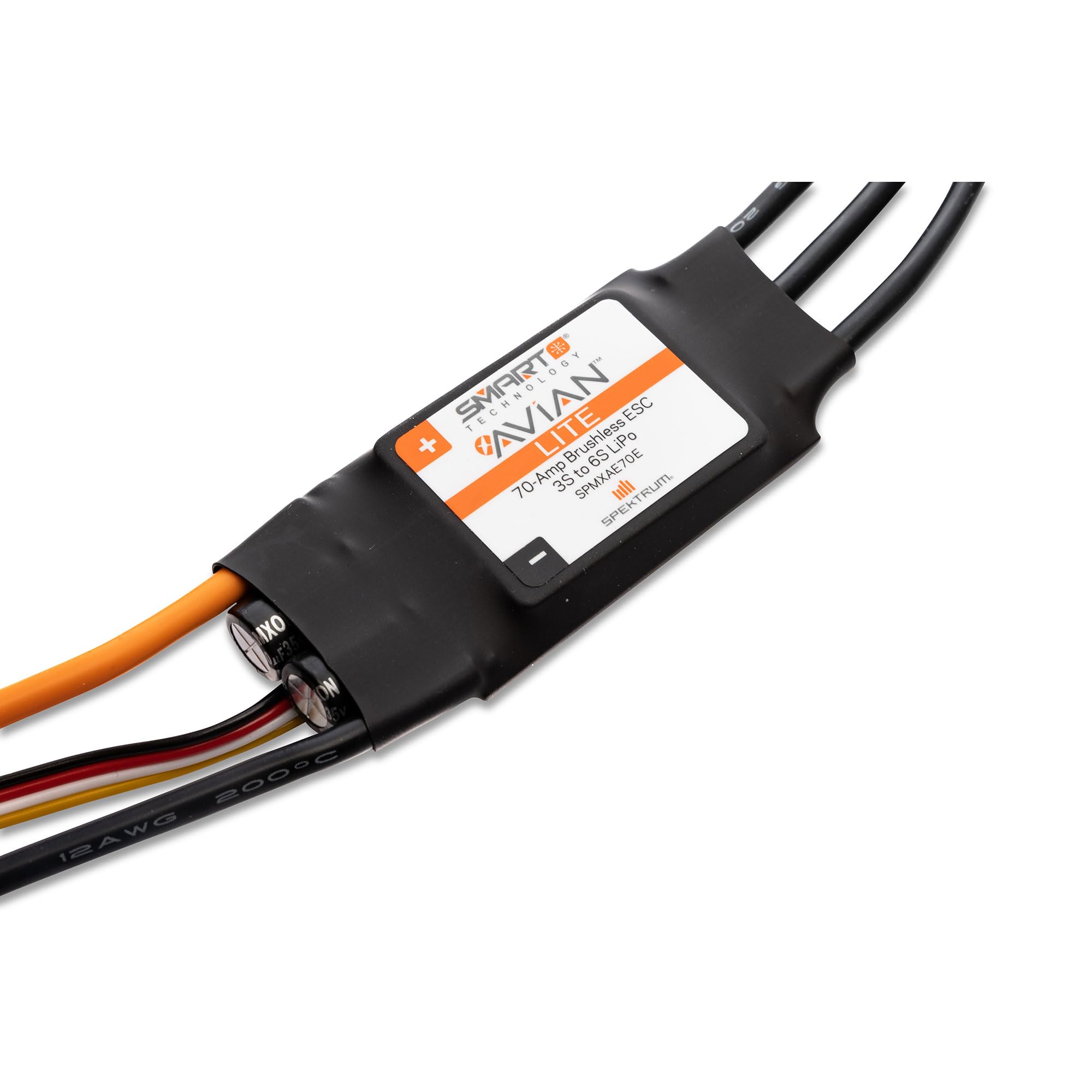
Image 1: Overview of the Spektrum SMART Avian 70-Amp Smart Lite Brushless ESC (SPMXAE70E). This image shows the main body of the ESC, the orange IC3 battery connector, and the three black motor wires.
5. Setup
5.1 Wiring Connections
Proper wiring is crucial for safe and reliable operation. Follow these steps carefully:
- Motor Connection: Connect the three motor wires from the ESC to the three wires of your brushless motor. The order of connection may affect motor rotation direction; this can be adjusted later if needed.
- Receiver Connection: Connect the throttle lead (usually a three-wire servo connector: signal, positive, negative) from the ESC to the throttle channel on your Spektrum receiver. Ensure correct polarity.
- Battery Connection: Connect your 3S-6S LiPo battery to the IC3 connector on the ESC. Ensure the battery is fully charged and the connector is securely seated.

Image 2: Close-up view of the IC3 battery connector and the receiver connection wires on the Spektrum Avian ESC. The orange IC3 connector provides a secure battery interface, while the smaller wires connect to the receiver for control and telemetry.

Image 3: Close-up view of the three black motor wires extending from the Spektrum Avian ESC. These wires connect directly to the brushless motor.
5.2 Throttle Range Calibration
Calibrating the throttle range ensures the ESC correctly interprets the throttle signals from your transmitter. This is a critical step before first flight.
- Turn on your transmitter and set the throttle trim to neutral (center).
- Move the throttle stick to the full-throttle position.
- Connect the battery to the ESC. The ESC will emit a series of beeps.
- When the ESC detects full throttle, it will emit a specific tone.
- Move the throttle stick to the full-brake/low-throttle position.
- The ESC will emit another tone, indicating the low throttle position has been learned.
- Disconnect the battery. The throttle range is now calibrated.
5.3 Programming (Optional)
The Avian Smart Lite ESC can be programmed using a compatible Spektrum Smart ESC Programming Box or through a compatible Spektrum Smart receiver and transmitter. Refer to the Spektrum Smart ESC Programming Box manual or your Spektrum transmitter manual for detailed programming instructions. Common programmable parameters include:
- Brake settings
- Motor timing
- Cutoff voltage
- Motor direction
6. Operating Instructions
6.1 Basic Operation
- Ensure all connections are secure and the throttle is at the lowest position on your transmitter.
- Connect the flight battery to the ESC. The ESC will initialize and emit tones.
- Once initialized, the ESC is ready for operation. Slowly advance the throttle stick to control motor speed.
- After use, always disconnect the battery from the ESC first, then turn off your transmitter.
6.2 Smart Technology and Telemetry
The Avian Smart Lite ESC integrates Spektrum Smart technology, allowing it to transmit vital telemetry data to compatible Spektrum Smart receivers and transmitters. This data can include:
- Battery voltage
- Current draw
- ESC temperature
- Motor RPM
To utilize telemetry, ensure your receiver and transmitter are Smart-compatible and properly bound. Refer to your Spektrum transmitter manual for instructions on displaying and logging telemetry data.
7. Maintenance
- Cleaning: Regularly inspect the ESC for dirt, dust, or debris. Use a soft brush or compressed air to gently clean the heatsink and casing. Avoid using liquids.
- Connection Inspection: Periodically check all wiring connections (motor, battery, receiver) for signs of wear, corrosion, or looseness. Replace damaged wires or connectors immediately.
- Storage: When not in use, store the ESC in a cool, dry place, away from direct sunlight and extreme temperatures. Disconnect all batteries before storage.
- Heat Shrink: Ensure the heat shrink tubing on the ESC and connectors is intact. If damaged, replace it to prevent short circuits.
8. Troubleshooting
| Problem | Possible Cause | Solution |
|---|---|---|
| Motor does not run or stutters. |
|
|
| ESC overheats. |
|
|
| No power to receiver/servos. |
|
|
9. Specifications
| Feature | Detail |
|---|---|
| Model Number | SPMXAE70E |
| Continuous Current | 70 Amps |
| Input Voltage | 3S-6S LiPo |
| Battery Connector | IC3 |
| Product Dimensions | 8 x 5 x 0.5 inches |
| Item Weight | 3.52 ounces (0.1 Kilograms) |
| Manufacturer | Horizon Hobby |
| UPC | 660132893736 |
10. Warranty Information
Spektrum products are warranted against defects in materials and workmanship for a period of one (1) year from the date of purchase. This warranty does not cover cosmetic damage, damage due to acts of God, accident, misuse, abuse, negligence, commercial use, or modification of or to any part of the product. For full warranty details and service procedures, please visit the official Spektrum website or contact customer support.
11. Customer Support
For technical assistance, troubleshooting, or service inquiries, please contact Spektrum customer support. You can find contact information and additional resources on the official Spektrum website:
Website: www.spektrumrc.com
Please have your product model number (SPMXAE70E) and proof of purchase ready when contacting support.


