Introduction
Thank you for choosing the VAPPEBY Gen 3 Bluetooth Speaker. This manual provides essential information for the safe and efficient use of your speaker. The VAPPEBY Bluetooth speaker is designed for ease of use, delivering clear and powerful sound. Please read these instructions carefully before using the product and retain them for future reference.
Safety Information
- Do not expose the speaker to extreme temperatures or humidity.
- Avoid dropping or subjecting the speaker to strong impacts.
- Do not attempt to disassemble or modify the speaker. This will void the warranty.
- Use only the provided power cable or a compatible replacement.
- Keep the speaker away from water sources, despite its waterproof rating, to prevent damage to internal components.
- Clean the speaker with a soft, dry cloth. Do not use abrasive cleaners.
Package Contents
- VAPPEBY Gen 3 Bluetooth Speaker
- Power Cable
Product Overview
The VAPPEBY Gen 3 Bluetooth Speaker features a compact design with intuitive controls for a seamless audio experience.

Image: The VAPPEBY Gen 3 Bluetooth Speaker, white, positioned on a wooden shelf alongside decorative items. This image provides a general view of the speaker's design and size in a home environment.
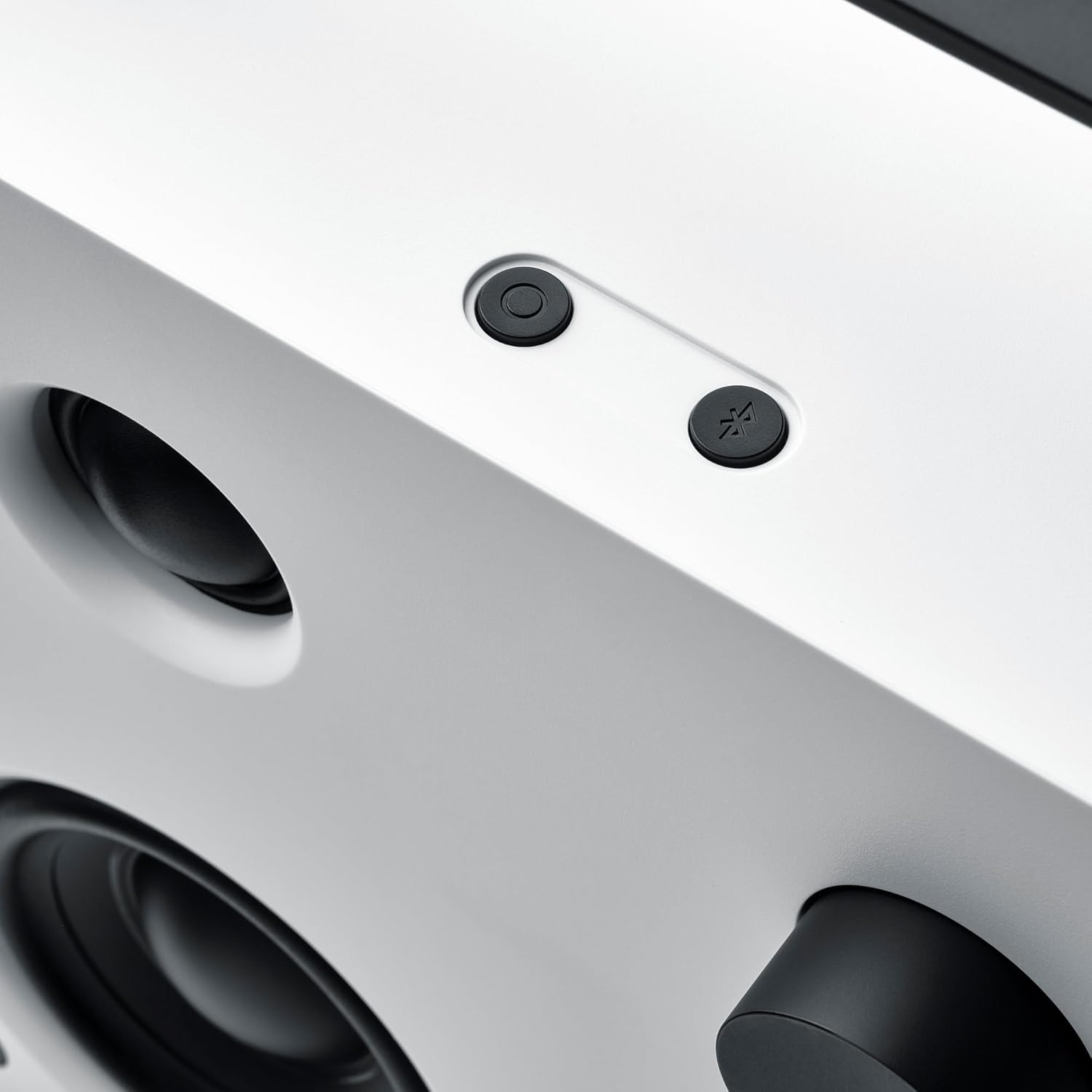
Image: A close-up view of the top-right section of the VAPPEBY Gen 3 speaker, showing two circular buttons. One button appears to be for power/mode, and the other for Bluetooth pairing.

Image: A person is shown carrying the white VAPPEBY Gen 3 Bluetooth Speaker by its integrated handle, demonstrating its portability. The speaker has a square shape with a large speaker grille and a control knob.
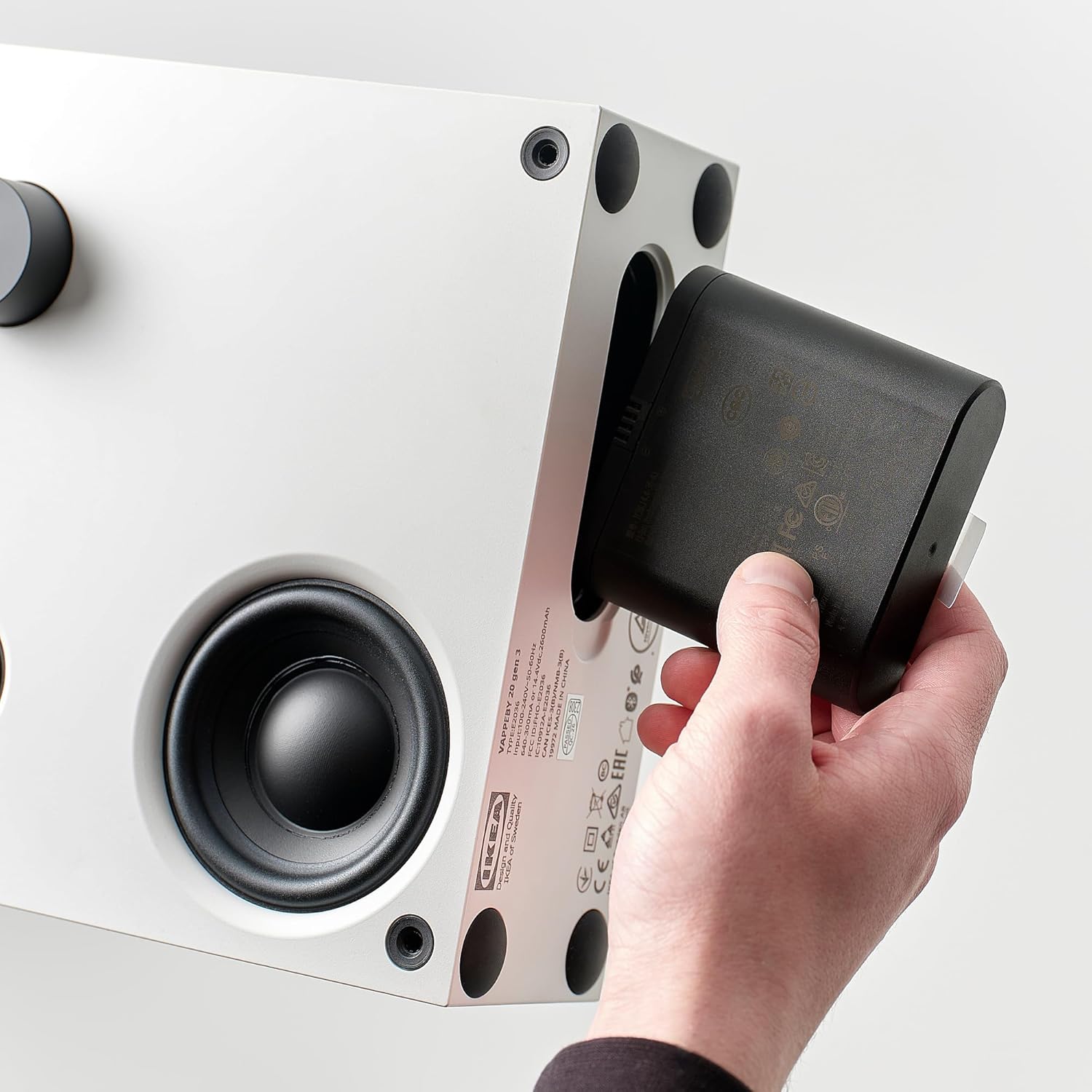
Image: A hand is shown inserting a black rectangular battery pack into a compartment on the side of the VAPPEBY Gen 3 Bluetooth Speaker. This illustrates the battery installation process.

Image: Two VAPPEBY Gen 3 Bluetooth Speakers, one white and one black, are displayed side-by-side on yellow platforms. This image highlights the available color options and the speaker's design.
Setup
- Power Connection: Connect the provided power cable to the speaker and a wall outlet.
- Battery Installation (Optional): If using the speaker wirelessly, ensure the compatible battery pack (sold separately or included depending on package) is correctly inserted into the battery compartment as shown in the product overview image.
- Power On: Press and hold the power button (refer to Product Overview image for location) until the indicator light illuminates.
Operating Instructions
Bluetooth Pairing
- Ensure the speaker is powered on.
- Press and hold the Bluetooth pairing button (indicated by a Bluetooth symbol, refer to Product Overview image) until the indicator light flashes, signifying pairing mode.
- On your device (smartphone, tablet, etc.), enable Bluetooth and search for available devices.
- Select "VAPPEBY Gen 3" from the list of devices.
- Once connected, the indicator light will become solid.
Volume Control
Adjust the volume using the large rotary knob on the front of the speaker. Turn clockwise to increase volume and counter-clockwise to decrease. You can also control the volume from your connected device.
Waterproof Feature
The VAPPEBY Gen 3 speaker is waterproof. This means it can withstand splashes and light rain. However, it is not designed for submersion in water. Ensure all ports are securely closed before exposure to moisture.
Maintenance
- Cleaning: Wipe the speaker's exterior with a soft, slightly damp cloth. Do not use harsh chemicals or abrasive materials.
- Storage: When not in use for extended periods, store the speaker in a cool, dry place.
- Battery Care: If using a rechargeable battery, avoid fully discharging it frequently to prolong its lifespan. Charge regularly.
Troubleshooting
| Problem | Solution |
|---|---|
| No power | Ensure the power cable is securely connected. If using battery, check if it's charged and correctly inserted. |
| Cannot pair via Bluetooth |
|
| No sound |
|
Specifications
| Model Name | Gen 3 |
| Model Number | IK.805.173.77 |
| Brand | Generic |
| Dimensions (W x D x H) | 20 cm x 8 cm x 20 cm (7.9 in x 3.1 in x 7.9 in) |
| Max Output Power | 39 Watts |
| Connectivity Technology | Bluetooth |
| Wireless Communication | Bluetooth |
| Control Method | Voice (via connected device), Manual Knob/Buttons |
| Power Source | Corded Electric (Power Cable) |
| Waterproof | Yes |
| Included Components | Power Cable |
| Recommended Use | For smartphone or tablet |
| Compatible Devices | Smartphone |
| Audio Output Mode | Stereo |
| Surround Sound Channel Configuration | 2.0 |
Warranty and Support
For warranty information and customer support, please refer to the documentation provided at the time of purchase or contact your retailer. Keep your proof of purchase for warranty claims.


