
MUTEBO IK.105.570.41
MUTEBO Forced Air Oven with Full Steam 700 - User Manual
Model: IK.105.570.41
1. Introduction
Welcome to the user manual for your new MUTEBO Forced Air Oven with Full Steam 700. This manual provides essential information for the safe and efficient operation, installation, and maintenance of your appliance. Please read it thoroughly before first use and keep it for future reference.
Key Features:
- Full Steam Functionality: For healthy and flavorful cooking.
- Forced Air Convection: Ensures even heat distribution for consistent results.
- Stainless Steel Finish: Durable and easy to clean.
- 70 Litre Volume: Spacious interior for various cooking needs.
- Integrated Timer Function: For precise cooking control.
2. Safety Information
Always follow basic safety precautions when using electrical appliances to reduce the risk of fire, electric shock, and injury to persons.
General Safety:
- Do not touch hot surfaces. Use handles or knobs.
- Ensure proper ventilation around the oven.
- Unplug from outlet when not in use and before cleaning. Allow to cool before putting on or taking off parts.
- Do not operate any appliance with a damaged cord or plug, or after the appliance malfunctions or has been damaged in any manner.
Electrical Safety:
- Connect to a properly grounded outlet only.
- Do not let cord hang over edge of table or counter, or touch hot surfaces.
3. Setup and Installation
Proper installation is crucial for the safe and efficient operation of your oven. It is recommended that installation be performed by a qualified technician.
Unpacking:
- Carefully remove the oven from its packaging.
- Inspect the oven for any shipping damage. Report any damage immediately to your retailer.
- Remove all packing materials, including any protective films or tapes, from the oven interior and exterior.
Placement and Ventilation:
Ensure the oven is placed on a stable, level surface or installed into a suitable cabinet opening. Adequate ventilation space must be maintained around the appliance as per local building codes and the provided installation diagram.

Figure 3.1: Dimensional diagram of the oven, showing width, depth, and height for proper installation. Dimensions are approximately 59.5 cm (Width), 56.7 cm (Depth), and 59.4 cm (Height).
Electrical Connection:
Connect the oven to a dedicated, grounded electrical outlet. Refer to the electrical specifications section for voltage and current requirements. The cord length is approximately 150 cm.
4. Operating Instructions
This section details the various functions and modes of your MUTEBO oven.
Control Panel Overview:

Figure 4.1: The oven's control panel, featuring a digital display showing "11:30" and various touch controls for functions like settings, timer, and power.
The oven features an intuitive digital display and touch controls for easy operation. The main display shows the time and selected functions.
Basic Operation:
- Power On: Press the power button to turn on the oven.
- Select Function: Use the touch controls to navigate through cooking modes (e.g., Bake, Roast, Convection, Steam).
- Set Temperature: Adjust the temperature using the dedicated controls.
- Set Time: Use the timer function for precise cooking durations.
Using the Full Steam Function:
The full steam function allows for healthier cooking and helps retain moisture in food.
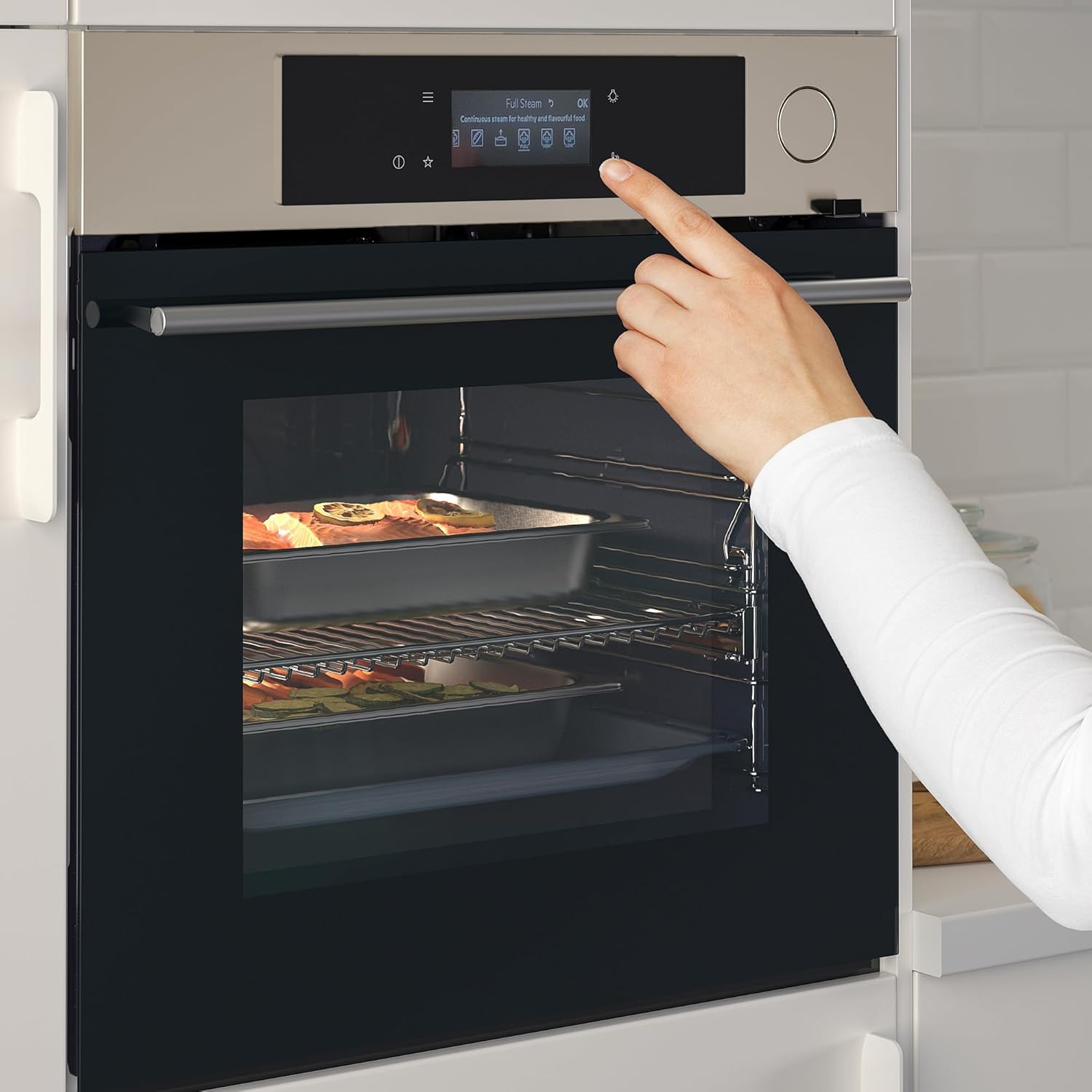
Figure 4.2: A user's hand pressing a button on the control panel, with the display showing "Full Steam OK" and icons indicating continuous steam for healthy and beautiful food.
- Ensure the water reservoir is filled (refer to the water reservoir section).
- Select the "Full Steam" cooking mode from the control panel.
- Place food in the oven, ensuring it is suitable for steam cooking.
- The oven will automatically generate steam for optimal cooking.

Figure 4.3: A user inserting a glass container of food into the oven. The oven's display indicates "Steam Regenerating OK," suggesting a gentle refreshing mode that maintains humidity and taste.
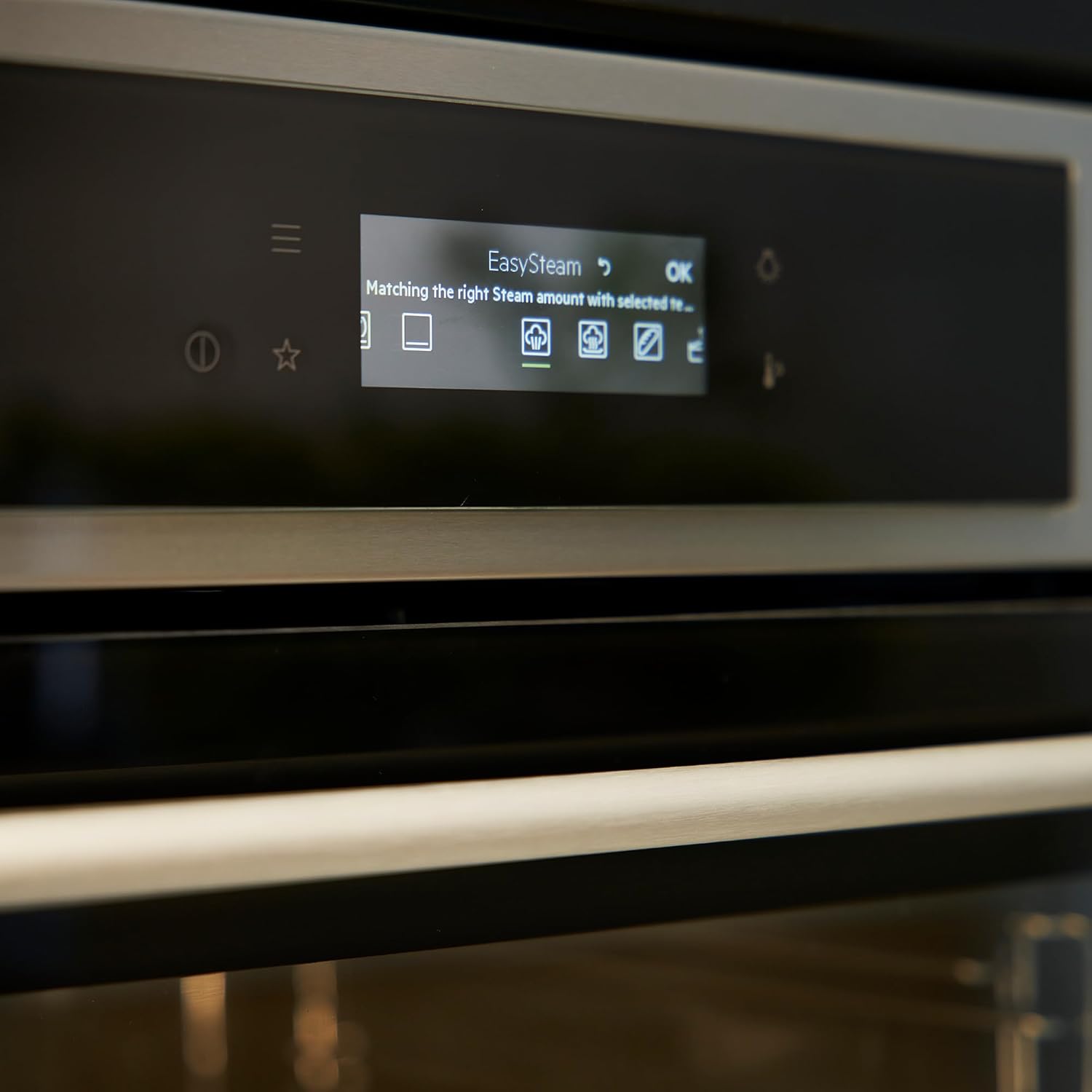
Figure 4.4: A detailed view of the oven's display showing "EasySteam" and icons that represent matching the right steam amount with the selected recipe.
Using the Meat Probe:
For precise cooking of meats, the integrated meat probe can be used.

Figure 4.5: A person using a meat probe to check the internal temperature of a pie baking inside the oven, demonstrating the use of the probe for precise cooking.

Figure 4.6: A close-up view of a meat probe inserted into a roasted chicken, surrounded by vegetables, inside the oven. This illustrates the probe's use for monitoring internal food temperature.
- Insert the probe into the thickest part of the meat, avoiding bone.
- Connect the probe to the designated port in the oven.
- Set the desired internal temperature on the control panel. The oven will automatically turn off or alert you when the temperature is reached.
5. Care and Maintenance
Regular cleaning and maintenance will ensure the longevity and optimal performance of your oven.
Cleaning the Oven Interior:
- Allow the oven to cool completely before cleaning.
- Wipe down the interior with a damp cloth and mild detergent. Avoid abrasive cleaners.
- For stubborn stains, use oven cleaner specifically designed for stainless steel interiors, following product instructions.
Cleaning the Exterior:
- Clean the stainless steel exterior with a soft cloth and a non-abrasive stainless steel cleaner.
- Do not spray cleaners directly onto the control panel.
Accessories:

Figure 5.1: A collection of oven accessories, including a standard baking tray, a deeper baking pan, a perforated steam tray with a wire rack, and the meat probe, laid out on a kitchen counter.
The oven comes with various accessories such as baking trays and a meat probe. Clean these after each use with warm soapy water or as directed by their specific care instructions.
6. Troubleshooting
Before contacting customer service, please refer to the following table for common issues and their solutions.
| Problem | Possible Cause | Solution |
|---|---|---|
| Oven does not turn on. | Not plugged in; circuit breaker tripped; power outage. | Check power cord connection; reset circuit breaker; check household power. |
| Oven not heating properly. | Incorrect temperature setting; door not closed properly. | Verify temperature setting; ensure oven door is fully closed. |
| Steam function not working. | Water reservoir empty; steam nozzle blocked. | Refill water reservoir; clean steam nozzle as per maintenance instructions. |
7. Specifications
| Attribute | Value |
|---|---|
| Model | IK.105.570.41 |
| Brand | Generic (MUTEBO) |
| Type | Forced Air Oven with Full Steam |
| Colour | Stainless Steel |
| Volume | 70 Litres |
| Dimensions (W x D x H) | 59.5 cm x 56.7 cm x 59.4 cm |
| Cord Length | 150 cm |
| Weight | 35.00 kg |
| Heating Method | Convection |
| Special Feature | Full Steam |
| Timer Function | Available |
| Installation Type | Freestanding (or Built-in, based on context of dimensions) |
8. Warranty and Support
Warranty Information:
This MUTEBO oven comes with a 5-year guarantee. Please refer to the guarantee brochure provided with your purchase for full terms and conditions. The guarantee covers manufacturing defects and material faults under normal household use.
Customer Support:
For technical assistance, spare parts, or warranty claims, please contact your retailer or the manufacturer's customer service. Have your model number (IK.105.570.41) and purchase date ready when contacting support.
Important note for international customers: For customers ordering from outside of EU, please note, you may be subject to import duty and tax. Please check with your postal or tax office on your import regulations.