
Introduction
This manual provides detailed instructions for the installation, operation, and maintenance of your ngnsky Zigbee Smart Thermostatic Radiator Valve. This device is designed to enhance your home heating system by providing smart, remote, and programmable temperature control for radiators, primarily used in floor heating systems to manage pipe opening and closing. Please read this manual thoroughly before use to ensure proper function and safety.
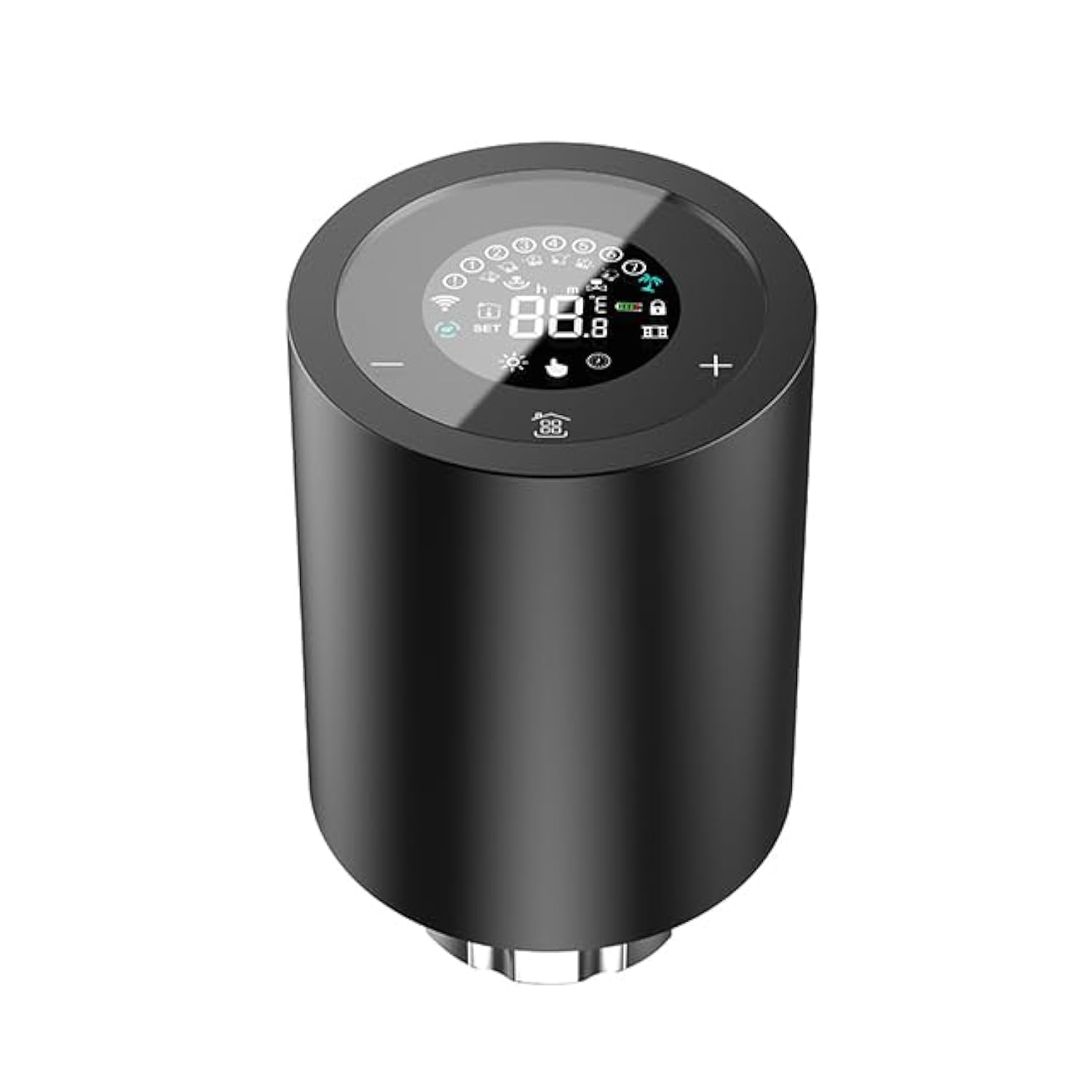
Image: The ngnsky Zigbee Smart Thermostatic Radiator Valve, featuring a black cylindrical design with an integrated LCD digital display on top.
Safety Information
- Ensure the device is installed by a qualified professional if you are unsure about the process.
- Do not expose the device to extreme temperatures or humidity outside of its operating range.
- Use only the specified battery type (2 x AA / 3V alkaline battery).
- Keep out of reach of children.
- Do not attempt to disassemble or repair the device yourself. Contact customer support if issues arise.
Setup and Installation
1. Battery Installation
- Open the knob on the top of the valve by rotating it counter-clockwise.
- Insert two AA / 3V alkaline batteries into the main cover, ensuring correct polarity (+/-) as marked.
- After power on, the screen will display all segments for 3 seconds, then proceed to set the time as needed.
2. Mounting the Radiator Actuator
- Loosen the joint thread on the radiator valve.
- Insert the ngnsky Smart Thermostatic Radiator Valve onto the radiator valve.
- Tighten the joint thread securely.
3. Zigbee Hub Connection
This device requires a Zigbee Hub (not included) for smart functionalities. Follow the instructions provided with your Zigbee Hub to add new devices. Once connected, you can control the radiator valve remotely via the mobile app, set timing schedules, and utilize other smart features.

Image: Illustration of the Zigbee pairing process, showing the radiator valve connecting wirelessly to a Zigbee router, which is then controlled via a smartphone application.
Operating Instructions
1. Manual Temperature Adjustment
After installation, you can manually adjust the temperature by turning the temperature control knob on the controller. The LCD display will show the current temperature setting.
2. Mobile App Remote Control
Once connected to a Zigbee Hub, download the compatible mobile application (refer to your Zigbee Hub's documentation for recommended apps). Through the app, you can:
- Remotely control the room temperature from anywhere.
- Set and adjust temperature schedules.
- Share control of the device with family members.
- Access advanced features like Child Lock, Holiday Mode, and ECO Mode.

Image: A smartphone screen showing the option to 'Share Device' within the control application, allowing multiple users to manage the smart radiator valve.
3. Voice Control
The thermostat valve supports voice control functions when integrated with compatible smart assistants like Amazon Alexa or Google Assistant. Use simple voice commands to adjust settings, for example, "Hey Google, switch to ECO mode."

Image: An illustration demonstrating voice control functionality, showing a smart speaker (Google Assistant) responding to a command to switch the radiator valve to ECO mode.
4. Weekly Programming Settings
The device supports a 5+1+1 seven-period weekly programming schedule, allowing you to set up to 4 time periods per day for 7 days. This feature helps optimize comfort and energy savings.

Image: A table illustrating a weekly programmable schedule with different time periods and temperatures for weekdays, Saturday, and Sunday, alongside a smartphone app interface for setting these schedules.
5. Advanced Features
The device includes several advanced features accessible via the mobile app:
- Child Lock: Prevents unauthorized changes to settings.
- Countdown Timing: Set a timer for specific operations.
- Holiday Mode: Maintains a lower, energy-saving temperature while you are away.
- ECO Mode: Optimizes heating for energy efficiency.

Image: The ngnsky Zigbee Smart Thermostatic Radiator Valve shown with icons representing its key features: Child Lock, Programming Mode, Voice Control, Countdown Timing, Mobile APP Control, Touch Screen Button, Holiday Mode, and ECO Mode.
Maintenance
1. Battery Replacement
When the low battery alarm function is activated, replace the batteries promptly to ensure continuous operation. Follow the battery installation steps outlined in the Setup section.
2. Anti-Calcification Function
The device includes an anti-calcification function to prevent mineral buildup within the valve, ensuring smooth operation and longevity. No user intervention is typically required for this function.
3. Cleaning
Wipe the device with a soft, dry cloth. Do not use abrasive cleaners or solvents.
Troubleshooting
| Problem | Possible Cause | Solution |
|---|---|---|
| Device not powering on | Incorrect battery installation or depleted batteries. | Check battery polarity. Replace batteries with new AA / 3V alkaline batteries. |
| Low battery alarm | Batteries are running low. | Replace batteries promptly to avoid interruption of service. |
| Cannot connect to Zigbee Hub | Device is out of range, Zigbee Hub is offline, or pairing mode not activated. | Ensure the device is within range of the Zigbee Hub. Check if the Zigbee Hub is powered on and connected to the network. Re-initiate pairing mode on both the device and the hub. |
| Inaccurate temperature reading | Sensor obstruction or external heat sources. | Ensure the sensor is not covered. Avoid placing the device near direct heat sources or drafts that could affect readings. |
Product Specifications
- Brand: ngnsky
- Model Name: Zigbee Smart Thermostatic Radiator Valve
- Model Number: ZTRV-mg-1600
- Display Accuracy: 0.5℃
- Default Temperature Adjustment Range: 5~45°C
- Range of Temperature Display: 1-70°C
- Ambient Humidity: 5-95%RH (Non Condensing)
- Ambient Temperature: 0~45°C
- Storage Temperature: -5~45°C
- Rated Current: 1.5 (V)
- Material: Polycarbonate (PC)
- Hole Distance: Approx. 30x1.5mm
- Power: 2 x AA / 3V alkaline battery (Not included)
- Weight: 235g
- Size: 97*58*58mm
- Connectivity Protocol: ZigBee
- Control Method: App, Voice
- Display Type: LCD
- Backlight: Yes
- Included Components: Radiator Actuator, Bag of Accessories (7pcs), English Manual
- Certifications: FCC, CE, RoHS

Image: A detailed cutaway view of the self-designed motor, highlighting its quiet operation (less than 25dB), 5.5mm stroke, 8mm stick diameter, and low power consumption (motor no-load current reaches 12mA).
Warranty Information
Please refer to the warranty card included in your product packaging or contact your retailer for specific warranty terms and conditions. Keep your purchase receipt as proof of purchase for any warranty claims.
Customer Support
For technical assistance, troubleshooting, or product inquiries, please contact ngnsky customer support through the contact information provided on the product packaging or the official ngnsky website. When contacting support, please have your model number (ZTRV-mg-1600) and purchase details ready.