Introduction
Thank you for choosing the SUNJOM Inspire Over-Ear Bluetooth Headphones. These headphones are designed to provide an immersive audio experience with the latest Bluetooth 5.3 technology, Hi-Fi stereo sound, and versatile connectivity options including wired mode and FM radio. This manual will guide you through the setup, operation, and maintenance of your new headphones.
Safety Information
Please read all safety warnings and instructions carefully before using this product to ensure safe operation and prevent damage. Keep this manual for future reference.
- Do not expose the headphones to extreme temperatures, humidity, or corrosive substances.
- Avoid dropping or subjecting the headphones to strong impacts.
- Do not disassemble or attempt to repair the headphones yourself. This will void the warranty.
- Clean the headphones with a soft, dry cloth. Do not use harsh chemicals or abrasive materials.
- Prolonged listening at high volume levels may cause hearing damage. Adjust volume to a safe level.
Package Contents
Please check the package contents upon opening. If any items are missing or damaged, contact customer support.
- SUNJOM Inspire Over-Ear Bluetooth Headphones
- USB-C Charging Cable
- 3.5mm Audio Cable
- User Manual
Product Overview

Figure 1: Headphone Controls and Ports.
This diagram illustrates the various buttons, ports, and indicators on your SUNJOM Inspire headphones for easy identification and operation.
- Power On/Off Button: Used to power the headphones on or off.
- Next Track / Volume Up / Voice Assistant Button: Short press for next track, long press for volume up, double press for voice assistant.
- Play/Pause / Call / Mode Switch Button: Short press to play/pause music or answer/end calls. Long press to switch between Bluetooth, FM Radio, and TF/SD Card modes.
- Previous Track / Volume Down Button: Short press for previous track, long press for volume down.
- TF Card Slot: Insert a TF/Micro SD card for direct music playback.
- Indicator Light: Displays power, charging, and Bluetooth pairing status.
- USB-C Charging Port: Connect the USB-C cable for charging.
- Microphone: Built-in microphone for hands-free calls.
- AUX Input (3.5mm): Connect the 3.5mm audio cable for wired listening.
Setup
1. Charging the Headphones
Before first use, fully charge your headphones. A full charge provides approximately 28 hours of playtime.
- Connect the USB-C charging cable to the USB-C charging port on the headphones.
- Connect the other end of the cable to a USB power adapter (not included) or a computer's USB port.
- The indicator light will show charging status (e.g., red while charging, off or blue when fully charged).

Figure 2: Charging the SUNJOM Inspire Headphones.
The headphones are equipped with a USB-C port for convenient charging. Ensure the cable is securely connected to both the headphones and a power source.
2. Bluetooth Pairing
The Inspire headphones utilize Bluetooth 5.3 for a stable and seamless wireless connection.
- Ensure the headphones are fully charged.
- Press and hold the Power On/Off button until the indicator light flashes (e.g., blue and red alternately), indicating pairing mode.
- On your device (smartphone, tablet, computer), enable Bluetooth and search for available devices.
- Select "SUNJOM INSPIRE" from the list of found devices.
- Once paired, the indicator light will stop flashing and remain solid blue.

Figure 3: Bluetooth Pairing Process.
The headphones offer a reliable Bluetooth connection up to 33 feet, allowing freedom of movement while enjoying your audio.
3. Wired Connection (AUX Mode)
You can use the headphones in wired mode even if the battery is depleted.
- Connect one end of the 3.5mm audio cable to the AUX input port on the headphones.
- Connect the other end to the 3.5mm audio jack of your device.
- The headphones will automatically switch to wired mode.

Figure 4: Wired Connection via 3.5mm AUX.
The 3.5mm audio cable provides a reliable wired connection, ensuring uninterrupted listening regardless of battery life.
4. FM Radio Setup
The headphones feature a built-in FM radio with high reception sensitivity.
- Power on the headphones.
- Press and hold the Play/Pause/Mode Switch button to cycle through modes until you hear the FM radio.
- Short press the Play/Pause/Mode Switch button to auto-scan and save available FM stations.
- Use the Next/Previous Track buttons to switch between saved stations.
Operating Instructions
Power On/Off
- Power On: Press and hold the Power On/Off button for approximately 3 seconds until the indicator light turns on.
- Power Off: Press and hold the Power On/Off button for approximately 3 seconds until the indicator light turns off.
Music Playback (Bluetooth/TF Card)
- Play/Pause: Short press the Play/Pause/Mode Switch button.
- Next Track: Short press the Next Track button.
- Previous Track: Short press the Previous Track button.
- Volume Up: Long press the Volume Up button.
- Volume Down: Long press the Volume Down button.
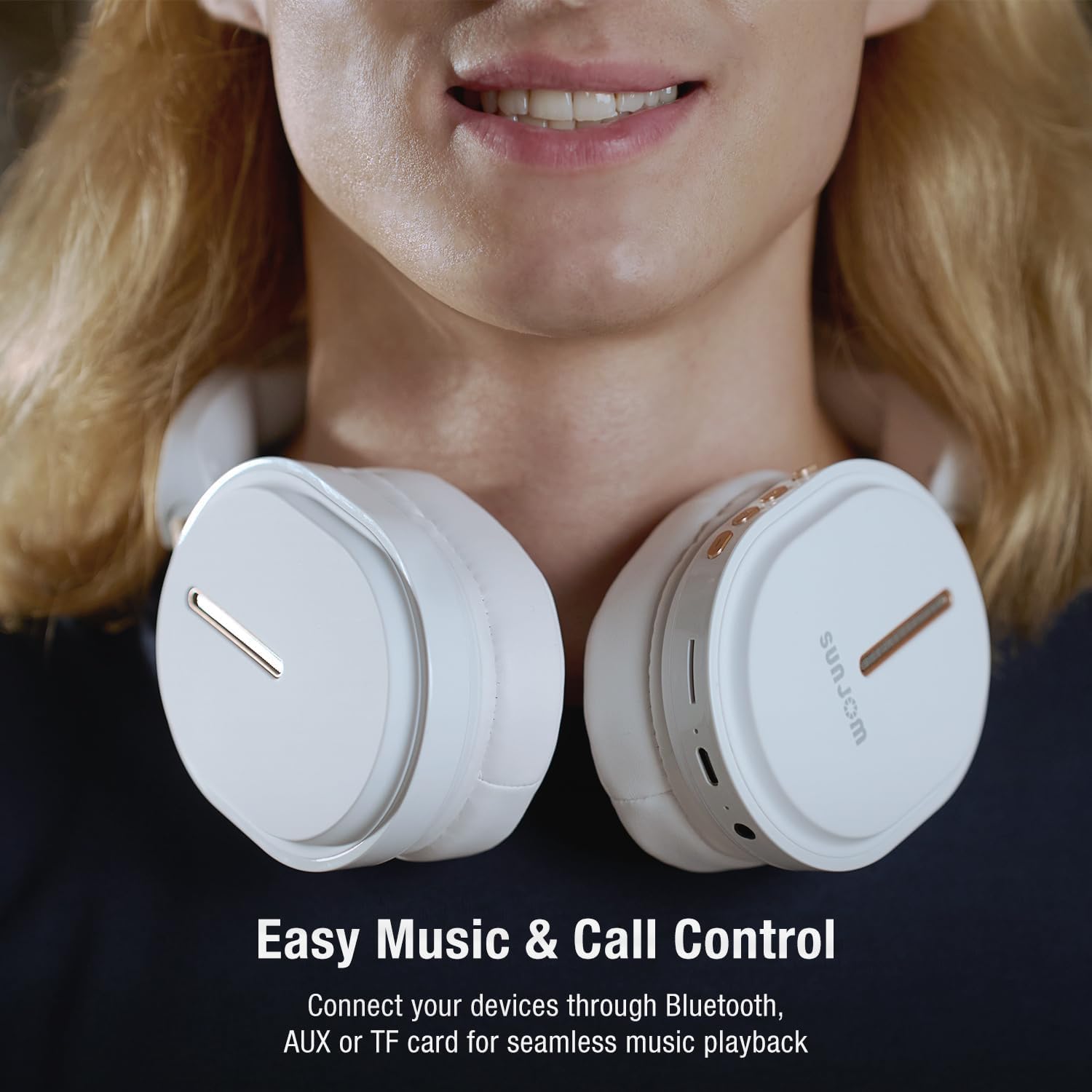
Figure 5: Easy Music and Call Control.
The intuitive controls on the headphones allow for seamless management of your music and calls.
Call Management
- Answer/End Call: Short press the Play/Pause/Mode Switch button when a call comes in.
- Reject Call: Long press the Play/Pause/Mode Switch button when a call comes in.
- Redial Last Number: Double press the Play/Pause/Mode Switch button.

Figure 6: Built-in Microphone for Clear Calls.
The integrated microphone ensures clear voice transmission during phone calls and video conferences.
Voice Assistant
- Activate Voice Assistant: Double press the "Next Track / Volume Up" button to activate your device's voice assistant (e.g., Siri, Google Assistant).
Mode Switching
- Switch Modes: Long press the Play/Pause/Mode Switch button to cycle between Bluetooth, FM Radio, and TF/SD Card playback modes.
Maintenance
- Cleaning: Use a soft, lint-free cloth to wipe the headphones. Do not use liquids or aerosol cleaners directly on the headphones.
- Storage: Store the headphones in a cool, dry place away from direct sunlight and extreme temperatures. When not in use for extended periods, it is recommended to fully charge them every few months to preserve battery life.
- Folding: The headphones are foldable for easy storage and portability. Fold them carefully to avoid damaging the hinges.

Figure 7: Lightweight and Comfortable Design.
The foldable design enhances portability, making them easy to store and carry.
Troubleshooting
| Problem | Possible Cause | Solution |
|---|---|---|
| Headphones do not power on. | Low battery. | Charge the headphones fully. |
| Cannot pair via Bluetooth. | Headphones not in pairing mode; device Bluetooth off; too far from device. | Ensure headphones are in pairing mode (flashing indicator). Turn device Bluetooth off and on. Move headphones closer to device (within 33 feet). |
| No sound in Bluetooth mode. | Volume too low; headphones not connected; incorrect audio output on device. | Increase headphone and device volume. Re-pair headphones. Check device's audio output settings. |
| FM radio reception is poor. | Weak signal; interference. | Move to an open area. Re-scan for stations. |
| Microphone not working. | Microphone muted on device; software issue. | Check device's microphone settings. Restart device. |
Specifications
| Feature | Detail |
|---|---|
| Model Name | INSPIRE |
| Brand | SUNJOM |
| Connectivity Technology | Wireless (Bluetooth 5.3), Wired (3.5mm AUX) |
| Wireless Range | Up to 33 feet |
| Driver Size | 40mm Dynamic Drivers |
| Frequency Range | 20 Hz - 20,000 Hz |
| Impedance | 32 Ohm |
| Battery Life | Approx. 28 hours playtime |
| Charging Port | USB-C |
| Built-in Microphone | Yes |
| FM Radio | Yes (RF range: FM87.5-108MHz) |
| TF/SD Card Support | Yes |
| Control Type | Button, Touch (Voice Assistant) |
| Product Dimensions | 7.48 x 3.35 x 8.07 inches |
| Item Weight | 14.1 ounces (399 Grams) |

Figure 8: 40mm Dynamic Drivers for Immersive Sound.
The 40mm dynamic drivers are engineered to deliver premium Hi-Fi stereo sound with balanced deep bass.
Official Product Video
Video 1: SUNJOM Inspire Bluetooth Headphones Overview.
This video provides a visual overview of the SUNJOM Inspire Bluetooth Headphones, showcasing their design, features, and usage scenarios. It highlights key aspects such as comfort, portability, and sound quality.
Warranty and Support
SUNJOM products are designed and manufactured to the highest quality standards. For warranty information, technical support, or customer service inquiries, please refer to the contact information provided on the product packaging or visit the official SUNJOM website. Keep your purchase receipt as proof of purchase.
Manufacturer: SUNJOM