
1. Introduction
This manual provides instructions for the VINABTY replacement remote control, designed for various United TV models. This remote serves as a direct replacement for your original remote, offering full functionality without the need for complex programming.

Figure 1: Front view of the VINABTY replacement remote control.
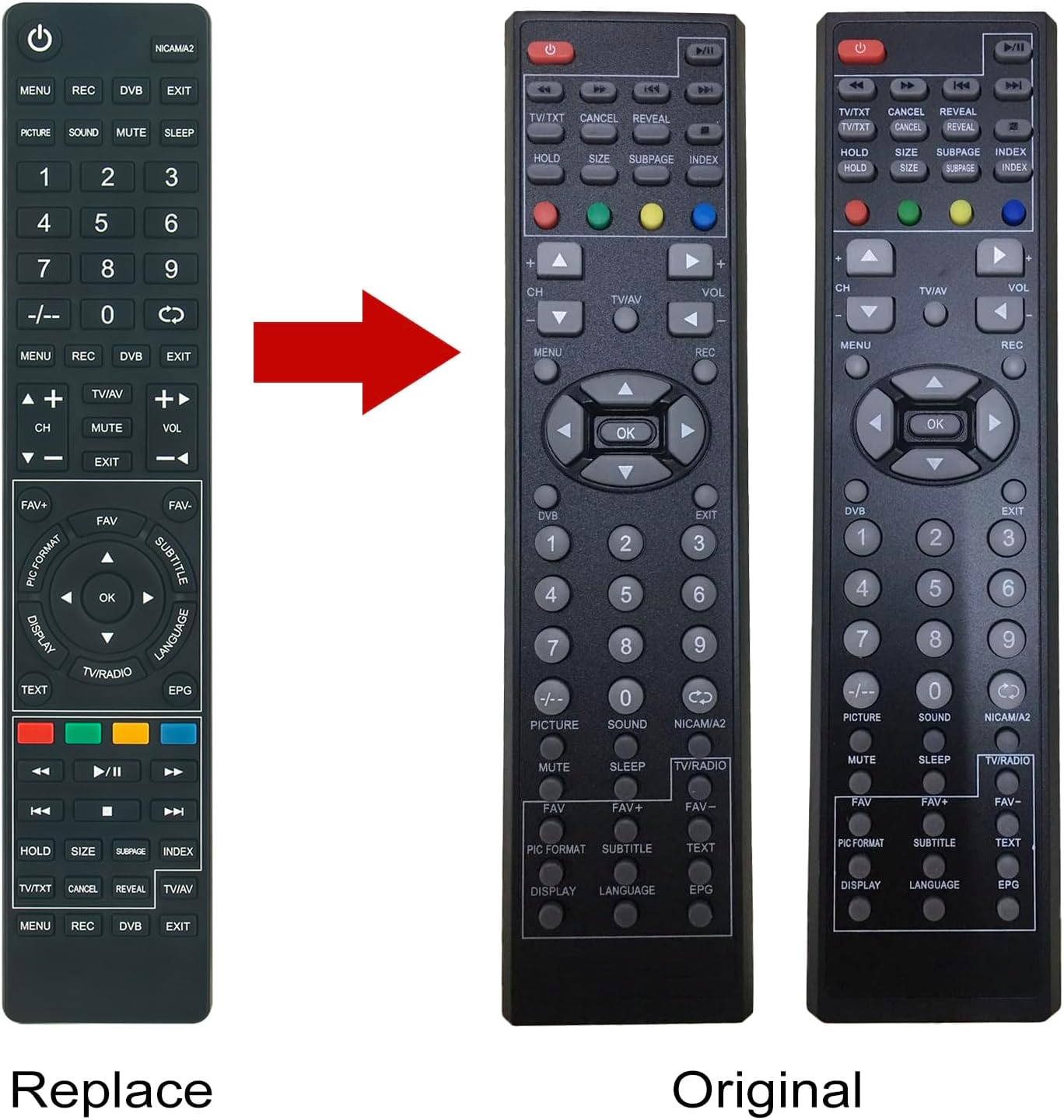
Figure 2: Comparison showing the VINABTY replacement remote (left) and a typical original remote (right).
2. Setup
2.1 Battery Installation
The remote control requires two AAA batteries (not included). Follow these steps to install them:
- Locate the battery compartment cover on the back of the remote control.
- Slide the cover downwards or press the latch (if present) to open the compartment.
- Insert two AAA batteries, ensuring the positive (+) and negative (-) terminals align correctly with the markings inside the compartment.
- Slide the battery compartment cover back into place until it clicks securely.

Figure 3: Rear view of the remote control with the battery compartment open, showing where to insert AAA batteries.
2.2 Initial Use
No programming or setup is required. Once batteries are installed, the remote control is ready for immediate use with compatible United TV models.
3. Operating Instructions
Point the remote control directly at your United TV. Ensure there are no obstructions between the remote and the TV's infrared receiver.
3.1 Common Button Functions
- Power Button (⏻): Turns the TV on or off.
- Number Buttons (0-9): Directly select channels.
- CH+/CH-: Changes channels up or down.
- VOL+/VOL-: Adjusts volume up or down.
- MUTE: Mutes or unmutes the TV sound.
- MENU: Accesses the TV's main menu.
- OK / Navigation Arrows: Navigates through menus and confirms selections.
- EXIT: Exits the current menu or function.
- SOURCE / TV/AV: Selects input sources (e.g., HDMI, AV).
- REC: Initiates recording (if supported by TV and external device).
- DVB: Switches to Digital Video Broadcasting mode.
- Picture / Sound: Accesses picture or sound settings.
- MUTE / SLEEP: Mutes sound or sets sleep timer.
- TEXT / EPG: Accesses Teletext or Electronic Program Guide.
- Colored Buttons (Red, Green, Yellow, Blue): Functionality varies by TV model and context, often used for interactive services or specific menu options.
- Playback Controls (Play, Pause, Stop, Rewind, Fast Forward): Controls media playback.
Note: Specific button functions may vary slightly depending on your United TV model.
4. Maintenance
4.1 Battery Replacement
If the remote control's range decreases or it becomes unresponsive, replace the batteries. Always replace both batteries at the same time with new AAA batteries. Do not mix old and new batteries, or different types of batteries.
4.2 Cleaning
To clean the remote control, wipe it with a soft, dry cloth. Do not use liquid cleaners, abrasive pads, or chemical solvents, as these can damage the remote's surface or internal components.
4.3 Storage
When not in use for extended periods, it is recommended to remove the batteries to prevent leakage and potential damage to the remote control.
5. Troubleshooting
- Remote not responding:
- Check if the batteries are correctly installed with the correct polarity.
- Replace the batteries with fresh ones.
- Ensure there is a clear line of sight between the remote control and the TV's infrared sensor.
- Verify that the remote control is compatible with your specific United TV model.
- Limited operating range:
- Replace the batteries.
- Remove any obstructions between the remote and the TV.
- Ensure you are within the maximum operating range of 10 meters.
6. Specifications
| Brand | VINABTY |
| Model Number | LED22X10 LED2470DVB |
| Compatible TV Models | UNITED TV LED22X10, LED16X13, LED24X10, LED28W13, LED32X11, LED16X12, LED19X10, LED19X11, LED19X18, LED22X11, LED22X13, LED22X18, LED32X13, LED32X18, LTW22X94DB |
| Connectivity Technology | Infrared |
| Maximum Range | 10 Meters |
| Number of Buttons | 10 (Primary function buttons) |
| Power Source | 2 x AAA Batteries (not included) |
| Color | Black |
| Special Feature | Ergonomic Design |

Figure 4: Dimensions of the remote control, showing approximate length of 23.5 cm (9.25 in), width of 4.7 cm (1.85 in), and thickness of 2 cm (0.79 in).
7. Warranty Information
Warranty information for this product is not available in the provided documentation. Please refer to the seller or manufacturer's website for details regarding warranty coverage, if any.
8. Support
For further assistance or inquiries, please contact the seller or refer to the VINABTY official support channels. Contact information is not provided in this manual.