
SENSE7 13035382
SENSE7 Nomad Basic Gaming Desk 140x60 Instruction Manual
Model: 13035382
1. Introduction
This manual provides essential instructions for the assembly, operation, and maintenance of your SENSE7 Nomad Basic Gaming Desk. Please read this manual thoroughly before assembly and use to ensure safe and correct operation.
The SENSE7 Nomad Gaming Desk is designed for extended gaming and work sessions, offering a comfortable and organized workspace. Its features include a durable carbon fiber surface, integrated cable management, and convenient accessories.
Safety Warning
It is crucial to ensure the desk is correctly assembled and stable to prevent accidents. Do not expose the desk to excessive liquids, which could make the surface slippery or unstable. Always follow the provided care instructions to ensure the safety and durability of the desk.

Image 1.1: The SENSE7 Nomad Basic Gaming Desk, showcasing its spacious surface and accessory mounts.
2. Setup and Assembly
Carefully unpack all components and verify against the parts list (not provided in this manual, refer to packaging for full list). Assembly typically requires basic hand tools (e.g., screwdriver, Allen wrench, often included). Follow the step-by-step instructions provided in the physical assembly guide that accompanies your product.
- Preparation: Clear a spacious area for assembly. Lay out all parts and hardware.
- Frame Assembly: Attach the desk legs to the main support frame. Ensure all screws are tightened securely but do not overtighten.
- Desktop Attachment: Carefully place the desktop onto the assembled frame. Secure the desktop to the frame using the provided fasteners.
- Accessory Installation: Attach the headset hook, cup holder, and controller support to the designated locations on the desk. These are typically designed for easy clip-on or screw-in installation.
- Final Check: Once assembled, gently shake the desk to ensure stability. Adjust any loose connections if necessary.
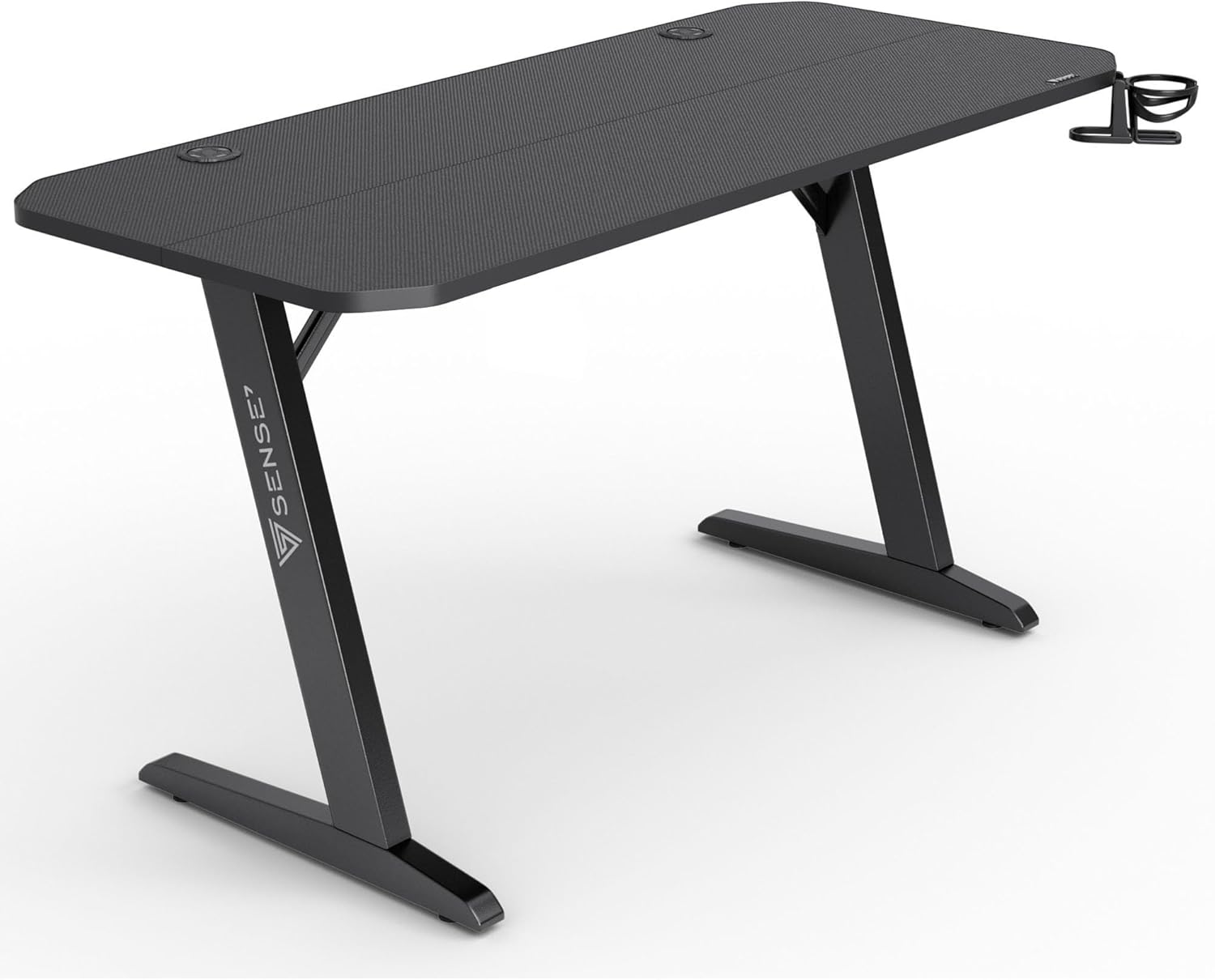
Image 2.1: Side view illustrating the robust Z-shaped leg design for stability.
3. Operating and Features
The SENSE7 Nomad Basic Gaming Desk is designed to enhance your gaming and work experience with several integrated features:
- Spacious Carbon Fiber Surface: The 140x60 cm desktop provides ample space for multiple monitors, keyboards, and other peripherals. The carbon fiber texture enhances durability and scratch resistance.
- Headset Hook: A dedicated hook is provided to keep your gaming headset within easy reach and off the desk surface, reducing clutter.
- Cup Holder: Securely holds your beverage, minimizing the risk of spills on your equipment.
- Controller Support: A multi-tier stand designed to store your game controllers, keeping them organized and accessible.
- Cable Management System: Integrated grommets and routing options help organize and conceal cables, contributing to a cleaner and safer workspace.

Image 3.1: Detail of the controller support, designed for organized storage.

Image 3.2: The integrated cup holder, shown with a bottle for scale and function.
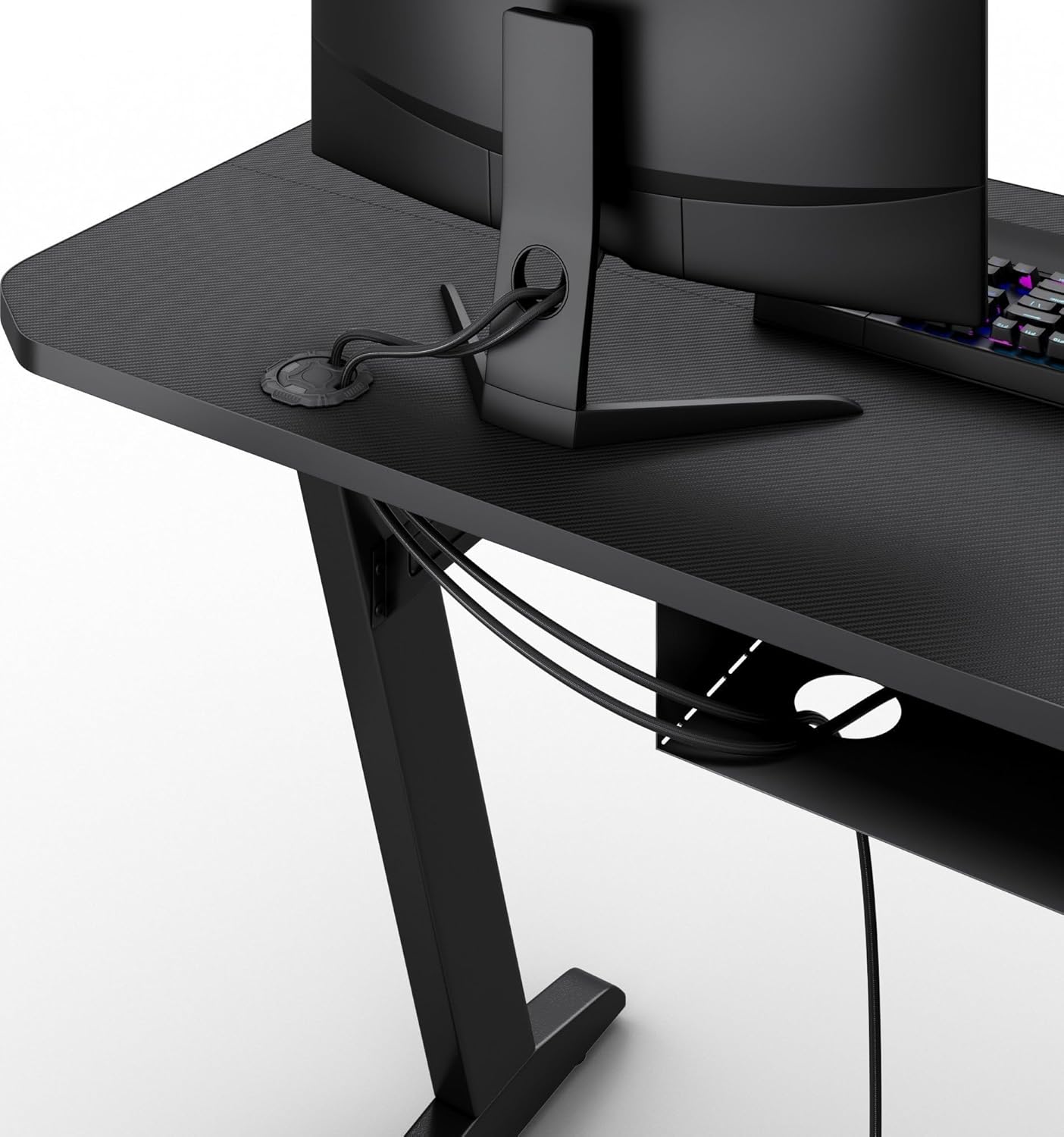
Image 3.3: Cable management grommets for routing and organizing power and data cables.
4. Maintenance
Regular maintenance will prolong the life and appearance of your SENSE7 Nomad Basic Gaming Desk.
- Cleaning the Surface: Use a soft, damp cloth to wipe down the carbon fiber surface. Avoid abrasive cleaners or harsh chemicals that could damage the finish.
- Frame Care: The alloy steel frame can be cleaned with a damp cloth. Ensure it is dried thoroughly to prevent rust.
- Tightening Fasteners: Periodically check all screws and fasteners to ensure they remain tight. Loose connections can affect the desk's stability.
- Avoid Excessive Moisture: While the surface is durable, prolonged exposure to liquids should be avoided. Wipe up spills immediately.

Image 4.1: Detail of the carbon fiber surface, highlighting its texture and durability.
5. Troubleshooting
This section addresses common issues you might encounter with your desk.
- Desk is Unstable/Wobbly:
- Ensure all assembly screws are securely tightened.
- Verify that the desk is placed on a flat, even surface.
- Check if any leg levelers (if applicable) need adjustment.
- Accessories (Headset Hook, Cup Holder, Controller Support) are Loose:
- Ensure they are correctly attached according to the assembly instructions.
- Check for any damaged mounting points.
- Surface Scratches:
- While the carbon fiber surface is designed for scratch resistance, heavy or sharp objects can still cause damage. Use protective pads for items that might scratch.
6. Specifications
| Feature | Detail |
|---|---|
| Brand | SENSE7 |
| Model Number | 13035382 |
| Product Dimensions (L x W x H) | 140 x 60 x 75 cm |
| Item Weight | 25 Kilograms |
| Material | Engineered Wood, Alloy Steel, Carbon Fiber (surface) |
| Color | Black |
| Special Features | Ergonomic design, Headset Hook, Cup Holder, Controller Support, Cable Management |
7. Warranty and Support
For warranty information or technical support, please refer to the documentation included with your purchase or contact the retailer/manufacturer directly. Keep your proof of purchase for warranty claims.
Manufacturer: Morele.net Sp. z o.o
Ask a question about this manual
Ask about setup, troubleshooting, compatibility, parts, safety, or missing instructions. Manuals+ will review the question and use this page’s manual context to help answer it.