
SENSE7 Nomad Basic
SENSE7 Nomad Basic Gaming Desk User Manual
Model: Nomad Basic (13149227)
1. Introduction
The SENSE7 Nomad Basic Gaming Desk is designed to provide a comfortable and organized workspace for gamers and remote workers. This manual provides essential information for the assembly, operation, and maintenance of your new gaming desk, ensuring optimal use and longevity.

Image 1.1: The SENSE7 Nomad Basic Gaming Desk, showcasing its primary features and accessories in a typical setup.
2. Safety Information
WARNING:
- Do not overload the desk with excessively heavy equipment.
- Ensure the desk is properly stabilized on a flat, level surface to prevent tipping.
- Exercise caution with cables and accessories to avoid entanglement or potential injury.
- Keep small parts and packaging materials away from children to prevent choking hazards.
3. Package Contents
Before assembly, verify that all components are present and undamaged. If any parts are missing or damaged, contact customer support.
- Desktop Surface (Carbon Fiber Finish)
- Desk Legs (Alloy Steel, Z-shaped)
- Crossbars and Reinforcements
- Headphone Hook
- Cup Holder
- Controller Stand
- Cable Management Grommets and Tray
- Assembly Hardware (screws, bolts, tools)
- Instruction Manual
4. Setup and Assembly
Follow these general steps for assembling your SENSE7 Nomad Basic Gaming Desk. Refer to the included assembly diagram for detailed illustrations.
- Unpack Components: Carefully remove all parts from the packaging and lay them out on a soft, clean surface to prevent scratches.
- Assemble Legs: Attach the crossbars and reinforcements to the Z-shaped desk legs using the provided hardware. Ensure all connections are secure but do not overtighten initially.
- Attach Legs to Desktop: Carefully place the desktop upside down on a protected surface. Align the assembled leg structure with the pre-drilled holes on the underside of the desktop. Secure with the appropriate screws.
- Install Accessories: Attach the headphone hook, cup holder, and controller stand to the designated locations on the desk. These are typically mounted on the sides or rear of the desktop.
- Cable Management: Install the cable management tray (if separate) and ensure the cable grommets are properly seated in the desktop holes.
- Final Tightening: Once all components are in place, carefully tighten all screws and bolts. Do not overtighten to avoid damaging the materials.
- Position Desk: With assistance, carefully flip the desk upright and move it to its desired location. Ensure it is stable and level.

Image 4.1: The robust Z-shaped leg design, providing stability for the desk.
5. Features and Operation
The SENSE7 Nomad Basic Gaming Desk is equipped with several features designed to enhance your gaming or work experience.
5.1. Integrated Headphone Hook
A dedicated hook is provided for conveniently storing your gaming headset. This keeps your headphones within easy reach and off the desktop, reducing clutter.

Image 5.1.1: Detail of the headphone hook, designed for easy access and storage.
5.2. Cup Holder
The integrated cup holder provides a secure place for your beverage, minimizing the risk of spills on your equipment or desktop. It is typically positioned on the side of the desk for easy access.
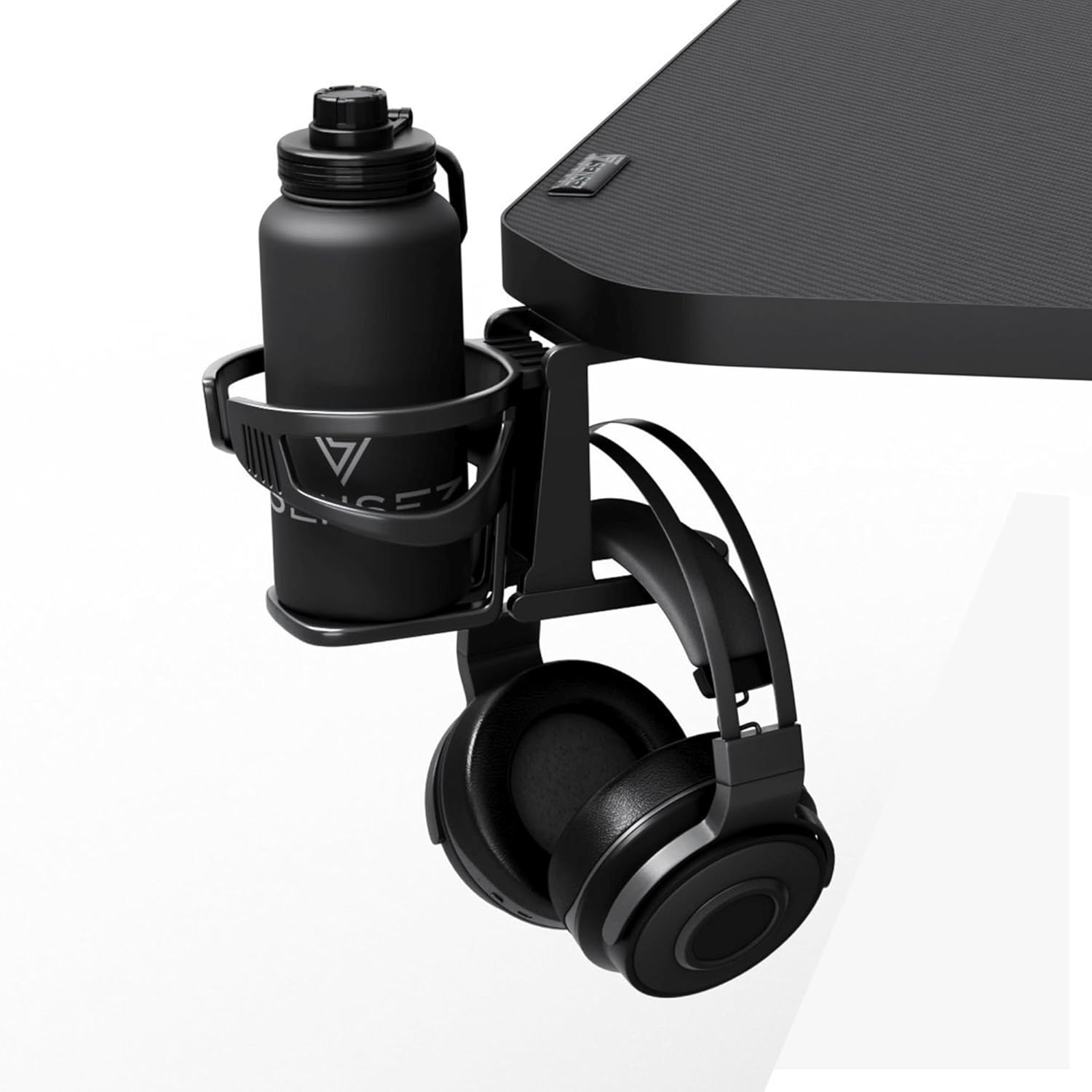
Image 5.2.1: The cup holder and headphone hook working together to keep the desktop clear.
5.3. Controller Stand
A dedicated stand is included to organize your gaming controllers, keeping them tidy and readily available for use. This helps maintain a clean and efficient gaming setup.

Image 5.3.1: The controller stand, providing organized storage for gaming peripherals.
5.4. Cable Management System
The desk features cable grommets and a management tray to help organize and conceal cables. This improves the aesthetic of your setup and reduces the risk of accidental cable disconnections or damage.

Image 5.4.1: The cable management system, designed to keep your workspace tidy.
6. Care and Maintenance
Proper care and maintenance will extend the life and appearance of your gaming desk.
- Cleaning: Wipe the desktop surface with a soft, damp cloth. Avoid abrasive cleaners or harsh chemicals that could damage the carbon fiber finish.
- Spills: Immediately wipe up any spills to prevent staining or damage to the surface.
- Inspection: Periodically check all screws and bolts to ensure they remain tight. Retighten if necessary, but do not overtighten.
- Avoid Extreme Conditions: Do not expose the desk to extreme temperatures, direct sunlight for prolonged periods, or high humidity, as this may affect the material integrity.
7. Troubleshooting
This section addresses common issues you might encounter with your SENSE7 Nomad Basic Gaming Desk.
| Problem | Possible Cause | Solution |
|---|---|---|
| Desk is wobbly or unstable. | Loose screws/bolts; uneven floor. | Ensure all assembly hardware is securely tightened. Adjust leveling feet (if present) or place shims under legs to stabilize on uneven surfaces. |
| Parts are missing or damaged upon arrival. | Shipping damage; packaging error. | Do not proceed with assembly. Contact customer support immediately with your purchase details. |
| Accessories (hook, holder) feel loose. | Improper installation; loose attachment screws. | Refer to assembly instructions to ensure correct installation. Tighten attachment screws for the specific accessory. |
8. Specifications

Image 8.1: Key dimensions and integrated features of the SENSE7 Nomad Basic Gaming Desk.
| Attribute | Detail |
|---|---|
| Brand | SENSE7 |
| Model Name | Nomad Basic |
| Model Number | 13149227 |
| Color | Black |
| Dimensions (L x W x H) | 120 cm x 60 cm x 75 cm (47.2 x 23.6 x 29.5 inches) |
| Item Weight | 15.4 kg (33.95 lbs) |
| Material | Engineered Wood (Desktop), Alloy Steel (Frame/Legs) |
| Finish Type | Carbon Fiber Texture |
| Desk Design | Computer Desk / Gaming Desk |
| Special Features | Headphone Hook, Cup Holder, Controller Stand, Cable Management Grommets |
9. Warranty and Support
Specific warranty information for the SENSE7 Nomad Basic Gaming Desk is not provided in the product data. Please refer to your purchase documentation or contact the retailer/manufacturer directly for warranty details and support inquiries.
For customer support, please visit the official SENSE7 website or contact the seller from whom you purchased the product.
Related Documents - Nomad Basic
 |
SENSE7 NEWAI Electric Desk: Assembly and User Manual A comprehensive guide for assembling and operating the SENSE7 NEWAI Electric Desk, detailing specifications, components, assembly steps, and control panel usage for height adjustment and user profile programming. |
 |
ARTELY Escrivaninha Nomad Desk Assembly Instructions & User Guide Comprehensive assembly instructions and user guide for the ARTELY Escrivaninha Nomad Desk (Model 1.0). Includes parts list, hardware details, and step-by-step assembly steps for your furniture. |
 |
EUREKA ERGONOMIC 60" L-Shaped Electric Standing Desk Assembly and Operation Manual Comprehensive guide for assembling and operating the EUREKA ERGONOMIC 60-inch L-Shaped Electric Standing Desk. Includes parts list, hardware, step-by-step assembly instructions, operating procedures, and troubleshooting. |
 |
Eureka Ergonomic E70 Explored Anchor Desk (ERK-AED-E70B-V3) - Assembly Instructions Comprehensive assembly guide for the Eureka Ergonomic E70 Explored Anchor Desk (Model: ERK-AED-E70B-V3). Includes parts list, hardware, step-by-step instructions, and lighting operation details. |
 |
Wrought Studio™ Computer Desk Assembly Instructions Detailed assembly instructions for the Wrought Studio™ computer desk, including parts list, hardware guide, and step-by-step assembly for Type A and Type B configurations. Learn how to assemble your new desk efficiently and safely. |
 |
Triumphkey Height-Adjustable Electric Desk Assembly and User Manual Comprehensive assembly instructions and user guide for the Triumphkey height-adjustable electric desk, covering specifications, setup, operation, and troubleshooting. |
Ask a question about this manual
Ask about setup, troubleshooting, compatibility, parts, safety, or missing instructions. Manuals+ will review the question and use this page’s manual context to help answer it.