
1. Introduction
Thank you for choosing the GGM Gastro TF1400NDG-EF Premium Stainless Steel Freezer. This manual provides essential information for the safe and efficient operation, installation, and maintenance of your appliance. Please read this manual thoroughly before installation and use, and retain it for future reference.
This freezer is designed for commercial use, offering a large storage capacity of 1400 liters and featuring two glass doors for easy viewing of contents. Its stainless steel construction ensures durability and hygiene.
2. Safety Information
Always observe basic safety precautions when using electrical appliances to reduce the risk of fire, electric shock, and personal injury.
- Ensure the appliance is connected to a properly grounded power outlet.
- Do not operate the freezer with a damaged power cord or plug.
- Keep ventilation openings clear of obstructions.
- Do not store explosive substances such as aerosol cans with a flammable propellant in this appliance.
- Only qualified personnel should perform repairs.
- Unplug the appliance before cleaning or performing maintenance.
3. Setup and Installation
3.1 Unpacking
- Carefully remove all packaging materials.
- Inspect the freezer for any shipping damage. Report any damage to your supplier immediately.
- Remove all protective films from surfaces.
3.2 Placement
- Place the freezer on a firm, level surface capable of supporting its weight when fully loaded.
- Ensure adequate ventilation around the unit. Maintain a minimum clearance of 10 cm (4 inches) from walls and other objects to allow for proper airflow.
- Avoid direct sunlight, heat sources, or areas with high humidity.

Figure 1: Freezer dimensions for proper placement.
3.3 Electrical Connection
- Before connecting, ensure the voltage and frequency specified on the appliance's rating plate match your power supply.
- Connect the freezer to a dedicated, properly grounded electrical outlet. Do not use extension cords or multi-sockets.
- Allow the freezer to stand upright for at least 2-4 hours before plugging it in to allow the refrigerant to settle.
4. Operating Instructions
4.1 Control Panel Overview

Figure 2: Digital control panel.
The freezer is equipped with a digital control panel for precise temperature management. Key indicators and buttons include:
- Temperature Display: Shows the current internal temperature.
- SET Button: Used to enter temperature setting mode.
- Up/Down Arrows: Adjust temperature settings.
- Power Button: Turns the unit on/off.
- Defrost Indicator: Illuminates during defrost cycles.
4.2 Setting the Temperature
- Press the SET button once. The temperature display will flash.
- Use the Up or Down arrow buttons to adjust the desired temperature.
- Press the SET button again to confirm the new setting, or wait a few seconds for the display to revert to the actual temperature.
4.3 Loading the Freezer
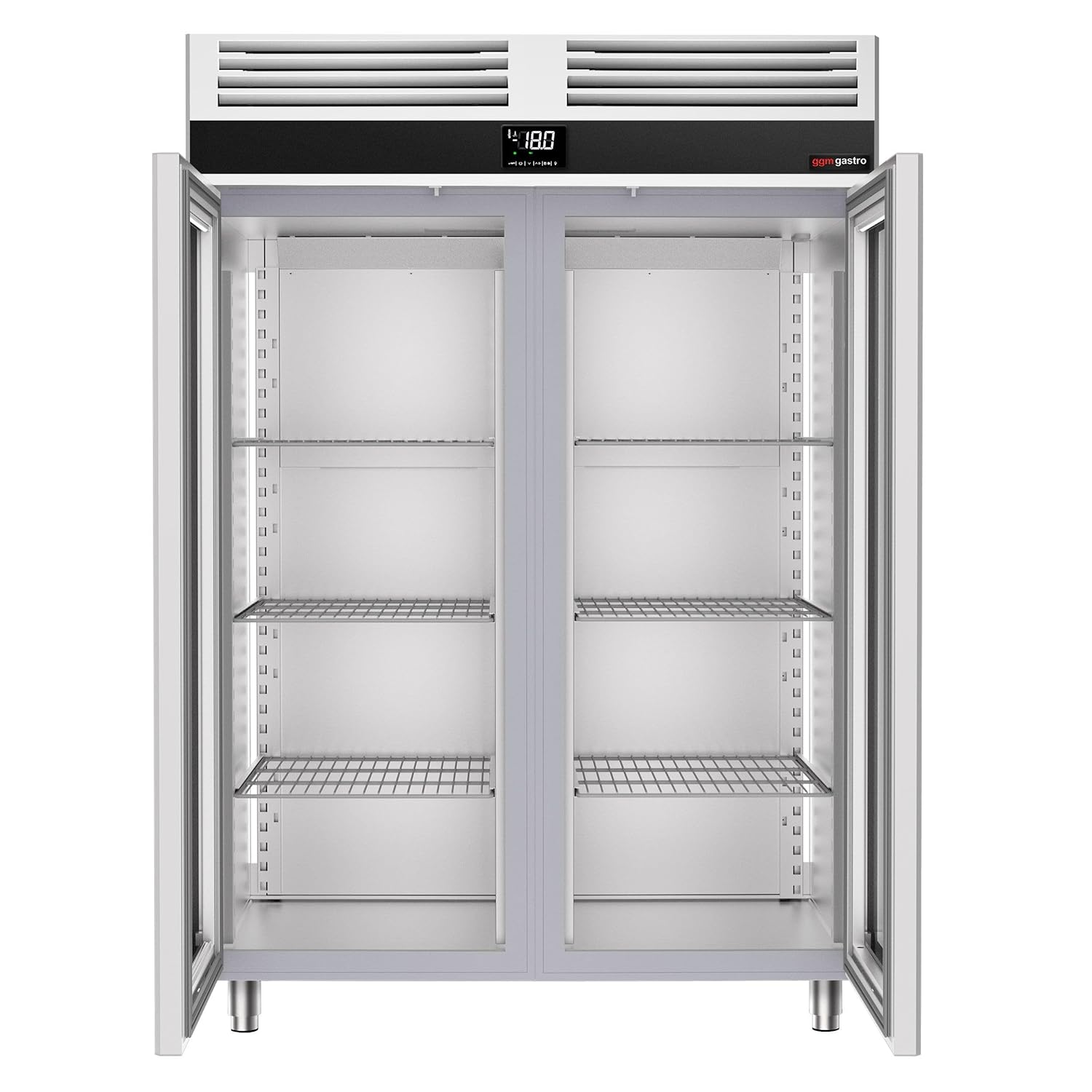
Figure 3: Interior view with adjustable shelving.
- Allow the freezer to reach the set temperature before loading products.
- Distribute products evenly on the shelves to ensure proper air circulation. Do not block the air vents.
- Avoid overloading the freezer, as this can hinder cooling efficiency.
- The freezer is designed to accommodate GN 2/1 containers.
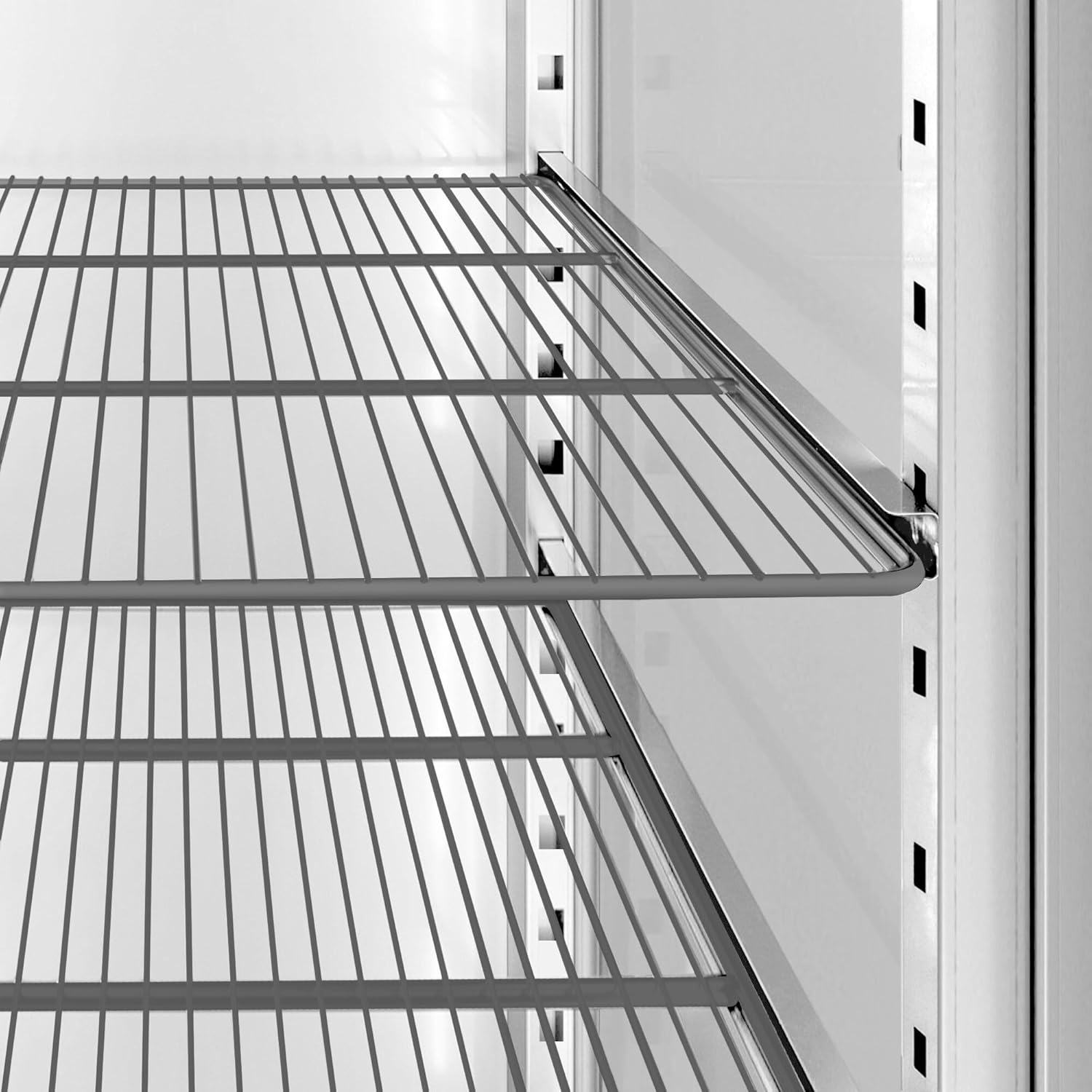
Figure 4: Detail of adjustable shelving for flexible storage.
5. Maintenance
5.1 Cleaning
- Always unplug the freezer before cleaning.
- Clean the interior and exterior surfaces regularly with a mild detergent and warm water. Avoid abrasive cleaners or solvents.
- Wipe door seals clean to ensure a tight seal.
- Clean the condenser coils periodically (every 3-6 months) to maintain efficiency. Use a brush or vacuum cleaner to remove dust and debris.
5.2 Defrosting
This freezer features an automatic defrost system. However, if excessive ice buildup occurs, manual defrosting may be necessary.
- Remove all products and store them in another freezer.
- Unplug the appliance.
- Leave the doors open to allow ice to melt naturally. Do not use sharp objects to remove ice.
- Once defrosted, clean and dry the interior thoroughly before plugging the unit back in and reloading products.
6. Troubleshooting
Before contacting service, please check the following common issues and solutions:
| Problem | Possible Cause | Solution |
|---|---|---|
| Freezer not cooling | Power supply issue Temperature setting too high Door not closed properly Condenser coils dirty | Check power plug and circuit breaker Adjust temperature setting Ensure doors are fully closed and seals are intact Clean condenser coils |
| Excessive noise | Appliance not level Loose components Fan obstruction | Adjust leveling feet Check for loose parts and secure them Ensure nothing is blocking the fan |
| Ice buildup | Door left open frequently Faulty door seal High humidity environment | Minimize door openings Inspect and replace faulty door seal Ensure proper ventilation |
7. Specifications
The following specifications apply to the GGM Gastro TF1400NDG-EF Premium Stainless Steel Freezer:
- Model: TF1400NDG-EF
- Brand: GGM Gastro
- Type: Premium Stainless Steel Freezer
- Capacity: 1400 Liters
- Door Type: 2 Glass Doors
- Internal Configuration: GN 2/1 compatible
- ASIN: B0D1811FNH
- Date First Available: March 24, 2023
- Spare Parts Availability: Information unavailable

Figure 5: GGM Gastro TF1400NDG-EF Freezer.
8. Warranty and Support
For warranty information and technical support, please refer to the documentation provided with your purchase or contact GGM Gastro directly through their official website or customer service channels. Ensure you have your model number (TF1400NDG-EF) and purchase date available when contacting support.
For further assistance, visit the GGM Gastro official website.