
1. Introduction
This manual provides detailed instructions for the operation and maintenance of your Xoopon 9-in-1 Professional Indoor Air Quality Monitor, Model AK16. This device is designed to accurately measure various indoor air quality parameters, including PM2.5, PM10, CO2, Formaldehyde (HCHO), Total Volatile Organic Compounds (TVOC), Temperature, and Humidity. Understanding and monitoring these parameters can help you maintain a healthier indoor environment.
2. Product Overview
Key Features:
- 9-in-1 Monitoring: Measures PM2.5, PM10, CO2, HCHO, TVOC, Temperature, Humidity, PM1.0, and Time.
- High Accuracy Sensors: Equipped with high-precision infrared (NDIR) sensor technology for CO2, PM2.5, and PM10, and electrochemical sensors for HCHO and TVOC.
- Fast Data Refresh: Readings refresh every 1-2 seconds for real-time monitoring.
- Clear Display: Ultra-high definition color screen for easy readability of all parameters.
- Portable Design: Built-in 2000mAh rechargeable battery for up to 16 hours of continuous use.
- Temperature Units: Selectable between Celsius (°C) and Fahrenheit (°F).
- Air Quality Levels: Provides 6-grade air quality level indicators based on current AQI.
Package Contents:
- 1x Xoopon 9-in-1 Air Quality Monitor (Model AK16)
- 1x USB Type-C Charging Cable
- 1x User Manual (this document)

Figure 1: Front view of the Xoopon AK16 Air Quality Monitor display, illustrating various air quality metrics.
3. Setup
- Unpacking: Carefully remove the air quality monitor and all accessories from the packaging.
- Initial Charge: Before first use, fully charge the device using the provided USB Type-C cable and a compatible USB power adapter (not included). The battery indicator on the display will show charging status. A full charge typically takes several hours.
- Power On: Press and hold the power button (usually located on the side or back) for a few seconds until the display illuminates.
- First Use Data Clear: When using the device for the first time, press and hold the power button until you hear two "beep" sounds. This action clears any initial data and ensures accurate readings from the start.
- Placement: Place the monitor in the desired location, ensuring it is on a stable surface and away from direct airflow (e.g., vents, open windows) or sources of high humidity/temperature, which could affect readings.
4. Operating Instructions
Power On/Off:
- To power on, press and hold the power button until the screen lights up.
- To power off, press and hold the power button until the screen turns off.
Understanding the Display:
The monitor's high-definition color screen displays real-time readings for various air quality parameters. The display typically includes:
- PM2.5, PM1.0, PM10: Particulate matter concentrations in micrograms per cubic meter (µg/m³).
- TVOC: Total Volatile Organic Compounds in milligrams per cubic meter (mg/m³).
- HCHO: Formaldehyde concentration in milligrams per cubic meter (mg/m³).
- CO2: Carbon Dioxide concentration in parts per million (ppm).
- TEMP: Temperature in Celsius (°C) or Fahrenheit (°F).
- HUMI: Relative Humidity in percentage (%).
- Time: Current time display.
- Battery Indicator: Shows current battery level.
- Air Quality Indicator: A color-coded bar or icon indicating overall air quality (e.g., Good, Moderate, Poor).

Figure 2: The Xoopon AK16 monitor can be used in various indoor spaces to provide continuous air quality monitoring.
Changing Temperature Units:
The device allows switching between Celsius (°C) and Fahrenheit (°F) for temperature readings. Refer to the device's buttons or on-screen menu for specific instructions on how to toggle this setting. Typically, a short press of a dedicated button or a menu option will facilitate this change.
Interpreting Air Quality Readings:
The monitor provides real-time data. Consult the Air Quality Pollution Level Reference Table below for guidance on interpreting the measured values and understanding their implications for indoor air quality.
5. Air Quality Level Reference Table
This table provides a general reference for interpreting the air quality readings from your Xoopon AK16 monitor. These values are indicative and may vary based on local regulations and specific health guidelines.
| Parameter | Good (Qualified) | OK | Poor |
|---|---|---|---|
| CO2 | ≤800ppm | >800ppm; ≤1500ppm | >1500ppm |
| HCHO | ≤0.08mg/m³ | >0.08 mg/m³; ≤0.10 mg/m³ | >0.10 mg/m³ |
| PM2.5 | ≤75ug/m³ | >75-150ug/m³ | >150ug/m³ |
| TVOC | ≤0.6 mg/m³ | >0.6 mg/m³; ≤1.5 mg/m³ | >1.5 mg/m³ |
| PM10 | ≤75ug/m³ | >75-150ug/m³ | >150ug/m³ |
Note: When using for the first time, please press and hold the power button until you hear two "beep" sounds, and the display data will be cleared.
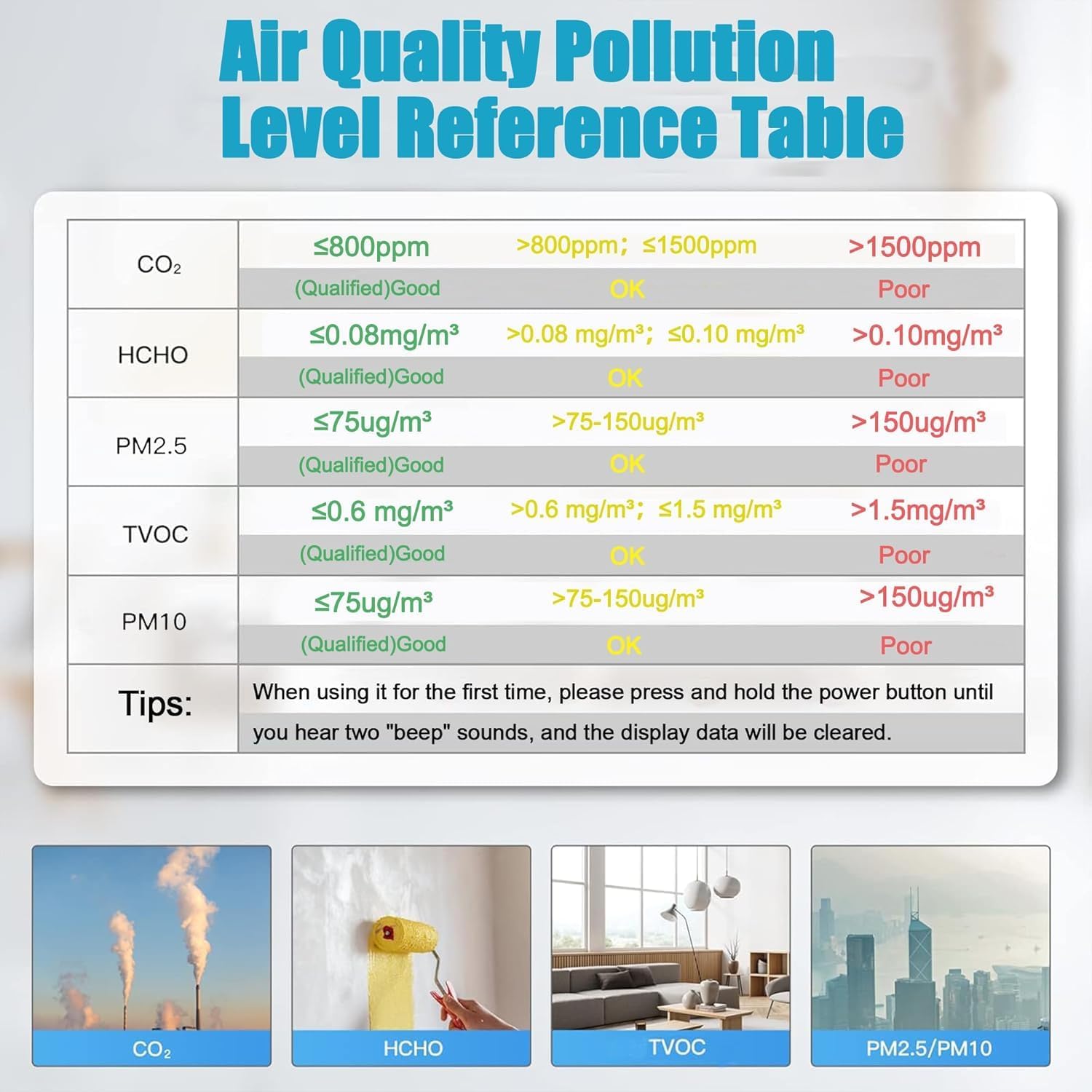
Figure 3: Visual representation of the Air Quality Pollution Level Reference Table.
6. Charging and Battery
- The Xoopon AK16 features a built-in 2000mAh rechargeable battery.
- Use the provided USB Type-C cable to charge the device. Connect the cable to the monitor's charging port and a standard USB power source (e.g., computer USB port, wall adapter).
- A full charge provides approximately 16 hours of continuous operation.
- The battery icon on the display indicates the current charge level.
- Important: For accurate readings, avoid using the device while it is charging or when the battery level is very low.
7. Maintenance
- Cleaning: Gently wipe the device's exterior with a soft, dry cloth. Do not use abrasive cleaners, solvents, or immerse the device in water.
- Sensor Care: Avoid obstructing the sensor vents. Do not attempt to clean the internal sensors directly.
- Storage: When not in use for extended periods, store the monitor in a cool, dry place, away from direct sunlight and extreme temperatures. Ensure the battery is partially charged before storage to prolong its lifespan.
- Calibration: The device is factory-calibrated. Regular user calibration is generally not required. If you suspect inaccurate readings, ensure proper placement and environmental conditions.
8. Troubleshooting
| Problem | Possible Cause | Solution |
|---|---|---|
| Device does not power on. | Low battery or no charge. | Charge the device fully using the provided USB Type-C cable. |
| Readings appear inaccurate or fluctuate wildly. |
|
|
| Display is blank or frozen. | Software glitch or low battery. | Try restarting the device by holding the power button. If unresponsive, charge the device. |
9. Specifications
| Parameter | Value/Range |
|---|---|
| Model Number | AK16 |
| Brand | Xoopon |
| Power Source | Battery Powered (2000mAh built-in) |
| Indoor Temperature Range | -9.9 to 60°C (14 to 140°F) |
| Indoor Humidity Range | 1% ~ 99% |
| PM2.5 Measure Range | 0 ~ 999 µg/m³ |
| PM2.5 Accuracy | 0~100µg/m³ ±10µg/m³; 100~500µg/m³ ±10% |
| PM2.5 Resolution | 1 µg/m³ |
| Sensor Type | NDIR (CO2, PM2.5, PM10), Electrochemical (HCHO, TVOC) |
| Item Weight | 0.59 Pounds (approx. 267.62 g) |
| Included Components | Air Quality Monitor, USB Type-C Cable |
| UPC | 717020029019 |

Figure 4: The monitor provides essential data for environments like greenhouses, aiding in temperature and humidity management.
10. Warranty and Support
The Xoopon 9-in-1 Professional Indoor Air Quality Monitor (Model AK16) comes with a 12-month warranty from the date of purchase. This warranty covers manufacturing defects and malfunctions under normal use.
For technical support, warranty claims, or any questions regarding your device, please contact Xoopon customer service. Refer to the product packaging or the official Xoopon website for the most current contact information.
Please have your model number (AK16) and proof of purchase ready when contacting support.