
1. Introduction
Thank you for choosing the Xiaomi G20 Lite Wireless Stick Vacuum Cleaner. This manual provides important information on the safe use, operation, and maintenance of your new appliance. Please read this manual thoroughly before first use and keep it for future reference.
2. Safety Information
Always follow basic safety precautions when using electrical appliances to reduce the risk of fire, electric shock, or injury.
- Do not use the vacuum cleaner outdoors or on wet surfaces.
- Do not allow to be used as a toy. Close attention is necessary when used by or near children.
- Use only as described in this manual. Use only manufacturer's recommended attachments.
- Do not use with damaged cord or plug. If appliance is not working as it should, has been dropped, damaged, left outdoors, or dropped into water, return it to a service center.
- Do not pull or carry by cord, use cord as a handle, close a door on cord, or pull cord around sharp edges or corners. Do not run appliance over cord. Keep cord away from heated surfaces.
- Do not unplug by pulling on cord. To unplug, grasp the plug, not the cord.
- Do not handle plug or vacuum cleaner with wet hands.
- Do not put any object into openings. Do not use with any opening blocked; keep free of dust, lint, hair, and anything that may reduce air flow.
- Keep hair, loose clothing, fingers, and all parts of body away from openings and moving parts.
- Turn off all controls before unplugging.
- Use extra care when cleaning on stairs.
- Do not use to pick up flammable or combustible liquids, such as gasoline, or use in areas where they may be present.
- Do not pick up anything that is burning or smoking, such as cigarettes, matches, or hot ashes.
- Do not use without dust cup and/or filters in place.
3. Product Overview and Package Contents
The Xiaomi G20 Lite is a versatile wireless stick vacuum cleaner designed for efficient cleaning of various surfaces.

Figure 3.1: Xiaomi G20 Lite Wireless Stick Vacuum Cleaner assembled with included accessories (filters, crevice tool).
Package Contents:
- Main Vacuum Unit
- Extension Tube
- Floor Brush with LED Headlights
- 2-in-1 Brush Head Set (Dusting Brush, Crevice Tool)
- Wall-mount Holder
- Power Adapter
- User Manual
- HEPA Filter (pre-installed)
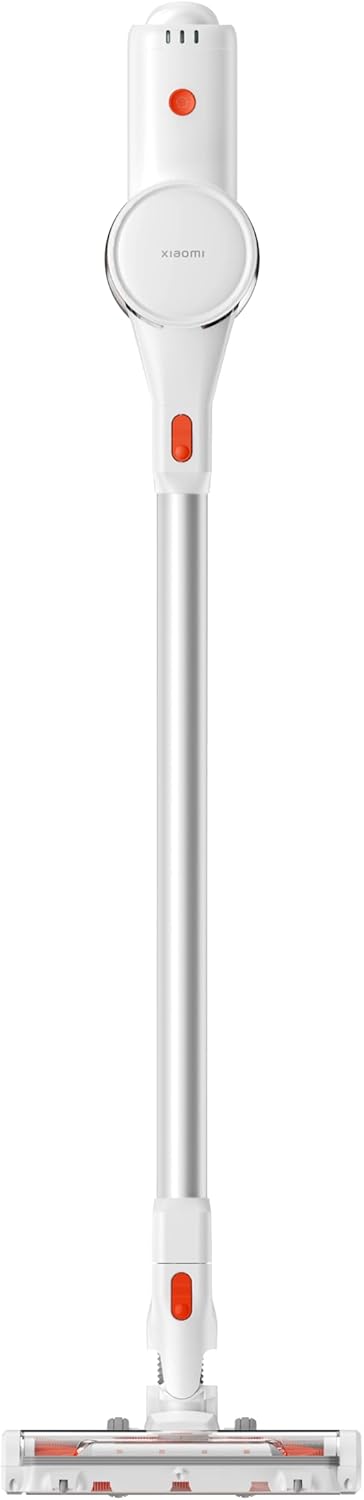
Figure 3.2: Main components of the vacuum cleaner: main unit, extension tube, and floor brush.
4. Setup
4.1 Assembly
- Insert the extension tube into the main vacuum unit until it clicks into place.
- Attach the floor brush to the other end of the extension tube, ensuring it clicks securely.
- For specific cleaning tasks, detach the extension tube and attach the 2-in-1 brush head set directly to the main unit.

Figure 4.1: Assembled vacuum cleaner ready for use.
4.2 Charging the Battery
Before first use, fully charge the vacuum cleaner's battery. The battery is integrated into the main unit.
- Connect the power adapter to the charging port on the main vacuum unit.
- Plug the power adapter into a wall outlet.
- The indicator lights on the main unit will show the charging status. A full charge typically takes approximately 4-5 hours.
- Once fully charged, unplug the adapter.
5. Operating Instructions
5.1 Powering On/Off and Suction Modes
- To turn on the vacuum cleaner, press the power button located on the handle.
- Press the mode button to switch between different suction power levels (e.g., Standard, Max).
- To turn off the vacuum cleaner, press the power button again.
5.2 Using Attachments
- Floor Brush: Ideal for cleaning all floor types, including hard floors and carpets. The integrated LED headlights illuminate dust and debris in dark areas, such as under furniture.
- 2-in-1 Brush Head Set: Use the dusting brush for delicate surfaces like keyboards, shelves, and upholstery. The crevice tool is perfect for narrow gaps, corners, and edges.
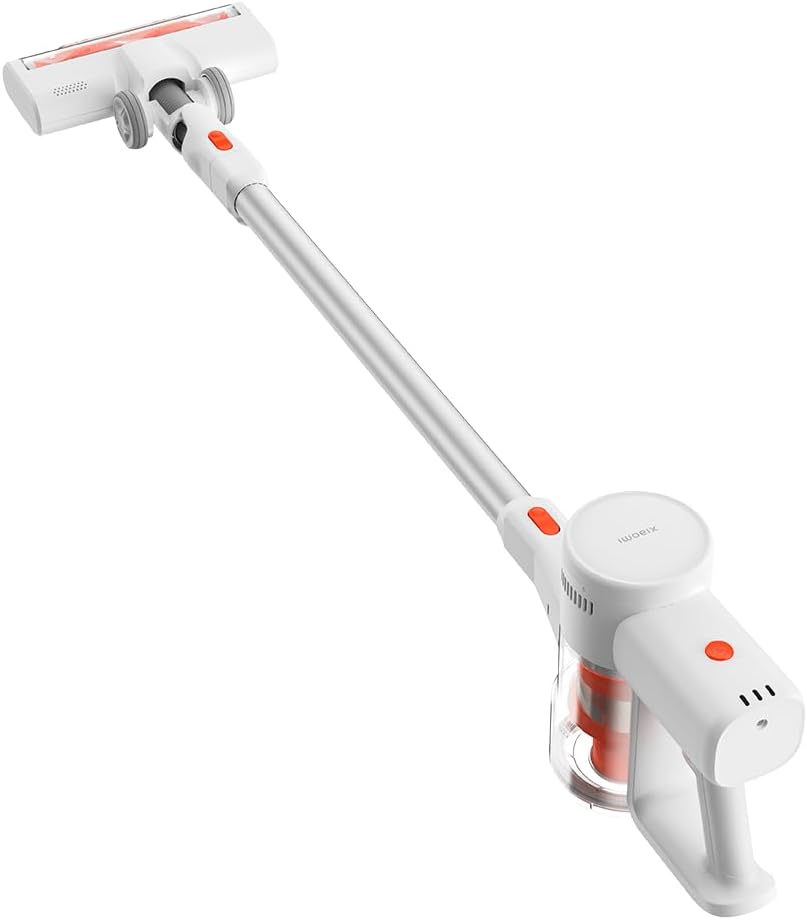
Figure 5.1: The floor brush with LED headlights in action.
6. Maintenance
Regular maintenance ensures optimal performance and extends the lifespan of your vacuum cleaner.
6.1 Emptying the Dustbin
Empty the dustbin when the MAX line is reached or after each use.
- Ensure the vacuum cleaner is turned off.
- Locate the dustbin release button on the main unit.
- Press the button to open the dustbin flap and empty contents into a trash can.
- Close the dustbin flap securely.
6.2 Cleaning Filters
The Xiaomi G20 Lite features a five-stage deep filtration system, including a HEPA filter. Clean filters regularly to maintain suction power.
- Twist and remove the dustbin from the main unit.
- Remove the pre-filter and HEPA filter from the dustbin.
- Tap off loose dust from both filters. For a deeper clean, rinse them under running water.
- Allow filters to air dry completely for at least 24 hours before reassembling. Do not use a dryer or direct heat.
- Reinsert the dry filters into the dustbin, then reattach the dustbin to the main unit.
6.3 Cleaning the Brush Head
Periodically check the floor brush for tangled hair or debris.
- Turn off the vacuum cleaner.
- Detach the floor brush from the extension tube.
- Use scissors or a cleaning tool to cut and remove any tangled hair or fibers from the brush roll.
- Wipe the brush head and wheels with a damp cloth.
7. Troubleshooting
If you encounter issues with your vacuum cleaner, refer to the following common problems and solutions:
| Problem | Possible Cause | Solution |
|---|---|---|
| Vacuum cleaner does not turn on. | Battery is low or depleted. | Charge the battery fully. |
| Reduced suction power. | Dustbin is full. Filters are clogged. Obstruction in nozzle or tube. | Empty dustbin. Clean or replace filters. Check for and remove any blockages. |
| Brush roll not spinning. | Hair or debris tangled in brush roll. Obstruction in brush head. | Clean the brush roll. Remove any obstructions from the brush head. |
| Battery runtime is short. | Battery not fully charged. Using Max suction mode frequently. Battery degradation. | Ensure battery is fully charged. Use Standard mode for longer runtime. Contact support if battery life significantly decreases. |
If the problem persists after trying these solutions, please contact Xiaomi customer support.
8. Specifications
| Feature | Specification |
|---|---|
| Model Number | G20 Lite |
| Brand | Xiaomi |
| Suction Power | Up to 18,000 Pa |
| Battery Type | Lithium Polymer (1 included) |
| Runtime | Up to 45 minutes (on standard mode) |
| Voltage | 22.2 Volts |
| Wattage | 215 watts |
| Filter Type | HEPA filter (five-stage filtration) |
| Product Dimensions | 25 x 14 x 128 cm |
| Item Weight | 2.4 Kilograms |
| Special Features | Front light, Lightweight, Compact, Bagless |
| Included Components | Dusting Brush, Crevice Tool |
9. Warranty and Support
Your Xiaomi G20 Lite Wireless Stick Vacuum Cleaner comes with a standard manufacturer's warranty. Please refer to the warranty card included in your package for specific terms and conditions, including warranty period and coverage details.
For technical support, troubleshooting assistance, or warranty claims, please contact Xiaomi customer service through their official website or the contact information provided in your product documentation. Ensure you have your product model number (G20 Lite) and purchase details ready when contacting support.


