
Introduction
Thank you for purchasing the KOO Be Blip Kinchika Remote Control Car. This manual provides essential information for the safe and optimal use of your new RC car. Please read it thoroughly before operation and retain it for future reference.
The Kinchika 019 is a versatile remote control car designed for various terrains, featuring a distinctive tribal design, durable tires, and LED lighting. It operates with a 2.4 GHz anti-interference remote control and is compatible with other KOO cars.
Safety Information
WARNING: Not suitable for children under 36 months due to small parts. Choking hazard. This toy produces flashes that may trigger epilepsy in sensitized individuals.
- Always supervise children during play.
- Do not operate the car near people, pets, or obstacles.
- Avoid driving in wet conditions or through puddles.
- Keep fingers, hair, and loose clothing away from moving parts.
- Do not modify the product or its components.
- Dispose of batteries responsibly according to local regulations.
Package Contents
- KOO Be Blip Kinchika Remote Control Car (Model KAB-KOO-0019)
- Remote Control
- Rechargeable Li-Ion Battery (3.7V 500mAh, pre-installed in car)
- USB Charging Cable
- Instruction Manual (this document)
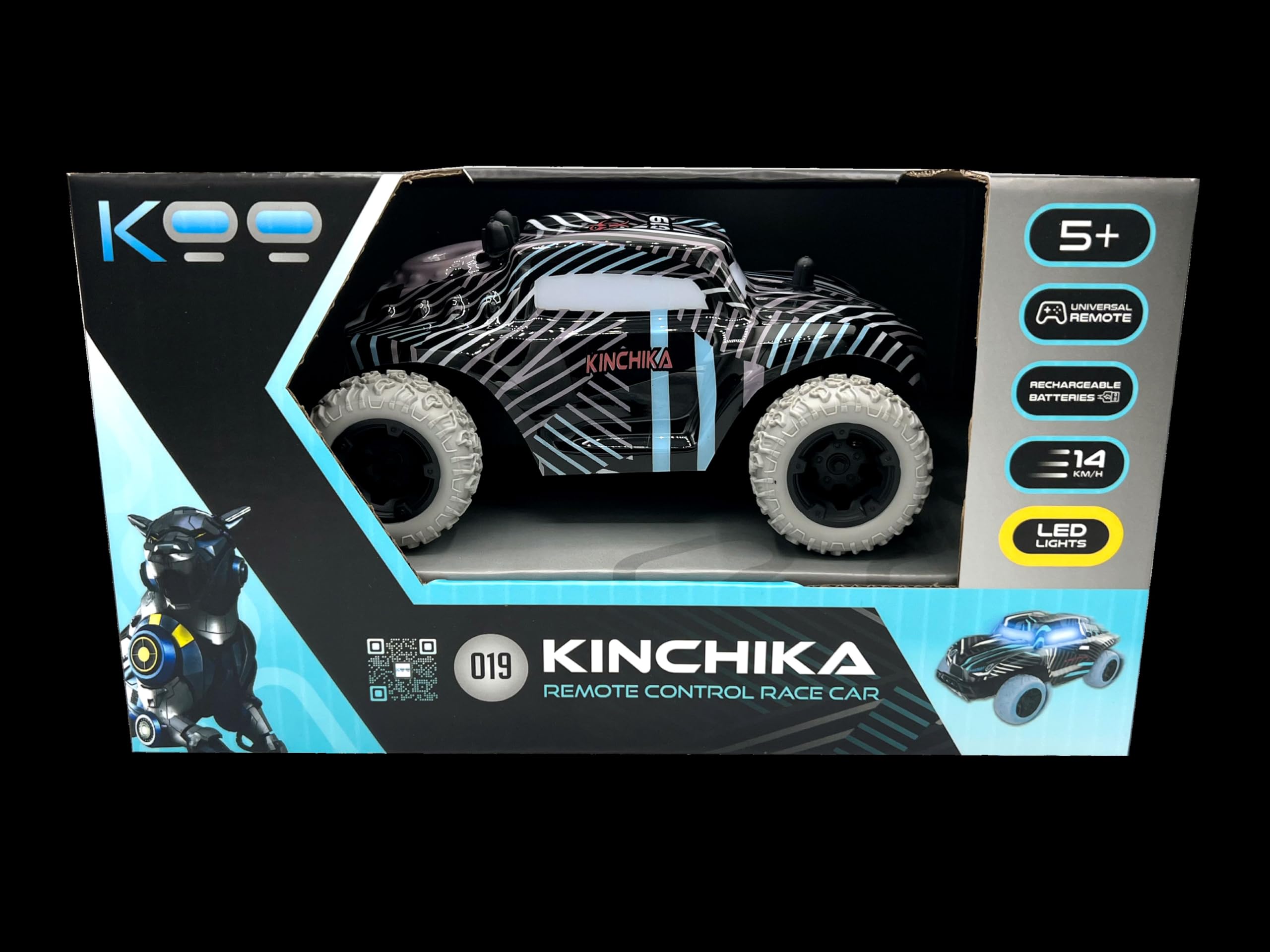
Image: The KOO Be Blip Kinchika Remote Control Car displayed in its retail box, showing the car's design and key features on the packaging.
Setup
1. Remote Control Battery Installation
- Locate the battery compartment on the back of the remote control.
- Open the battery compartment cover.
- Insert 3 AAA batteries (not included), ensuring correct polarity (+/-).
- Close the battery compartment cover securely.

Image: The back of the product packaging, illustrating the remote control and indicating the need for 3 AAA batteries (not included) for the remote, and the rechargeable 3.7V 500mAh Li-Ion battery for the car.
2. Car Battery Charging
The Kinchika RC car comes with a pre-installed 3.7V 500mAh Li-Ion rechargeable battery. Before first use, fully charge the car's battery.
- Locate the charging port on the car (refer to the car's underside or side for the port).
- Connect the USB charging cable to the car's charging port.
- Connect the other end of the USB charging cable to a standard USB power adapter (not included) or a computer USB port.
- The charging indicator light (if present) will illuminate during charging and turn off or change color when fully charged.
- Charging typically takes 60-90 minutes. Do not overcharge.
- Disconnect the charging cable once charging is complete.
3. Powering On and Pairing
- Ensure both the car and the remote control have sufficient battery power.
- Turn on the power switch on the RC car. The car's LED lights may flash.
- Turn on the power switch on the remote control.
- The remote control and car should automatically pair. The car's LED lights will stop flashing and remain solid once paired.
- If pairing fails, turn off both devices and repeat the steps.
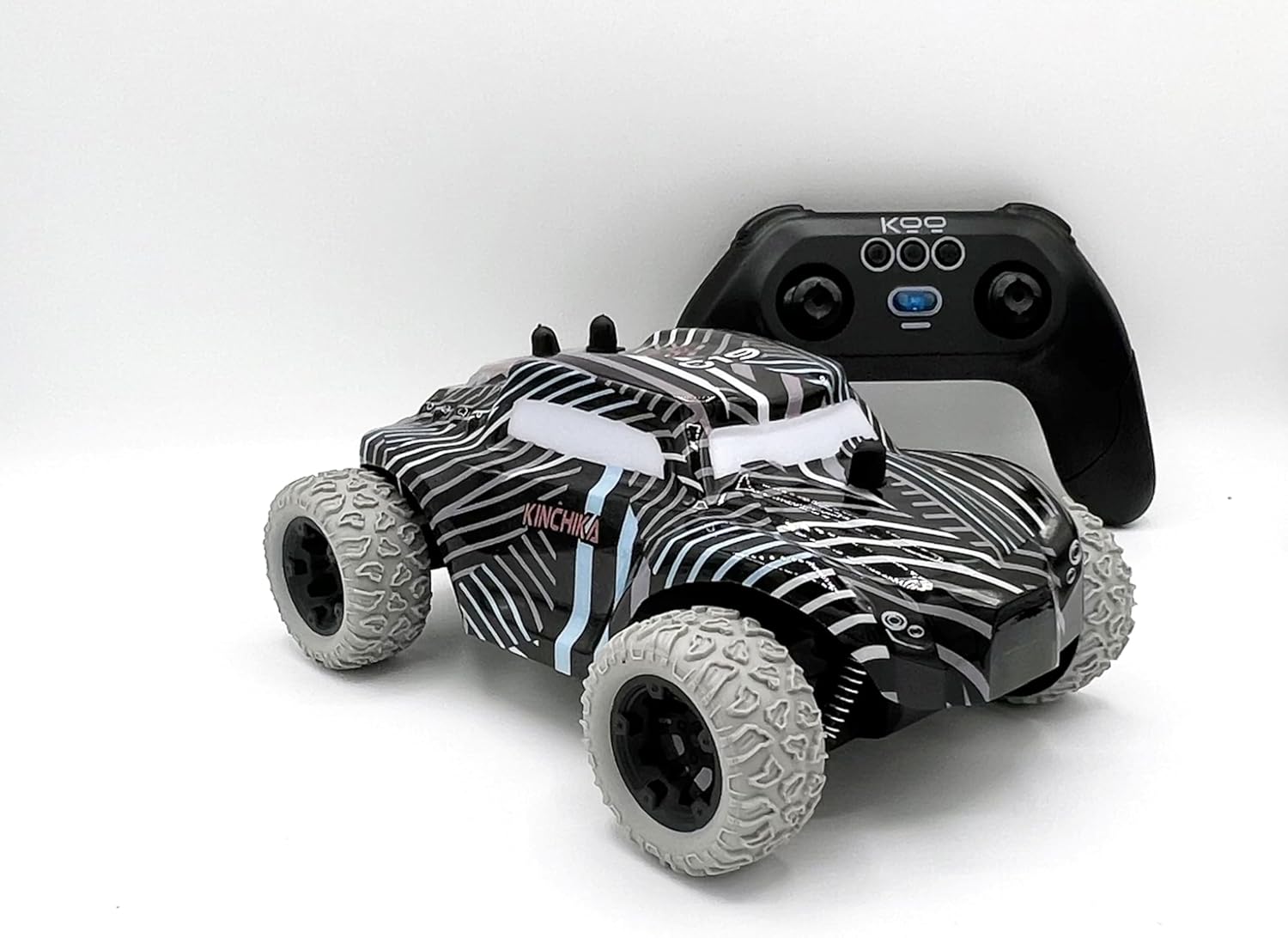
Image: The KOO Be Blip Kinchika RC car positioned next to its remote control, illustrating the two main components of the product.
Operating Instructions
Remote Control Functions
- Forward/Backward: Push the left joystick forward to move the car forward, pull it backward to move the car backward.
- Turn Left/Right: Push the right joystick left to turn the car left, push it right to turn the car right.
- Combined Movement: Use both joysticks simultaneously for complex maneuvers.
Driving Tips
- The Kinchika 019 is designed for various terrains, including sand and grass, thanks to its robust tires and shock-resistant build.
- The car features LED lighting for enhanced visibility and a striking appearance, especially in low-light conditions.
- The 2.4 GHz remote control minimizes interference, allowing multiple KOO cars to be operated simultaneously without signal conflicts.
- The KOO remote control is universal and can be used to control other KOO brand RC cars.

Image: The KOO Be Blip Kinchika RC car with its distinctive LED lights glowing, highlighting its design and operational feature.
Maintenance
- Cleaning: Use a soft, dry cloth to clean the car and remote control. Do not use water or chemical cleaners.
- Battery Care:
- Always remove AAA batteries from the remote control if not used for an extended period.
- For the rechargeable car battery, avoid fully discharging it frequently. Recharge it after each use.
- Store the car and batteries in a cool, dry place away from direct sunlight.
- Storage: When not in use, store the car and remote control in their original packaging or a protective container to prevent damage.
Troubleshooting
| Problem | Possible Cause | Solution |
|---|---|---|
| Car does not respond to remote. |
|
|
| Car moves slowly or erratically. |
|
|
| Short control range or interference. |
|
|
Specifications
| Model Number | KAB-KOO-0019 |
| Brand | KOO |
| Product Dimensions (L x W x H) | 22 x 13 x 9 cm |
| Weight | 560 g |
| Car Battery | 3.7V 500mAh Li-Ion (rechargeable, included) |
| Remote Control Battery | 3 x AAA batteries (not included) |
| Maximum Speed | 8 km/h |
| Material | Plastic |
| Recommended Age | 5 years and older |
| Radio Frequency | 2.4 GHz |
Warranty and Support
Specific warranty information for the KOO Be Blip Kinchika Remote Control Car is not provided in this manual. For details regarding warranty coverage, returns, or technical support, please refer to the retailer's policy where the product was purchased or contact KOO customer service directly.
Please retain your proof of purchase for any warranty claims.