
Introduction
The SmrtMugg Go v2 is a heated travel mug designed to maintain your beverage at an optimal drinking temperature of approximately 131°F (55°C). It features a simple one-button operation, a smart display for temperature and battery life, and a magnetic charging system for convenience. This manual provides essential information for the safe and effective use of your SmrtMugg Go v2.
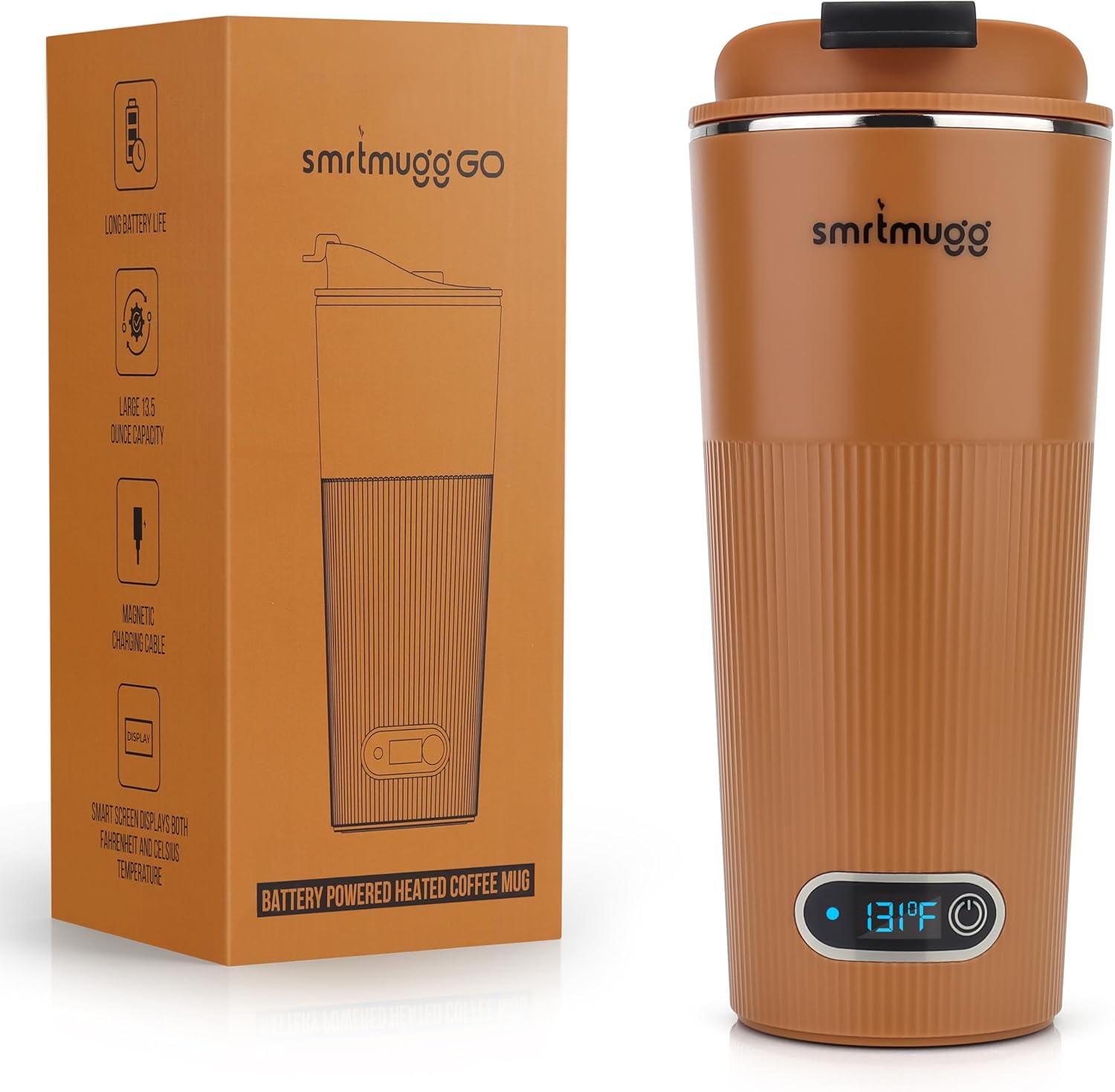
Image: The SmrtMugg GO Heated Coffee Mug, showcasing its design and display.
Product Overview
Your SmrtMugg Go v2 package includes the heated mug, a spill-proof lid, and a magnetic USB charging cable. The mug features an insulated stainless steel interior and a durable exterior.

Image: Components of the SmrtMugg GO package, including the mug, lid, and magnetic charging cable.
Key Features:
- LCD Screen: Displays battery life and temperature in both Fahrenheit and Celsius.
- Long Battery Life: Keeps liquid hot for approximately 90 minutes on the go.
- Large Capacity: Holds 13.5 fluid ounces of your preferred hot beverage.
- Magnetic USB Charging: Innovative design for convenient and secure charging.
- Spill-Proof Lid: Twist-on lid with a secure flip-up drink hole cover for improved safety and heat retention.

Image: A visual breakdown of the SmrtMugg GO's key features, including its display, battery, capacity, charging, and lid design.
Setup
Initial Cleaning
Before first use, hand wash the mug and lid with warm, soapy water. Rinse thoroughly and dry completely. Refer to the 'Maintenance and Care' section for detailed cleaning instructions.
Initial Charging
Fully charge your SmrtMugg Go v2 before its first use. Connect the magnetic charging cable to the charging port on the mug and plug the USB end into a compatible power source (e.g., USB wall adapter, computer USB port). The charging indicator on the mug will blink while charging and remain solid when fully charged. A full charge typically takes a few hours.
Operating Instructions
The SmrtMugg Go v2 features a single button for all operations.

Image: A close-up view of the SmrtMugg GO's display and button, illustrating its various functions.
- Power On/Off:
- To Turn On: Press and hold the button for 2 seconds. The white status light will illuminate, indicating the mug is powered on and heating.
- To Turn Off: Press and hold the button for 2 seconds. If the white status light is off, the mug is in sleep mode.
- Check Temperature and Battery Level:
- Press the button once to check the current temperature in Celsius.
- Press the button again to check the current temperature in Fahrenheit.
- Press the button a third time to display the remaining battery level.
- Heating Mode:
Once powered on, the SmrtMugg Go v2 will automatically heat and maintain your beverage at approximately 131°F (55°C). This temperature is designed for optimal flavor and safe consumption. The mug will work to quickly cool down overly hot beverages to this ideal temperature and then maintain it.
- Charging Mode:
Connect the magnetic charging cable. The charging indicator will blink while charging and stay solid when fully charged. You can use the heating function while the mug is charging, but note that charging speed may be reduced.
Video: Demonstration of the SmrtMugg GO maintaining beverage warmth throughout the day, highlighting its continuous heating capability when connected to power.
Maintenance and Care
Cleaning Instructions
- Hand Wash Only: The SmrtMugg Go v2 is not dishwasher safe. Hand wash the mug and lid with warm, soapy water.
- Do Not Submerge: Do not submerge the entire mug in water, especially the base where the electronics are located.
- Rinse and Dry: Rinse all components thoroughly and dry completely before reassembly or storage.
- Avoid Abrasives: Do not use abrasive cleaners, brushes, or scouring pads, as these can damage the mug's finish and internal components.
- Do Not Microwave: This product contains electronic components and is not safe for microwave use.
Troubleshooting
| Problem | Possible Cause | Solution |
|---|---|---|
| Mug does not turn on or heat. | Low or no battery charge. Incorrect power-on procedure. | Ensure the mug is fully charged. Press and hold the button for 2 seconds to power on. If issues persist, try fully discharging and then recharging the mug. |
| Mug is not charging. | Magnetic cable not properly connected. Faulty charging cable or power source. | Verify the magnetic charging cable is securely attached to the mug. Try using a different USB power adapter or port. If the cable is damaged, contact customer support for a replacement. |
| Lid flap does not stay closed or open. | Wear and tear on lid components. | Inspect the small plastic nibs and corresponding holes on the lid flap for damage or wear. If worn, contact customer support for a replacement lid. |
| Beverage temperature is not maintained at 131°F (55°C). | Lid not properly sealed. Extremely cold ambient temperature. Low battery. | Ensure the lid is securely twisted on and the drink hole cover is closed. Verify the mug is fully charged. In very cold environments, battery life and heating efficiency may be slightly reduced. |
Specifications
| Feature | Detail |
|---|---|
| Brand | SmrtMugg |
| Model Number | SmrtMugg Go v2 |
| Material | Plastic, Stainless Steel |
| Color | Pumpkin Spice |
| Capacity | 13.5 fluid ounces |
| Special Feature | Heated Coffee Mug, Magnetic Charging Cable |
| Included Components | Instruction Manual, Lid, Magnetic Charging Cord, SmrtMugg Sticker |
| Specific Uses For Product | Hot Drinks |
| Item Type Name | Heated Coffee Mug |
| Item Weight | 1.2 pounds |
| Item Dimensions (W x H) | 3.25"W x 7.75"H |
| Number of Items | 1 |
| Product Care Instructions | Do Not Microwave, Hand Wash Only |
Warranty Information
SmrtMugg products are manufactured to high-quality standards. This product is covered by a manufacturer's warranty against defects in materials and workmanship. Please retain your proof of purchase for warranty claims. Specific warranty terms and duration may vary. For detailed warranty information, please refer to the product packaging or contact SmrtMugg customer support.
Support and Contact
For further assistance, technical support, or to inquire about replacement parts, please visit the official SmrtMugg website or contact our customer service team. You can also find more information and products at the SmrtMugg Store on Amazon.