
1. Introduction
This manual provides detailed instructions for the installation, operation, and maintenance of your YQD 10.25" Touch Screen Android 13 Car Radio, designed specifically for Lexus NX models from 2017 to 2021. This system upgrades your vehicle's original display with advanced features including Android 13 OS, built-in CarPlay, navigation, 4G connectivity, and DSP audio processing.
2. Product Features
- Android 13 Car Radio for Lexus NX models (2017-2021), upgrading the original car's small, untouchable screen to a 10.25'' touch screen smart radio. Supports original knob and joystick control.
- 12.3-inch Blu-ray touch screen with 1920*720 HD resolution. Features anti-scratch, anti-fingerprint, and anti-glare properties. The radio has a built-in 360 video system, supports the original 360 image, and allows for the addition of an external camera for 360-degree view.
- Powered by Qualcomm 668S chip, Android 13 OS, 8 Core CPU with 8GB RAM + 64GB ROM. Supports installation of thousands of applications. Head unit supports 4G network, Wi-Fi, and Bluetooth for internet access on the road.
- Built-in Wireless/Wired CarPlay & Android Auto. Seamlessly integrates with Siri/Maps/Music/Phone Call. Listen to your favorite songs using iTunes, Apple Music, or other apps and access messages.
- Non-destructive installation, plug and play. Retains the original system and CD functionality, with all audio routed through your OEM speakers.
3. Setup and Installation
The installation process involves carefully disassembling parts of your vehicle's dashboard and connecting the new head unit. It is recommended to seek professional installation if you are not familiar with car electronics.
3.1 Unboxing and Components
Your package includes the YQD 10.25" Android 13 Car Radio and necessary wiring harnesses. Ensure all components are present before beginning installation.
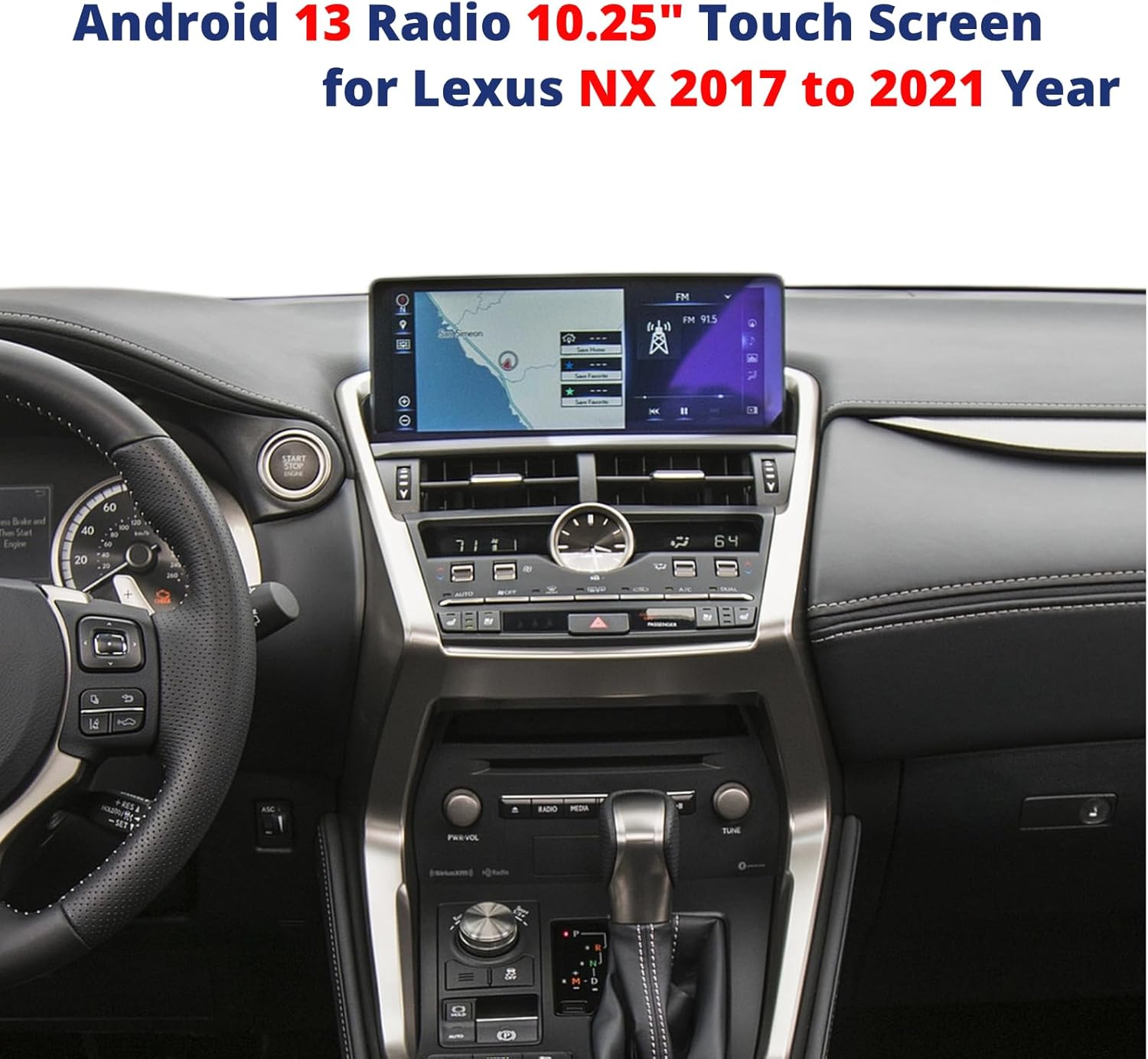
Image: The YQD 10.25" Android 13 Car Radio seamlessly integrated into a Lexus NX dashboard.

Image: Essential cables and wiring harnesses for installation.
3.2 Installation Video Guide
For a visual step-by-step guide on disassembling and installing the radio screen, please refer to the official installation video below. This video demonstrates the process for Lexus NX models.
Video: Detailed guide on disassembling and installing the Lexus NX radio screen. This video covers the removal of existing components and the integration of the new head unit.
Key Installation Steps (Refer to video for details):
- Carefully remove the trim panels around the existing display and climate controls.
- Unscrew and remove the original radio unit.
- Connect the provided wiring harnesses to the vehicle's existing connectors and the new Android head unit. Ensure all connections are secure.
- Route any additional cables (e.g., GPS antenna, USB cables) to their desired locations.
- Mount the new 10.25" Android display in the dashboard opening.
- Reassemble the trim panels and secure all screws.
4. Operating Instructions
Your YQD Android 13 Car Radio offers a wide range of functions. Here's how to get started with some key features.
4.1 Basic Navigation and Interface
The system features an intuitive touch screen interface. Navigate through apps and settings by swiping and tapping. The main screen provides quick access to navigation, Bluetooth, music, video, and car information.

Image: Overview of the Android 13 interface, highlighting system specifications.
4.2 CarPlay and Android Auto
Connect your smartphone wirelessly or via USB to access Apple CarPlay or Android Auto. This allows you to use your phone's navigation, music, and communication apps directly on the car radio screen.

Image: Wireless CarPlay and Android Auto functionality displayed on the unit.
4.3 Multimedia Playback
Enjoy music and videos from various sources, including USB, Bluetooth, and streaming apps. The system supports DTS HiFi digital sound with a 48-segment EQ for a customizable audio experience.

Image: DTS HiFi digital sound settings with multi-mode and surround options.
4.4 Navigation and 360-Degree Camera
Utilize the built-in navigation system for precise directions. The unit also supports your original 360-degree camera system and allows for retrofitting additional cameras for enhanced visibility.

Image: Display of the built-in 360 video module, showing support for original and retrofitted cameras.
4.5 General Operation Overview
This video provides a general overview of the Android radio's operation, including navigation, music, and other entertainment applications.
Video: A demonstration of the Android radio's user interface, showing navigation, music playback, and other features.
5. Specifications
| Feature | Detail |
|---|---|
| Item Weight | 4 pounds |
| Package Dimensions | 19.68 x 13.38 x 7.8 inches |
| Item Model Number | 10.25" For NX 2017-2021 |
| Display Size | 10.25 Inches |
| Brand | YQD |
| Model Name | Lexus NX |
| Vehicle Service Type | Car |
| Screen Size | 10.25 Inches |
| Special Feature | Smart Android Radio, Touchscreen |
| Connectivity Technology | Bluetooth, USB, Wi-Fi |
| Map Type | Worldwide |
| Included Components | Car Radio |
| Audio Output Mode | Speaker |
| Mounting Type | Dashboard Mount |
6. Troubleshooting
If you encounter any issues with your YQD Android 13 Car Radio, please consider the following common troubleshooting steps:
- No Power: Check all power connections and ensure the vehicle's ignition is on. Verify the fuse is intact.
- No Sound: Ensure all audio cables are correctly connected. Check the volume settings on both the car radio and your vehicle's original audio system. Confirm the correct audio input source is selected.
- Touch Screen Unresponsive: Try restarting the unit by turning the vehicle off and on. If the issue persists, ensure all ribbon cables are securely connected.
- CarPlay/Android Auto Not Connecting: Verify Bluetooth and Wi-Fi are enabled on both the car radio and your smartphone. Ensure your phone's operating system is up to date. Try reconnecting the device.
- Navigation Issues: Ensure the GPS antenna is properly installed and has a clear view of the sky. Check that location services are enabled in the system settings.
For persistent issues or complex problems, please contact YQD customer support for assistance.
7. Warranty and Support
The YQD 10.25" Android 13 Car Radio comes with a 1-Year Warranty from the date of purchase. This warranty covers manufacturing defects and malfunctions under normal use.
For warranty claims, technical support, or any questions regarding your product, please contact the seller directly through your purchase platform. Provide your order number and a detailed description of the issue to expedite the support process.