
1. Introduction
Thank you for choosing the ZEGJAW 20V Lithium-ion Battery Charger. This charger is designed to provide fast and efficient charging for all compatible ZEGJAW 20V Lithium-ion batteries. Please read this manual carefully before use to ensure safe and optimal operation of your charger. Keep this manual for future reference.
2. Important Safety Information
WARNING: Read all safety warnings and instructions. Failure to follow the warnings and instructions may result in electric shock, fire, and/or serious injury.
- Indoor Use Only: This charger is designed for indoor use in dry conditions. Do not expose the charger to rain or wet conditions.
- Proper Ventilation: Ensure adequate ventilation around the charger during operation. Do not cover the charger or block any ventilation openings.
- Compatible Batteries: Only charge ZEGJAW 20V Lithium-ion batteries with this charger. Attempting to charge other types of batteries may cause personal injury and damage.
- Damaged Batteries: Do not charge damaged batteries. Inspect batteries for cracks, swelling, or leaks before charging.
- Damaged Charger: Do not operate the charger if it has received a sharp blow, been dropped, or otherwise damaged. Contact ZEGJAW customer support for assistance.
- Power Supply: Ensure the power supply voltage matches the rating specified on the charger.
- Unplug When Not In Use: Always unplug the charger from the power outlet when not in use or before cleaning.
- Children and Pets: Keep the charger and batteries out of reach of children and pets.
- Avoid Short Circuits: Do not short-circuit the battery terminals or the charger output terminals.
- Temperature: Do not charge batteries in extremely hot or cold environments. Optimal charging temperature is between 0°C (32°F) and 40°C (104°F).
3. Package Contents
Verify that all items are present upon unpacking:
- ZEGJAW 20V Lithium-ion Battery Charger Unit
- Instruction Manual
4. Product Overview
Familiarize yourself with the components of your ZEGJAW 20V Lithium-ion Battery Charger.
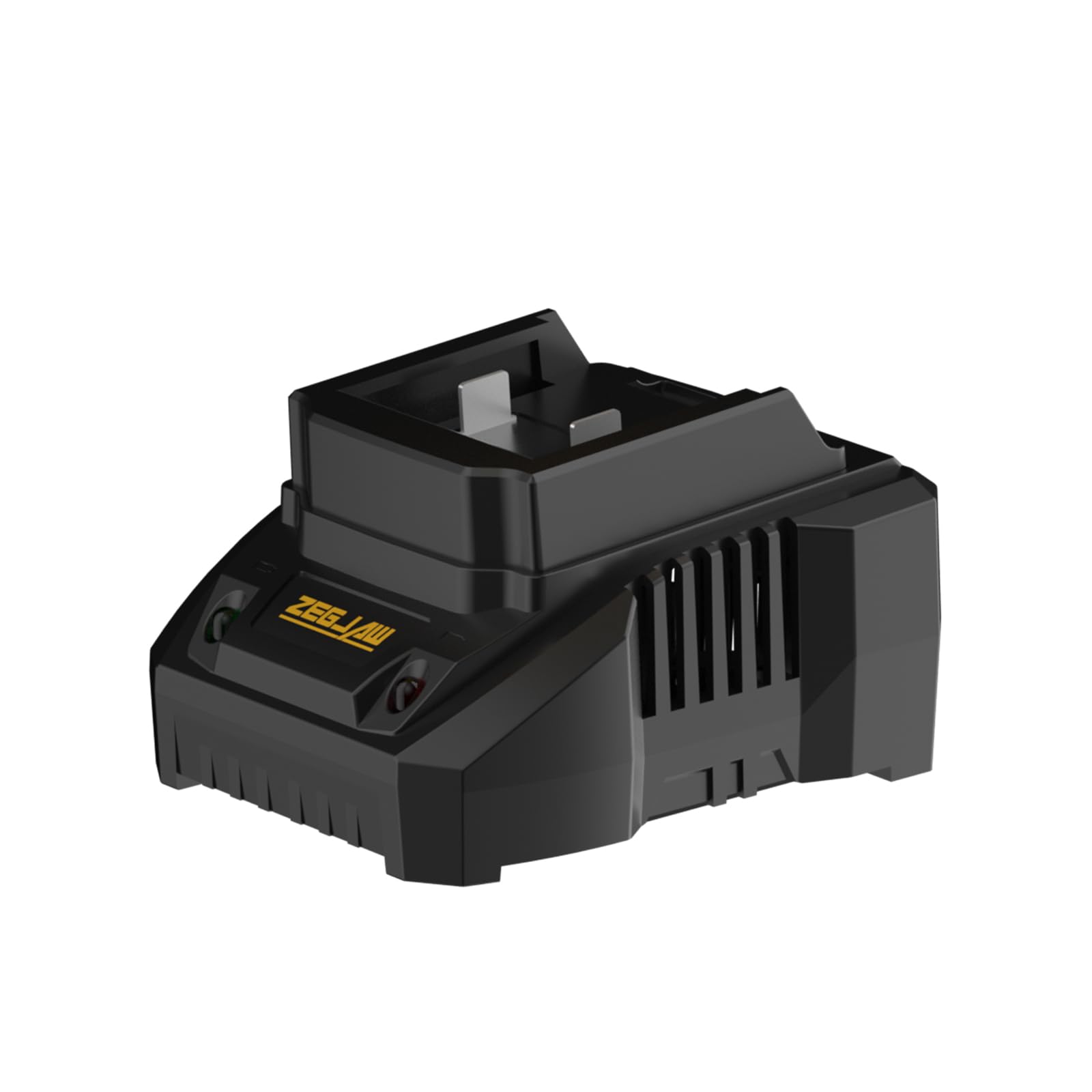
Image 1: Front view of the ZEGJAW 20V Lithium-ion Battery Charger. This image shows the main body of the charger, including the slot for battery insertion and the LED indicator lights that display charging status.
- Battery Charging Port: Slot where the ZEGJAW 20V Lithium-ion battery is inserted for charging.
- LED Indicator Lights: Display the charging status (e.g., charging, fully charged, error).
- Power Cord: Connects the charger to a standard electrical outlet.
5. Setup
Follow these steps to set up your charger for first use:
- Choose a Location: Select a dry, well-ventilated area for charging, away from direct sunlight, heat sources, and flammable materials.
- Connect to Power: Plug the charger's power cord into a standard 120V AC electrical outlet. The charger's indicator light may briefly illuminate to show it has power.
6. Operating Instructions
To charge a ZEGJAW 20V Lithium-ion battery:
- Insert Battery: Align the battery with the charging port on the charger and slide it in until it clicks securely into place.
- Monitor Charging: The LED indicator lights will show the charging status.
- Solid Red: Battery is charging.
- Solid Green: Battery is fully charged.
- Flashing Red: Error (e.g., battery too hot/cold, damaged battery). Refer to the Troubleshooting section.
- Remove Battery: Once the indicator light turns solid green, the battery is fully charged. Press the release button (if present on the battery) and slide the battery out of the charger.
- Unplug Charger: Disconnect the charger from the power outlet when charging is complete or when not in use.
7. Maintenance
Proper maintenance ensures the longevity and performance of your charger:
- Cleaning: Disconnect the charger from the power supply before cleaning. Use a soft, dry cloth to wipe the exterior of the charger. Do not use abrasive cleaners or solvents.
- Storage: Store the charger in a dry, indoor location when not in use. Avoid storing in areas with extreme temperatures or high humidity.
- Inspection: Periodically inspect the power cord and charger housing for any signs of damage. If damage is found, discontinue use and contact customer support.
8. Troubleshooting
If you encounter issues with your ZEGJAW charger, refer to the following table:
| Problem | Possible Cause | Solution |
|---|---|---|
| Charger indicator light not on. | No power to the charger. | Ensure the charger is securely plugged into a working electrical outlet. Check the circuit breaker. |
| Battery not charging (flashing red light). | Battery too hot or too cold; damaged battery; incorrect battery type. | Move the battery and charger to a room temperature environment (0°C to 40°C) and allow them to acclimate. Inspect the battery for damage. Ensure it is a compatible ZEGJAW 20V Lithium-ion battery. |
| Charging is slow. | Environmental temperature is too high or too low. | Ensure charging is done within the recommended temperature range (0°C to 40°C). |
If the problem persists after trying these solutions, please contact ZEGJAW customer support.
9. Specifications
| Feature | Detail |
|---|---|
| Brand | ZEGJAW |
| Model | B0D12LF6DK |
| Product Dimensions (D x W x H) | 4.13"D x 2.75"W x 6.69"H |
| Item Weight | 0.36 Kilograms |
| Output Voltage | 20 Volts |
| Input Voltage | 20 Volts |
| Connector Type | ZEGJAW proprietary connector |
| Specification Met | UL |
| Manufacturer | ZEGJAW |
10. Warranty and Support
Warranty: This ZEGJAW 20V Lithium-ion Battery Charger comes with a 1-year warranty from the date of purchase. This warranty covers defects in materials and workmanship under normal use. It does not cover damage resulting from misuse, abuse, accidents, or unauthorized repairs.
Customer Support: For technical assistance, warranty claims, or general inquiries, please contact ZEGJAW customer support. Refer to the official ZEGJAW website or your purchase documentation for contact details.