
Mbumjpih 12V 8A Smart Battery Trickle Charger
Mbumjpih 12V 8A Smart Battery Charger User Manual
Model: 12V 8A Smart Battery Trickle Charger
1. Introduction
This user manual provides comprehensive instructions for the safe and effective operation, maintenance, and troubleshooting of your Mbumjpih 12V 8A Smart Battery Charger. This intelligent charger is designed to maintain and charge various 12V batteries, including those found in cars, motorcycles, trucks, and lithium iron phosphate batteries, offering features like pulse repair, temperature compensation, and multiple protection mechanisms.

Figure 1: Mbumjpih 12V 8A Smart Battery Charger. This image shows the compact red and black charger unit with its digital display and attached battery clamps.
2. Safety Information
WARNING: Read all safety warnings and instructions before using this product. Failure to follow the warnings and instructions may result in electric shock, fire, and/or serious injury.
- Always wear eye protection and protective gloves when working with batteries.
- Ensure the charging area is well-ventilated.
- Do not expose the charger to rain or wet conditions.
- Never charge a frozen battery.
- Keep out of reach of children.
- Disconnect the power supply before making or breaking connections to the battery.
- This charger is for 12V batteries only. Do not attempt to charge other voltage batteries.

Figure 2: Charger's Smart and Safe Features. This image illustrates the charger's robust design, including its all-wrapped casing, cooling fan, easy operation, and fireproof material, emphasizing its safety aspects.
3. Product Features
The Mbumjpih Smart Battery Charger is equipped with advanced features to ensure efficient and safe battery charging and maintenance:
- Intelligent Pulse Repair: Activates and prolongs the life of long-idle, under-voltage, or old batteries. Note: Cannot repair completely damaged batteries.
- Various Charging Modes: Supports multiple battery types including automotive, lithium iron phosphate (LiFePO4), AGM/EFB, and motorcycle batteries.
- DC Power Supply Mode: Can provide 12V DC power for small equipment up to 80W.
- Wide Application Range: Suitable for cars, motorcycles, boats, lawn mowers, trucks, engineering vehicles, and various battery types (AGM, GEL, SLA) with capacities from 4AH-150AH.
- Rich Display & Intelligent Detection: Large digital display shows charging voltage, current, ambient temperature, and charging percentage. Detects remaining battery voltage and power.
- Temperature Compensation: Automatically adjusts charging voltage based on ambient temperature for optimal charging in different seasons.
- Multiple Charging Protection: Includes over-current, short-circuit, reverse connection, over-heating, over-voltage, and under-voltage protection.
- Simple Operation: Connect and plug in to charge.

Figure 3: Key Features Overview. This image visually summarizes the charger's main capabilities: Fast Charging, Intelligent Detection, Pulse Repair, DC Power Supply, and Multimodal operation.
4. Setup and Connection
Follow these steps to set up and connect your Mbumjpih Smart Battery Charger:
- Prepare the Battery: Ensure the battery terminals are clean and free of corrosion. If necessary, clean them with a wire brush.
- Connect the Clamps:
- Connect the red (+) positive clamp to the positive (+) battery terminal.
- Connect the black (-) negative clamp to the negative (-) battery terminal.
- Ensure a secure connection.
- Plug in the Charger: Plug the charger's power cord into a standard 120V AC wall outlet. The charger will automatically detect the battery type and begin the charging process or enter detection mode.
- Select Mode (if necessary): The charger will typically auto-detect. However, you can press the "Mode" button to cycle through different charging modes (Car, LiFePO4, AGM/EFB, Moto, Repair, DC) if a specific mode is required.

Figure 4: Intelligent Pulse Repair Mode. This image displays the charger's screen showing "PUL" for pulse repair, alongside examples of batteries that can benefit from this function: those from long idle vehicles, low voltage batteries, and old batteries unable to charge.
5. Operating Modes
The Mbumjpih Smart Battery Charger offers several operating modes to cater to different battery types and needs:
| Mode Icon | Mode Name | Description |
|---|---|---|
| 🚗 | CAR | Standard charging mode for most automotive lead-acid batteries. |
| 🔋 | LiFePO4 | Specific charging mode for Lithium Iron Phosphate batteries. |
| 🔋 | AGM/EFB | Optimized charging for AGM (Absorbent Glass Mat) and EFB (Enhanced Flooded Battery) types. |
| 🏍 | MOTO | Charging mode for motorcycle batteries. |
| 🔧 | REPAIR | Pulse repair function to activate and desulfate old or idle batteries. |
| ⚡ | DC | DC power supply mode for external 12V devices (max 80W). |
To switch between modes, press the "Mode" button on the charger's interface. The current mode will be indicated on the digital display.

Figure 5: Wide Range of Applications. This image illustrates the versatility of the charger, showing it can be used for various vehicles (cars, motorcycles, trucks, engineering vehicles, omnibuses, motorboats, lawnmowers) and battery types (LiFePO4), as well as for powering 12V devices like car vacuum cleaners, car pumps, car refrigerators, and car fans.
6. DC Power Supply Function
The charger can function as a 12V DC power supply for small electronic devices. This mode is ideal for powering accessories that require a 12V input, such as car vacuum cleaners, portable refrigerators, or small pumps, provided their power consumption does not exceed 80W.
To use this function:
- Connect the charger to a power outlet.
- Press the "Mode" button until the "DC" icon is displayed.
- Connect your 12V device to the charger's output clamps (red to positive, black to negative).
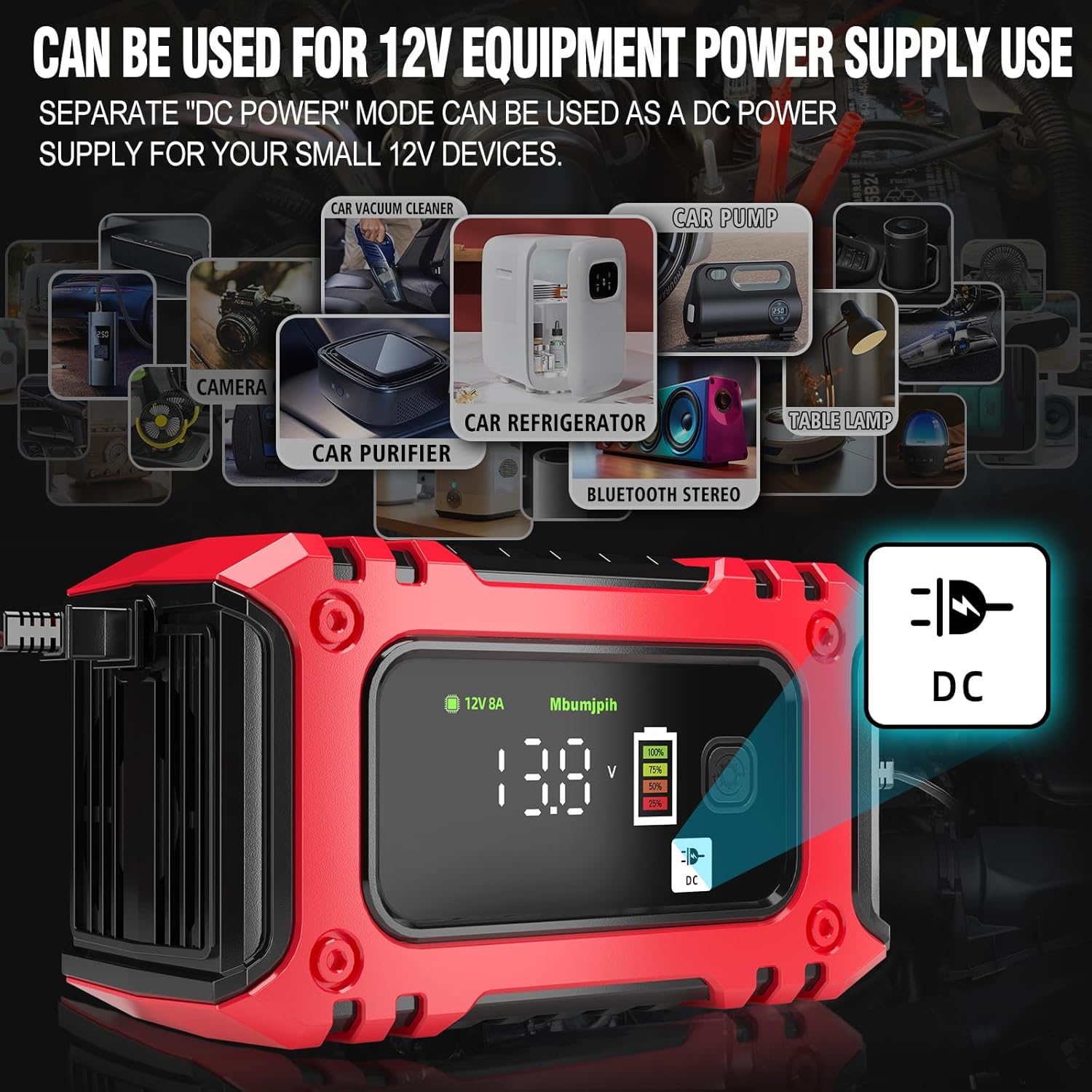
Figure 6: DC Power Supply Use. This image demonstrates the charger's capability to act as a DC power supply for various small 12V devices, including car vacuum cleaners, car pumps, cameras, car purifiers, car refrigerators, Bluetooth stereos, and table lamps.
7. Maintenance and Care
Proper maintenance ensures the longevity and optimal performance of your Mbumjpih Smart Battery Charger:
- Cleaning: Disconnect the charger from power and battery before cleaning. Wipe the exterior with a soft, damp cloth. Do not use harsh chemicals or abrasives.
- Storage: Store the charger in a cool, dry place when not in use. Keep cables neatly coiled to prevent damage.
- Cable Inspection: Regularly inspect the charging cables and clamps for any signs of damage, fraying, or corrosion. Replace if damaged.
- Ventilation: Ensure the charger's ventilation openings are clear of dust and debris to allow for proper cooling.
8. Troubleshooting
If you encounter issues with your Mbumjpih Smart Battery Charger, refer to the following common problems and solutions:
| Problem | Possible Cause | Solution |
|---|---|---|
| Charger not turning on. | No power from outlet; loose connection. | Check wall outlet with another device; ensure power cord is securely plugged in. |
| Charger not charging battery. | Incorrect connection; battery completely dead/damaged; wrong mode selected. | Verify positive/negative clamp connections; battery may be beyond repair; ensure correct charging mode is selected for battery type. |
| Display shows error code (e.g., "Err"). | Reverse polarity; short circuit; over-temperature. | Disconnect and reconnect clamps correctly; check for short circuits in cables; allow charger to cool down. |
| Pulse Repair mode not working. | Battery is completely damaged. | The pulse repair function cannot revive a battery that is completely damaged or has internal cell short circuits. Consider battery replacement. |
If the problem persists after trying these solutions, please contact customer support.
9. Specifications
| Specification | Value |
|---|---|
| Brand | Mbumjpih |
| Model | 12V 8A Smart Battery Trickle Charger |
| Output Voltage | 12 Volts |
| Applicable Battery Capacity | 12V 4AH-150AH |
| DC Power Supply Output | Limited to 80W equipment |
| Product Dimensions | 2.48 x 5.9 x 3.22 inches |
| Item Weight | 1.28 pounds |
| First Available Date | May 13, 2024 |
| Manufacturer | jincanda |
10. Warranty and Support
For warranty information or technical support, please contact the manufacturer or seller directly through the platform where you purchased the product. Keep your purchase receipt as proof of purchase.
Manufacturer: jincanda
Brand: Mbumjpih
For further assistance, visit the Mbumjpih Store on Amazon.
Ask a question about this manual
Ask about setup, troubleshooting, compatibility, parts, safety, or missing instructions. Manuals+ will review the question and use this page’s manual context to help answer it.