
Introduction
Thank you for choosing the KU XIU X40 Plus Foldable Magnetic Wireless Charger. This 3-in-1 charging station is designed to provide convenient and efficient wireless charging for your iPhone, Apple Watch, and AirPods. Its foldable and compact design makes it ideal for both home use and travel. Please read this manual carefully to ensure proper setup, operation, and maintenance of your device.
Product Overview
Package Contents
The KU XIU X40 Plus package includes the following items:
- 1 x KU XIU X40 Plus Wireless Charging Station
- 1 x 20W USB-A PD Wall Adapter
- 1 x USB-C to USB-C Cable (5 ft / 1.5 m)
- 1 x Travel Case
- 1 x Packaging Box

Figure 1: Package Contents of the KU XIU X40 Plus
Key Features
- 3-in-1 Wireless Charging: Simultaneously charges iPhone (MagSafe compatible), Apple Watch, and AirPods.
- Foldable and Portable Design: Compact for easy travel and storage.
- Adjustable Stand: Supports charging in portrait, landscape, or flat (folded) modes.
- Magnetic Alignment: Ensures precise placement for optimal charging efficiency and prevents lens scratches.
- Premium Construction: Made from lightweight aluminum alloy CNC body and stainless steel roll axis for durability.
- Enhanced Safety: Features over-voltage, over-current, short-circuit, over-temperature protection, and foreign object detection.
- LED Indicator: Provides visual confirmation of proper charging.

Figure 2: Overview of the KU XIU X40 Plus 3-in-1 Charging Station
Setup Guide
- Unpack: Carefully remove all components from the packaging.
- Connect Power Adapter: Insert the USB-C end of the provided cable into the charging station's USB-C port.
- Connect to Power Outlet: Plug the 20W USB-A PD Wall Adapter into a standard wall outlet, then connect the USB-A end of the cable to the adapter.
- Placement: Place the charging station on a flat, stable surface. The Nano gel base helps secure it in place.
- Initial Check: The LED indicator light will briefly illuminate, indicating the device is powered on and ready for use.

Figure 3: Organized Desktop with KU XIU X40 Plus
Operating Instructions
Charging Your Devices
The KU XIU X40 Plus allows you to charge up to three devices simultaneously:
- iPhone: Place your MagSafe-compatible iPhone (iPhone 12 series and newer) onto the magnetic charging pad. The phone will snap into place, ensuring proper alignment. The LED indicator will confirm charging.
- Apple Watch: Place your Apple Watch onto the dedicated watch charging module. Ensure the watch is correctly seated for charging to begin.
- AirPods: Place your AirPods (with wireless charging case) onto the base charging pad.

Figure 4: Dedicated Charging Areas for iPhone, Apple Watch, and AirPods
Adjustable Charging Modes
The charging station offers versatile positioning for your iPhone:
- Vertical Mode: Ideal for browsing, FaceTime calls, or using iOS Standby Mode.
- Horizontal Mode: Perfect for watching videos or reading messages.
- Folded Mode: When folded flat, the magnetic pad can be used as a charging mat, compatible with a wider range of wireless charging devices, including older iPhone models.

Figure 5: Versatile Charging Modes (Horizontal, Vertical, Folded)

Figure 6: Support for iOS 17 Standby Mode
Maintenance
- Cleaning: Disconnect the charger from the power source before cleaning. Use a soft, dry cloth to wipe the surface. Do not use abrasive cleaners or solvents.
- Storage: When not in use, especially during travel, fold the charging station into its compact form and store it in the provided travel case to protect it from dust and damage.
- Avoid Liquids: Keep the device away from water and other liquids.
- Temperature: Avoid exposing the charger to extreme temperatures.

Figure 7: Sleek and Compact Design for Travel
Troubleshooting
| Problem | Possible Cause | Solution |
|---|---|---|
| Device not charging. |
|
|
| Slow charging. |
|
|
| LED indicator flashing or off. |
|
|
| Device or charger getting warm. |
|
|
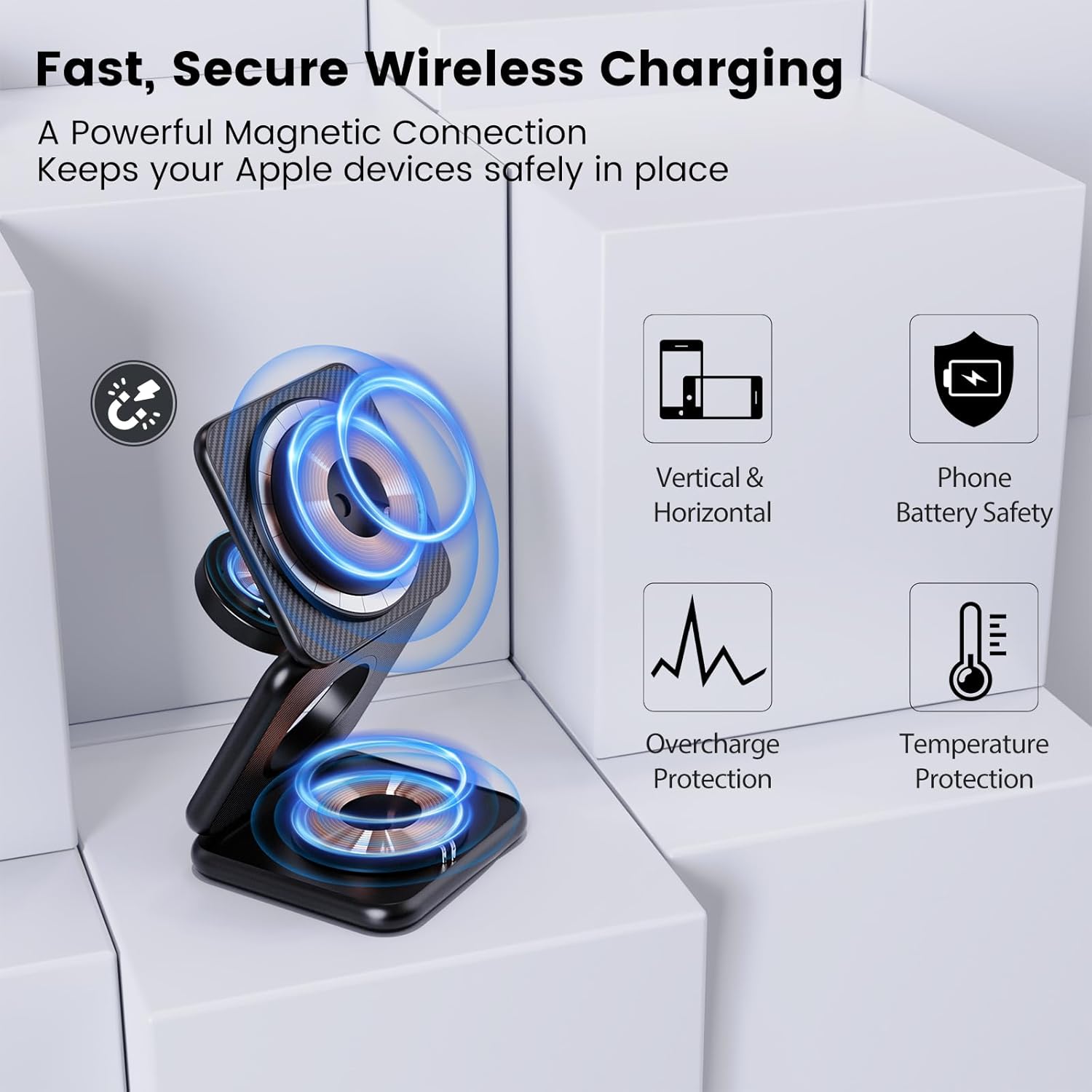
Figure 8: Safety Features of the KU XIU X40 Plus
Specifications
| Feature | Detail |
|---|---|
| Model Number | X40 |
| Product Dimensions | 2.68 x 2.68 x 0.91 inches (Folded) |
| Item Weight | 12.6 ounces |
| Input Voltage | 5 Volts |
| Wattage | 15 watts (Max) |
| Connector Type | USB Type C |
| Special Features | Fast Charging, Foldable, Lightweight Design, Magnetic, Wireless Charging |
| Compatible Devices | iPhone (12 series and newer), Apple Watch (Series 4-11, SE, Ultra), AirPods (2nd, 3rd, 4th gen, Pro) |
| Manufacturer | Shenzhen KUXIU Communication Co., Ltd |
Safety Information
To ensure safe operation and prolong the lifespan of your KU XIU X40 Plus charger, please observe the following safety guidelines:
- Use only the provided power adapter and cable. Using unauthorized accessories may damage the device or pose safety risks.
- Do not disassemble, modify, or repair the device yourself. Contact customer support for assistance.
- Keep the device away from extreme heat sources, direct sunlight, and flammable materials.
- Avoid dropping or subjecting the device to strong impacts.
- Do not place metal objects, credit cards, or other foreign objects between your device and the charging pad, as this may interfere with charging or cause overheating.
- Ensure proper ventilation around the charging station during use.
- This product is protected by registered US patents (Patent No. USD1030658S US11936224B1).

Figure 9: Comprehensive Safety Protections
Warranty and Support
KU XIU is committed to providing high-quality products. For any questions, concerns, or technical support regarding your X40 Plus Foldable Magnetic Wireless Charger, please refer to the contact information provided with your purchase or visit the official KU XIU website. Please retain your proof of purchase for warranty claims.
Product Video
Video 1: Official product demonstration of the KU XIU X40 Plus Foldable Magnetic Wireless Charger, showcasing its features and functionality.