1. Introduction
The Belkin BoostCharge Pro Wireless Power Bank is a portable charging solution designed for Qi2 and MagSafe compatible devices, including iPhone 16, 15, 14, and 13 series. It offers up to 15W fast wireless charging and features an integrated kickstand for convenient viewing. This manual provides essential information for setting up, operating, maintaining, and troubleshooting your power bank.

Image: The Belkin BoostCharge Pro Wireless Power Bank in black, shown with the included USB-C to USB-C cable.
2. Setup
2.1. Initial Charging
Before first use, fully charge your BoostCharge Pro Wireless Power Bank. Connect the included USB-C to USB-C cable to the power bank's USB-C port and to a compatible USB-C power adapter (not included). The LED indicator lights on the power bank will show the charging status.
2.2. Connecting to Your Device
For wireless charging, align your Qi2 or MagSafe compatible device to the magnetic surface of the power bank. The magnetic attachment ensures proper alignment for optimal charging efficiency. For wired charging, connect your device to the power bank's USB-C port using a compatible cable.

Image: A close-up view demonstrating the magnetic attachment of the power bank to the back of an iPhone, showing the secure connection.
2.3. Using the Integrated Kickstand
The power bank features a built-in pop-up kickstand. Extend the kickstand to prop up your device in either portrait or landscape mode, allowing for hands-free viewing while charging.
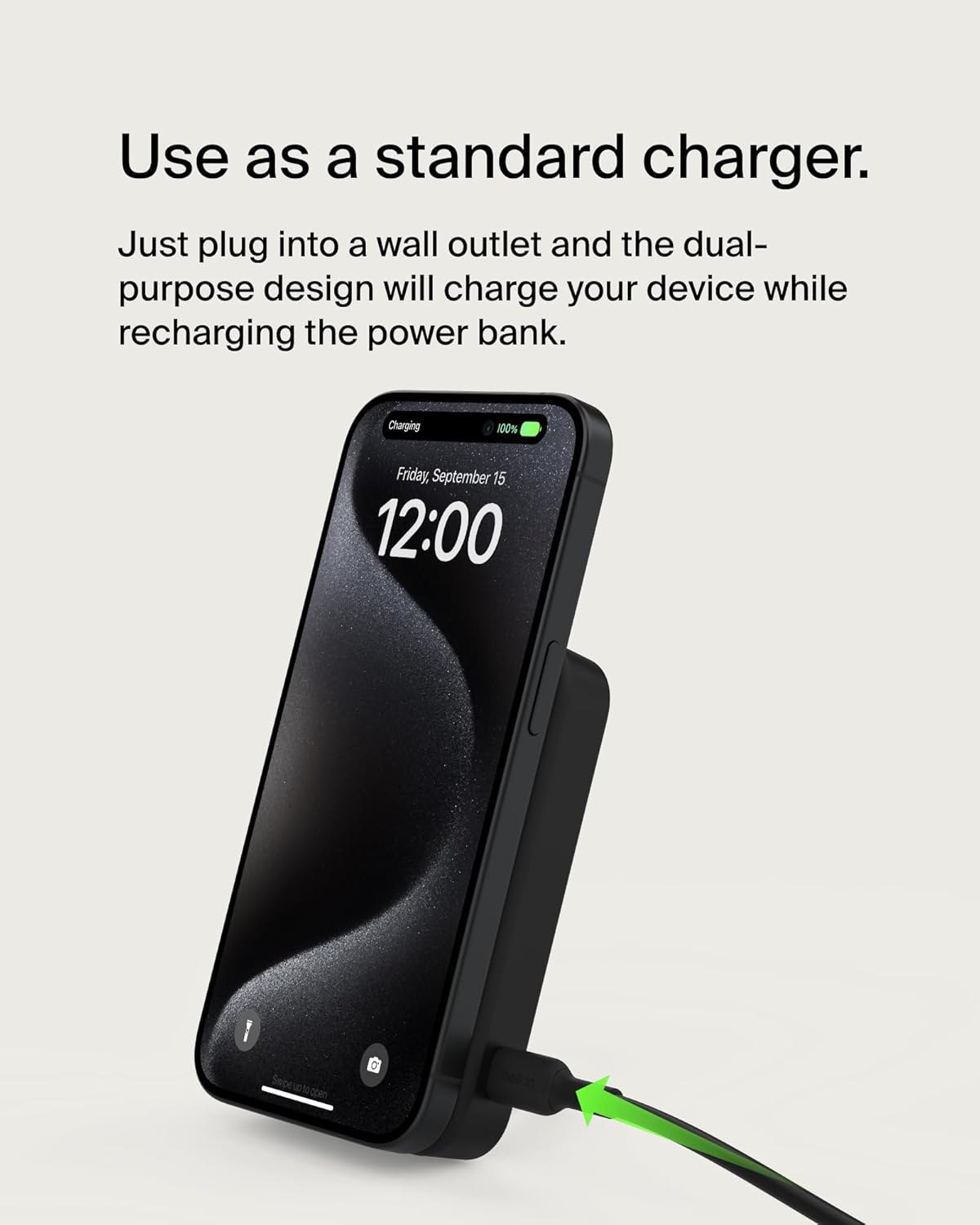
Image: An iPhone standing upright, supported by the integrated kickstand of the attached power bank, displaying the time.
2.4. Setup and Usage Demonstration Video
Video: An official Belkin video demonstrating the magnetic attachment, kickstand functionality, and charging capabilities of the BoostCharge Pro Wireless Power Bank.
3. Operating Instructions
3.1. Wireless Charging (Qi2 & MagSafe)
The power bank supports up to 15W fast wireless charging for Qi2 and MagSafe compatible devices. Simply attach your device to the magnetic surface. The power bank will automatically begin charging.

Image: An iPhone being wirelessly charged by the power bank, indicating 15W fast charging.
3.2. Simultaneous Charging
You can charge two devices simultaneously. Wirelessly charge one device by attaching it to the power bank, and use the USB-C port with the included cable to charge a second device.

Image: An iPhone wirelessly charging on the power bank while an Apple Watch is simultaneously charged via the power bank's USB-C port.
3.3. Pass-Through Charging
The power bank supports pass-through charging. You can plug the power bank into a wall outlet and simultaneously charge your device wirelessly while the power bank itself recharges.

Image: The power bank connected to a wall outlet via a USB-C cable, simultaneously charging an iPhone that is magnetically attached to it.
3.4. Battery Capacity and Indicators
The 8,000 mAh capacity provides significant additional battery life for your smartphone. The LED indicator lights on the power bank display the remaining battery level, allowing you to know when it's time to recharge.

Image: The power bank shown with an overlay indicating it adds 28 hours of battery life to a device.
3.5. Travel Compliance
The power bank is designed to be portable and travel-friendly, complying with TSA airline safety standards for carry-on luggage.

Image: A graphic indicating the power bank is carry-on compliant and TSA compliant, with an airport background.
4. Maintenance
To ensure the longevity and optimal performance of your Belkin BoostCharge Pro Wireless Power Bank, follow these maintenance guidelines:
- Keep the power bank clean by wiping it with a soft, dry cloth. Avoid using harsh chemicals or abrasive materials.
- Store the power bank in a cool, dry place away from direct sunlight, extreme temperatures, and moisture.
- Avoid dropping the device or subjecting it to strong impacts.
- Do not attempt to disassemble or repair the power bank yourself. Refer to authorized service personnel for any repairs.
5. Troubleshooting
If you encounter issues with your power bank, refer to the following common problems and solutions:
| Problem | Possible Cause | Solution |
|---|---|---|
| Device not charging wirelessly. | Misalignment, non-compatible device, thick phone case. | Ensure proper magnetic alignment. Verify device is Qi2/MagSafe compatible. Remove phone case if thicker than 3mm. |
| Power bank not charging. | Faulty cable or power adapter, power bank fully discharged. | Try a different USB-C cable and power adapter. Allow sufficient time for charging, especially if fully depleted. |
| Power bank or device gets hot during charging. | Normal operation, excessive load, poor ventilation. | Some warmth is normal. Ensure adequate ventilation. If excessively hot, disconnect and allow to cool. Reduce simultaneous charging if possible. |
| LED indicators not working. | Power bank off or depleted. | Press the power button to check status. Recharge the power bank. |
If the problem persists after trying these solutions, please contact Belkin customer support.
6. Specifications
| Feature | Detail |
|---|---|
| Model Number | BPD007 |
| Battery Capacity | 8,000 mAh |
| Wireless Output | Up to 15W (Qi2) |
| Wired Output | USB-C 20W max |
| Input | USB-C PD20W max (Pass-thru) / USB-C PD18W max (Power bank recharge) |
| Dimensions (L x W x H) | 3.97 x 2.74 x 0.73 inches |
| Weight | 6.7 ounces |
| Compatibility | Qi2-enabled devices, MagSafe compatible iPhones (iPhone 13, 14, 15, 16 series) |
| Included in Box | 1 x BoostCharge Pro Wireless Power Bank 8K, 1 x 1M USB-C to USB-C cable |
7. Warranty and Support
This Belkin product comes with a standard 2-year limited warranty. Additionally, it includes Connected Equipment Warranty (CEW) coverage up to $2,500. For detailed terms and conditions, please refer to the official Belkin website or contact customer support.

Image: A graphic illustrating Belkin's 2-year warranty and $2,500 Connected Equipment Coverage.
For further assistance, technical support, or warranty claims, please visit the official Belkin support page or contact their customer service team directly.
Belkin International, Inc.