Introduction
The Philips OneBlade Gen Z QP1624/10 is a versatile hybrid styler designed for trimming, shaving, and creating precise lines and edges on any hair length. It features Dual Protect Technology for skin comfort, aiming to prevent nicks and cuts. This manual provides essential information for the safe and effective use of your OneBlade device.

Figure 1: Philips OneBlade Gen Z Trimmer and included accessories.
Important Safety Information
Read all instructions before using the appliance. Failure to follow these instructions may result in electric shock, fire, or serious injury.
- This appliance is not intended for use by persons (including children) with reduced physical, sensory or mental capabilities, or lack of experience and knowledge, unless they have been given supervision or instruction concerning use of the appliance by a person responsible for their safety.
- Children should be supervised to ensure that they do not play with the appliance.
- Do not use the appliance if it is damaged.
- Keep the appliance dry. Do not immerse it in water while charging.
- Only use the provided USB A charging cable.
- Do not use the appliance on irritated or damaged skin.
Getting Started: Setup
Charging the Device
Before first use, fully charge your Philips OneBlade. The device is rechargeable and powered by a battery.
- Connect the provided USB A charging cable to the charging port at the bottom of the OneBlade handle.
- Plug the other end of the USB A cable into a compatible USB power source (e.g., a wall adapter, computer USB port).
- Allow the device to charge until fully charged. A full charge provides approximately 30 minutes of runtime.
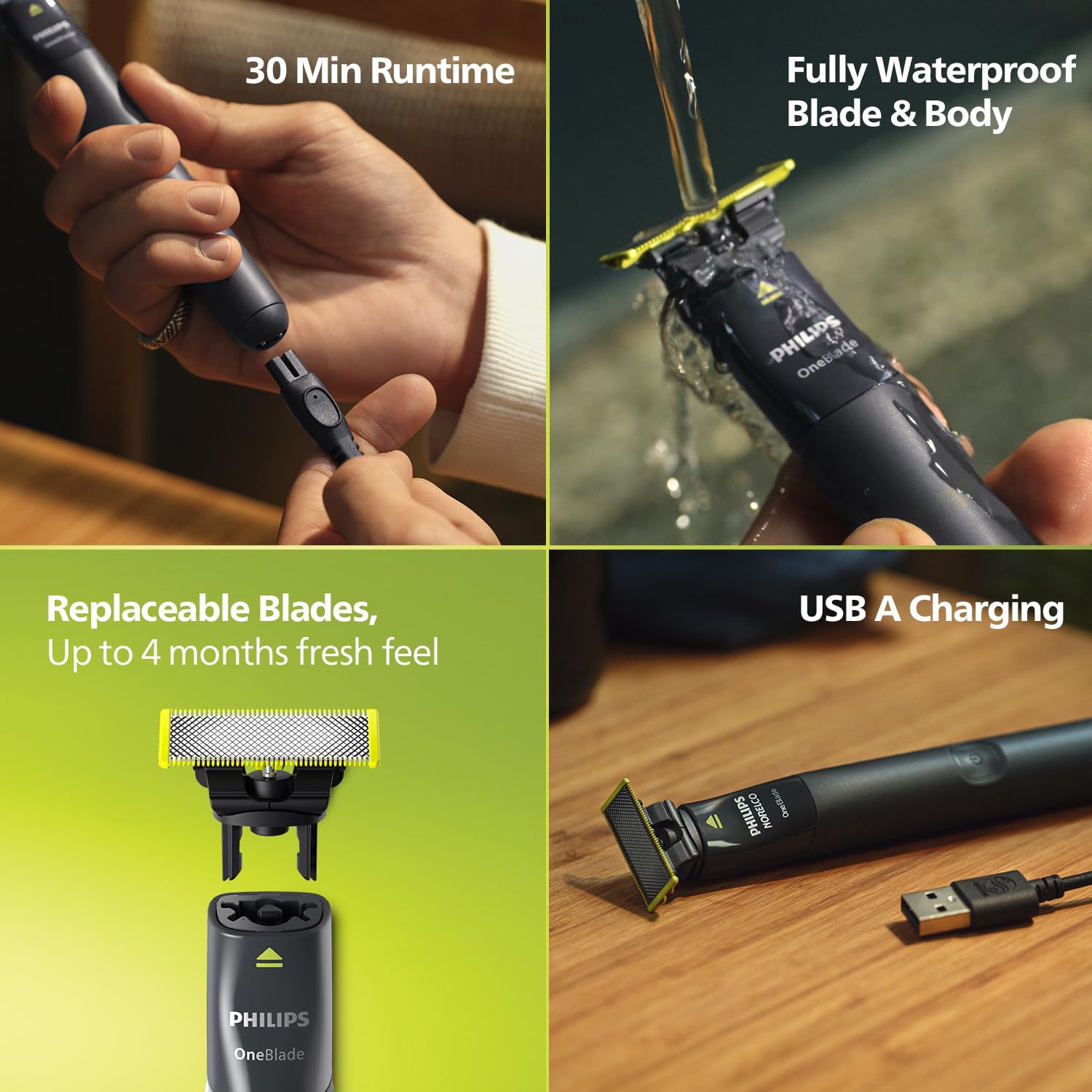
Figure 2: Charging the OneBlade with the USB A cable and battery runtime information.
Attaching and Detaching Blades and Combs
The OneBlade comes with replaceable blades and various click-on combs for different trimming lengths and body areas.
- Attaching a Blade: Align the blade with the handle and press until it clicks into place.
- Detaching a Blade: Press the release button on the back of the blade and slide it off.
- Attaching a Comb: Select the desired comb (1mm, 3mm, 5mm for face, body comb, or sensitive guard). Align the comb with the blade and click it into place.
- Detaching a Comb: Gently pull the comb away from the blade.

Figure 3: Overview of included trimming combs and guards for versatile grooming.
Operating Instructions
The Philips OneBlade is designed for trimming, edging, and shaving. It can be used wet or dry, with or without shaving foam.
Trimming
Attach one of the trimming combs (1mm, 3mm, or 5mm) for an even trim. Move the OneBlade against the direction of hair growth for best results. The Contour Following Technology allows the blade to adjust to your face and body contours.

Figure 4: The Philips OneBlade Gen Z is suitable for both face and body grooming.
Edging and Styling
To create clean lines and sharp edges, remove any comb and use the blade directly against the skin. The dual-sided blade allows for precise edging in either direction.

Figure 5: Demonstrating the trim, edge, and shave capabilities of the OneBlade.
Shaving
For a close shave, use the blade directly on the skin without any comb. The unique blade design ensures skin protection, minimizing nicks and cuts. Note that the OneBlade does not shave as close as a traditional razor, but provides a sharp zero trim.

Figure 6: The patented Dual Protect Technology ensures skin comfort during shaving.
Using the Sensitive Guard and Body Comb
For sensitive areas or body grooming, attach the sensitive guard or the body comb. These attachments provide an extra layer of protection and help achieve a comfortable trim.

Figure 7: Using the click-on skin guard and sensitive guard for protected grooming.
Maintenance
Cleaning
The Philips OneBlade is fully waterproof (IPX7 rated), making it easy to clean.
- After each use, remove any attached comb.
- Rinse the blade and the handle under running tap water.
- Shake off excess water and allow the device to air dry.
- Do not use abrasive cleaning agents or harsh chemicals.

Figure 8: The OneBlade is waterproof and can be easily cleaned under running water.
Blade Replacement
The stainless steel blades are designed for durability and optimal performance. For a fresh feel and consistent results, it is recommended to replace the blade every 4 months, or sooner if you notice reduced performance.
- To replace, detach the old blade by pressing the release button and sliding it off.
- Attach a new Philips OneBlade replacement blade by aligning it and pressing until it clicks.
Troubleshooting
If you encounter issues with your Philips OneBlade, refer to the following common solutions:
| Problem | Possible Cause | Solution |
|---|---|---|
| Device does not turn on. | Battery is depleted. | Charge the device for at least 8 hours. |
| Reduced trimming performance. | Blade is dull or clogged with hair. | Clean the blade thoroughly or replace it if it has been used for more than 4 months. |
| Skin irritation after use. | Incorrect technique or sensitive skin. | Ensure you are using the device correctly. For sensitive areas, use the sensitive guard. Avoid pressing too hard. |
Specifications
| Feature | Detail |
|---|---|
| Model Number | QP1624/10 |
| Brand | PHILIPS |
| Power Source | Battery Powered, Rechargeable |
| Battery Runtime | Approximately 30 minutes |
| Blade Material | Stainless Steel, Replaceable |
| Waterproof Rating | IPX7 (Fully waterproof) |
| Included Components | 1 Handle, 2 Replaceable Blades (Face & Body), 3 Click-On Combs (1mm, 3mm, 5mm), 1 Body Comb, 1 Sensitive Guard, Protective travel case, USB A charging cable |
| Item Weight | 80 g |
| Product Dimensions (LxWxH) | 10 x 3.2 x 20 cm |
| Country of Origin | Indonesia |
Warranty and Support
Warranty Information
The Philips OneBlade Gen Z QP1624/10 comes with a 2-year warranty from the date of purchase. Please retain your proof of purchase for warranty claims. The warranty covers manufacturing defects under normal use conditions.
Customer Support
For further assistance, product information, or troubleshooting not covered in this manual, please contact Philips Customer Care:
- Customer Care Number: 18001022929
- WhatsApp Number: 9311855819
You can also visit the official Philips website for more information and support resources.