
Introduction
This manual provides essential information for the proper installation, operation, and maintenance of your CELESTION T100 12-inch Guitar Loudspeaker. The T100 is a meticulously hand-crafted Alnico cone driver designed to deliver exceptional guitar tone, referencing early Celestion alnico speakers.
Please read these instructions carefully before proceeding with installation or use to ensure optimal performance and longevity of your speaker.
Product Overview
The CELESTION T100 is a 12-inch guitar loudspeaker cone driver with an 8 Ohm impedance and a 30 Watt power rating. It features an Alnico magnet and a pressed steel chassis, designed for guitar amplification applications.
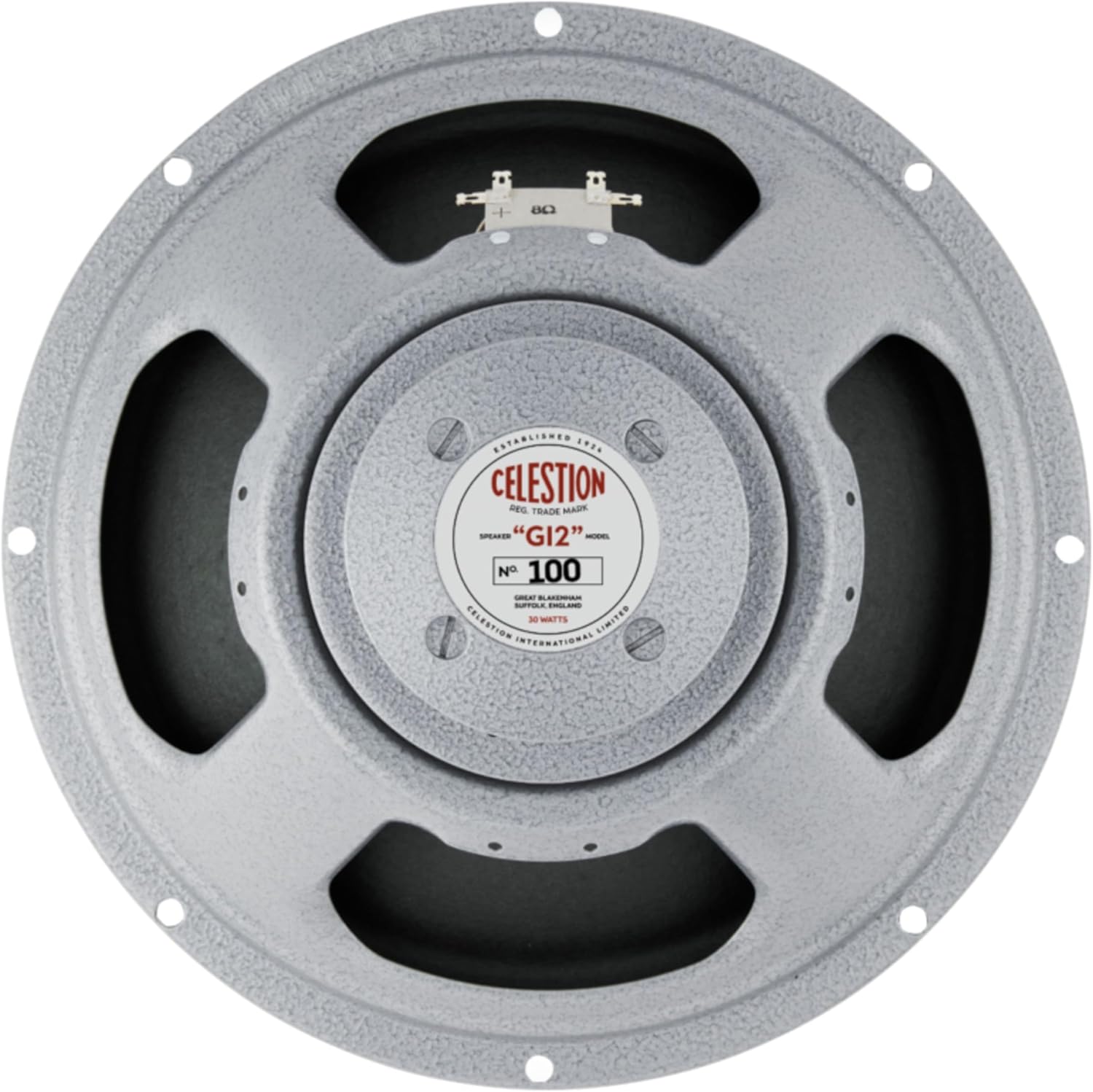
Figure 1: Front view of the CELESTION T100 loudspeaker. This image displays the speaker's cone, surround, and the central dust cap with the Celestion branding and model number.
Figure 2: Rear view of the CELESTION T100 loudspeaker. This image shows the Alnico magnet structure and the two terminal connectors for wiring.
Setup and Installation
Proper installation is crucial for the performance and safety of your loudspeaker. Ensure the amplifier is powered off and disconnected from the mains before beginning installation.
Mounting Information:
- Cut-out diameter: 283mm / 11.1in
- Overall diameter: 309mm / 12.2in
- Magnet structure diameter: 104mm / 4.1in
- Mounting hole PCD (Pitch Circle Diameter): 297mm / 11.7in
- Number of mounting holes: 8
- Chassis depth (including gasket): 92mm / 3.63in
- Magnet depth: 55mm / 6.5in
When mounting the speaker, ensure that the cabinet opening matches the specified cut-out diameter. Use appropriate mounting hardware (not included) to secure the speaker firmly using all 8 mounting holes. Ensure there is adequate clearance for the magnet structure within the cabinet.
Wiring:
Connect the speaker to your amplifier's speaker output using appropriate speaker cables. Observe correct polarity: connect the amplifier's positive (+) terminal to the speaker's positive terminal, and the amplifier's negative (-) terminal to the speaker's negative terminal. Incorrect wiring can lead to phase issues and degraded sound quality.
The T100 has a rated impedance of 8 Ohms. Ensure your amplifier's output impedance matches or is compatible with this rating to prevent damage to the amplifier or speaker.
Operating Instructions
Once installed and wired correctly, the CELESTION T100 speaker operates as part of your guitar amplifier system. Follow your amplifier's operating instructions for power-up and usage.
- Power Rating: The speaker has a power rating of 30 Watts. Avoid exceeding this power rating from your amplifier to prevent speaker damage.
- Break-in Period: New speakers may require a break-in period to achieve their full tonal characteristics. This typically involves playing the speaker at moderate volumes for several hours.
- Sound Characteristics: The Alnico magnet type contributes to a specific tonal response, often characterized by a warm, complex, and dynamic sound with a smooth breakup.
Maintenance
The CELESTION T100 loudspeaker is designed for durability and requires minimal maintenance.
- Cleaning: Keep the speaker cone and chassis free from dust and debris. Use a soft, dry cloth for cleaning. Avoid using liquids or abrasive cleaners.
- Storage: If storing the speaker separately, keep it in a dry, temperature-controlled environment, away from direct sunlight and extreme humidity.
- Inspection: Periodically inspect the speaker for any signs of physical damage to the cone, surround, or chassis. Ensure all mounting screws remain tight.
Troubleshooting
If you experience issues with your CELESTION T100 loudspeaker, consider the following common troubleshooting steps:
| Problem | Possible Cause | Solution |
|---|---|---|
| No sound or low volume | Incorrect wiring, loose connections, amplifier issue, damaged speaker cable. | Check all connections for proper polarity and tightness. Test with a different speaker cable or amplifier if possible. |
| Distorted sound | Overpowering the speaker, amplifier clipping, damaged speaker cone/voice coil. | Reduce amplifier volume. Ensure amplifier power output does not exceed speaker's 30W rating. Inspect speaker cone for tears or damage. |
| Buzzing or rattling noise | Loose mounting, foreign object in cone, damaged voice coil. | Check mounting screws for tightness. Carefully inspect the speaker cone for any debris. If the issue persists, professional inspection may be required. |
If these steps do not resolve the issue, contact CELESTION customer support or a qualified technician.
Specifications
Detailed technical specifications for the CELESTION T100 12-inch Guitar Loudspeaker:
- Product Type: Cone driver
- Reference: Celestion 100
- Nominal Diameter: 305mm / 12in
- Power Rating: 30W
- Rated Impedance: 8Ω
- Sensitivity: 100dB
- Chassis Type: Pressed steel
- Magnet Type: Alnico
- Voice Coil Diameter: 1.75in / 44mm
- Frequency Range: 75-5000Hz
- Resonance Frequency (Fs): 75Hz
- DC Resistance (Re): 6.6Ω
- Unit Weight: 4kg / 8.8lb
- Basket Material: Acier
Warranty and Support
For warranty information and technical support, please refer to the official CELESTION website or contact your authorized dealer. Keep your purchase receipt as proof of purchase.
Manufacturer: Celestion
UPC: 739894010009


