
1. Introduction
This manual provides essential information for the safe and efficient use of the COKYIS XC3-24R-C PLC Controller Module. It covers installation, operation, maintenance, and troubleshooting procedures. Please read this manual thoroughly before operating the device and retain it for future reference.
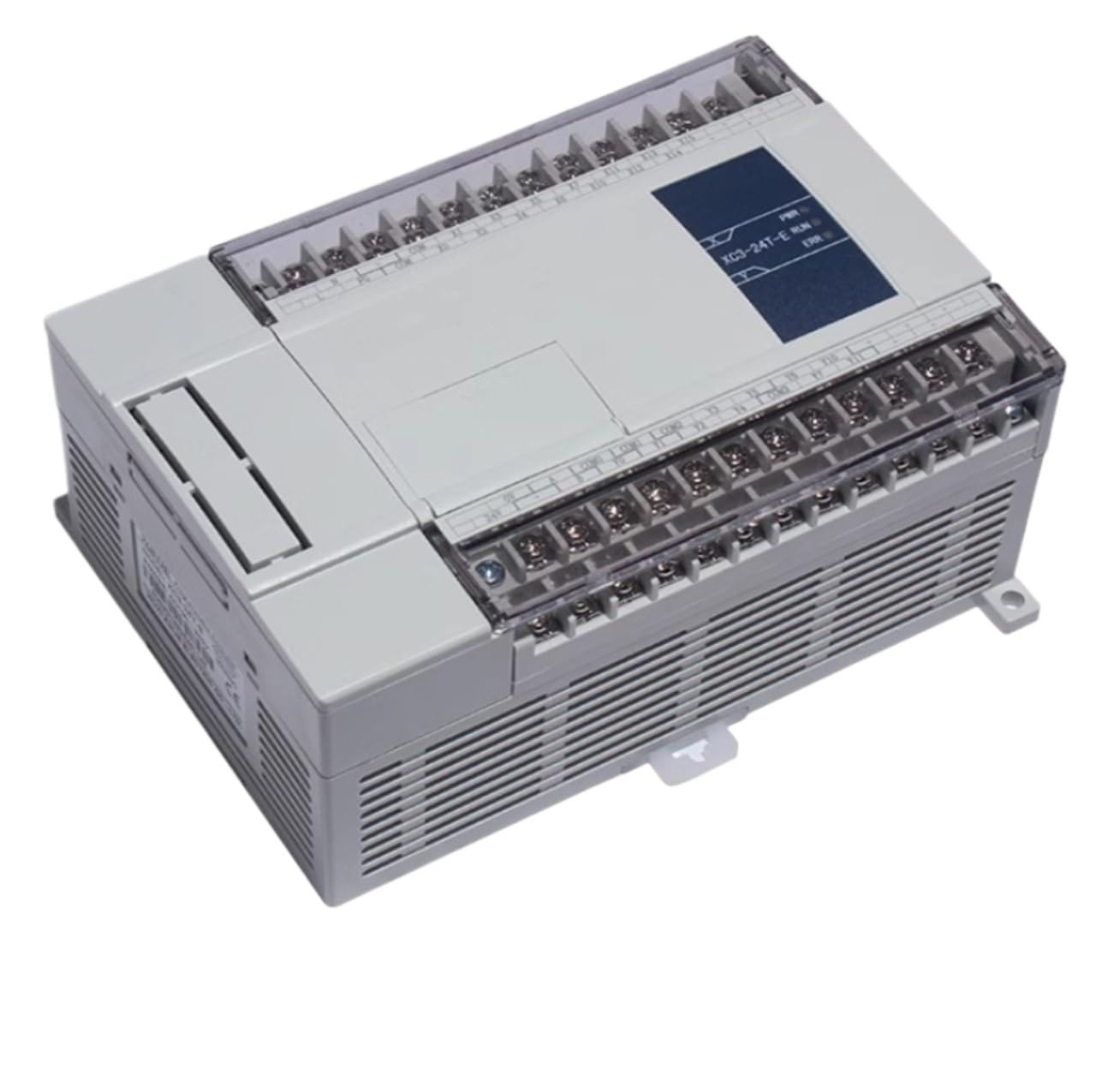
Figure 1: General view of the COKYIS XC3-24R-C PLC Controller Module.
2. Safety Instructions
Always observe the following safety precautions to prevent injury or damage to the device:
- Ensure power is disconnected before performing any installation or maintenance.
- Only qualified personnel should install, operate, and maintain this device.
- Do not expose the module to moisture, extreme temperatures, or corrosive environments.
- Verify all wiring connections are correct and secure before applying power.
3. Setup and Installation
3.1 Unpacking
Carefully unpack the XC3-24R-C module and inspect it for any signs of damage. Report any damage to your supplier immediately.
3.2 Mounting
The module is designed for DIN rail mounting. Follow these steps:
- Attach the module to a standard 35mm DIN rail by hooking the top edge onto the rail.
- Push the bottom of the module firmly until it clicks into place.
- Ensure adequate ventilation space around the module (minimum 50mm top/bottom, 10mm sides).
3.3 Wiring Connections
Refer to the terminal block labels for correct wiring. Ensure all connections are secure.
- Power Supply: Connect the appropriate DC power supply to the designated power terminals.
- Inputs: Connect input devices (sensors, switches) to the input terminals.
- Outputs: Connect output devices (relays, indicators) to the output terminals.
- Communication: Connect communication cables (e.g., RS-485) to the communication ports if applicable.
4. Operating Instructions
4.1 Powering On
After all connections are verified, apply power to the module. The power indicator LED should illuminate.
4.2 Programming
The XC3-24R-C module is programmed using compatible PLC software. Connect the module to your computer via the designated programming port. Refer to the software's user manual for detailed programming instructions.
- Create your control logic using the programming software.
- Download the program to the PLC module.
- Switch the module to RUN mode to execute the program.
4.3 Input/Output Monitoring
Monitor the status of inputs and outputs through the PLC software or by observing the indicator LEDs on the module (if present).
5. Maintenance
5.1 Cleaning
Keep the module clean and free from dust. Use a soft, dry cloth for cleaning. Do not use liquid cleaners or solvents.
5.2 Firmware Updates
Periodically check the manufacturer's website for firmware updates. Follow the provided instructions carefully when performing updates to ensure proper operation.
5.3 Environmental Considerations
Ensure the operating environment remains within the specified temperature and humidity ranges to prolong the life of the module.
6. Troubleshooting
| Problem | Possible Cause | Solution |
|---|---|---|
| Module does not power on. | No power supply; incorrect wiring; faulty power supply. | Check power connections; verify power supply voltage; replace power supply if necessary. |
| Inputs not responding. | Incorrect input wiring; faulty sensor; program error. | Verify input wiring; test sensor functionality; check PLC program logic. |
| Outputs not activating. | Incorrect output wiring; faulty actuator; program error. | Verify output wiring; test actuator functionality; check PLC program logic. |
| Communication error. | Incorrect cable; wrong communication settings; faulty port. | Check communication cable; verify baud rate and protocol settings; try a different port if available. |
If the problem persists after attempting these solutions, please contact technical support.
7. Specifications
| Feature | Detail |
|---|---|
| Model | XC3-24R-C |
| Brand | COKYIS |
| Item Weight | 50 Grams |
| Unit Count | 1.0 Count |
| ASIN | B0CZRTBGZ8 |
| Type | PLC Controller Module |
8. Warranty Information
COKYIS products are manufactured to high-quality standards. This product is covered by a standard manufacturer's warranty against defects in materials and workmanship. The specific terms and duration of the warranty may vary by region. Please retain your proof of purchase for warranty claims. For detailed warranty information, refer to the warranty card included with your product or visit the official COKYIS website.
9. Support
For technical assistance, product inquiries, or service requests, please contact COKYIS customer support. Before contacting support, please have your product model (XC3-24R-C) and a description of the issue ready.
Online Support: Visit the official COKYIS website for FAQs, documentation, and support contact forms.
Email Support: Refer to the contact section on the COKYIS website for email addresses.