
1. Introduction
This manual provides instructions for the GOODaaa Bundle, which includes the PN-W22 Wireless Power Bank and the HW-AC01 PD 20W Wall Adapter. This bundle is designed to provide portable and efficient power solutions for various electronic devices.
The PN-W22 power bank offers a large capacity, multiple charging options including solar and wireless, and integrated cables. The HW-AC01 wall adapter features dual-port fast charging capabilities to quickly power your devices and recharge the power bank.

Image 1.1: The GOODaaa PN-W22 Wireless Power Bank and HW-AC01 PD 20W Adapter, along with included cables.
2. Safety Information
Please read all safety instructions before using this product to prevent injury or damage.
- Do not expose the devices to extreme temperatures, direct sunlight for prolonged periods (especially the power bank), or humid environments.
- Avoid dropping, impacting, or disassembling the devices.
- Keep away from water and flammable materials.
- Do not use if the devices appear damaged.
- Use only specified charging cables and adapters.
- Keep out of reach of children.
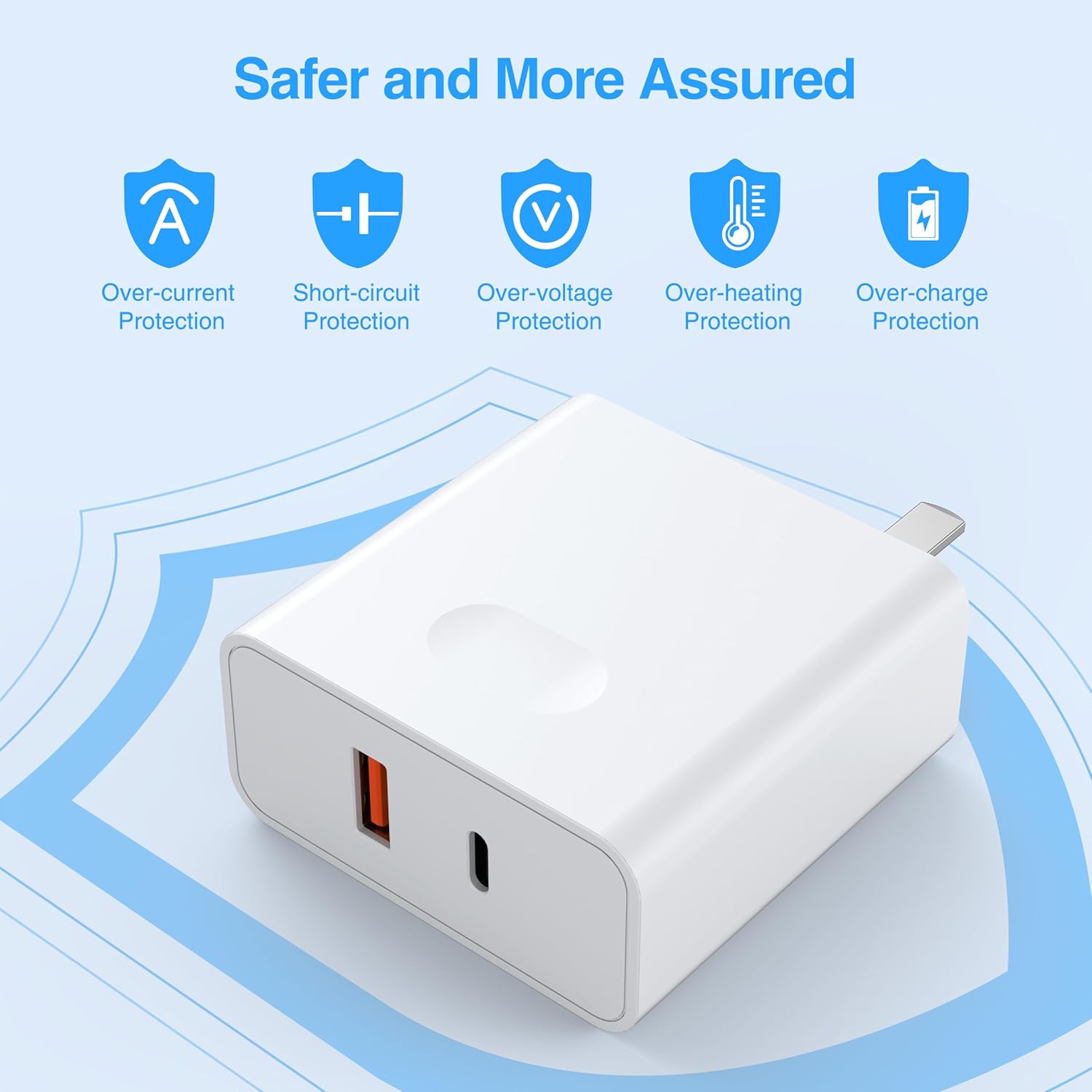
Image 2.1: The HW-AC01 PD 20W Adapter features multiple safety protections for secure charging.
3. Package Contents
Verify that all items are present in your package:
- GOODaaa PN-W22 Wireless Power Bank
- GOODaaa HW-AC01 PD 20W Wall Adapter
- USB-A to USB-C Cable (for charging the power bank)
4. Product Overview
4.1 PN-W22 Wireless Power Bank
- Solar Panel: For emergency and trickle charging when exposed to sunlight.
- Built-in Charging Cables: Includes Type-C, iOS (Lightning), and Micro USB output cables, plus a USB-A input cable for convenience.
- Wireless Charging Pad: Supports wireless charging for compatible devices.
- LED Indicators: Display battery level and charging status.
- Flashlight: Integrated LED flashlight for illumination.
- Additional Ports: USB-A output port and USB-C input/output port for versatile connectivity.
4.2 HW-AC01 PD 20W Wall Adapter
- USB-C Port: Supports Power Delivery (PD) fast charging up to 20W.
- USB-A Port: Supports Quick Charge (QC) fast charging.
- Dual Port Design: Allows simultaneous charging of two devices.
- Safety Protections: Features over-current, short-circuit, over-voltage, over-heating, and over-charge protection.
5. Setup and Initial Charging
5.1 Charging the PN-W22 Power Bank
Before first use, fully charge the PN-W22 Power Bank using the HW-AC01 Wall Adapter or another compatible USB power source.
- Connect the USB-A input cable (built-in) from the PN-W22 Power Bank to the USB-A port on the HW-AC01 Wall Adapter. Alternatively, use a USB-C to USB-C cable (not included) to connect the power bank's USB-C port to the adapter's USB-C port.
- Plug the HW-AC01 Wall Adapter into a standard wall outlet.
- The LED indicators on the power bank will illuminate to show charging progress. A full charge is indicated when all LEDs are solid.

Image 5.1: The PN-W22 Power Bank connected to the HW-AC01 Wall Adapter for charging.
5.2 Solar Charging (PN-W22 Power Bank)
The integrated solar panel provides an emergency charging option. Place the power bank in direct sunlight. A green indicator light will show that solar charging is active. Note that solar charging is slower than wall charging and is primarily intended for maintaining charge or emergency power in outdoor situations.
6. Operating Instructions
6.1 Charging Devices with PN-W22 Power Bank
The PN-W22 Power Bank offers multiple ways to charge your devices:
- Using Built-in Cables: Pull out the appropriate built-in cable (Type-C, iOS, or Micro USB) and connect it directly to your device.
- Using External USB Ports: Connect your device's charging cable to the USB-A output port or the USB-C input/output port on the power bank.
- Wireless Charging: Place your wireless-enabled device (e.g., iPhone 14/13/12 series, Samsung Galaxy S23/S22/S21 series) on the designated wireless charging area of the power bank. Ensure the device is centered for optimal charging.
The power bank supports charging up to 6 devices simultaneously using a combination of built-in cables, external ports, and wireless charging.

Image 6.1: The PN-W22 Power Bank can charge up to six devices at once through its various outputs.

Image 6.2: The PN-W22 Power Bank provides convenient wireless charging for compatible devices.
6.2 Using the Flashlight (PN-W22 Power Bank)
To activate the flashlight, press and hold the power button on the power bank. Press again to cycle through modes (e.g., steady, SOS, strobe) or turn off.
6.3 Charging Devices with HW-AC01 Wall Adapter
The HW-AC01 Wall Adapter provides fast charging for compatible devices.
- Plug the HW-AC01 Wall Adapter into a standard wall outlet.
- Connect your device's charging cable to either the USB-C (PD) port or the USB-A (QC) port on the adapter.
- For optimal fast charging, use a USB-C to USB-C cable with the USB-C port for Power Delivery compatible devices, or a USB-A cable with the USB-A port for Quick Charge compatible devices.
- The adapter can charge two devices simultaneously, distributing power as needed.

Image 6.3: The HW-AC01 Wall Adapter can charge two devices concurrently with up to 20W total output.

Image 6.4: The HW-AC01 Wall Adapter is compatible with a wide range of electronic devices.
7. Maintenance
- Clean the devices with a soft, dry cloth. Do not use harsh chemicals or abrasive materials.
- Store the devices in a cool, dry place away from direct sunlight and extreme temperatures.
- Ensure ports are free of dust and debris.
8. Troubleshooting
- Device not charging: Ensure cables are securely connected. Check if the power bank has sufficient charge. Verify the wall adapter is properly plugged into an active outlet.
- Slow charging: Ensure you are using appropriate fast-charging cables and that your device supports fast charging. Solar charging is inherently slower than wall charging.
- Wireless charging not working: Ensure your device is wireless charging compatible and correctly aligned on the charging pad. Remove any thick cases that may interfere.
- LED indicators not lighting up: The power bank may be fully discharged or not properly connected to a power source.
9. Specifications
9.1 PN-W22 Wireless Power Bank
- Power Source: Solar Powered, USB Input
- Charging Features: Wireless Charging, Fast Charging
- Built-in Cables: 1x Type-C Output, 1x iOS Output, 1x Micro USB Output, 1x USB-A Input
- Additional Ports: 1x USB-A Output, 1x USB-C Input/Output
- Other Features: Integrated Flashlight, Portable
9.2 HW-AC01 PD 20W Wall Adapter
- Max Power Output: 20W (single port)
- Ports: 1x USB-C (Power Delivery), 1x USB-A (Quick Charge)
- Safety Features: Over-current Protection, Short-circuit Protection, Over-voltage Protection, Over-heating Protection, Over-charge Protection
- Connector Type: USB Type C (for PD)
10. Warranty and Support
For warranty information and customer support, please refer to the product packaging or visit the official GOODaaa website. Keep your purchase receipt for warranty claims.