
Introduction
This manual provides instructions for the LemonNova Permanent Outdoor Lights, Model DT-3130W-W-22D-MG. This product consists of a single light strip with 22 LED lights and is designed for outdoor use. The light strip features multi-color (RGB) LED lights and is built with durable, weather-resistant materials for long-term outdoor installation. Please note: This product does not include a controller or power adapter. These components must be purchased separately and be compatible with this light strip for full functionality.
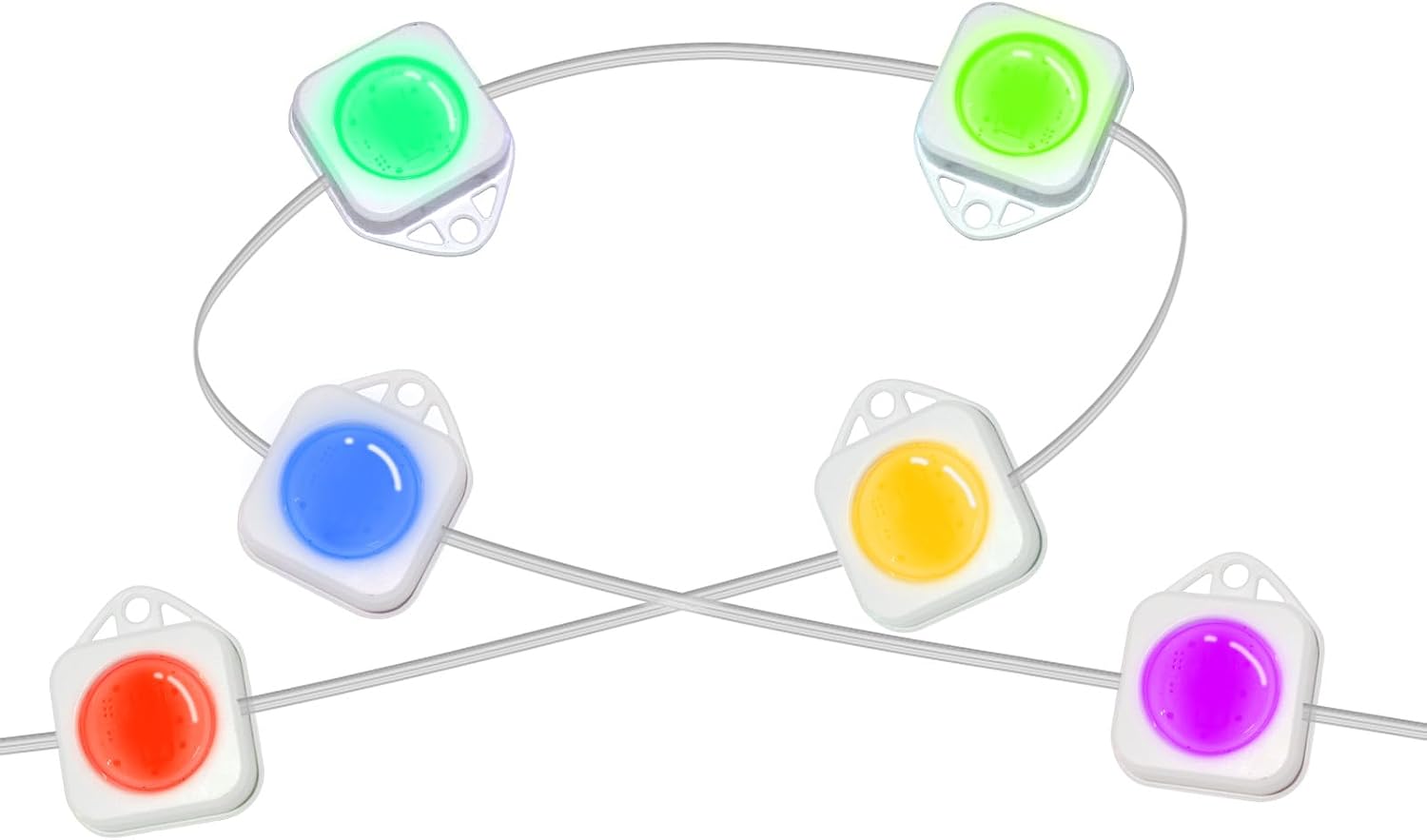
Image: A visual representation of the individual light units, displaying their square design and multi-color capabilities.
Safety Information
- Ensure all electrical connections are made by a qualified professional if you are unsure.
- Use only compatible controllers and power adapters. Refer to the specifications for voltage and power requirements.
- Do not cut the light strip in areas other than designated cut points (indicated by black lines).
- Avoid submerging the light strip in water, despite its waterproof rating.
- Keep out of reach of children.
Package Contents
- 1 x LemonNova Permanent Outdoor Light Strip (22 LED Lights)
- Mounting Clips and Screws
- Note: Controller and Power Adapter are NOT included.
Setup and Installation
Follow these steps for proper installation of your LemonNova Permanent Outdoor Lights. Ensure the installation surface is clean and dry before proceeding.

Image: A visual guide showing four steps for installing the light strip, including surface preparation, adhesive application, firm pressing, and optional screw clip attachment.
- Prepare the Surface: Clean the installation surface thoroughly with a cloth or tissue to ensure it is free of dust, dirt, and moisture. A clean surface is crucial for proper adhesion.
- Apply the Light Strip: Carefully tear off the VHB gum (adhesive backing) from the back of each light unit. Position the light unit on the desired surface and press firmly for more than 5 seconds to ensure strong adhesion.
- Secure with Clips (Optional but Recommended): For enhanced security and permanent installation, attach the provided screw clips to each string light. Use screws to fasten the clips to the surface, providing additional support beyond the adhesive.
- Connect to Controller and Power Adapter: Connect the light strip to a compatible external controller and power adapter (not included). Ensure connections are secure and follow the instructions provided with your controller and power adapter.

Image: A person installing the lights, illustrating the cuttable design, quick installation with VHB adhesive, and screw installation method for permanent use.
Additional Installation Notes:
- Cuttable Design: The light strip can be cut at designated points (marked by black lines) to customize the length. Ensure the power is disconnected before cutting.
- Permanent Use: The combination of VHB adhesive and screw clips ensures a durable and permanent outdoor installation.
Operating Instructions
As this product is a light strip only, its operation is dependent on the external controller and power adapter you connect it to. Refer to the instruction manual provided with your compatible controller for detailed operating procedures.
Generally, once connected to a power source and controller, the lights can be controlled via the controller's remote or associated application. Features such as multi-color display, various lighting effects, and music synchronization are typically managed through the controller.

Image: Illustrates various lighting effects, such as wall washing with multiple colors, achievable when the light strip is paired with a suitable controller.

Image: Depicts the light strip displaying dynamic multi-color patterns, often synchronized with music, a feature typically managed through a compatible controller and its application.
Maintenance
The LemonNova Permanent Outdoor Lights are designed for durability and minimal maintenance. They feature corrosion-resistant and UV-resistant materials, and an IP67 waterproof rating for outdoor use.

Image: Shows the lights installed on a house during both summer and winter conditions, emphasizing their outdoor durability and resistance to extreme temperatures.
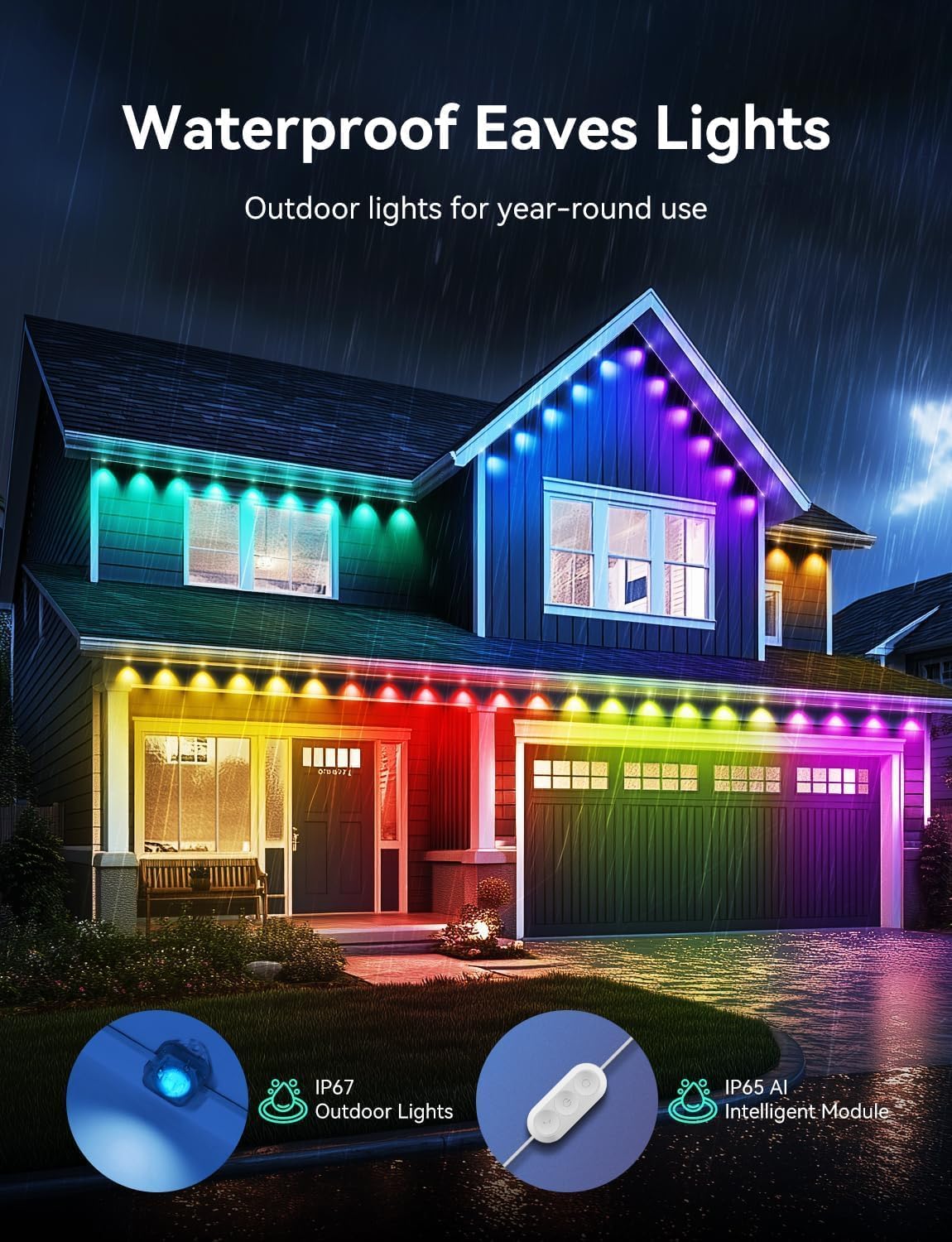
Image: Depicts the lights on a house during rainfall, illustrating their IP67 waterproof rating for reliable year-round outdoor use.
- Cleaning: Periodically clean the light strip with a soft, damp cloth to remove dirt and debris. Do not use harsh chemicals or abrasive cleaners.
- Inspection: Regularly inspect the light strip and connections for any signs of damage or wear. Address any issues promptly to prevent further damage.
- Storage: If removing the lights for extended periods, clean them thoroughly and store them in a cool, dry place away from direct sunlight.
Troubleshooting
If you encounter issues with your LemonNova Permanent Outdoor Lights, consider the following troubleshooting steps:
- Lights Not Turning On:
- Ensure the power adapter is correctly plugged into a working outlet.
- Verify that the light strip is securely connected to the compatible controller and power adapter.
- Check the controller's power status and settings.
- Inspect the light strip for any visible damage or cuts outside of designated cut points.
- Lights Flickering or Malfunctioning:
- Ensure all connections are tight and free from corrosion.
- Test with a different compatible power adapter or controller if available, to isolate the issue.
- Check for any physical damage to the light strip itself.
- Inconsistent Color or Brightness:
- This is typically a controller-related issue. Refer to your controller's manual for calibration or reset procedures.
- Ensure the light strip is receiving adequate power from the adapter.
If problems persist after attempting these steps, contact LemonNova customer support or your retailer for further assistance.
Specifications
| Feature | Detail |
|---|---|
| Brand | LemonNova |
| Model Number | DT-3130W-W-22D-MG |
| UPC | 643556175558 |
| Light Source Type | LED |
| Number of Light Sources | 22 |
| Light Color | Multi-color |
| Power Source | AC/DC (Requires external power adapter) |
| Special Features | Corded, Corrosion-resistant, UV-resistant |
| Indoor/Outdoor Usage | Outdoor |
| Waterproof Rating | IP67 |
| Cable Length | 30.0 feet |
| Operating Temperature | -20°C to 60°C (-4°F to 140°F) |
| Estimated Lifespan | Up to 50,000 hours |
| Item Weight | 14.1 ounces |
| Package Dimensions | 6.5 x 4.76 x 2.56 inches |
Warranty and Support
For warranty information, please refer to the documentation provided at the time of purchase or contact LemonNova customer support directly. Keep your proof of purchase for warranty claims.
For additional support or inquiries, you may visit the official LemonNova store: LemonNova Store on Amazon.