
1. Introduction
This manual provides comprehensive instructions for the installation, operation, and maintenance of your QXMH Solar Outdoor Motion Sensor Alarm, Model 911N. This device is designed to deter unwanted intruders and pests using a combination of motion detection, ultrasonic sound, and flashing lights. Please read this manual thoroughly before use to ensure proper functionality and safety.
2. Safety Information
Ensure the device is installed in a location where it receives adequate sunlight for optimal charging.
Do not immerse the device in water. While designed for outdoor use, extreme weather conditions may affect performance.
Keep out of reach of children and pets to prevent accidental activation or tampering.
Do not attempt to open or modify the device, as this may void the warranty and pose safety risks.
The alarm emits loud sounds and bright flashes. Avoid direct exposure to the sound and light at close range.
3. Product Overview
The QXMH Solar Outdoor Motion Sensor Alarm integrates several features for effective deterrence:
- Solar Panel: Charges the internal battery using sunlight.
- Motion Sensor: Detects movement within its range.
- Ultrasonic Emitters: Produces high-frequency sound waves to deter pests.
- Red and Blue LED Lights: Provide visual deterrence through flashing.
- Switch Mode/On/Off Button: Controls the device's operating modes and power.
- 360-degree Bracket: Allows for flexible mounting and angle adjustment.
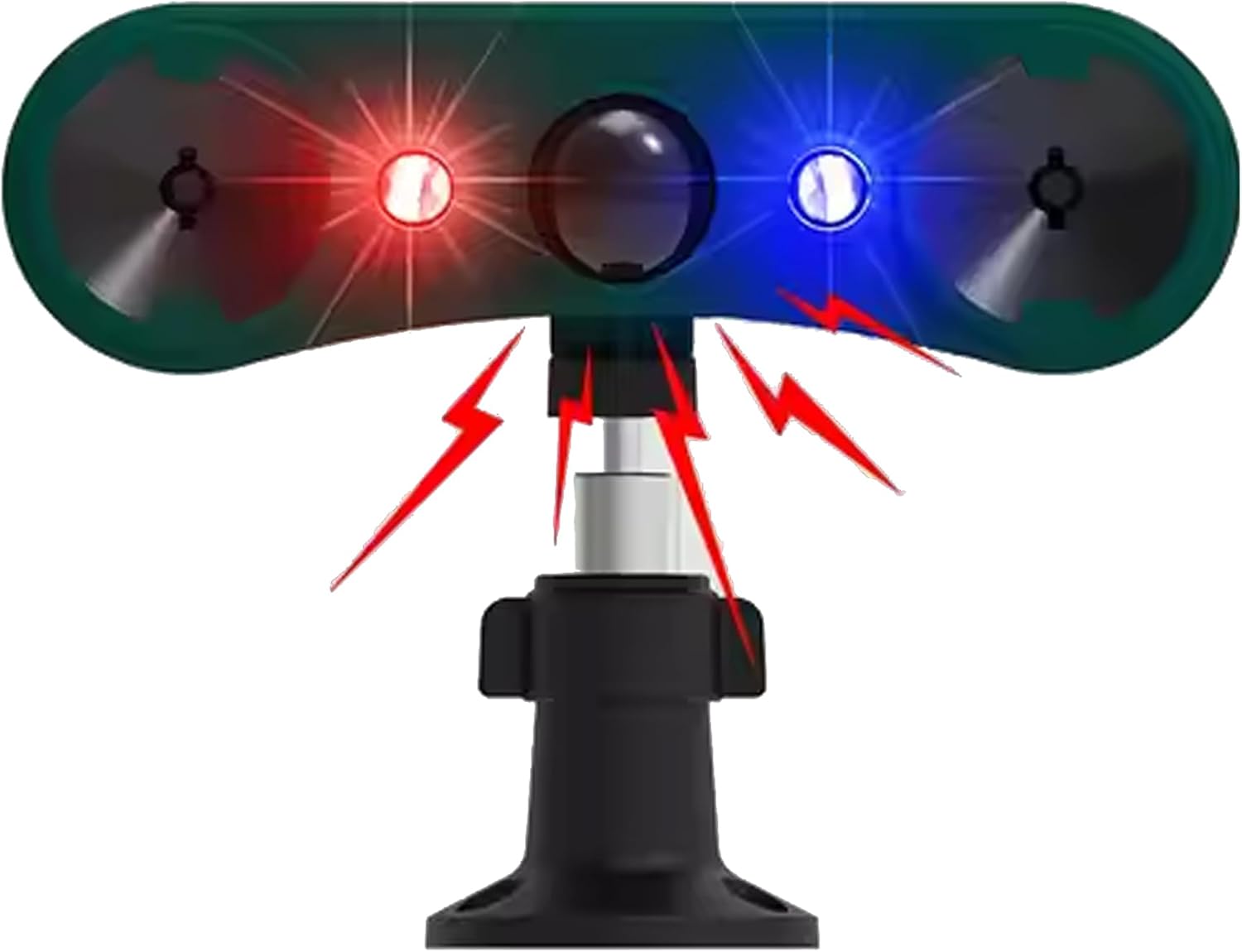
Figure 1: Front view of the QXMH Solar Outdoor Motion Sensor Alarm, highlighting the red and blue LED lights, ultrasonic emitters, motion sensor, solar panel, and adjustable mounting bracket.

Figure 2: Detailed diagram showing the location of the Solar panel, Sensor, Red LED, Blue LED, Ultrasonic emitters, and 360-degree bracket.

Figure 3: Rear view of the device indicating the "Switch mode/on/off" button and its corresponding functions for each press.
4. Setup and Installation
The QXMH Solar Outdoor Motion Sensor Alarm offers two primary mounting options:
4.1. Wall/Fence Mounting
Select a suitable location that receives direct sunlight for several hours daily to ensure optimal solar charging.
Using the provided screws, attach the 360-degree swivel bracket to a wall or fence post.
Securely attach the alarm unit to the bracket, ensuring it can be adjusted to the desired angle.

Figure 4: The alarm unit mounted on a wall, demonstrating its motion detection range and flashing lights.
4.2. Ground Insertion (Pole Mounting)
Assemble the pole by connecting the two sections. The pointed end should be at the bottom.
Attach the alarm unit to the top of the pole.
Insert the pole firmly into the ground in your desired location, ensuring stability.

Figure 5: Illustration of the two mounting methods: pole mounting for ground insertion and bracket mounting for walls or fences.
After installation, ensure the solar panel is unobstructed to maximize charging efficiency.
5. Operating Modes
The device features four distinct operating modes, selectable by pressing the "Switch mode/on/off" button located on the rear of the unit. Each press cycles through a mode, and a fifth press powers the unit off.
Mode 1: 24-Hour Ultrasonic with Flashing
In this mode, the device emits ultrasonic waves and flashes its red and blue LED lights continuously for 24 hours when motion is detected.Mode 2: Ultrasonic with Flashing at Night
This mode activates ultrasonic waves and flashing LED lights only during nighttime hours when motion is detected.Mode 3: 24-Hour Siren with Flashing
When motion is detected, the device will sound a loud siren (129dB) and flash its red and blue LED lights for 24 hours.Mode 4: Siren with Flashing at Night
This mode activates the loud siren and flashing LED lights only during nighttime hours when motion is detected.Press 5th: Power Off
Turns the device off.

Figure 6: Visual representation of the four operating modes: 24H Ultrasonic with flashing, Ultrasonic with flashing at night, 24H siren with flashing, and Siren with flashing at night.
Motion Sensing
The motion sensor has a horizontal detection angle of 120 degrees and a detection distance of 16-26 feet (approximately 5-8 meters).

Figure 7: Illustration of the device's motion detection capabilities, including its 120-degree horizontal angle and detection distance.
Video: Product Features and Installation
This video demonstrates the key features of the QXMH Solar Outdoor Motion Sensor Alarm, including its components, mounting options, and the activation of its sound and flash warning system. It shows both wall and ground insertion methods and the device's response to detected motion.
6. Maintenance
Regularly clean the solar panel with a soft, damp cloth to ensure maximum charging efficiency.
Check the motion sensor lens for any obstructions (e.g., dirt, leaves) and clean as needed.
Ensure the mounting is secure, especially after strong winds or adverse weather conditions.
The internal battery is designed for long-term use. If the device's performance significantly degrades, ensure it is receiving adequate sunlight before considering battery replacement (if applicable and user-serviceable, otherwise contact support).
7. Troubleshooting
| Problem | Possible Cause | Solution |
|---|---|---|
| Device not activating | Insufficient solar charge; Device is off; Motion sensor obstructed. | Ensure solar panel receives direct sunlight. Press the mode button to turn on or select a mode. Clean the motion sensor lens. |
| Alarm too frequent/false alarms | Sensor detecting unwanted movement (e.g., swaying branches, small animals not intended for deterrence). | Adjust the device's angle or relocate it to minimize false triggers. Consider using a mode that activates only at night if daytime triggers are an issue. |
| Sound/Light not working | Incorrect mode selected; Low battery. | Cycle through modes to ensure the desired sound/light mode is active. Allow the device to charge in direct sunlight. |
8. Specifications
| Feature | Detail |
|---|---|
| Brand | QXMH |
| Model Number | 911N |
| Power Source | Solar Powered |
| Maximum Range | 8 Meters (26 feet) |
| Mounting Type | Wall Mount, Ground Insertion |
| Battery Type | AAA alkaline battery (included) |
| Product Dimensions | 2"D x 4"W x 1.2"H (approx. 5.08cm D x 10.16cm W x 3.05cm H) |
| Item Weight | 9.1 ounces (approx. 258 grams) |
| Sound Level | 129 Decibels |
| Special Features | Motion Sensor, Ultrasonic, Flashing Lights |
9. Warranty and Support
For warranty information or technical support, please refer to the product packaging or contact QXMH customer service directly. Contact details are typically provided with your purchase or can be found on the manufacturer's official website.
If you have any suggestions or require assistance, please feel free to contact us. We aim to reply within 24 hours.