
Haier 36200077
Haier QLED 4K UHD Smart TV User Manual
Model: H50S80EUX (36200077)
1. Introduction
This manual provides essential information for the setup, operation, and maintenance of your Haier QLED 4K UHD Smart TV, model H50S80EUX. Please read this manual thoroughly before using the television to ensure proper and safe operation.
The Haier S80e Series QLED 4K UHD Smart TV offers a premium viewing experience with Quantum Dot technology, Google TV integration, Dolby Audio, and a frameless design. Enjoy vibrant colors, smart features, and immersive sound.
2. What's in the Box
Upon unpacking, please verify that all components listed below are present and in good condition:
- Haier QLED Television
- Smart Remote Control
- Stand (Peana)
- Power Cable
- Instruction Manual (this document)

Image: Haier QLED 4K UHD Smart TV, showcasing the main unit, smart remote control, and the included stand.
3. Setup Guide
3.1. Attaching the Stand
To attach the stand to your Haier QLED TV, carefully place the TV screen-down on a soft, flat surface to prevent scratches. Align the stand with the designated slots on the bottom of the TV and secure it using the provided screws. Ensure the stand is firmly attached before placing the TV upright.

Image: Diagram illustrating the dimensions of the Haier QLED TV both with and without the stand attached, including depth, width, and height measurements.
3.2. Initial Power-On and Network Connection
Connect the power cable to the TV and a wall outlet. Press the power button on the remote control or the TV itself. Follow the on-screen instructions to select your language, country, and connect to your Wi-Fi network. For a stable connection, an Ethernet cable can also be used.
The TV supports Wi-Fi and Ethernet connectivity for internet access. For optimal performance, ensure your router is within range and provides a strong signal.
3.3. Connecting External Devices
Your Haier QLED TV is equipped with multiple HDMI 2.1 ports, USB ports, and other connectivity options.
- HDMI: Connect Blu-ray players, gaming consoles, or set-top boxes. The HDMI 2.1 ports support high refresh rates and resolutions.
- USB: Insert USB drives for media playback.
- Bluetooth 5.1: Pair wireless headphones, keyboards, or game controllers for enhanced usability.

Image: Illustration demonstrating the Bluetooth 5.1 connectivity of the Haier QLED TV, allowing connection to devices such as gamepads, headphones, and keyboards.

Image: A visual representation of HDMI 2.1 technology, highlighting its high-speed data transfer capabilities for superior audio and video.
4. Operating Your TV
4.1. Smart Remote Control
The included Smart Remote Control allows for intuitive navigation. Use the directional pad to move through menus, the OK button to confirm selections, and the back button to return to the previous screen. Dedicated buttons for popular streaming services may also be present.
4.2. Google TV Interface
Your Haier TV runs on Google TV, providing a personalized and centralized hub for all your entertainment. The main screen displays recommended content, installed apps, and access to Google Assistant.

Image: Screenshot of the Google TV interface, displaying a wide array of streaming applications and personalized content recommendations.
Access over 10,000 applications from the Google Store, including popular services like Disney+, YouTube, and Netflix. Chromecast is built-in, allowing you to cast content directly from your mobile devices.

Image: Visual representation of Google TV features, emphasizing personalized entertainment profiles, integration with Google Home and Google Assistant, and access to a vast library of applications.
4.3. Voice Control with Google Assistant
Utilize the integrated Google Assistant for voice commands. Simply press the Google Assistant button on your remote and speak your request. You can search for content, control smart home devices, get information, and more.

Image: A person interacting with the Haier TV using voice control through the integrated Google Assistant, demonstrating hands-free operation.
4.4. Picture and Sound Settings
Your TV features QLED 4K UHD display technology with Quantum Dot for vibrant colors and HDR10 support for enhanced contrast. Dolby Audio technology provides an immersive sound experience, further calibrated by dbx-tv for optimal audio quality.
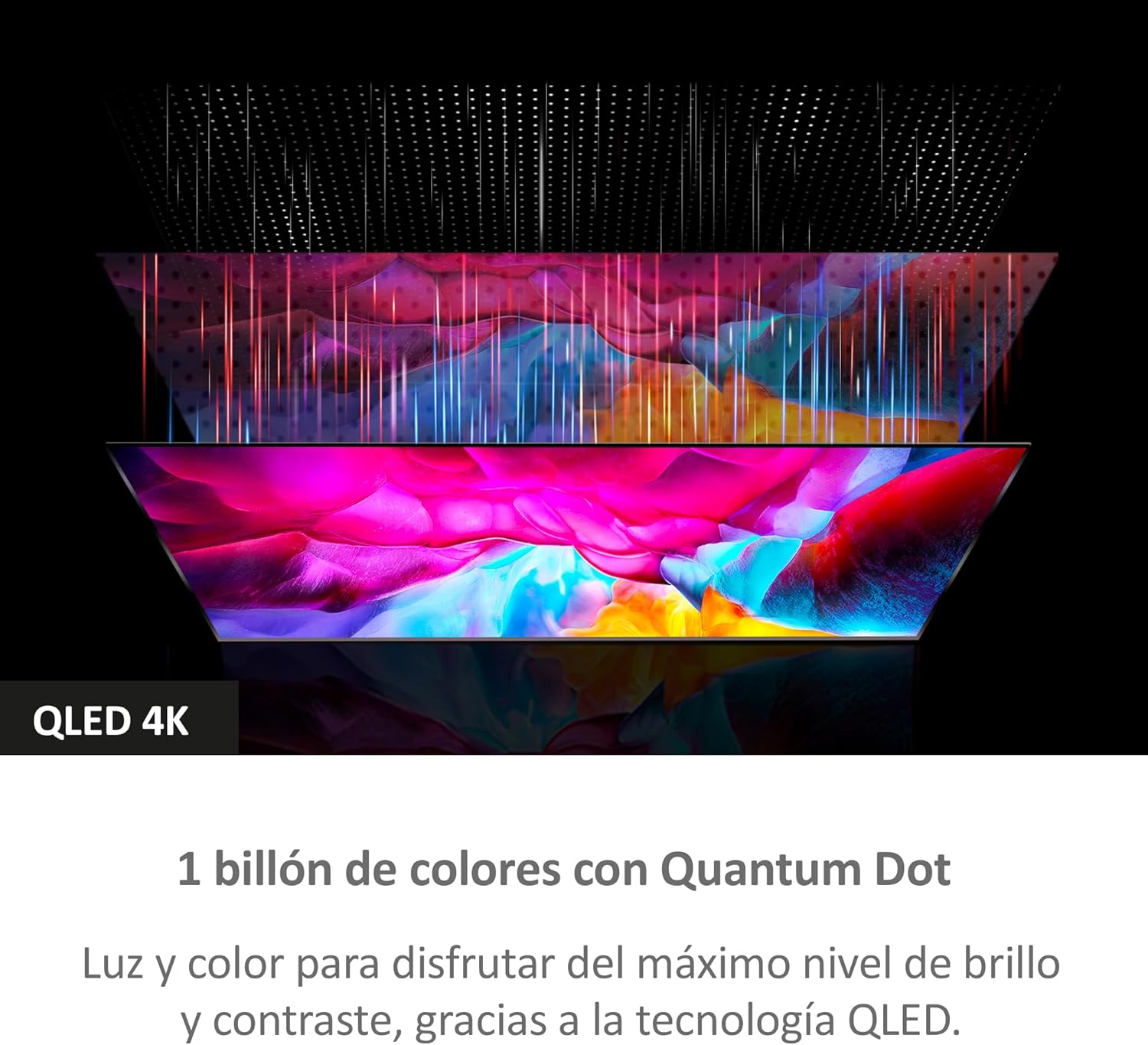
Image: Diagram illustrating the layers of QLED 4K technology, highlighting the Quantum Dot layer for superior color reproduction.

Image: Abstract visual representing the immersive and high-quality sound experience provided by Dolby Audio technology.
Navigate to the settings menu to adjust picture modes (e.g., Standard, Vivid, Movie, Game), color temperature, brightness, and contrast. For audio, you can select sound modes (e.g., Standard, Music, Movie, Speech) and fine-tune equalizer settings.
5. Maintenance
5.1. Cleaning Your TV
Always unplug the TV before cleaning. Use a soft, dry, lint-free cloth to gently wipe the screen and cabinet. For stubborn marks on the screen, lightly dampen the cloth with water or a specialized screen cleaner. Never spray cleaner directly onto the screen.
5.2. Software Updates
Your Haier Smart TV may receive software updates to improve performance and add new features. It is recommended to enable automatic updates or periodically check for updates in the TV's settings menu to ensure you have the latest software version.
6. Troubleshooting
| Problem | Possible Cause | Solution |
|---|---|---|
| No Power | Power cable not connected; Power outlet not working. | Ensure power cable is securely connected. Test the outlet with another device. |
| No Picture/Sound | Incorrect input source; External device not powered on or connected properly. | Check the input source (HDMI 1, 2, etc.). Verify external device connections and power. |
| Remote Control Not Working | Batteries are low or incorrectly inserted; Obstruction between remote and TV. | Replace batteries. Remove any obstructions. Ensure line of sight to the TV's IR sensor. |
| Wi-Fi Connection Issues | Incorrect password; Router issues; TV too far from router. | Re-enter Wi-Fi password. Restart your router. Move TV closer to router or use Ethernet. |
| Slow Performance/App Crashes | Too many apps running; Insufficient memory. | Close unused applications. Restart the TV. Check for system updates. |
If the problem persists after trying these solutions, please contact Haier Customer Support.
7. Product Specifications
| Feature | Detail |
|---|---|
| Model Number | H50S80EUX (36200077) |
| Screen Size | 50 Inches / 127 cm |
| Display Technology | QLED 4K UHD with Quantum Dot |
| Resolution | 3840 x 2160 (4K UHD) |
| Refresh Rate | 60 Hz |
| Operating System | Google TV |
| Audio Technology | Dolby Audio, dbx-tv |
| Connectivity | 4 x HDMI 2.1, USB, Bluetooth 5.1, Wi-Fi, Ethernet |
| Dimensions (with stand) | 111.1 cm (W) x 27.7 cm (D) x 68.8 cm (H) |
| Dimensions (without stand) | 111.1 cm (W) x 8.2 cm (D) x 64.4 cm (H) |
| Weight | 8.2 kg |
8. Warranty and Support
For warranty information and technical support, please refer to the warranty card included with your product or visit the official Haier support website. Keep your purchase receipt as proof of purchase for warranty claims.
Haier Customer Support: https://www.haier-europe.com/en_GB/web/uk/support
For issues not covered in the troubleshooting section, or for service requests, please contact Haier's authorized service center.
Related Documents - 36200077
 |
Haier GLORIA HPS-2.5 Energy Storage Controller System Installation Guide This guide provides installation instructions for the Haier GLORIA HPS-2.5 Energy Storage Controller System, covering product details, package contents, installation requirements, connection procedures, and testing. |
 |
Haier Chest Freezer HCF228 Series User Manual Comprehensive user manual for Haier Chest Freezer models HCF228-1, HCF-228-2, HCF228G-1, and HCF-228G-2. Includes safety instructions, operation guide, energy-saving tips, installation, care and cleaning, defrosting, troubleshooting, technical specifications, and a detailed food freezing guide. |
 |
Haier ID Series 2 - Sliding Installation Manual Detailed installation guide for Haier ID Series 2 sliding refrigerators, covering safety, dimensions, cabinet preparation, and electrical connections for kitchen manufacturers. |
 |
Haier Refrigerator User Manual - Features and Operation User manual for Haier refrigerators, including models like HDW1618DNPK and HDW1620DNPK. Learn about features, usage, smart connectivity with the hOn app, energy efficiency, and troubleshooting. This guide covers temperature settings, Super Cool/Freeze functions, and door reversibility. |
 |
Haier Smart Cube App User Manual: Installation, Setup, and Operation Guide Comprehensive user manual for the Haier Smart Cube App, covering installation, login, information query, parameter setup for power stations and EV chargers, account management, support, and FAQs. |
 |
Haier AF09AB1HRA 2.5 kW Console Air Conditioner - Quick Reference Guide & Specifications Quick reference guide and specifications for the Haier AF09AB1HRA 2.5 kW console air conditioner. Details dimensions, cooling/heating capacity, features, performance, power requirements, warranty, and support information. |
Ask a question about this manual
Ask about setup, troubleshooting, compatibility, parts, safety, or missing instructions. Manuals+ will review the question and use this page’s manual context to help answer it.