
1. Introduction
This manual provides detailed instructions for the setup, operation, and maintenance of your SECUHOME Hummingbird Feeder with Camera. This innovative device allows you to observe hummingbirds up close, capture videos, and receive real-time notifications directly on your smartphone. Please read this manual thoroughly before using the product to ensure proper functionality and longevity.
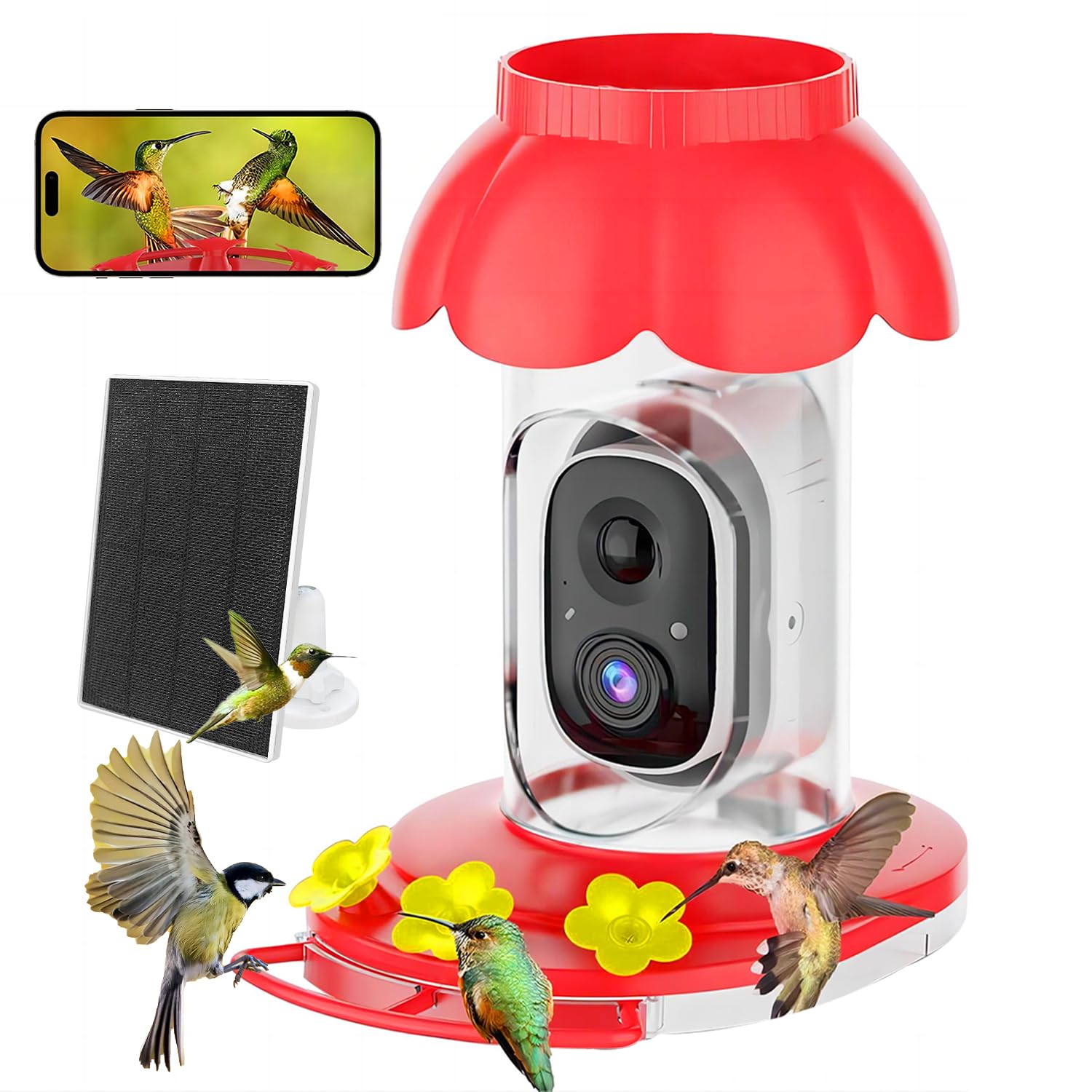
Image 1: SECUHOME Hummingbird Feeder with Camera
2. What's Included
Carefully unpack the box and ensure all the following components are present:
- Hummingbird Feeder Unit with Integrated Camera
- Solar Panel
- Hook for hanging
- Cleaning Accessories (brushes)
- User Manual

Image 2: All components included in the package
3. Key Features
- High-Definition Camera: Provides clear, close-up views of hummingbirds.
- Real-time Remote Monitoring: Observe activity directly from your phone.
- Motion Detection: Receive instant notifications when hummingbirds are present.
- AI Species Identification: Advanced AI identifies hummingbird species with detailed information (one month free trial included).
- Solar Powered: Equipped with a 5200mAh rechargeable battery and a flexible solar panel for continuous operation.
- Large Capacity: 20 oz transparent tank reduces refill frequency.
- Ant Moat: Built-in feature to deter ants from reaching the nectar.
- Bee-Proof & Leak-Proof Design: Ensures nectar is accessible only to hummingbirds and prevents spills.
- Durable & Weatherproof: IP65 waterproof rating for outdoor use.
- Easy Setup & Cleaning: Detachable design and included accessories simplify maintenance.
- Stable Connectivity: 5dB antenna and 2.4G Wi-Fi for reliable video transmission.


4. Setup Guide
4.1. Assembly
- Rotate the base of the bird feeder to open it.
- Carefully remove the camera module from the feeder body.
- Fill the transparent tank with hummingbird nectar. Ensure the feeder is upside down when filling to prevent leaks.
- Securely reattach the base by twisting it clockwise until it locks.
- Reinsert the camera module into the feeder body.
- Attach the solar panel to a suitable location where it receives ample sunlight.
- Connect the solar panel to the camera unit.
- Hang the assembled feeder using the provided hook in a location visible to hummingbirds.

Image 7: Step-by-step assembly instructions
4.2. Powering On & Charging
The feeder camera is equipped with a 5200mAh rechargeable battery and a solar panel. For initial setup, it is recommended to fully charge the camera using a USB cable before relying solely on solar power. The solar panel will then maintain the battery charge during daylight hours.
4.3. App Installation & Connection
- Download the VicoHome app from your smartphone's app store (iOS or Android).
- Register for a new account or log in if you already have one.
- Follow the in-app instructions to add a new device. You will typically scan a QR code on the camera or manually select the device type.
- Connect the camera to your 2.4G Wi-Fi network. Ensure your Wi-Fi signal is strong at the feeder's location.
- Once connected, you can access live video, receive notifications, and manage settings through the app.

Image 8: App interface for monitoring and sharing
5. Operation
5.1. Real-time Monitoring & Motion Detection
Once connected to the VicoHome app, you can view a live feed from your feeder camera at any time. The motion detection feature will send instant notifications to your phone when activity is detected, allowing you to capture unexpected visits.
5.2. AI Bird Identification
The camera utilizes advanced AI to identify hummingbird species. When a bird is detected, the app will attempt to identify its species and provide relevant information. New users receive a one-month free trial for this service.
5.3. Video Capture & Storage
The camera automatically captures videos of hummingbird activity. These videos can be stored in two ways:
- Cloud Storage: A 30-day free trial is included. Subscription may be required for continued cloud service.
- Local Storage: Supports up to a 128GB TF (MicroSD) card (not included).
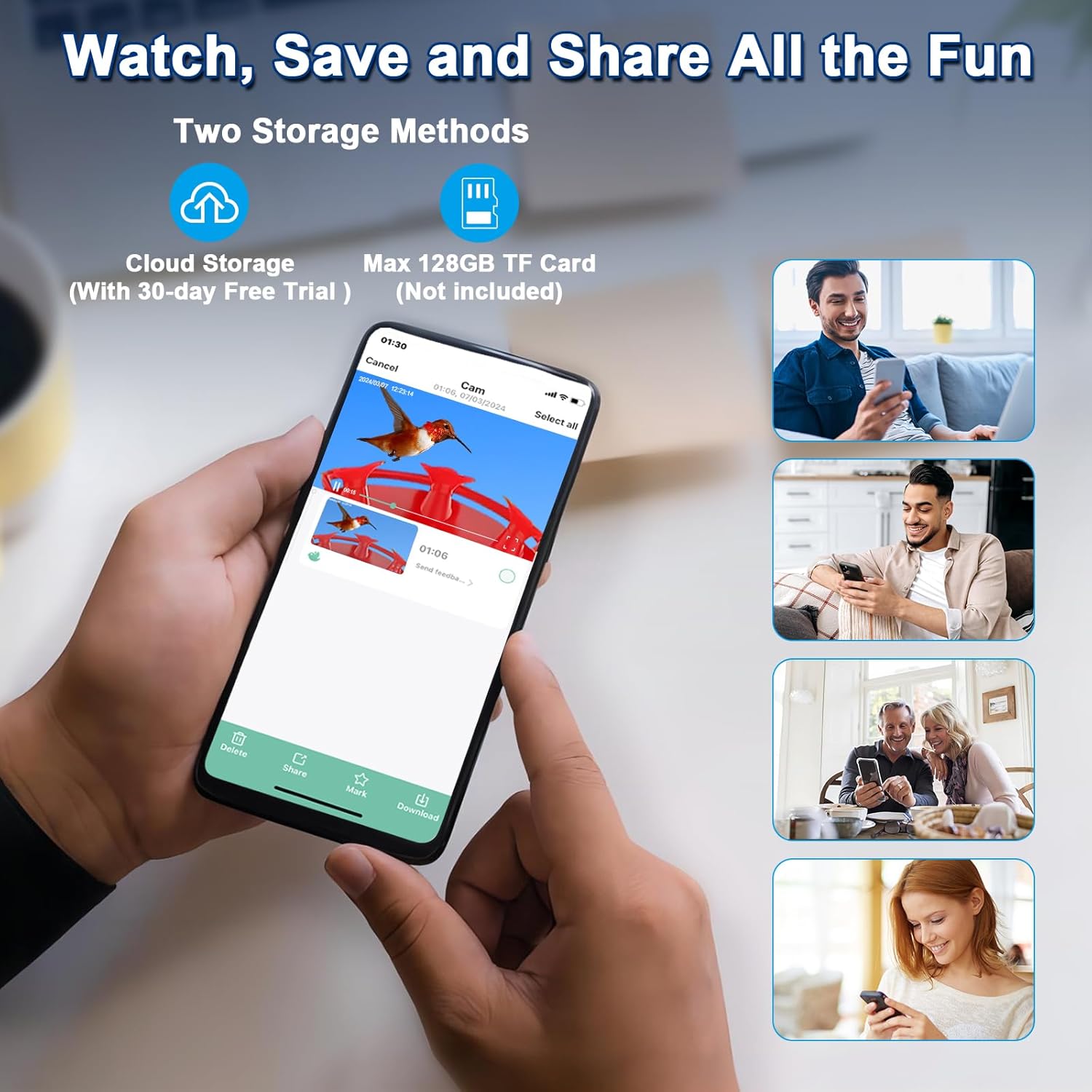
Image 9: Options for watching, saving, and sharing videos
5.4. Sharing
The VicoHome app allows you to share captured videos and images with family and friends, supporting up to 4 users viewing online simultaneously.
6. Maintenance
6.1. Cleaning the Feeder
Regular cleaning is crucial to prevent the spread of diseases among hummingbirds. The feeder's honeypot construction and detachable design make cleaning easy. Use the provided cleaning accessories (brushes) and warm soapy water. Rinse thoroughly and allow to dry completely before refilling with fresh nectar.
6.2. Ant Moat
Fill the built-in ant moat with water or any non-toxic liquid to create a barrier that prevents ants from reaching the nectar. Regularly check and refill the moat as needed.

Image 10: Cleaning and ant moat features
7. Troubleshooting
- Feeder not attracting hummingbirds: Ensure the nectar is fresh (change every 2-3 days, more often in hot weather). Place the feeder in a visible, quiet location away from direct sunlight.
- Camera not connecting to Wi-Fi: Verify your Wi-Fi network is 2.4Ghz. Ensure the feeder is within range of your router. Restart your router and the camera.
- Poor video quality: Check for obstructions on the camera lens. Ensure the camera is clean. Verify a strong Wi-Fi signal.
- AI recognition issues: The AI service includes a one-month free trial. After this period, a subscription may be required for continued use. Ensure the camera has a clear view of the birds.
- Battery not charging: Ensure the solar panel is clean and receiving direct sunlight for several hours daily. Check the connection between the solar panel and the camera.
- Nectar leaking: Ensure the base is securely tightened after refilling. Check for any cracks or damage to the feeder components.
8. Specifications
| Brand | SECUHOME |
| Model | B0CZP76Q7Z |
| Target Species | Hummingbird |
| Recommended Uses | Nectar |
| Material | Plastic |
| Special Features | Built-In Ant Moat, AI Identify, Auto Capture Bird Videos, Motion Detection, Solar Powered |
| Mounting Type | Hanging Mount |
| Power Source | Battery Powered (5200mAh rechargeable battery, 3W solar panel) |
| Item Dimensions (L x W x H) | 6.3"L x 8"W x 9.3"H |
| Capacity | 20 oz (approx. 1.3 Pounds) |
| Color | Red |
| Connectivity | 2.4G Wi-Fi, 5dB antenna |
| Storage | Cloud Storage (optional subscription), Max 128GB TF Card (not included) |
9. Safety Information
- Always follow the instructions provided with the product.
- Keep the feeder clean to prevent the spread of diseases.
- Do not use food that is not suitable for hummingbirds.
- Secure the feeder to prevent access by larger animals.
- Check local regulations regarding feeding wildlife.
10. Warranty & Support
For warranty information, technical support, or service inquiries, please refer to the documentation included with your product or contact SECUHOME customer service directly. Contact details can typically be found on the product packaging or the official SECUHOME website.