
Auilzlz NH315UP
Auilzlz Universal TV Remote Control NH315UP for Sanyo LCD LED HDTVs User Manual
Model: NH315UP
1. Introduction
This manual provides essential instructions for the proper use and maintenance of your Auilzlz Universal TV Remote Control, model NH315UP. This remote is designed for compatibility with various Sanyo LCD LED HDTV models, offering a direct replacement experience without complex programming.
2. Safety Information
- Do not mix old and new batteries.
- Do not mix alkaline, standard (carbon-zinc), or rechargeable (nickel-cadmium) batteries.
- Ensure batteries are inserted with correct polarity (+ and -).
- Remove batteries if the remote control will not be used for an extended period.
- Keep the remote control away from moisture, heat, and direct sunlight.
- Do not attempt to disassemble or modify the remote control.
3. Package Contents
Please check the package for the following items:
- 1 x Auilzlz Universal TV Remote Control (NH315UP)
- (Batteries are not included and must be purchased separately)
4. Product Overview
The NH315UP remote control features a standard layout for easy navigation and control of your Sanyo TV.

Image: Front and back view of the Auilzlz NH315UP Universal TV Remote Control. The front shows various buttons for power, numbers, volume, channel, menu, and navigation. The back shows a battery compartment cover and a warning label.
Button Functions:
| Button | Function |
|---|---|
| POWER | Turns the TV on or off. |
| SOURCE | Selects input sources (HDMI, AV, etc.). |
| PIC/SOUND | Adjusts picture or sound settings. |
| MODE | Changes display modes. |
| CC | Activates or deactivates Closed Captions. |
| SLEEP | Sets the sleep timer. |
| PIX SHAPE | Adjusts picture aspect ratio. |
| 0-9 | Direct channel selection. |
| PREV.CH | Returns to the previous channel. |
| VOL +/- | Adjusts volume up or down. |
| MUTE | Mutes or unmutes the TV sound. |
| CH +/- | Changes channels up or down. |
| BACK | Returns to the previous screen or menu. |
| MENU | Opens the TV's main menu. |
| INFO | Displays program information. |
| Navigation Pad (Up/Down/Left/Right) | Navigates through menus and options. |
| OK | Confirms selections. |
5. Setup
5.1 Inserting Batteries
- Open the battery compartment cover on the back of the remote control.
- Insert two AAA batteries (not included), ensuring the positive (+) and negative (-) terminals align correctly with the markings inside the compartment.
- Close the battery compartment cover securely.

Image: A hand holding the Auilzlz NH315UP remote control, pointing towards a television screen in a living room setting. This illustrates the remote being ready for operation after battery insertion.
5.2 Initial Use (No Programming Required)
The Auilzlz NH315UP remote control is pre-programmed for Sanyo LCD LED HDTVs. No manual programming or code entry is required for most compatible models. Simply insert the batteries, and the remote should function immediately with your Sanyo TV.

Image: The Auilzlz NH315UP remote control positioned in front of a modern television displaying various media content. Text overlays emphasize "Premium Remote Control" and "Soft and Sensitive Button," indicating ease of use and quality.
6. Operating Instructions
To operate your Sanyo TV with the NH315UP remote control:
- Point the remote control directly at the infrared sensor on your Sanyo TV.
- Press the desired button for the function you wish to perform (e.g., POWER to turn on/off, VOL +/- to adjust volume, CH +/- to change channels).
- Ensure there are no obstructions between the remote control and the TV's sensor.
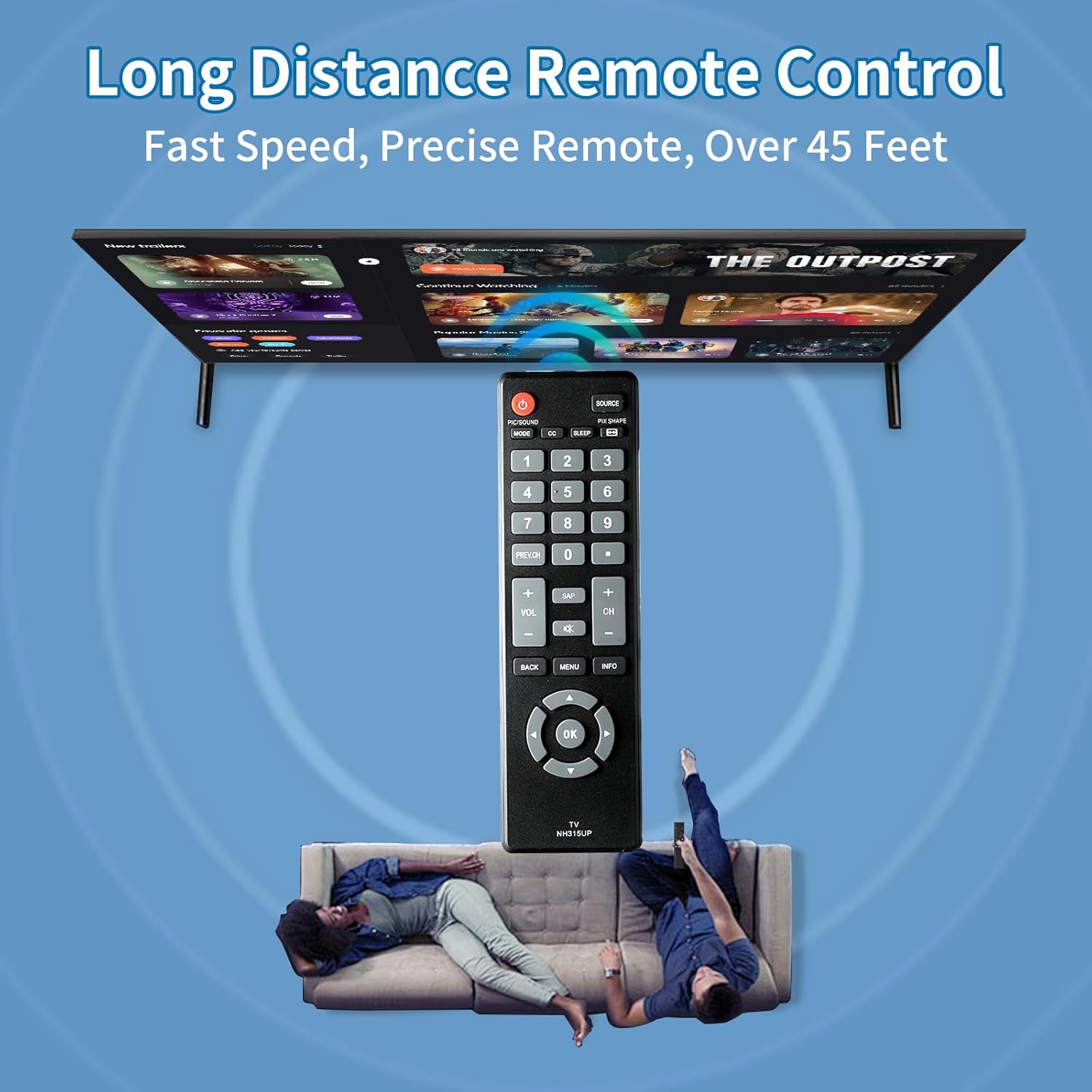
Image: An overhead view showing the Auilzlz NH315UP remote control positioned between a sofa with two people and a large wall-mounted TV. Blue concentric circles emanate from the remote towards the TV, visually representing its long-distance operational capability, stated as "Over 45 Feet."
Response Time and Signal:
The remote is designed for fast response, typically less than 0.2 seconds, and utilizes strong infrared technology for reliable signal transmission up to 15 meters (49 feet).

Image: The Auilzlz NH315UP remote control against a vibrant, abstract background with geometric patterns. Text highlights "Precisely and Sensitive," "0.2 Second Response Time," "Over 15000 Clicks," "Fast Response," "Signal Stabilization," and "Sensitive Keystroke."
7. Maintenance
- Clean the remote control with a soft, dry cloth. Do not use liquid cleaners or abrasive materials.
- Avoid dropping the remote control or subjecting it to strong impacts.
- Store the remote in a cool, dry place when not in use.
8. Troubleshooting
| Problem | Possible Cause / Solution |
|---|---|
| Remote not working. |
|
| Buttons are unresponsive or delayed. |
|
| Remote only controls some functions. |
|
9. Specifications
- Model: NH315UP
- Compatibility: Sanyo LCD LED HDTVs (e.g., FW32D06F, FW40D36F, FW43D25F, FW50D36F, FW55D25F)
- Power Source: 2 x AAA Batteries (not included)
- Technology: Infrared (IR)
- Operating Distance: Up to 15 meters (49 feet)
- Response Time: Less than 0.2 seconds
- Dimensions: Approximately 3.9 x 1.9 x 0.8 inches
- Weight: Approximately 2.08 ounces (without batteries)
- Material: High-quality ABS

Image: The Auilzlz NH315UP remote control overlaid on a blue circuit board graphic, with a glowing "SMART CHIP" icon. This visual emphasizes the internal technology designed for strong signal, accurate control, and multi-angle induction.
10. Warranty and Support
This product comes with a one-year warranty from the date of purchase. If you encounter any issues or have questions regarding your Auilzlz Universal TV Remote Control, please contact our customer support team.
Customer Support: Please refer to the contact information provided with your purchase or visit the Auilzlz official website for assistance. Our team aims to respond to all inquiries within 24 hours.