
1. Introduction
The ULANZI DS80 Parabolic Softbox is a quick-release lighting modifier designed for professional photography. It features a fast-setup and folding structure, making it suitable for studio and on-location shoots. This softbox is compatible with Bowens mount lights and includes diffusers and a honeycomb grid for versatile light shaping.
2. Package Contents
Verify that all components are present in your package:
- 1x Parabolic Softbox
- 1x External Diffusion Fabric
- 1x Honeycomb Grid
- 1x Carrying Bag
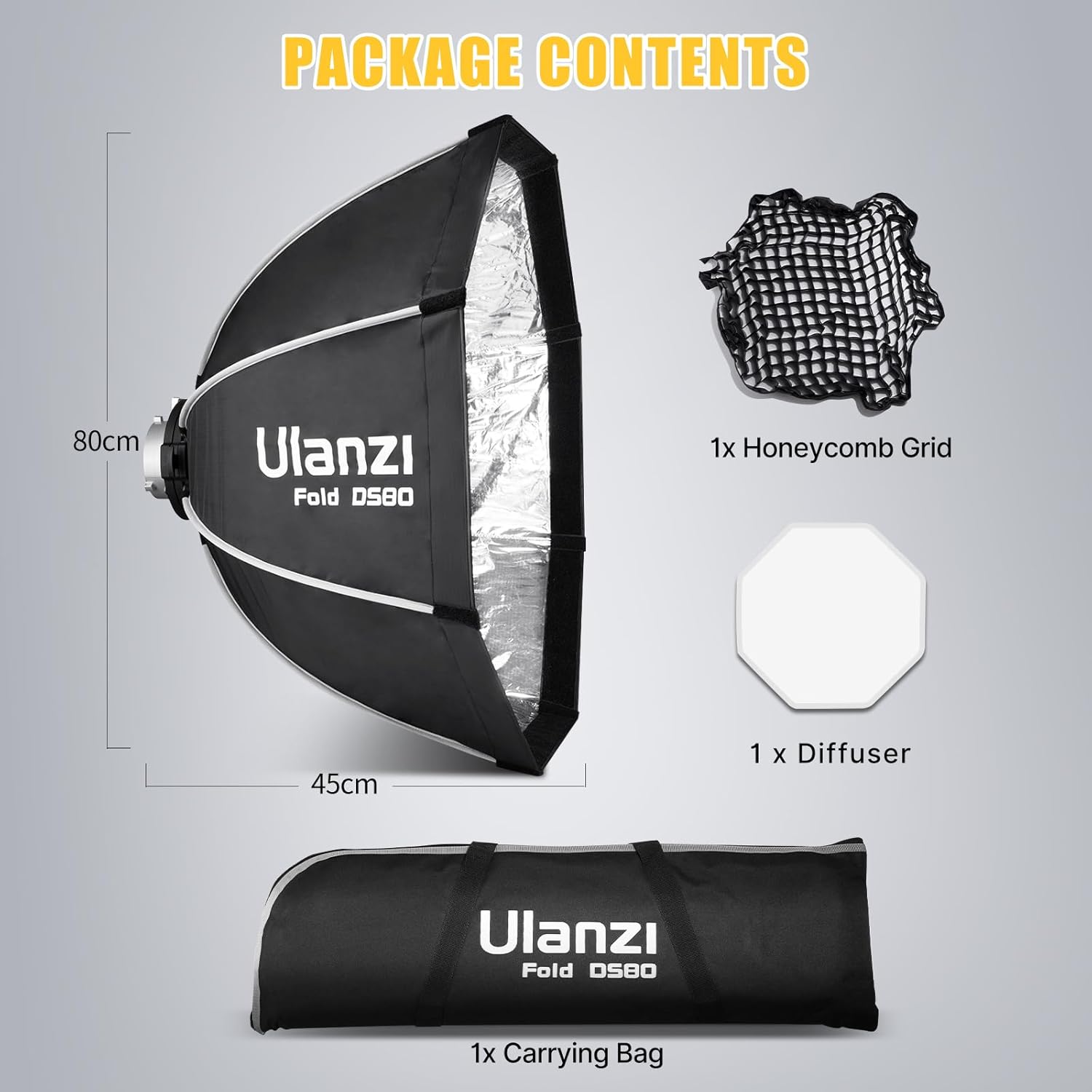
Image: All components included in the ULANZI DS80 Parabolic Softbox package.
3. Setup Instructions
The ULANZI DS80 softbox features a quick-release mechanism for rapid assembly and disassembly.
- Unfolding the Softbox: Place the softbox with the Bowens mount facing upwards. Gently push down on the central ring of the Bowens mount until the support rods click into place, expanding the softbox into its parabolic shape.
- Attaching to a Light: Align the Bowens mount of the softbox with the Bowens mount on your compatible studio light. Insert the softbox and rotate it clockwise until it locks securely into position.
- Attaching the External Diffusion Fabric: The external diffusion fabric attaches to the front rim of the softbox using touch fasteners (Velcro). Ensure it is evenly spread and securely fastened for optimal light softening.
- Attaching the Honeycomb Grid: The honeycomb grid also attaches to the front rim of the softbox, over the external diffusion fabric, using touch fasteners. This grid helps control light spill and direction.

Image: Visual guide for installing and detaching the softbox components, including diffusers and grid.
4. Operation
The ULANZI DS80 Parabolic Softbox offers various configurations to modify light output:
- Without Diffusers: Provides a harder, more direct light with higher contrast.
- With External Diffusion Fabric: Softens harsh glare and eliminates unwanted shadows, producing a more even and diffused light.
- With Honeycomb Grid: When used with or without the diffusion fabric, the honeycomb grid controls the beam direction, reducing light spill and allowing for more precise lighting of subjects. This helps define facial features and create dramatic lighting effects.

Image: Demonstrating the effect of diffusion on light quality.

Image: Illustrating the directional control provided by the honeycomb grid.
5. Compatibility
The ULANZI DS80 Parabolic Softbox is equipped with a standard Bowens mount, ensuring broad compatibility with various studio lighting equipment.
Compatible lights include, but are not limited to:
- GODOX M200D/M300D
- Aputure LS 60d/x / LS C120d II
- Amaran 100 200dx / Amaran COB 60d/60x
- ULANZI 40W/40W Pro/60W Video Light
- Other mainstream studio lights with a Bowens mount.
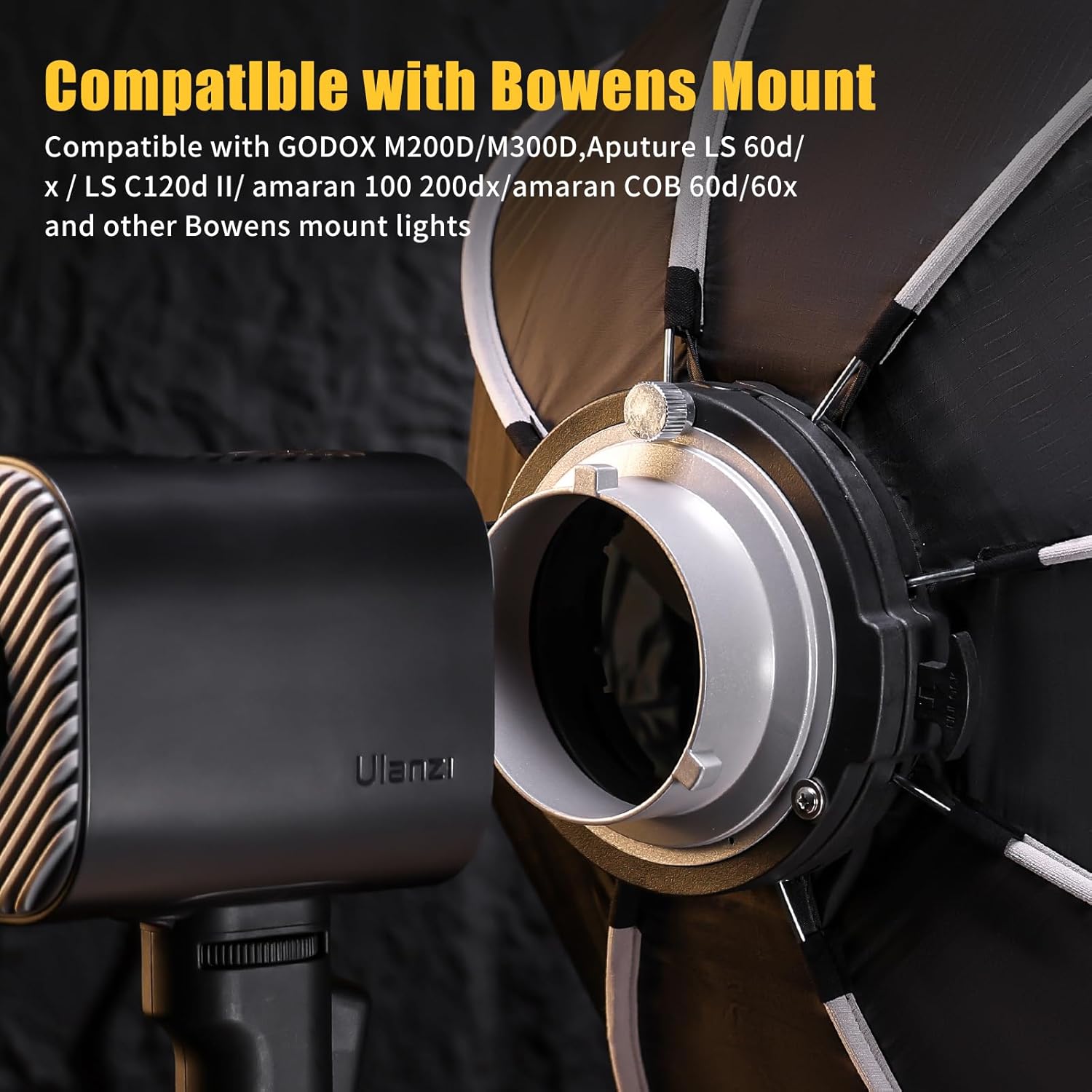
Image: The Bowens mount attachment point on the softbox.
6. Maintenance
Proper maintenance ensures the longevity and performance of your softbox:
- Cleaning: Use a soft, dry cloth to wipe down the exterior of the softbox. For the diffusion fabrics and grid, gentle spot cleaning with a damp cloth and mild soap is permissible, followed by air drying. Avoid harsh chemicals.
- Storage: After use, fold the softbox according to the quick-release mechanism. Store all components, including the diffusion fabrics and honeycomb grid, in the provided carrying bag. This protects the softbox from dust and damage and maintains its portability.
- Handling: Avoid applying excessive force to the support rods or the Bowens mount during setup and disassembly to prevent damage.

Image: The softbox folded and stored in its carrying bag for easy transport.
7. Troubleshooting
If you encounter issues with your ULANZI DS80 Parabolic Softbox, consider the following:
- Difficulty in Setup/Folding: Ensure that the quick-release mechanism is engaged correctly. Apply even pressure when unfolding or folding until the rods click into place. Do not force the mechanism.
- Unstable Attachment to Light: Verify that the Bowens mount is fully inserted and rotated clockwise until it locks securely. Check for any obstructions or damage to the mount on either the softbox or the light.
- Uneven Light Output: Ensure the diffusion fabrics are smoothly and evenly attached to the softbox. Check that the light source inside the softbox is centered and functioning correctly.
- Missing or Damaged Parts: If any parts are missing or damaged upon arrival, please contact ULANZI customer support for assistance.
8. Specifications
| Feature | Detail |
|---|---|
| Product Model | DS80 |
| Opening Softbox Size | 80cm / 31.5 inches |
| Product Dimensions | 22 x 31.5 x 31.5 inches (assembled) |
| Item Weight | 3.94 pounds (1.79 kg) |
| Material | Oxford Cloth, Aluminum Alloy |
| Light Source Type Compatibility | Strobe or Continuous Light (Bowens Mount) |
9. Warranty and Support
ULANZI products are designed for reliability and performance. For warranty information, technical support, or service inquiries, please refer to the official ULANZI website or contact their customer service department directly. Keep your purchase receipt as proof of purchase for any warranty claims.
For further assistance, visit the official ULANZI store: ULANZI Store on Amazon