Introduction
Thank you for purchasing the YOREK YK-903 FM/AM Portable Multi-function Radio. This device combines radio reception, MP3 playback, recording, alarm, and clock functions in a compact design. Please read this manual carefully to ensure proper use and to fully enjoy its features.
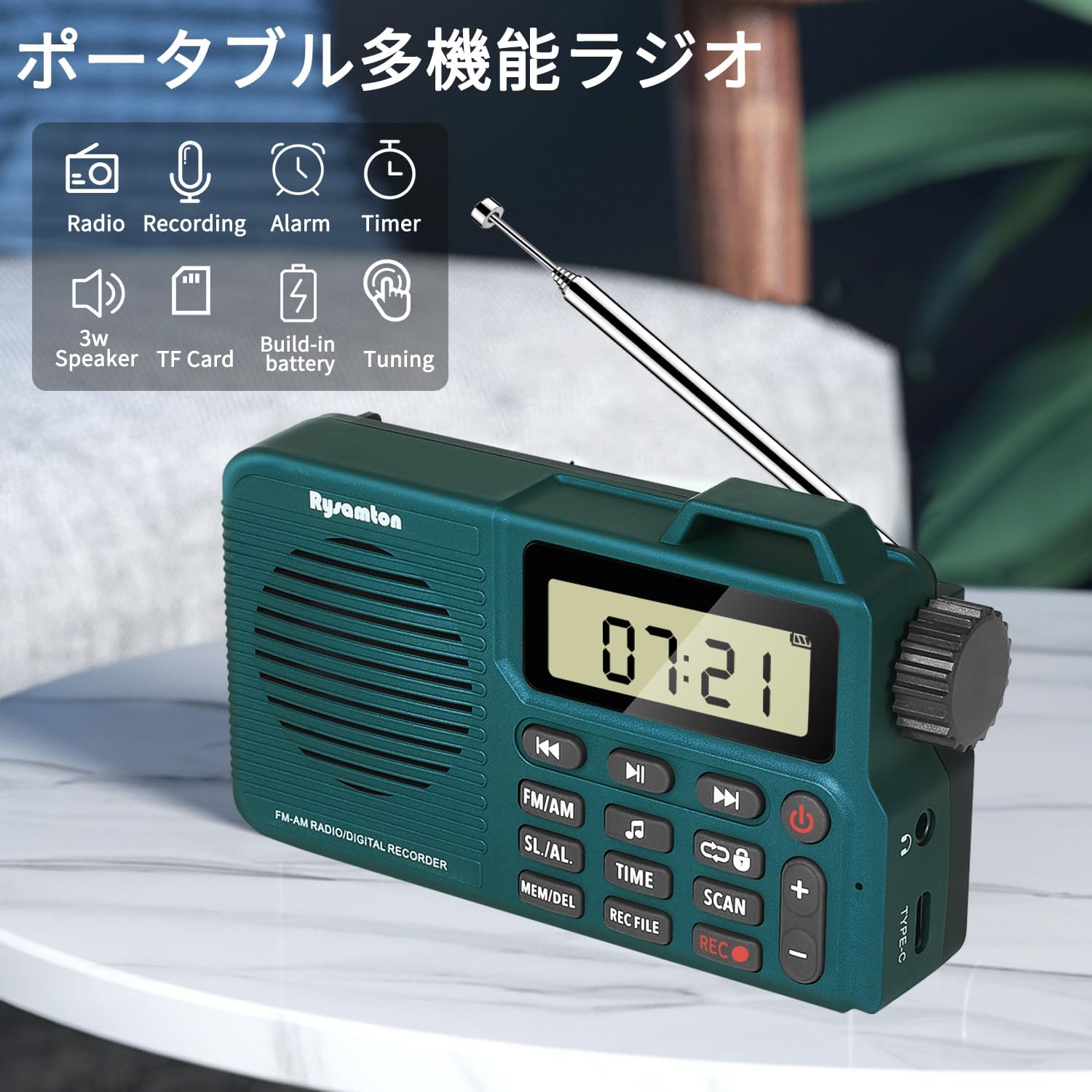
Image: The YOREK YK-903 radio displaying its various functions including radio, recording, alarm, timer, 3W speaker, TF card support, built-in battery, and tuning capabilities.
Product Overview
Key Features:
- Multi-functional Design: Enjoy FM/AM radio, Micro SD card playback, one-touch recording, alarm clock, and time display.
- High Sensitivity Reception: Equipped with a high-performance DSP digital tuner and a 360-degree rotating antenna for excellent FM/AM reception.
- Compact and Portable: Designed for convenience with a pocket-friendly size (120mm W x 27mm D x 69mm H) and a weight of approximately 240g.
- Long-lasting Battery: Features a built-in 2000mAh rechargeable lithium battery, providing up to 20 hours of continuous playback on a 3-hour charge (at medium volume).
- High-Quality Audio: Integrated 40mm full-range speaker with an independent bass vibration plate delivers a superior listening experience.
- Recording Capability: One-touch recording allows you to capture radio programs or external audio via the built-in microphone.
- User-Friendly Display: Large LCD screen with bright backlight and large font for clear visibility from multiple angles.
- Alarm and Sleep Timer: Set alarms with either radio sound or an electronic tone. The sleep timer can be set from 15 to 120 minutes for automatic power-off.
Components:
- YOREK YK-903 Radio Unit
- Type-C Charging Cable
- User Manual (this document)

Image: The YOREK YK-903 radio highlighting its compact dimensions and key controls like the large LCD display, tuning knob, and one-touch recording button.
Setup
1. Initial Charge:
Before first use, fully charge the radio. Connect the supplied Type-C charging cable to the radio's Type-C port and the other end to a USB power adapter (not included) or a computer's USB port. A full charge takes approximately 3 hours.

Image: The YOREK YK-903 radio illustrating its Type-C charging capability and the 2000mAh battery, which provides up to 20 hours of playback on a 3-hour charge.
2. Inserting a Micro SD Card (Optional):
To use the MP3 playback or recording functions, insert a Micro SD card (up to 32GB, not included) into the Micro SD card slot located on the side of the radio. Ensure the card is inserted correctly until it clicks into place.
Operating Instructions
Power On/Off:
Press and hold the Power button ( ) to turn the radio on or off.
Radio Reception (FM/AM):
- Extend the telescopic antenna for optimal FM reception. For AM reception, the internal AM antenna is used.
- Press the FM/AM button to switch between FM and AM bands.
- Automatic Search: Press and hold the SCAN button. The radio will automatically search for and save available stations.
- Manual Tuning: Rotate the large tuning knob on the side to fine-tune frequencies.
- Saving/Deleting Stations: Refer to the detailed instructions in the included manual for specific steps on manually saving or deleting stations.

Image: The YOREK YK-903 radio demonstrating its stable reception capabilities, featuring a high-performance DSP chip and a 360-degree rotating antenna.
Recording Function:
Ensure a Micro SD card is inserted before recording.
- One-Touch Recording: While listening to the radio or external audio (via built-in mic), press the REC button () to start recording. Press it again to stop.
- Recorded files are saved to the Micro SD card.

Image: A user engaging with the YOREK YK-903 radio, demonstrating its one-touch recording feature for both radio broadcasts and external audio via the built-in microphone, along with one-touch playback.
MP3 Playback:
- Insert a Micro SD card containing MP3 files.
- Press the REC FILE button to access recorded files or MP3s on the card.
- Use the Previous/Next buttons () to navigate through tracks.
- Press the Play/Pause button () to play or pause.
Alarm Clock Function:
- Press the SL/AL button to enter alarm setting mode.
- Use the Volume +/- buttons to adjust the time.
- Press the SL/AL button again to confirm and move to the next setting (e.g., alarm sound type).
- You can choose between a radio sound or an electronic tone for the alarm.
- The clock supports 12H and 24H formats.
Sleep Timer Function:
- Press the TIME button to activate the sleep timer.
- Repeatedly press the TIME button to cycle through available sleep timer durations (15, 30, 45, 60, 90, 120 minutes).
- The radio will automatically power off after the selected duration.
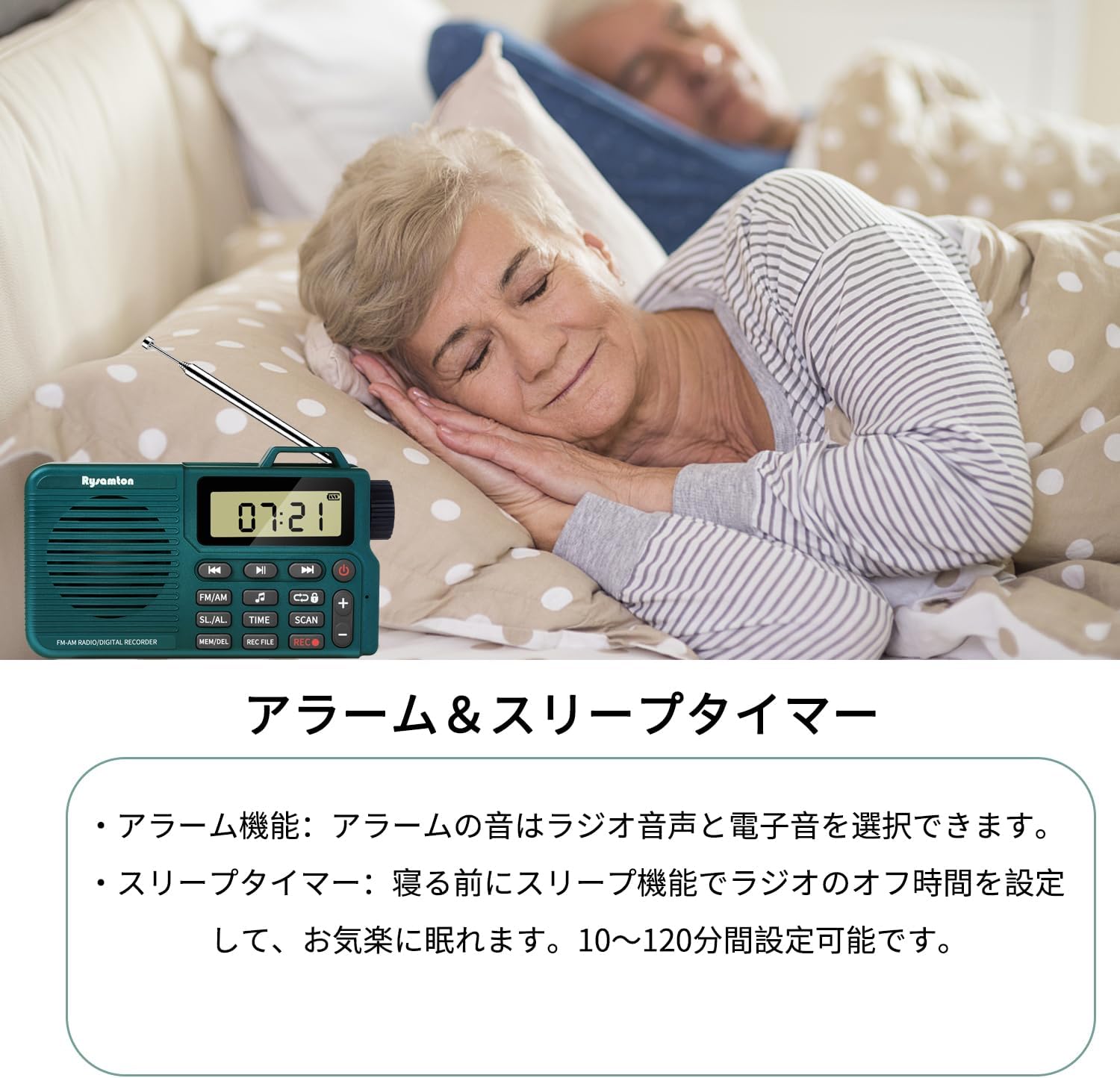
Image: The YOREK YK-903 radio in a bedroom setting, demonstrating its alarm and sleep timer features, allowing users to fall asleep to music and wake up to a chosen sound.
Using Headphones:
Connect 3.5mm headphones (not included) to the headphone jack on the side of the radio for private listening.

Image: A person using the YOREK YK-903 radio with headphones connected via the 3.5mm jack, enabling private listening.
Maintenance
- Clean the radio with a soft, dry cloth. Do not use liquid cleaners or abrasive materials.
- Avoid exposing the radio to extreme temperatures, direct sunlight, or high humidity.
- Do not attempt to disassemble or repair the radio yourself, as this will void the warranty.
- When not in use for extended periods, store the radio in a cool, dry place and charge it periodically to maintain battery health.
Troubleshooting
| Problem | Possible Cause | Solution |
|---|---|---|
| No power/Won't turn on | Battery is depleted. | Charge the radio using the provided Type-C cable. |
| Poor radio reception | Antenna not extended or poor signal area. | Extend the telescopic antenna fully. Try repositioning the radio or moving to an area with better signal. |
| Recording not working | No Micro SD card inserted or card is full/corrupted. | Ensure a Micro SD card is properly inserted. Check if the card has free space or try a different card. |
| MP3 files not playing | Micro SD card not inserted, files are not MP3 format, or card is corrupted. | Verify Micro SD card insertion. Ensure files are in MP3 format. Try reformatting the card or using a different one. |
| Alarm not sounding | Alarm not set correctly or volume is too low. | Check alarm settings and ensure the volume is audible. |
Specifications
| Model Number | YK-903 |
| Brand | YOREK |
| Display Type | Digital |
| Tuner Type | DSP (FM/AM/SW) |
| Supported Frequencies | AM, FM |
| Speaker | 40mm Full-range speaker |
| Battery Capacity | 2000mAh Lithium Rechargeable Battery |
| Charging Time | Approx. 3 hours |
| Playback Time | Up to 20 hours (at medium volume) |
| Micro SD Card Support | Up to 32GB |
| Dimensions (W x D x H) | 12.4 x 2.8 x 7.3 cm |
| Weight | 240 g |
| Included Accessories | Type-C Charging Cable, User Manual |
Warranty and Support
YOREK is committed to providing high-quality products and services. Your YOREK YK-903 radio comes with a 12-month warranty from the date of purchase. During this warranty period, if any defects occur, we will provide a free replacement.
If you have any questions or encounter issues with your product, please do not hesitate to contact our customer service. We aim to respond to all inquiries within 24 hours.
For support, please visit the YOREK store on Amazon or contact us directly through the platform where you made your purchase.