
kaysunlink A18
Kaysunlink A18 Mini Body Camera User Manual
Model: A18
Introduction
The Kaysunlink A18 Mini Body Camera is a portable, wearable device designed for capturing high-definition video and audio. Its compact size and versatile clip allow for easy attachment to clothing or bags, making it ideal for various personal and professional recording needs. This manual provides comprehensive instructions for setting up, operating, maintaining, and troubleshooting your A18 body camera.

Image: Kaysunlink Mini Body Camera banner, showcasing the compact design of the camera.
What's in the Box
Please verify that all items listed below are included in your package:
- Kaysunlink A18 Mini Body Camera (with 64GB memory card pre-installed)
- USB Charging Cable
- USB Card Reader
- User Manual
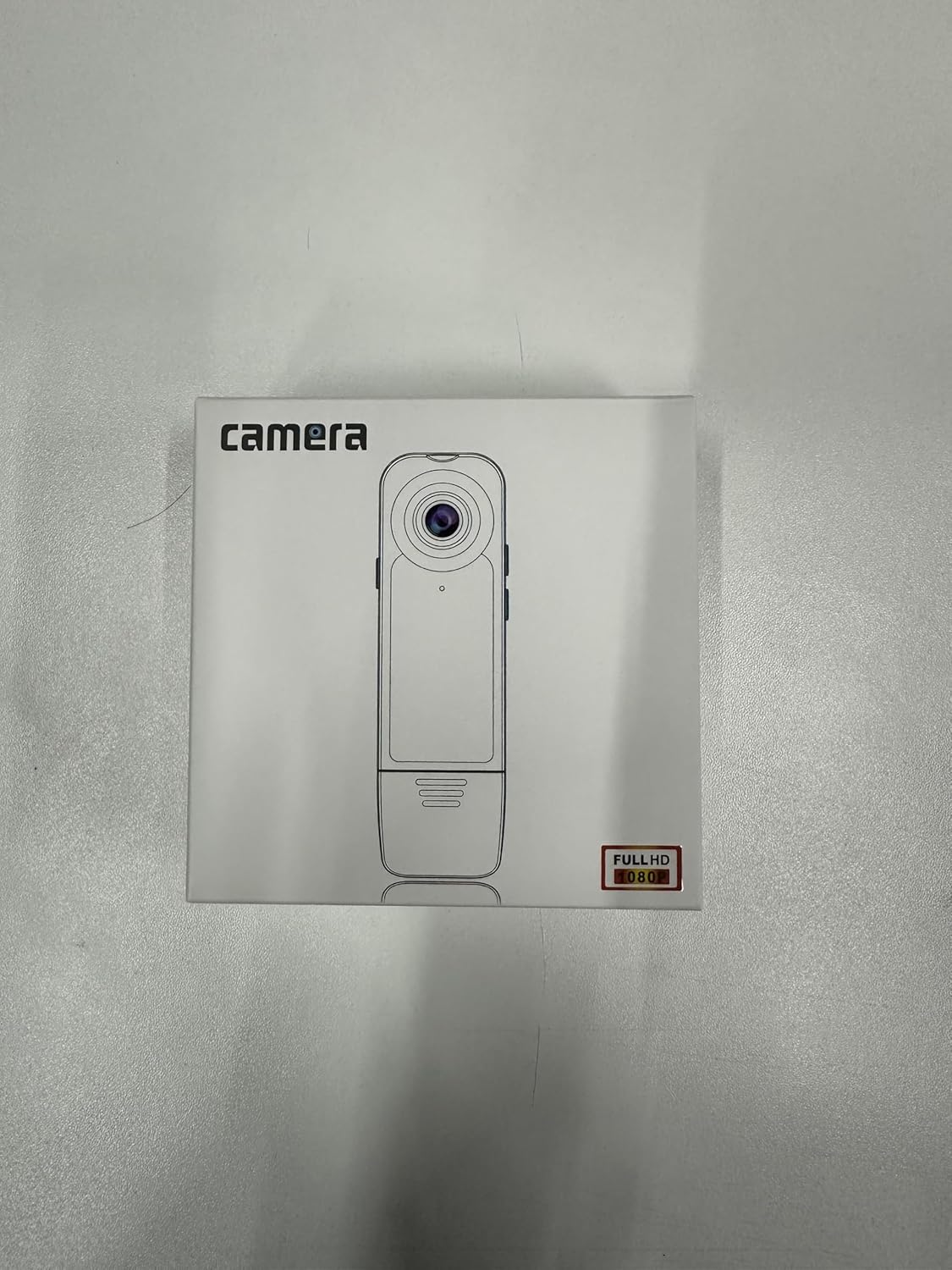
Image: The retail packaging of the Kaysunlink A18 Mini Body Camera, showing the camera and included accessories.
Product Overview
The A18 Mini Body Camera is designed for ease of use and portability. It features a durable casing and a convenient clip for secure attachment.
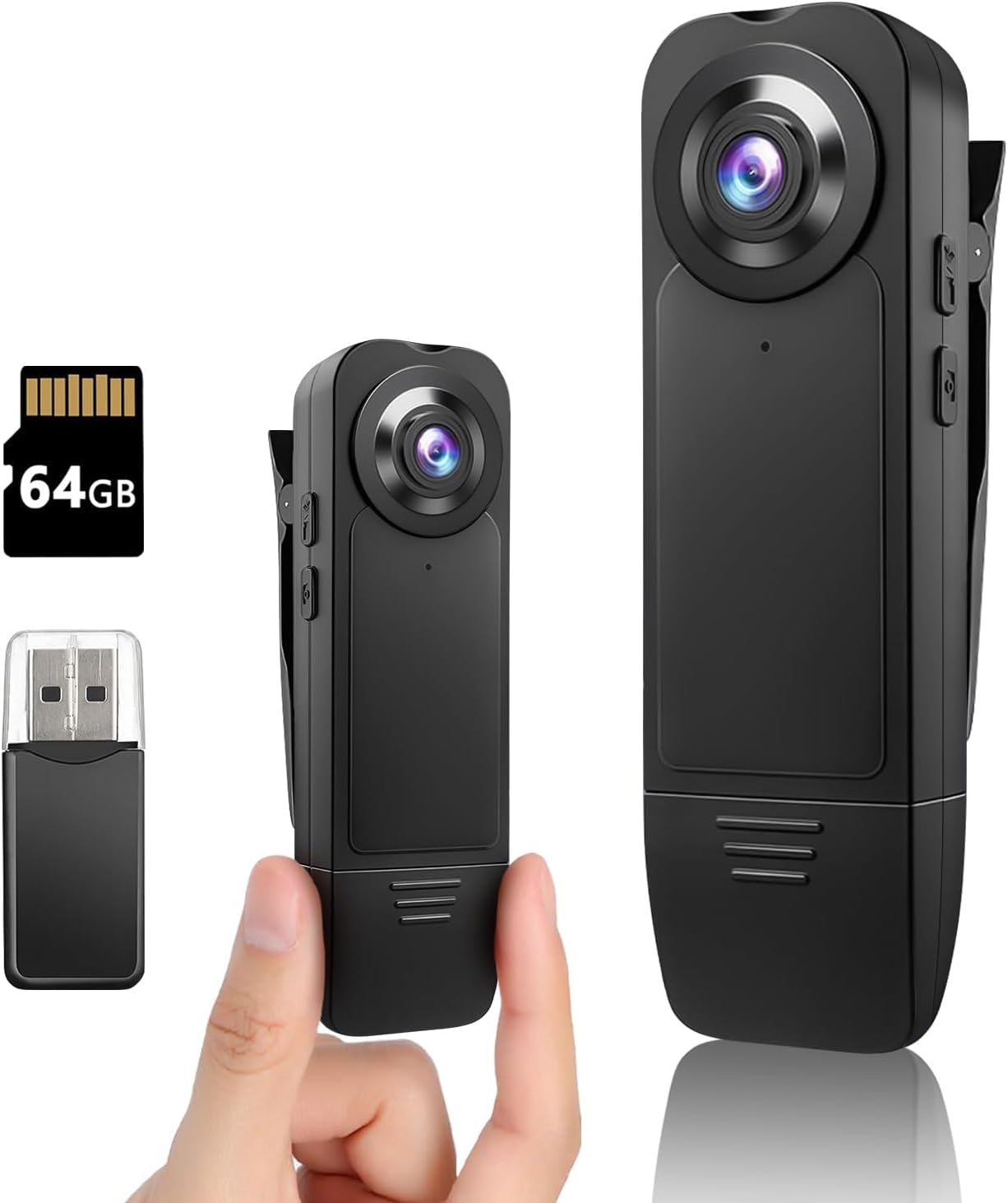
Image: Front view of the Kaysunlink A18 Mini Body Camera, alongside a 64GB microSD card and a USB card reader, highlighting its compact size.
Key Components:
- Camera Lens: Captures 1080P FHD video and photos.
- Clip: Allows for easy attachment to clothing, bags, or other surfaces.
- Power Button: Used to turn the device on/off and initiate recording/photo capture.
- Infrared Lights: Enable night vision recording in low-light conditions.
- Microphone: Records audio during video capture.
- USB Port: For charging and data transfer.
- MicroSD Card Slot: Houses the pre-installed 64GB memory card for storage.

Image: Two Kaysunlink A18 Mini Body Cameras, one being held to illustrate its small and portable design.
Setup
1. Charging the Battery:
Before first use, fully charge the camera. Connect the provided USB charging cable to the camera's USB port and the other end to a USB power adapter (not included) or a computer's USB port. The indicator light will show charging status and turn off when fully charged. A full charge provides 4-6 hours of recording time.
2. Memory Card:
The A18 camera comes with a pre-installed 64GB high-speed memory card. Ensure it is properly seated in the MicroSD card slot before operation. This card can store approximately 10 hours of video files.
Operating Instructions
1. Power On/Off:
- To Power On: Press and hold the Power button until the indicator light illuminates.
- To Power Off: Press and hold the Power button until the indicator light turns off.
2. Video Recording:
Once powered on, press the Power button once to start video recording. The indicator light will flash to indicate recording is in progress. Press the Power button again to stop recording. The camera supports 1080P FHD resolution.

Image: A visual representation of the camera's video recording capability, emphasizing 1080 HD resolution and 64GB storage.
3. Photo Capture:
While the camera is on, press the dedicated Photo button (if available, otherwise a quick double-press of the Power button might be used, refer to specific button layout on device) to capture a still image. The indicator light will flash once to confirm a photo has been taken.
4. Night Vision:
To activate night vision, locate the dedicated button for infrared lights (refer to device diagram). Press this button to turn on the infrared lights for recording in low-light or dark environments. Press again to turn off.

Image: The camera highlighting its motion detection, long endurance, and night vision features, with an illustration of motion detection in action.
5. Loop and Motion Record:
- Loop Recording: The camera supports loop recording, automatically overwriting the oldest files when the memory card is full. This ensures continuous recording without manual intervention.
- Motion Detection: The A18 features motion detection mode, which starts recording automatically when movement is detected. This is useful for capturing incidents while the camera is stationary.

Image: Various application scenarios for the camera, including fishing, law enforcement, meetings, and hiking, demonstrating its versatility.
Viewing Files
There are two primary methods to view recorded videos and photos:
1. Via Memory Card Reader:
Carefully remove the memory card from the camera. Insert the memory card into the provided USB card reader, then connect the card reader to your computer or compatible phone. You can then access and transfer the files.
2. Via USB Cable:
Connect the camera directly to your computer using the provided USB cable. The camera will appear as a removable disk drive, allowing you to browse and transfer files.

Image: A visual guide demonstrating how to view recorded files, either by using a card reader or by connecting the camera directly via USB cable.
Maintenance
- Keep the camera clean and free from dust and debris. Use a soft, dry cloth for cleaning.
- Avoid exposing the camera to extreme temperatures, direct sunlight, or moisture.
- Do not attempt to disassemble the camera, as this will void the warranty.
- Regularly back up your recorded files to prevent data loss.
- Format the memory card periodically (e.g., once a month) to maintain optimal performance.
Troubleshooting
| Problem | Solution |
|---|---|
| Camera not turning on. | Ensure the battery is charged. Connect to a power source and try again. |
| Cannot record video/take photos. | Check if the memory card is inserted correctly and has sufficient free space. Format the card if necessary. |
| Poor video quality. | Ensure the lens is clean. Check lighting conditions; activate night vision if in low light. |
| Computer not recognizing the camera. | Try a different USB port or cable. Ensure the camera is powered on when connected. Use the card reader as an alternative. |
Specifications
| Feature | Detail |
|---|---|
| Brand | Kaysunlink |
| Model Number | A18 |
| Video Resolution | 1080p FHD |
| Photo Sensor Technology | CMOS |
| Flash Memory Type | Micro SD (64GB included) |
| Battery Capacity | 1000 mAh |
| Battery Life | 4-6 hours (recording) |
| Connectivity Technology | Wired (USB) |
| Special Features | Body camera, Motion Detection, Night Vision |
| Item Weight | 3.52 ounces |
| Product Dimensions | 0.04 x 0.04 x 0.39 inches |

Image: The back of the product box, displaying key parameters and specifications of the camera.
Warranty and Support
Kaysunlink offers a 30-day free return and replacement policy. For any product inquiries, technical support, or warranty claims, please contact Kaysunlink customer service.
Customer Service Email: kksupport@163.com
Kaysunlink is committed to providing intuitive features and personal security protection products, ensuring customer satisfaction.

Image: Icons representing Kaysunlink's after-sales support, including 24-hour online service, no worries after-sale, adequate stock, safety material, and 30-day free return/replacement.
Related documentsA18


Ask a question about this manual
Ask about setup, troubleshooting, compatibility, parts, safety, or missing instructions. Manuals+ will review the question and use this page’s manual context to help answer it.