
1. Product Overview
This document provides instructions for the EasyKeys Replacement Key, specifically designed for ABUS locks with the code G06317. This key is a custom-cut replacement for ABUS Key Series G00001 - G09999, compatible with ABUS, DISKUS, and BUFFO (INSTACODE) padlock systems. It is cut on a CI-DL key blank.
Key Features:
- Replacement Key for ABUS G06317.
- Custom Cut Key for precise fit.
- Compatible with ABUS manufacturers.
- Durable Brass material.
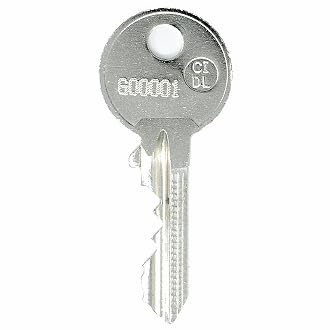
Image 1: EasyKeys Replacement Key for ABUS G06317. This image shows the physical appearance of the replacement key.
2. Before Use: Finding Your Lock Code
Before using your replacement key, it is crucial to verify that your lock code and manufacturer match the product title (ABUS G06317). Lock codes are manufacturer-specific, and key cuts differ even if codes appear similar across brands.
Common Locations to Find Your Lock Code:
- On the Key: The code may be stamped directly on your existing key (e.g., FR322).
- On the Lock Face: For some locks, the code is engraved on the visible face of the lock cylinder (e.g., FR322).
- On a Label Inside/Behind the Lock: For cabinet or drawer locks, the code might be on a sticker or label located inside or behind the lock mechanism (e.g., CODE: G38).
- On the Cabinet/Door Label: In some installations, the code is found on a label affixed to the cabinet or door itself, near the lock (e.g., HF321).
Note: The provided replacement key is specifically for ABUS G06317. Ensure your existing lock code matches this exact specification.
3. Operating Instructions
To operate your lock with the EasyKeys Replacement Key:
- Gently insert the replacement key into the lock's keyway.
- Turn the key clockwise or counter-clockwise, depending on the lock mechanism, to engage or disengage the lock.
- Remove the key after operation.
If the key does not insert smoothly or turn easily, do not force it. Refer to the Troubleshooting section.
4. Maintenance
To ensure the longevity and proper function of your replacement key:
- Keep the key clean and free from dirt or debris.
- Avoid exposing the key to harsh chemicals or extreme temperatures.
- Store the key in a safe place to prevent bending or damage.
5. Troubleshooting
If you encounter issues with your EasyKeys Replacement Key:
- Key does not insert: Double-check that the lock code on your lock precisely matches G06317. Ensure there is no obstruction in the keyway.
- Key does not turn: Verify the lock code again. Ensure the key is fully inserted. The lock mechanism might be jammed or require lubrication. Do not force the key, as this can cause damage to both the key and the lock.
- Key is bent or damaged: A damaged key may not function correctly and could damage the lock. A replacement key may be necessary.
If troubleshooting steps do not resolve the issue, please contact EasyKeys customer support for assistance.
6. Specifications
| Attribute | Detail |
|---|---|
| Brand | EasyKeys |
| Model Name | G06317 |
| Model Number | G06317-abus-key-1516980 |
| Manufacturer | ABUS |
| Material | Brass |
| Lock Type | Cam |
| Special Feature | Adjustable Fit, Custom Cut Key, Durable |
| Item Dimensions (L x W x H) | 0.5 x 0.5 x 1 inches |
| Item Weight | 4 ounces |
| Included Components | Key |
7. Warranty Information
This product is subject to a 30-day return policy for refund or replacement. Please retain your proof of purchase for any warranty claims.
8. Customer Support
For further assistance, questions, or support regarding your EasyKeys Replacement Key, please contact EasyKeys customer service. You can visit the EasyKeys Store on Amazon for contact information or additional resources.