1. Introduction
This manual provides essential instructions for the safe and effective operation of your Vangoa VK80 Pro Professional Karaoke Machine. Please read this manual thoroughly before use and retain it for future reference. Proper understanding of these instructions will ensure optimal performance and longevity of your device.
Safety Information
- Do not expose the unit to rain or moisture to prevent fire or electric shock.
- Do not block ventilation openings. Ensure adequate space around the unit for proper airflow.
- Use only the power adapter supplied with the unit.
- Keep the unit away from heat sources such as radiators, heat registers, stoves, or other apparatus that produce heat.
- Do not attempt to service the unit yourself. Refer all servicing to qualified service personnel.
2. Package Contents
Verify that all items listed below are included in your package. If any items are missing or damaged, please contact customer support.
- Vangoa VK80 Pro Professional Karaoke Machine
- 14.1" Lyrics Display Touch Screen (integrated)
- 2 x UHF Wireless Microphones
- Remote Control
- Power Adapter
- HDMI Cable
- Microphone Storage Bag
- User Manual

Image: The Vangoa VK80 Pro Karaoke Machine shown with its included accessories: two wireless microphones, a remote control, and a microphone storage bag.
3. Product Overview
The Vangoa VK80 Pro is a portable karaoke system designed for high-quality audio and versatile connectivity. It features a built-in touch screen, powerful speakers, and wireless microphones for an engaging user experience.
Main Unit Components
- Speaker System: Includes a 12-inch Subwoofer, two 6-inch Woofers (Midrange), and a 3-inch Tweeter for a full-range sound experience.
- 14.1" HD Touch Screen: Integrated display for lyrics, app navigation, and system control.
- Control Panel: Located on the side, providing access to audio adjustments, input selections, and power.
- Wheels and Handle: Equipped with silent lock swivel wheels and a pull-button handle for easy portability.
- LED Lights: Dynamic, colorful lights integrated into the speaker grille.

Image: The Vangoa VK80 Pro Karaoke Machine, showcasing its main unit with integrated screen, two wireless microphones, and remote control.

Image: An exploded view illustrating the internal speaker components of the Vangoa VK80 Pro, including the 12-inch subwoofer, two 6-inch midrange drivers, and a 3-inch tweeter.
4. Setup
4.1 Unpacking and Initial Inspection
- Carefully remove all components from the packaging.
- Inspect the unit and accessories for any signs of damage. If damage is found, do not use the product and contact customer support.
- Retain the packaging for future transport or storage.
4.2 Charging the Unit
The VK80 Pro features a built-in 12V/12000mAh rechargeable lithium-ion battery, providing 6-8 hours of continuous use on a full charge.
- Connect the supplied power adapter to the DC 12V IN port on the control panel.
- Plug the power adapter into a suitable electrical outlet.
- The charging indicator will illuminate. Allow sufficient time for a full charge before initial use.
4.3 Microphone Setup
The two UHF wireless microphones require 2 AA batteries each (not included).
- Unscrew the bottom cap of each microphone.
- Insert 2 AA batteries into each microphone, observing correct polarity (+/-).
- Replace the bottom caps.
- Power on the microphones using their respective power buttons. They should automatically pair with the main unit.
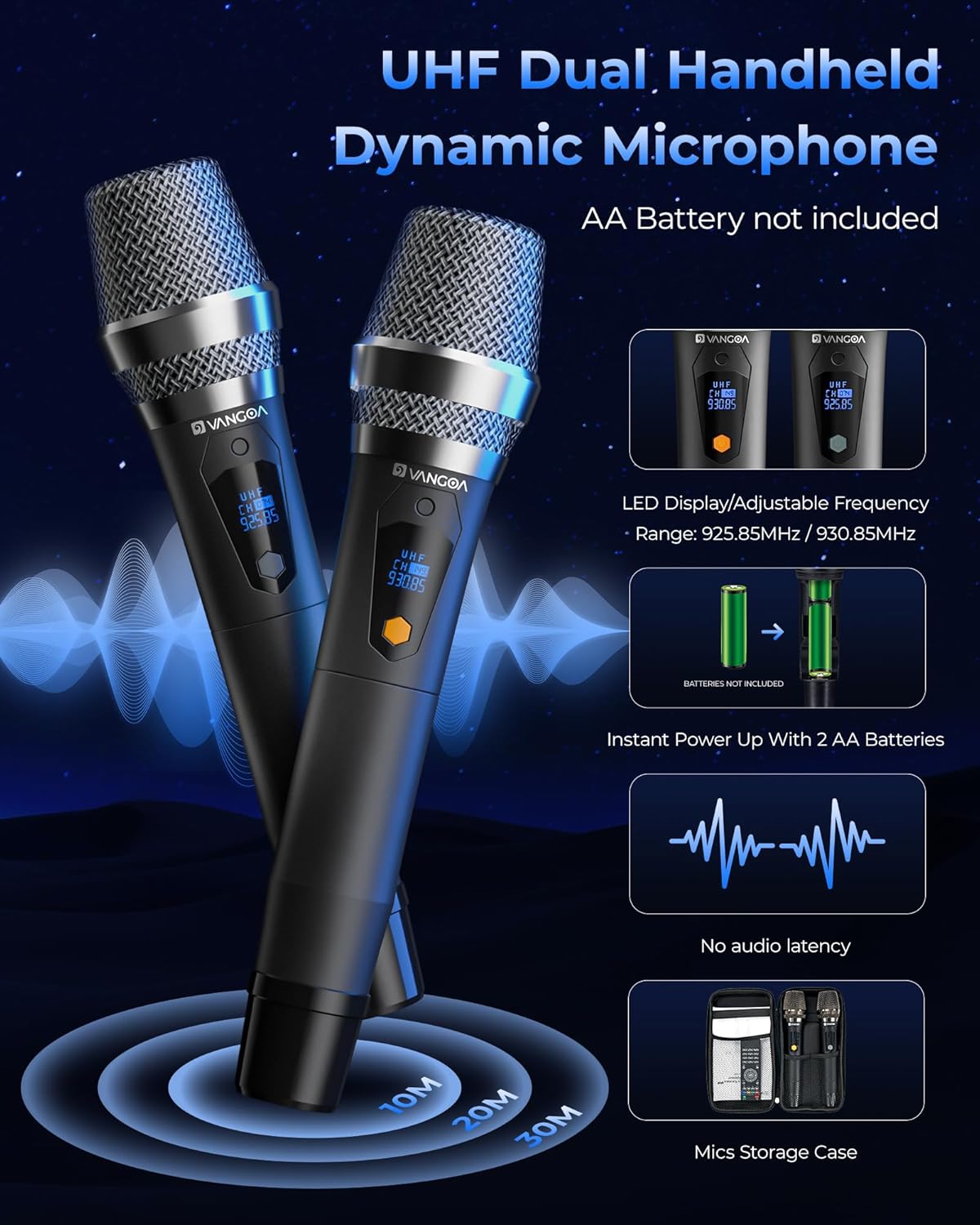
Image: Two Vangoa UHF wireless microphones, showing their LED displays and battery compartment instructions.
4.4 Screen Adjustment and Portability
The integrated 14.1" touch screen offers multi-angle adjustment for optimal viewing.
- Gently adjust the screen to your desired viewing angle. It supports up to 270 degrees of rotation.
- For portability, extend the pull-button handle and utilize the silent lock swivel wheels to move the unit.

Image: The Vangoa VK80 Pro demonstrating its multi-angle adjustable screen and options for connecting to an external display via HDMI.
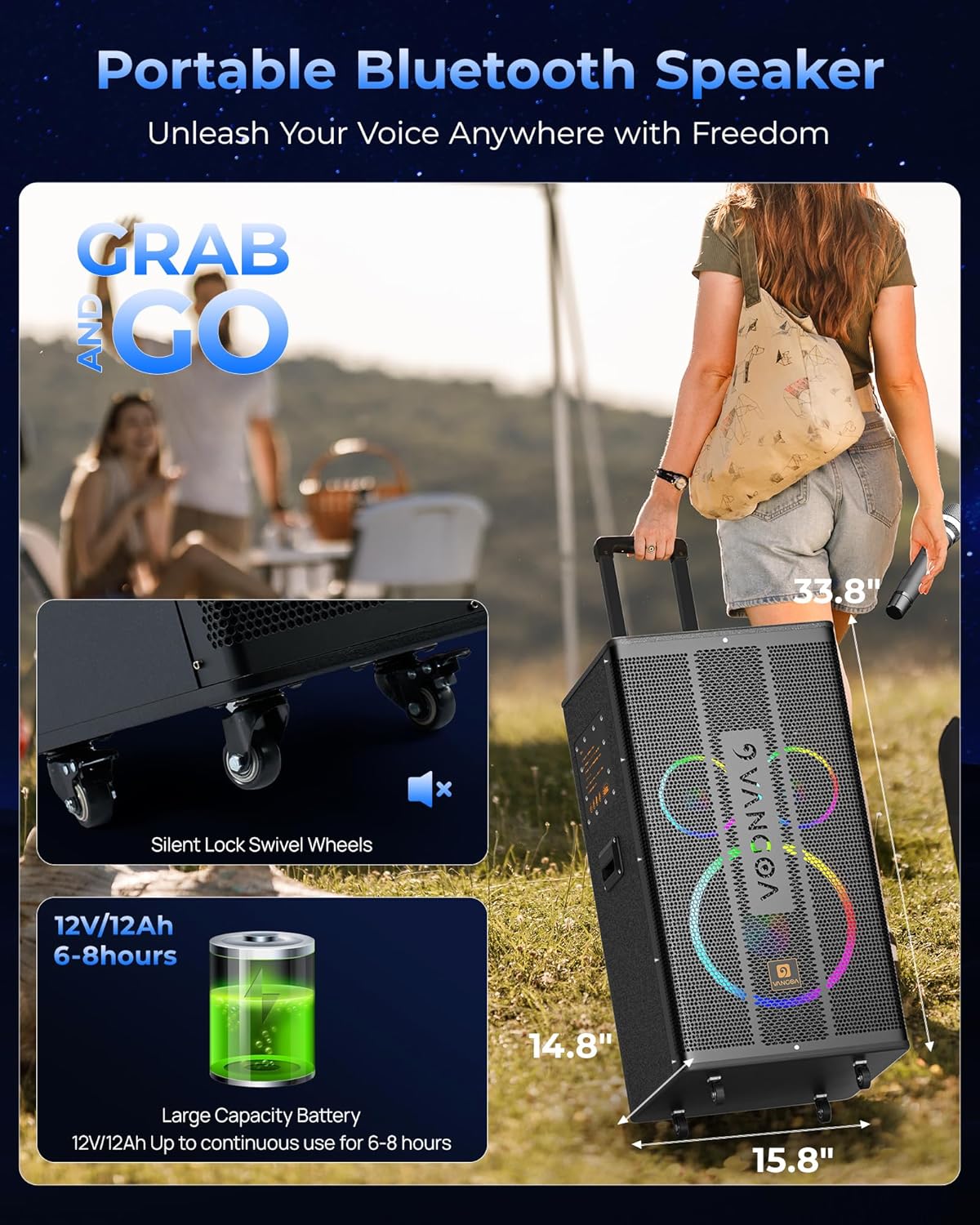
Image: The Vangoa VK80 Pro highlighting its portable design with silent lock swivel wheels and a graphic indicating its large capacity battery for extended use.
5. Operating Instructions
5.1 Power On/Off
Locate the POWER switch on the control panel. Press to turn the unit on or off.
5.2 Control Panel Functions
The control panel provides comprehensive audio and input management.

Image: A detailed view of the Vangoa VK80 Pro control panel, showing various knobs and ports for audio adjustment and connectivity.
- VOLUME: Master volume control for the entire system.
- MIC.VOL: Adjusts the volume of the wireless microphones.
- BASS / TREBLE (Music): Adjusts the bass and treble levels for music playback.
- BASS / TREBLE (Mic): Adjusts the bass and treble levels for microphone input.
- ECHO / DELAY: Controls the echo and delay effects for microphone vocals.
- GUITAR / MIC Input: Ports for wired guitar or microphone connections.
- USB / TF Card Slots: For playing media from USB drives or TF cards.
- AUX IN / AUX OUT: For connecting external audio sources or outputting audio to other devices.
- HDMI 1 / HDMI 2 (ARC IN): HDMI ports for video output and audio input (ARC function for TVs).
5.3 Audio Input Modes
The VK80 Pro supports multiple audio input options:
- Bluetooth 5.0: Enable Bluetooth on your external device (e.g., smartphone, tablet) and select 'Vangoa VK80 Pro' from the list of available devices to pair.
- USB / TF Card: Insert a USB flash drive or TF card containing audio files into the respective slot. The system will automatically detect and play the content.
- AUX IN: Connect an external audio source (e.g., MP3 player, laptop) using a 3.5mm audio cable to the AUX IN port.
- HDMI: Connect to a TV or monitor using an HDMI cable. HDMI 1 mirrors the screen, while HDMI 2 (ARC IN) can route audio from a compatible TV back to the karaoke machine.
- Guitar Input: Connect an electric instrument with a 6.35mm jack to the GUITAR input.

Image: The Vangoa VK80 Pro control panel illustrating various connectivity options including Bluetooth, Line-In, TF Card, and USB.
5.4 Microphone Usage and Effects
The wireless microphones offer clear audio and various sound effects.
- Ensure microphones are powered on and paired.
- Use the MIC.VOL knob on the control panel to adjust microphone volume.
- Adjust ECHO and DELAY knobs for vocal effects.
- The system supports various voice control sound effects such as Handclap, Kiss, Voice Changer, Mixer, Professional, and Echo, accessible via the screen interface or remote control.
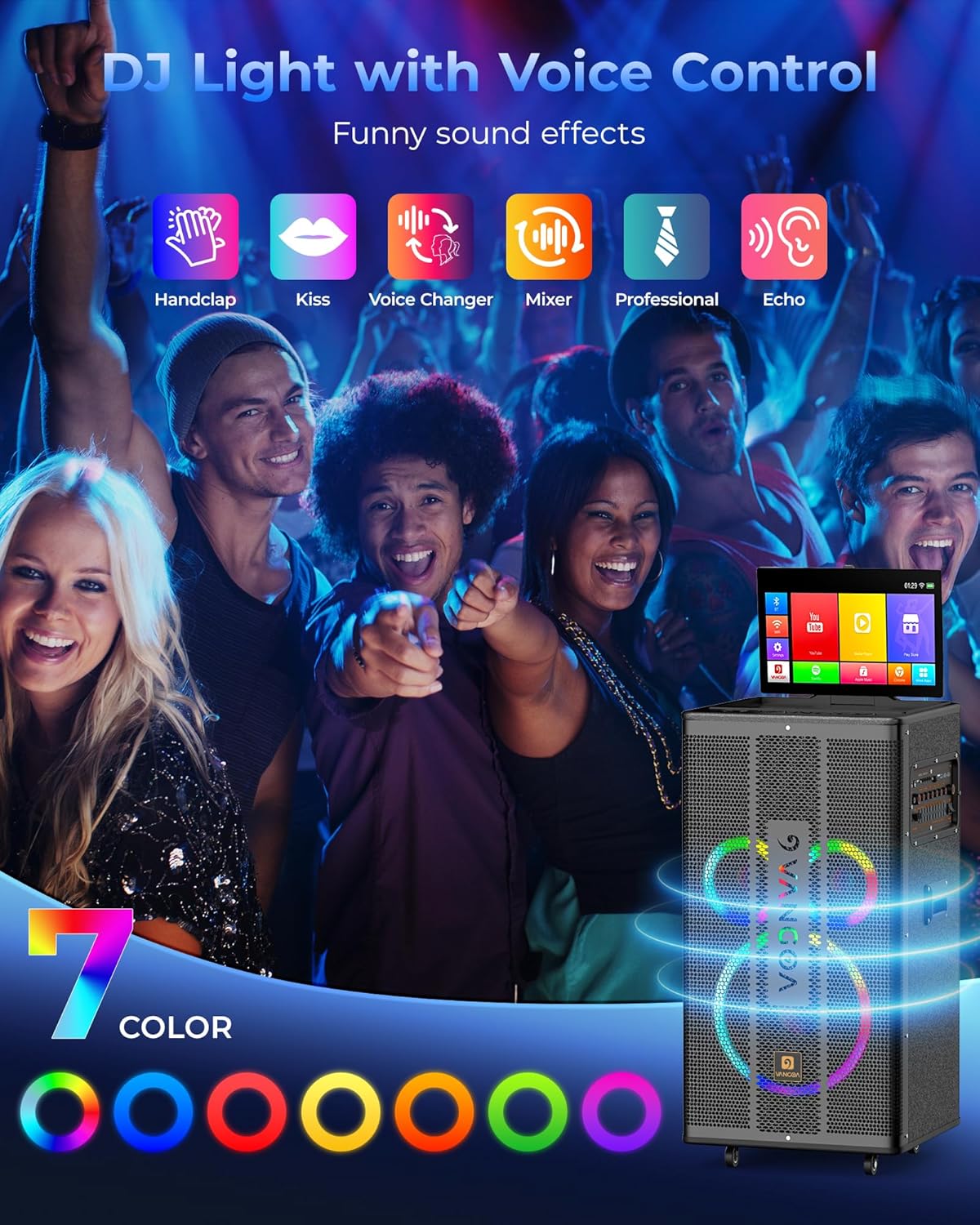
Image: The Vangoa VK80 Pro displaying its colorful LED lights and icons representing various voice control sound effects like Handclap, Kiss, and Voice Changer.
5.5 Lyrics Display and Apps
The 14.1" HD touch screen provides a clear display for lyrics and access to pre-installed applications.
- Navigate the screen interface using touch gestures or the remote control.
- Access pre-installed apps for karaoke content, streaming, and other functions.
- The screen is compatible with most live and recording applications.

Image: A close-up of the Vangoa VK80 Pro's 14.1-inch HD touch screen displaying a song list and app icons, emphasizing its high resolution and responsiveness.
5.6 LED Lights
The unit features colorful LED lights that synchronize with the music beat.
- The LED lights activate automatically when the unit is powered on.
- The DJ lights can be turned off via the control panel or screen settings if desired.

Image: The Vangoa VK80 Pro showcasing its vibrant, colorful disco lights, which sync with music to create an instant party atmosphere.
5.7 Live Streaming Function
The VK80 Pro supports live streaming functionality, allowing users to connect and broadcast their performances.

Image: The Vangoa VK80 Pro integrated into various scenarios, including live streaming, connecting to musical instruments like guitars, and group karaoke sessions.
6. Maintenance
6.1 Cleaning
- Wipe the exterior of the unit with a soft, dry cloth.
- For the touch screen, use a microfiber cloth specifically designed for electronics. Do not use abrasive cleaners or solvents.
- Ensure all ports are free of dust and debris.
6.2 Battery Care
- To prolong battery life, fully charge the unit before long periods of storage.
- If storing for an extended time, recharge the battery every 3-6 months.
- Avoid exposing the unit to extreme temperatures.
6.3 Storage
- Store the unit in a cool, dry place, away from direct sunlight.
- If possible, use the original packaging for storage to protect against dust and physical damage.
7. Troubleshooting
If you encounter issues with your Vangoa VK80 Pro, please refer to the following common problems and solutions:
| Problem | Possible Cause | Solution |
|---|---|---|
| No power | Battery depleted; Power adapter not connected; Power switch off. | Charge the unit; Ensure power adapter is securely connected; Turn power switch on. |
| No sound from speakers | Volume too low; Incorrect input mode selected; External device not connected properly. | Increase master volume; Select correct input mode (Bluetooth, USB, AUX); Check cable connections. |
| Microphones not working | Microphone batteries low/dead; Microphones not powered on; MIC.VOL too low. | Replace AA batteries; Power on microphones; Increase MIC.VOL. |
| Screen is unresponsive or slow | System overload; Software issue. | Restart the unit; Close unnecessary applications; Ensure stable Wi-Fi connection for online content. |
| Wi-Fi connection issues | Weak signal; Router issues; Incorrect password. | Move closer to the Wi-Fi router; Restart router; Re-enter Wi-Fi password. |
If the problem persists after attempting these solutions, please contact Vangoa customer support for further assistance.
8. Specifications
Detailed technical specifications for the Vangoa VK80 Pro Karaoke Machine:
| Feature | Specification |
|---|---|
| Model | VK80 Pro |
| Speaker Configuration | 1 x 12-inch Subwoofer, 2 x 6-inch Woofers (Midrange), 1 x 3-inch Tweeter |
| Output Power | 2 * 80 Watts (Woofers) |
| Display | 14.1-inch HD Touch Screen |
| Microphones | 2 x UHF Wireless Microphones (Range up to 130ft) |
| Connectivity | Bluetooth 5.0, USB, TF Card, AUX IN, AUX OUT, HDMI (1 & 2 with ARC), Guitar Input |
| Battery | 12V/12000mAh Lithium-ion (6-8 hours playtime) |
| Dimensions (L x W x H) | 19.1 x 18.3 x 37.4 inches |
| Item Weight | 63.8 Pounds |
| Material | Acrylonitrile Butadiene Styrene, Polypropylene, Plastic, Rubber |
| Mounting Type | Tabletop (with wheels for portability) |
9. Warranty and Support
Vangoa products are designed for quality and reliability. For specific warranty details, please refer to the warranty card included with your product or visit the official Vangoa website. Keep your purchase receipt as proof of purchase.
Customer Support
If you require technical assistance, have questions about your product, or need to report a missing/damaged part, please contact Vangoa customer support through the retailer where you purchased the product or visit the Vangoa brand store online:


