
1. Product Overview
The UseeLink Smart Wi-Fi Power Strip (Model B0CZLDM3BT) is a versatile smart home device designed to provide convenient power control for your electronics. It features four AC outlets and three USB ports, offering both traditional power and modern charging capabilities. This power strip integrates seamlessly with popular smart home platforms like Apple HomeKit, Amazon Alexa, and Google Home through Matter connectivity, allowing for voice control, remote management, and automated scheduling.
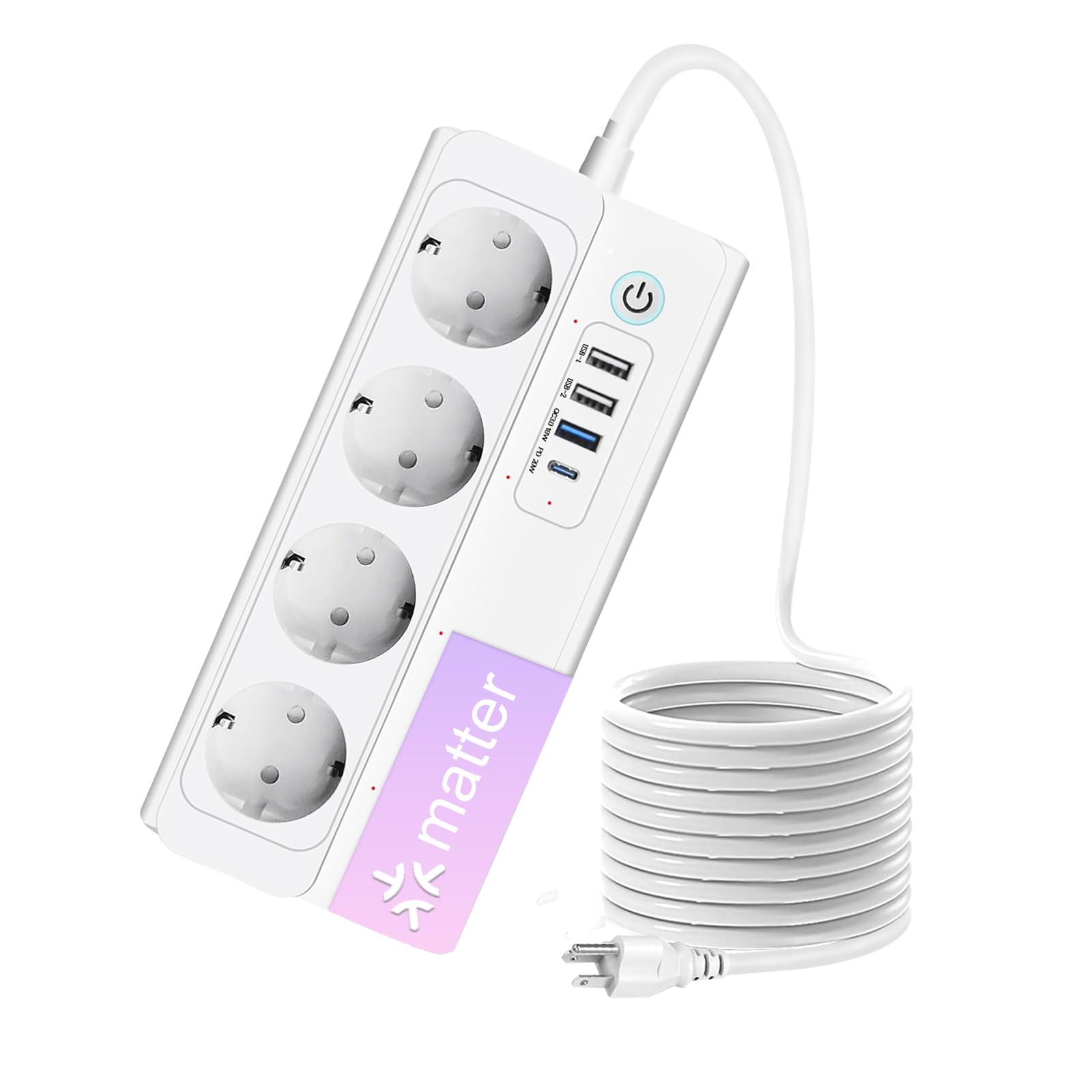
Image: The UseeLink Smart Wi-Fi Power Strip, showcasing its compact design with multiple outlets and USB ports.
Key Features:
- Matter Compatibility: Easy setup and control across Apple Home, Amazon Alexa, Google Home, and SmartThings platforms.
- Offline Control: Devices communicate directly within your local network using Matter protocol, even without an internet connection.
- Remote Access: Control connected devices from anywhere using your smartphone app.
- Voice Control: Hands-free operation with simple voice commands via Siri, Alexa, and Google Assistant.
- Flexible Scheduling & Timer: Automate power ON/OFF times for energy efficiency and convenience.
- Enhanced Safety: FCC certified, constructed with flame-retardant ABS material, and includes short-circuit and overload protection.
- High Power Capacity: Supports up to 3500W and 16A.
2. Safety Information
Please read and follow all safety instructions to prevent injury or damage to the device and connected appliances.
- Do not exceed the maximum load of 3500W / 16A.
- Use indoors only. Avoid exposure to moisture, high temperatures, or direct sunlight.
- Do not disassemble or modify the device. Refer all servicing to qualified personnel.
- Keep out of reach of children.
- Ensure the power strip is fully inserted into a wall outlet.
- The power strip features surge protection. While it offers protection, it is not a substitute for proper electrical grounding and safety practices.
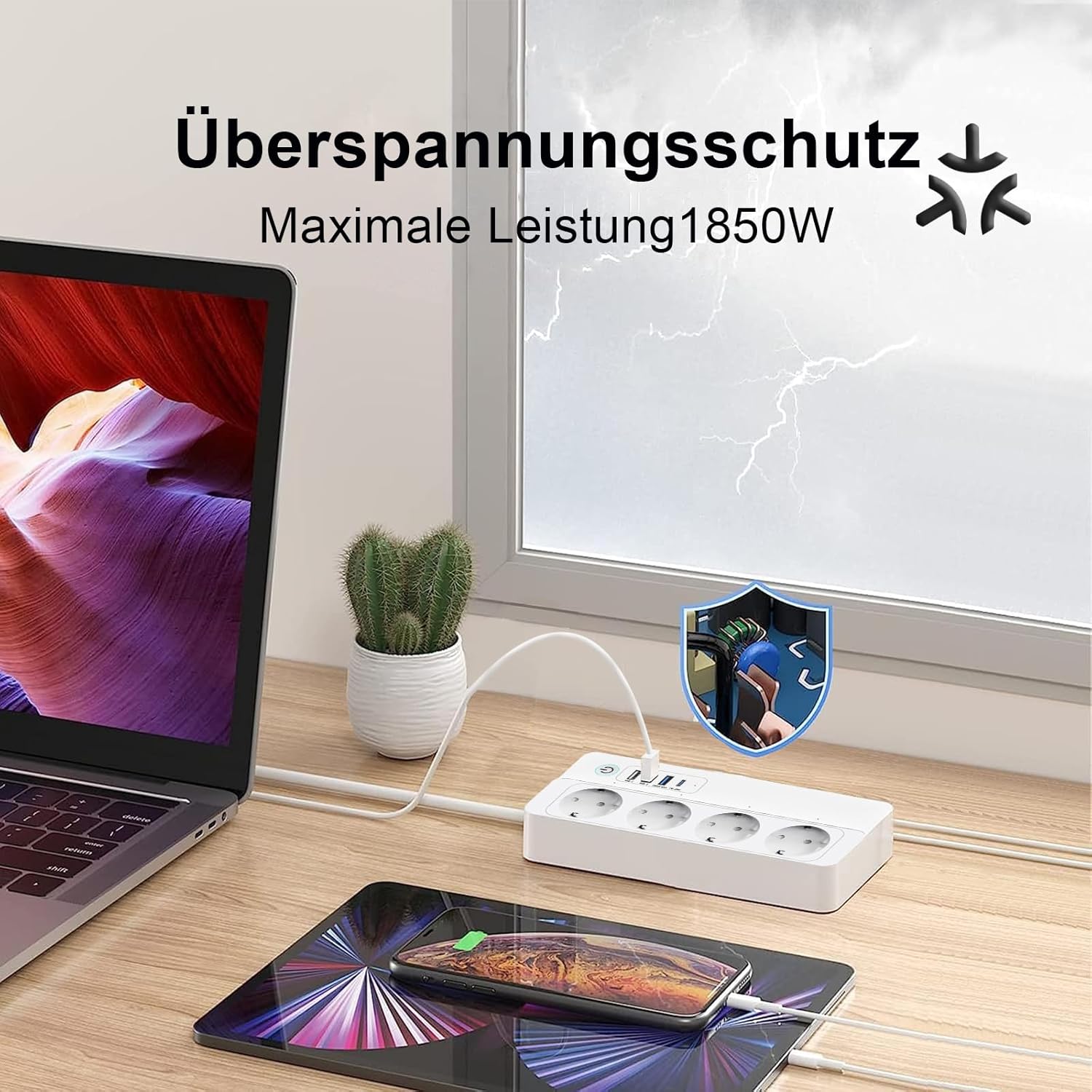
Image: The power strip features surge protection, indicated by a shield icon, with a maximum power rating of 1850W for surge protection.
3. Setup
What's in the Box:
- UseeLink Smart Wi-Fi Power Strip
- User Manual
System Requirements:
- 2.4 GHz Wi-Fi network (5.0 GHz networks are not supported).
- A Matter-compatible hub (e.g., Apple HomePod, Amazon Echo, Google Nest, SmartThings Hub).
- Smartphone or tablet with a compatible smart home app (Apple Home, Amazon Alexa, Google Home, SmartThings).
- Ensure your smart home applications are updated to the latest version.

Image: Selected smart home platforms require a Matter-compatible hub for full functionality. Examples include Apple HomePod, Amazon Echo Dot, Google Nest Mini, and SmartThings Hubs.

Image: App version compatibility details for Alexa (Android/iOS), Apple Home (iOS), Google Home (Android/iOS), and SmartThings (Android/iOS). Ensure your apps meet these minimum requirements for optimal performance.
Installation and Pairing:
- Plug In: Connect the UseeLink Smart Wi-Fi Power Strip to a standard wall outlet.
- Wi-Fi Connection: Ensure your smartphone or tablet is connected to a 2.4 GHz Wi-Fi network.
- Open Smart Home App: Launch your preferred smart home application (Apple Home, Amazon Alexa, Google Home, or SmartThings).
- Add Device: Follow the in-app instructions to add a new Matter-compatible device. This typically involves scanning the QR code located on the power strip or its packaging.
- Complete Setup: Follow any remaining prompts in the app to complete the pairing process and name your device.

Image: Simple and fast connection is achieved by scanning the QR code on the device or packaging using your smartphone's camera. Note that only 2.4 GHz Wi-Fi is supported.
4. Operating Instructions
Manual Control:
The power strip features a physical power button. Press this button to manually turn all connected AC outlets ON or OFF. The USB ports are typically always active when the power strip is plugged in, or they may be controlled as a group via the app.
App Control:
Use your chosen smart home application to control the power strip remotely. You can individually switch each AC outlet ON or OFF, and manage the USB ports as a group. This allows you to power devices on or off from anywhere.

Image: Remote control via the app allows you to manage your devices and save energy from any location.

Image: The app provides remote control, allowing you to check and manage your household appliances anytime, anywhere.
Voice Control:
Integrate your UseeLink Smart Power Strip with voice assistants like Siri, Amazon Alexa, or Google Assistant for hands-free control. Ensure your Matter-compatible hub is properly configured.
- Siri (Apple HomeKit): "Hey Siri, turn on the living room lamp."
- Google Assistant: "Ok Google, turn on the fan."
- Amazon Alexa: "Alexa, turn off the TV."

Image: Voice control allows you to use simple commands like "Hey Siri, turn on the light," "Ok Google, turn on the light," or "Alexa, turn on the light" to operate your devices.

Image: Free your hands with simple voice commands using Alexa and Google Assistant to control your smart devices.
Scheduling and Timer Functions:
Set custom schedules and timers through your smart home app to automate when your devices turn ON or OFF. This feature is ideal for managing lighting, fans, or other appliances to match your daily routine and conserve energy.

Image: Set the power-on time of your device according to your living habits using the timer and schedule functions.

Image: Set a schedule to switch your Smart Plug at a specific time, such as turning off at 10:00 PM.
Offline Control:
The Matter protocol enables your smart devices to communicate directly within your local area network (LAN). This means that once configured, your UseeLink Smart Power Strip can still be controlled by your Matter-compatible hub and other Matter devices even if your internet connection is temporarily unavailable.

Image: Matter devices can communicate and be controlled within your local network even when the internet connection is offline, ensuring continued smart home functionality.
5. Maintenance
To ensure the longevity and proper functioning of your UseeLink Smart Wi-Fi Power Strip, follow these simple maintenance guidelines:
- Cleaning: Always unplug the power strip from the wall outlet before cleaning. Use a dry, soft cloth to wipe the exterior. Do not use liquid cleaners, aerosols, or solvents, as these can damage the device or pose an electrical hazard.
- Storage: If storing the power strip for an extended period, ensure it is unplugged and kept in a cool, dry place away from direct sunlight and moisture.
- Inspection: Periodically inspect the power cord and the power strip for any signs of damage, such as frayed wires or cracked casing. If damage is found, discontinue use immediately and contact support.
6. Troubleshooting
If you encounter issues with your UseeLink Smart Wi-Fi Power Strip, refer to the following common problems and solutions:
- Device not connecting to Wi-Fi:
- Ensure your Wi-Fi network is 2.4 GHz. The device does not support 5.0 GHz networks.
- Verify that the Wi-Fi password entered is correct.
- Make sure the power strip is within range of your Wi-Fi router.
- Restart your Wi-Fi router and try connecting again.
- Matter pairing issues:
- Confirm that your Matter-compatible hub (e.g., HomePod, Echo, Nest, SmartThings Hub) is online and updated to the latest firmware.
- Ensure your smart home application (Apple Home, Alexa, Google Home, SmartThings) is updated to its latest version.
- Try resetting the power strip (refer to device instructions for specific reset procedure, usually holding the power button for several seconds).
- Outlets not responding to app/voice commands:
- Check if the power strip's physical power button is ON.
- Verify that the power strip is connected to your Wi-Fi network and the smart home app.
- Ensure your voice commands are clear and correctly phrased for your specific voice assistant.
- USB ports not charging:
- Check the charging cable for damage and ensure it is properly connected to both the device and the power strip.
- Confirm that the device you are trying to charge is compatible with the USB output specifications.
- Ensure the power strip is receiving power.
7. Specifications
Detailed technical specifications for the UseeLink Smart Wi-Fi Power Strip:

Image: Close-up of the power strip showing the 4 AC sockets, power light, and detailed quick charging specifications for the USB-A and USB-C ports.
| Feature | Specification |
|---|---|
| Brand | UseeLink |
| Model Number | B0CZLDM3BT |
| Manufacturer | Xenon |
| Color | White |
| Total AC Outlets | 4 |
| Total USB Ports | 3 (2x USB-A, 1x USB-C) |
| Max Current | 16 A |
| Max Power | 3500 W |
| Surge Protection Max Power | 1850 W |
| Product Dimensions (L x W) | 20.6 x 10 cm |
| Material | Acrylonitrile Butadiene Styrene (ABS) |
| Power Plug Type | Type E – 2 pins (France) / Type C |
| Wireless Connectivity | Wi-Fi 2.4 GHz (IPv6 supported) |
| Special Features | USB Connector, Timer, Surge Protection, Remote Control, Smart Energy Saving |

Image: Internal cable specification showing 3 x 1.5 mm² conductors, indicating robust construction.
8. Warranty and Support
Warranty Information:
Specific warranty details for the UseeLink Smart Wi-Fi Power Strip are not available in this document. Please refer to the product packaging or the retailer's website for warranty terms and conditions.
Customer Support:
For technical assistance, troubleshooting, or any questions regarding your UseeLink Smart Wi-Fi Power Strip, please contact UseeLink customer service through their official website or the contact information provided with your purchase.