
Introduction
Welcome to the instruction manual for your new MUSTAR Digital Piano. This 88-key semi-weighted keyboard is designed to provide a rich and authentic piano experience for musicians of all levels, from beginners to advanced players. Its portable design, premium sound features, and versatile functions make it an ideal instrument for home practice, learning, and creative expression.
Please read this manual thoroughly to understand all features and ensure proper setup and operation of your digital piano.
Setup Guide
1. Unpacking and Component Check
Carefully remove all components from the packaging. Verify that all items listed below are present:
- MUSTAR 88-Key Digital Piano Unit
- Heavy-Duty Double-X Shaped Stand
- Sustain Pedal
- Power Adapter
- Music Rest (Detachable)
- Waterproof Padded Carry Case
- Dust Cover
- User Manual
2. Stand Assembly
The double-X shaped stand provides stable support for your digital piano. Assemble the stand by aligning the X-frames and securing them with the provided screws and knobs. Ensure the stand is stable before placing the piano unit on top.

Image: The MUSTAR Digital Piano assembled on its X-stand, with the carry case and sustain pedal visible. This image shows the complete setup.
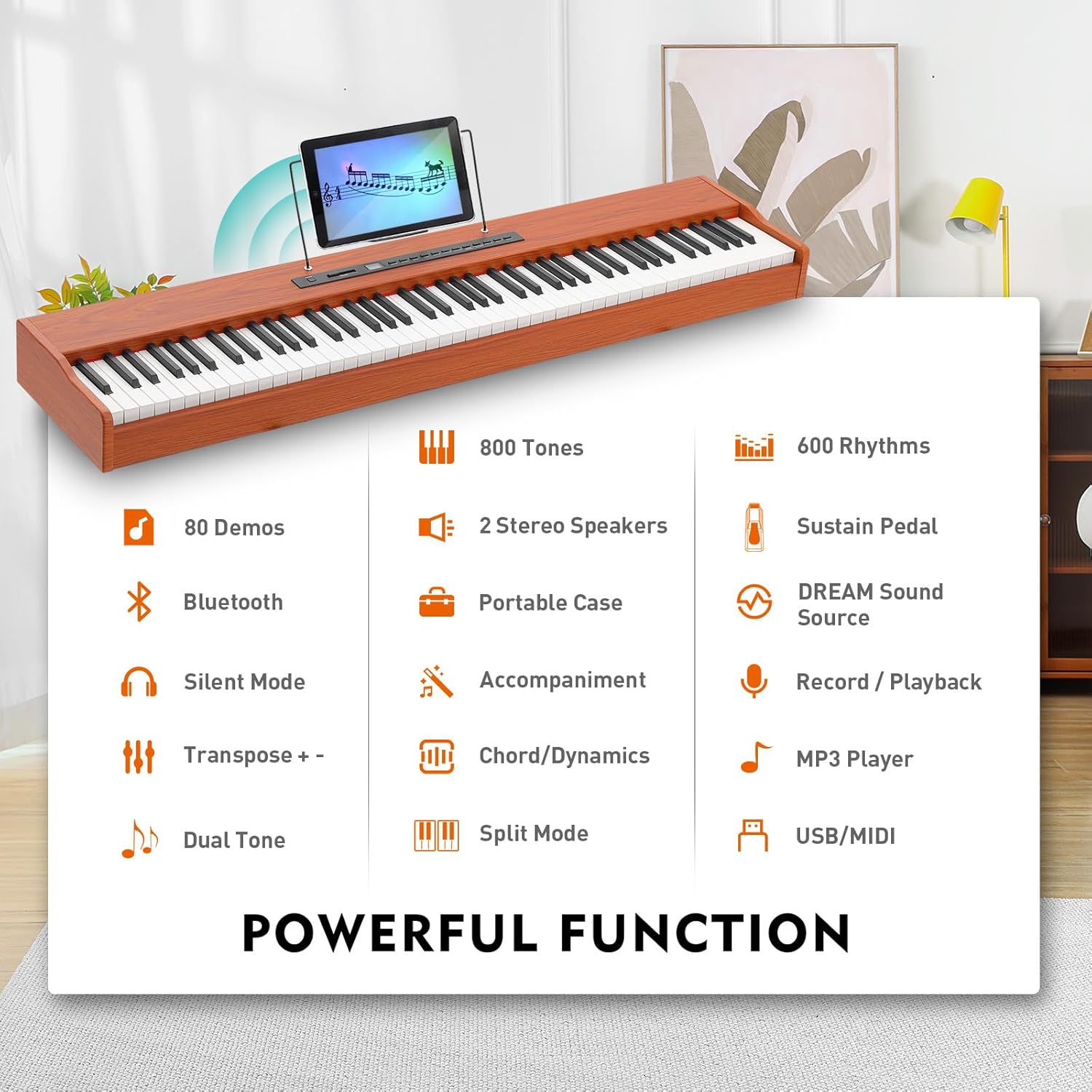
Image: A detailed diagram illustrating the step-by-step assembly process for the double-X shaped piano stand, including screw placements.
3. Initial Power-on and Connections
Connect the power adapter to the DC Power input port on the back of the piano unit and plug it into a wall outlet. Press the 'Power' button to turn on the piano. Attach the music rest to the designated slots on the piano's top panel.
Connect the sustain pedal to the 6.5mm Sustain Pedal Input port for expressive playing.
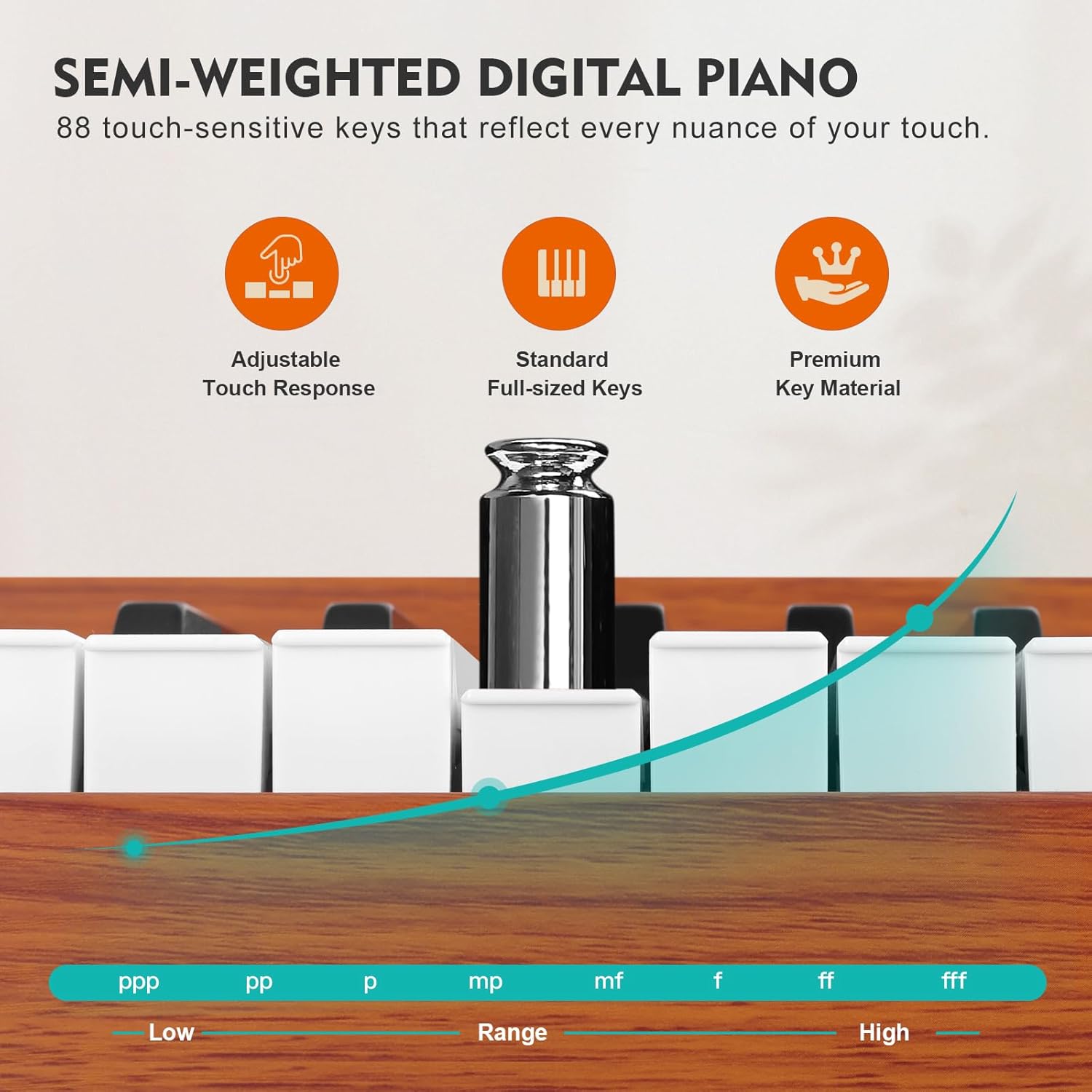
Image: A clear diagram illustrating the various input and output ports on the back of the digital piano, including USB MIDI, headphone jacks, audio input/output, pedal input, and DC power.
Operating Instructions
1. Key Features and Touch Sensitivity
The MUSTAR Digital Piano features 88 semi-weighted, touch-sensitive keys. This allows the piano to respond to the force of your touch, producing louder sounds with harder presses and softer sounds with lighter touches, mimicking the feel of an acoustic piano.
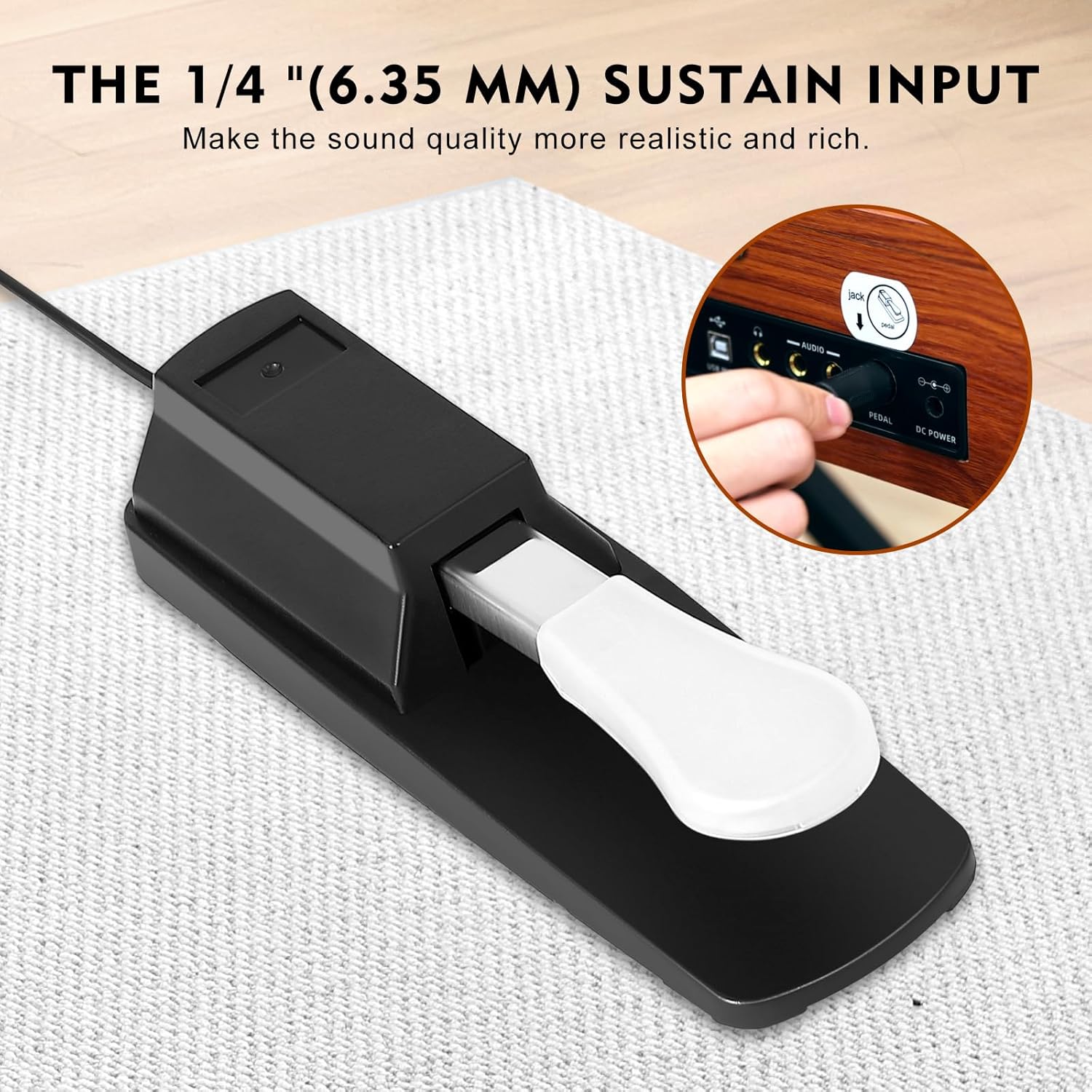
Image: A graphical representation demonstrating the adjustable touch response of the semi-weighted keys, showing how different pressure levels affect the sound output.
2. Sound and Rhythm Selection
Your digital piano comes with 128 tones, 128 preset rhythms, and 20 demo songs. Use the 'Tone/Demo' and 'Rhythm' buttons on the control panel to navigate through the available options. The built-in stereo speakers deliver clear, room-filling sound.

Image: An infographic highlighting the piano's powerful functions, including the number of tones, rhythms, demo songs, and various modes like silent mode and split mode.
3. Recording and Playback
Utilize the 'Record' function to capture your performances. Press 'Record' once to start recording, and press it again to stop. Use the 'Playback' button to listen to your recorded pieces.
4. Headphone and Bluetooth Connectivity
For private practice, connect your headphones to the 3.5mm dual headphone jacks. This allows you to play without disturbing others. The piano also supports Bluetooth connectivity, enabling you to connect to smartphones or other devices for additional learning resources or audio playback.
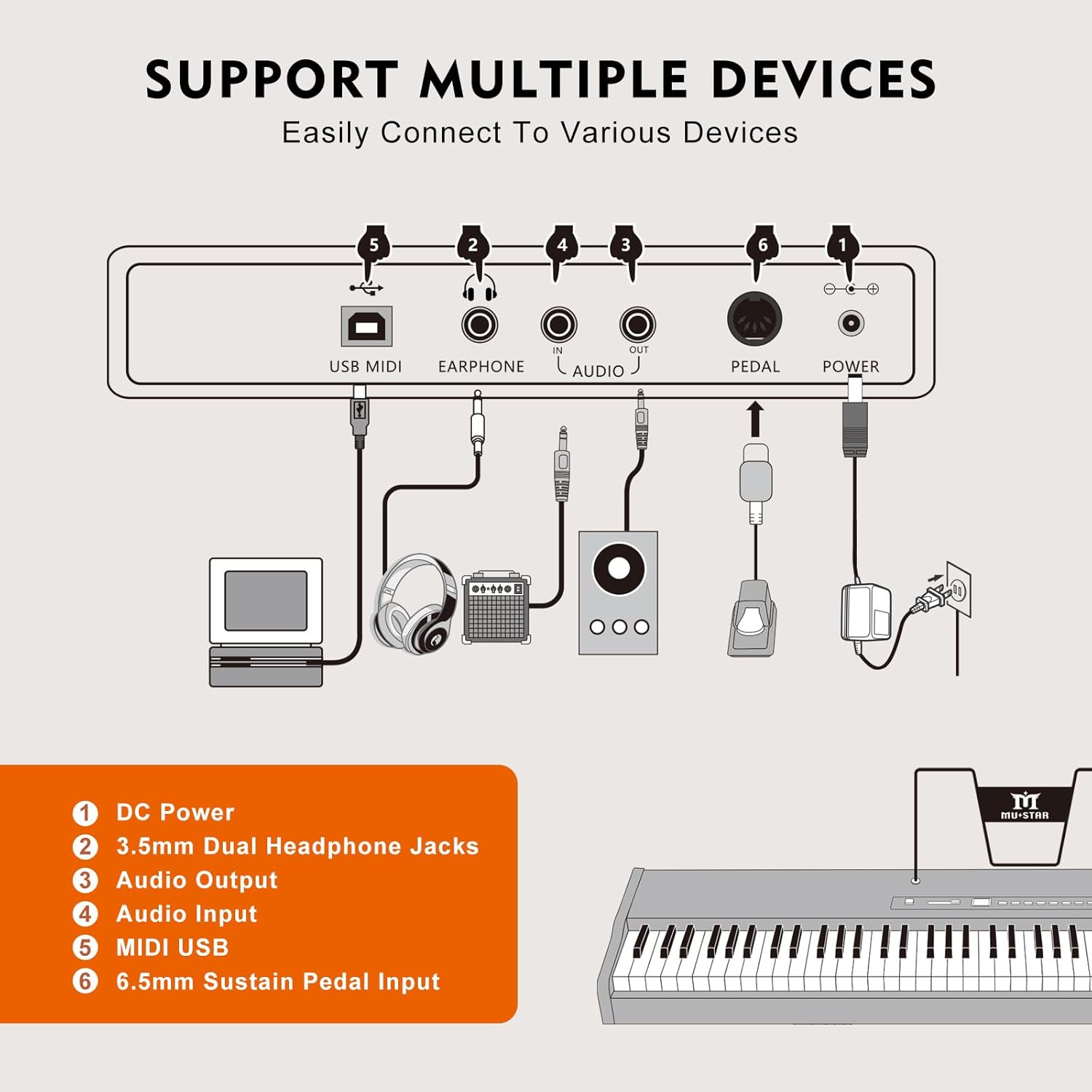
Image: This image illustrates the silent mode feature, showing two individuals using headphones connected to the piano, emphasizing the dual headphone jacks for private practice.
Video: This video demonstrates the MUSTAR full-size digital piano keyboard in use, showcasing its features and sound quality. It provides a visual and auditory overview of the product's capabilities.
Maintenance
To ensure the longevity and optimal performance of your MUSTAR Digital Piano, follow these maintenance guidelines:
- Cleaning: Use a soft, dry cloth to wipe down the keys and body of the piano. For stubborn dirt, slightly dampen the cloth with water and a mild soap solution, then wipe dry immediately. Avoid abrasive cleaners or solvents.
- Dust Protection: When not in use, cover the piano with the provided dust cover to prevent dust accumulation on the keys and internal components.
- Storage: Store the piano in a cool, dry place away from direct sunlight, extreme temperatures, and high humidity, which can damage the electronic components and wood finish.
- Handling: Always handle the piano with care. Avoid dropping it or subjecting it to strong impacts. When transporting, use the provided waterproof padded carry case.
Troubleshooting
If you encounter any issues with your MUSTAR Digital Piano, refer to the following common troubleshooting steps:
- No Sound:
- Ensure the power adapter is securely connected and the piano is turned on.
- Check the volume knob and slider to ensure the volume is not set to minimum.
- If headphones are connected, disconnect them to check if sound plays through the speakers.
- Keys Not Responding:
- Verify the piano is powered on.
- Ensure no foreign objects are lodged between the keys.
- If specific keys are unresponsive, contact customer support.
- Bluetooth Connectivity Issues:
- Ensure Bluetooth is enabled on both the piano and your device.
- Make sure the piano is in pairing mode (refer to the control panel for Bluetooth indicator).
- Try restarting both the piano and your device.
- Sustain Pedal Not Working:
- Check that the sustain pedal is fully inserted into the correct port.
- Ensure the pedal itself is not damaged.
For persistent issues not resolved by these steps, please refer to the Warranty & Support section for further assistance.
Specifications
| Feature | Specification |
|---|---|
| Model Name | MUSTAR Digital Piano 88 Weighted Keys |
| Item Model Number | MEP900-1600 |
| Number of Keys | 88 |
| Key Type | Semi-Weighted, Touch-Sensitive |
| Product Dimensions | 11.2"D x 49.6"W x 37"H |
| Item Weight | 27 Pounds |
| Color | Brown-MDF |
| Connectivity Technology | Bluetooth, USB |
| Headphones Jack | 3.5mm Jack |
| Power Source | Corded Electric |
| Special Features | Built-In Speaker, Headphone Jack, Lightweight, Multiple Voices, Touch-Sensitive Keys |
| Skill Level | Beginner |
Warranty & Support
Your MUSTAR Digital Piano is covered by a manufacturer's warranty against defects in materials and workmanship. Please retain your proof of purchase for warranty claims.
For technical support, troubleshooting assistance, or warranty inquiries, please contact MUSTAR customer service. Contact information can typically be found on the product packaging or the official MUSTAR website.
Providing a 100% satisfaction experience is our main priority. If you have any questions, please feel free to "contact seller" through your purchase platform.