
CO-Z Single 660lb with APP (B0CZL8KMNL)
CO-Z Automatic Gate Opener Kit User Manual
Model: Single 660lb with APP (B0CZL8KMNL) | Brand: CO-Z
Introduction
Thank you for choosing the CO-Z Automatic Gate Opener Kit. This smart single swing gate opener is designed to provide convenient and secure access for gates up to 660 lb. and 5.9 ft. in length. Featuring app compatibility, remote controls, and robust construction, this system offers reliable operation for residential and commercial applications. This manual provides detailed instructions for installation, operation, maintenance, and troubleshooting to ensure optimal performance and longevity of your gate opener.
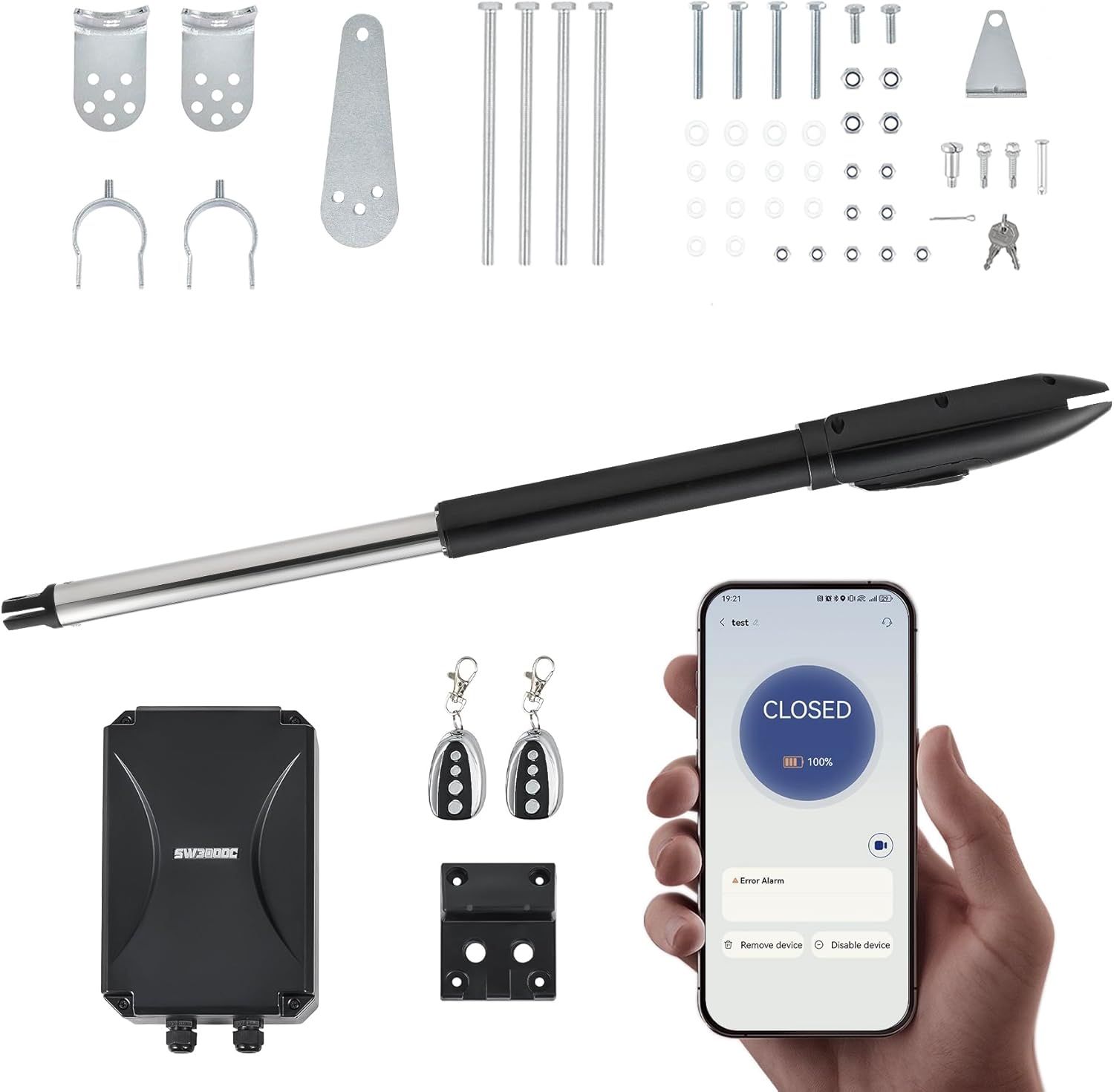
Figure 1: CO-Z Automatic Gate Opener Kit components. This image displays all components included in the kit, such as the main actuator arm, the control box, two remote controls, and various brackets, bolts, and keys for installation.
Setup and Installation
Proper installation is crucial for the safe and efficient operation of your gate opener. Please read all instructions carefully before beginning.
1. Package Contents
Verify that all components are present and undamaged:
- Linear Actuator Arm
- Control Box
- Remote Controls (x2)
- Mounting Brackets and Hardware
- Release Keys (x2)
- Instruction Manual
2. Pre-Installation Checklist
- Ensure your gate is structurally sound and swings freely without obstruction.
- Confirm the gate dimensions and weight are within the opener's specifications (max 660 lb., 5.9 ft.).
- Identify a suitable location for the control box, protected from direct impact and easily accessible.
- Gather necessary tools: drill, wrenches, measuring tape, level, screwdriver.
3. Mounting the Actuator
The actuator can be installed for either 'Push to Open' or 'Pull to Open' gate configurations. Refer to the diagrams below for optimal mounting points (L1 and L2 measurements are critical for correct operation).

Figure 2: Customizable Opening Options. This image provides two diagrams demonstrating how the gate opener can be configured for either 'Push to Open' or 'Pull to Open' gate movements, with specific measurements L1 and L2 indicating optimal mounting positions for different gate types.
- Determine the desired opening direction (push or pull).
- Measure and mark the mounting points on the gate post and the gate frame according to the chosen configuration.
- Securely attach the front and rear mounting brackets using appropriate fasteners.
- Attach the actuator arm to the brackets, ensuring it is level and moves freely.
4. Wiring the Control Box
The control box offers multiple power options and connectivity for various accessories.
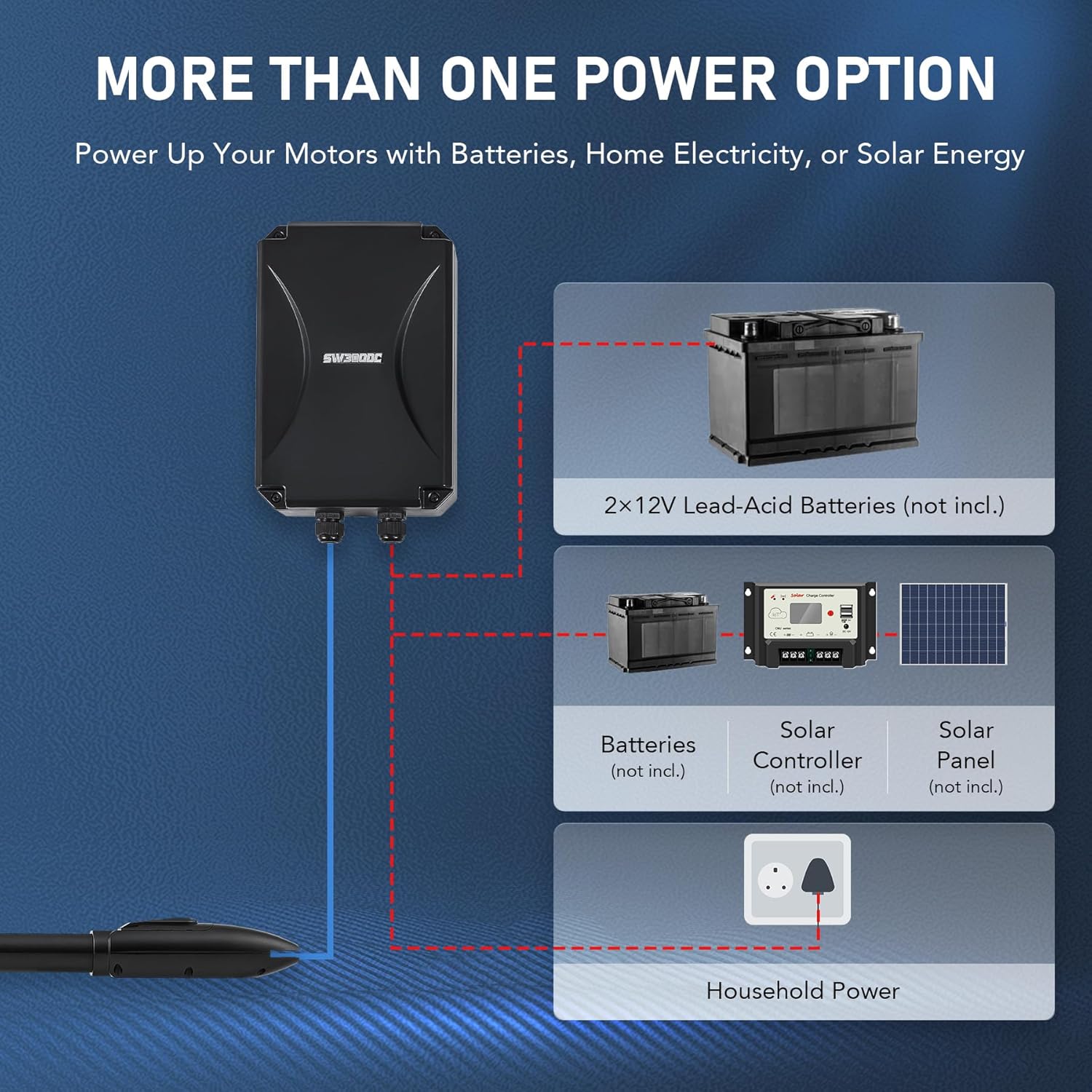
Figure 3: Power Options. This diagram outlines the flexible power supply options for the gate opener, including direct household electricity, a battery backup system using two 12V lead-acid batteries, or a solar power setup comprising batteries, a solar controller, and a solar panel.

Figure 4: Control Box Internal Connections. An inside view of the gate opener's control box, highlighting the main circuit board and terminals for connecting various compatible accessories such as solar panels, alarm lights, digital keypads, Bluetooth modules, and wall switches, allowing for a personalized system setup.
- Mount the control box in the chosen location.
- Connect the actuator motor wires to the designated terminals in the control box.
- Connect the power supply (household power, battery, or solar system) to the control box. Ensure correct polarity for DC connections.
- If using accessories (e.g., alarm lights, keypads), connect them to the appropriate terminals as per their individual instructions and the control box diagram.
- Close and secure the control box cover, ensuring all seals are properly seated for IP44 weather resistance.
Operating Instructions
Your CO-Z gate opener offers multiple ways to control access.
1. Smartphone App Control
The dedicated smartphone app provides convenient control from anywhere.
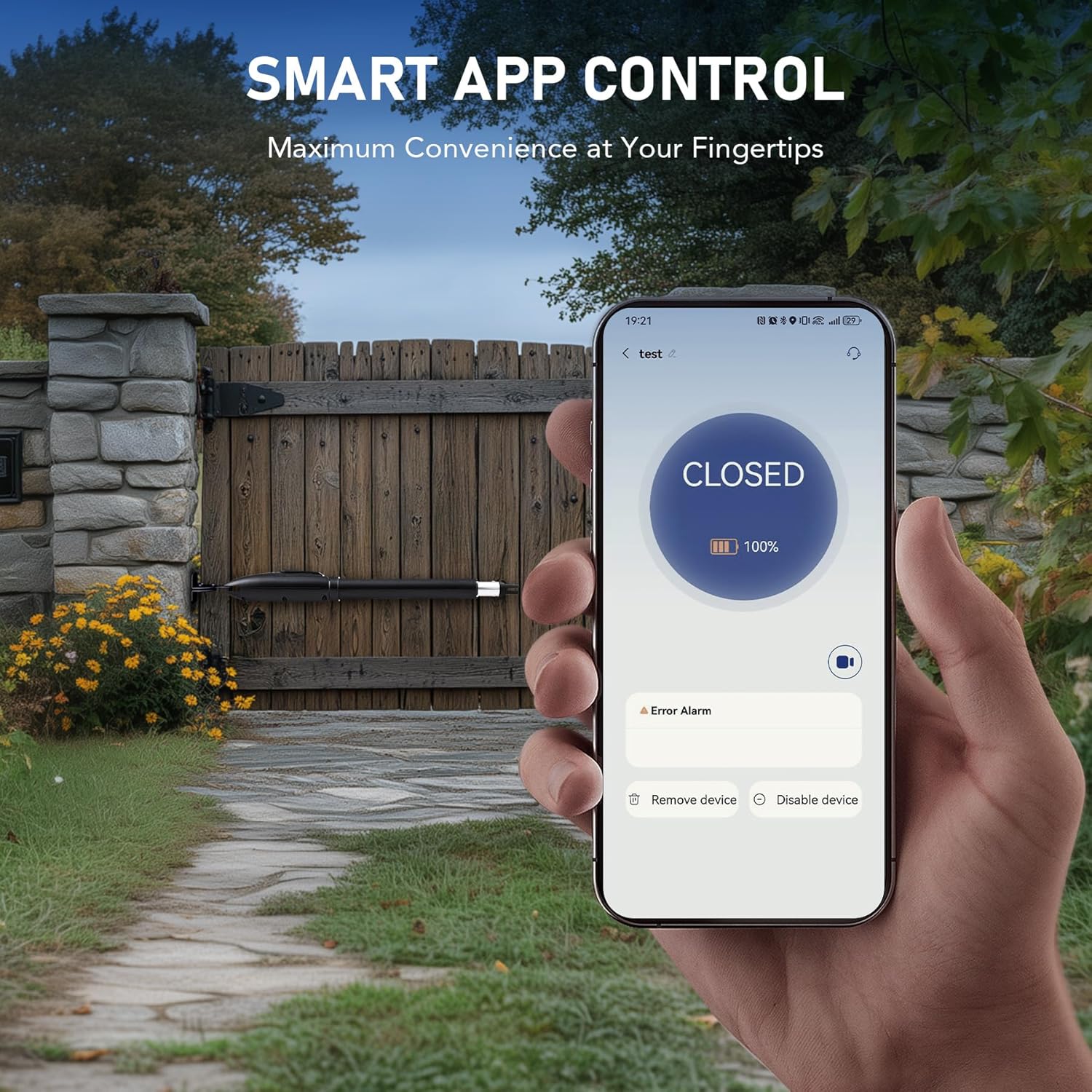
Figure 5: Smart App Control. The CO-Z gate opener can be controlled via a smartphone app. This image shows the app interface indicating the gate status as 'CLOSED' and the current battery percentage, with the gate opener installed on a wooden gate in the background.
- Download the CO-Z gate opener app from Google Play Store or Apple App Store.
- Follow the in-app instructions to pair your gate opener with your smartphone.
- Use the app to open, close, or stop the gate. The app also displays gate status and battery level.
- Customize closing times (15, 30, 60, or 90 seconds) via the app settings.
2. Remote Control Operation
The included remote controls offer direct access to your gate.
- Ensure the remote controls are paired with the control box (refer to the control box manual for pairing instructions).
- Press the designated button on the remote to open or close the gate.
- Pressing the button again during operation will stop the gate.
3. Manual Release
In case of power outage or system malfunction, the gate can be operated manually.
- Locate the manual release keyhole on the actuator arm.
- Insert the provided release key and turn it to disengage the motor.
- Manually push or pull the gate to open or close it.
- To re-engage the motor, turn the key back to its original position and remove it.
Maintenance
Regular maintenance ensures the longevity and reliable performance of your gate opener.
- Monthly: Inspect the gate and hinges for any signs of wear or damage. Ensure the gate moves freely without binding.
- Quarterly: Check all mounting hardware for tightness. Lubricate the actuator arm's moving parts with a suitable lubricant.
- Annually: Inspect electrical connections in the control box for corrosion or loose wiring. Test safety features, such as obstacle detection, by placing an object in the gate's path during operation.
- Keep the control box and actuator free from dirt, dust, and debris. The IP44 rating protects against splashes, but regular cleaning is recommended.
Troubleshooting
Refer to this section for common issues and their solutions.
| Problem | Possible Cause | Solution |
|---|---|---|
| Gate does not respond to remote/app. | No power; remote battery low; remote not paired; obstacle detected. | Check power supply; replace remote battery; re-pair remote; clear gate path. |
| Gate opens partially or stops unexpectedly. | Obstruction; motor overload; limit switch issue. | Remove obstruction; check gate movement for friction; consult advanced troubleshooting for limit switch adjustment. |
| Gate operates slowly. | Low voltage; friction in gate hinges/rollers. | Check power supply voltage; lubricate gate hinges and rollers. |
| Remote control range is poor. | Interference; remote battery low; antenna obstructed. | Change remote battery; ensure control box antenna is clear and extended; minimize interference sources. |
Specifications
Key technical specifications for the CO-Z Automatic Gate Opener Kit (Single 660lb with APP).

Figure 6: Actuator Dimensions. A detailed diagram illustrating the physical dimensions of the gate opener actuator, which measures 40.9 inches in length. It also highlights its capacity to handle gates up to 660 lbs and 18 feet in length.
| Feature | Detail |
|---|---|
| Brand | CO-Z |
| Model | Single 660lb with APP |
| Max. Gate Weight | 660 lb. |
| Max. Gate Length | 5.9 ft. (per gate leaf) |
| Motor Power | 50W |
| Opening Speed | 2.95 ft. per minute |
| Material | Metal |
| Weather Resistance | IP44 |
| Operating Temperature | -4°F to 158°F (-20°C to 70°C) |
| Product Dimensions | Control Box: 31.5 x 10.3 x 8.07 inches; Actuator: approx. 40.9 inches length |
| Item Weight | 23.6 pounds |
| Installation Type | Screw-In |
| Recommended Uses | Residential, Commercial |
Warranty and Support
CO-Z products are designed for durability and performance. For specific warranty details, please refer to the warranty card included with your product or visit the official CO-Z website. If you encounter any issues or require technical assistance, please contact CO-Z customer support through the contact information provided on our website or your purchase platform.
For further information and support, you may visit the CO-Z Store on Amazon.
Ask a question about this manual
Ask about setup, troubleshooting, compatibility, parts, safety, or missing instructions. Manuals+ will review the question and use this page’s manual context to help answer it.