Introduction
Thank you for choosing the Generic S800C Bone Conduction Headphones. These open-ear wireless headphones utilize advanced bone conduction technology to deliver audio while keeping your ears open to your surroundings, enhancing safety and awareness. Featuring IPX7 waterproofing, Bluetooth 5.3 connectivity, and a flexible design, they are ideal for various activities including running, cycling, hiking, and gym workouts.
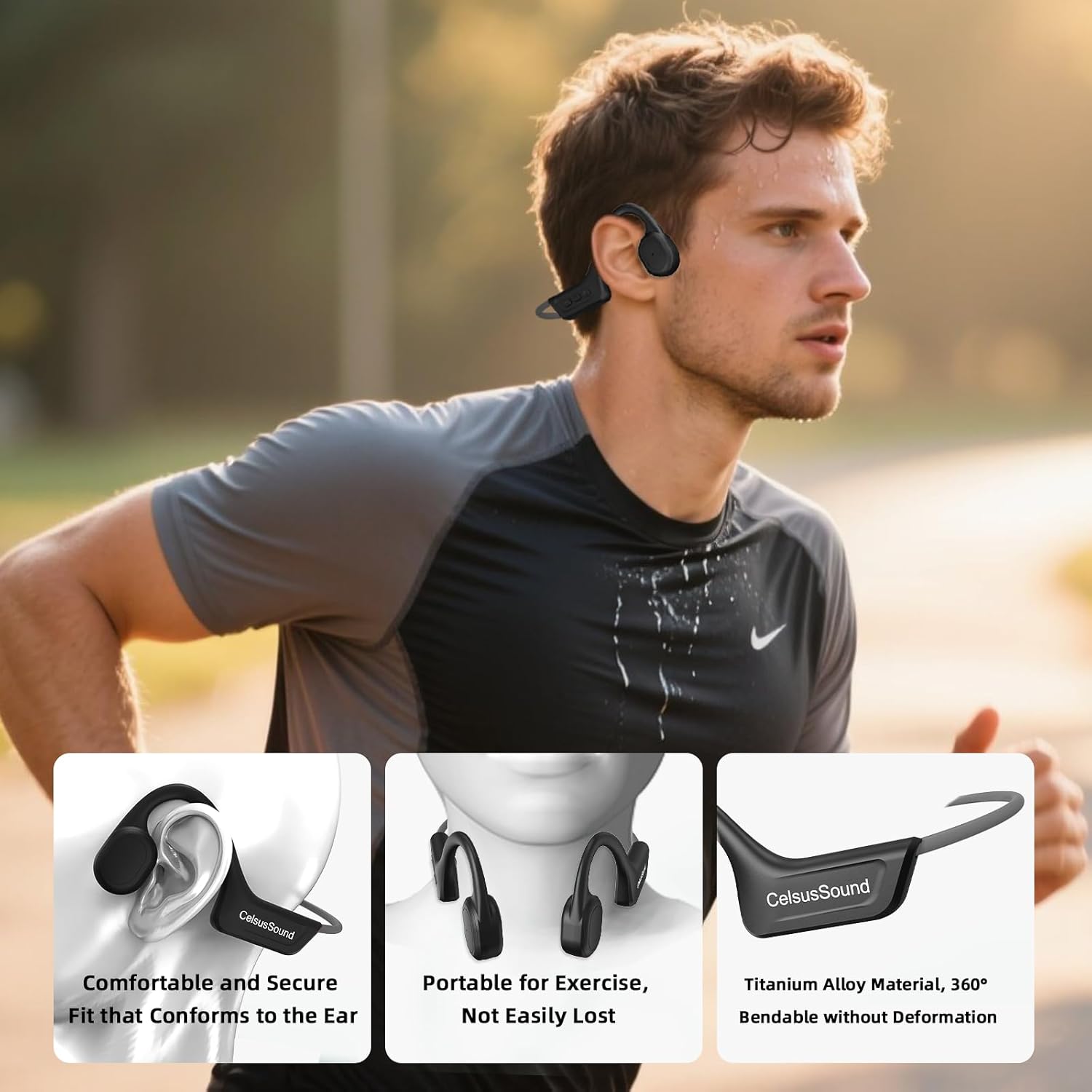
A user demonstrating the comfortable and secure fit of the Generic S800C Bone Conduction Headphones during a run, showcasing their suitability for active lifestyles.
What's in the Box
- Bone Conduction Headset x 1
- Magnetic Charging Cable x 1
- User Manual x 1

Contents of the Generic S800C Bone Conduction Headphones package, including headphones, user manual, and magnetic charging cable.
Setup
1. Charging the Headphones
Before first use, fully charge your headphones. Connect the magnetic charging cable to the charging port on the headphones and plug the USB end into a compatible power source. The LED indicator will show charging status.
- Battery Capacity: 230mAh
- Charging Time: Approximately 1.5 hours for a full charge.
- Playtime: Up to 10 hours of continuous music/call time at 80% volume.
- Standby Time: Up to 360 hours.

Diagram illustrating the 230mAh battery capacity, magnetic fast charging, and playtime of the Generic S800C Bone Conduction Headphones.
This video illustrates the magnetic fast charging feature of the Generic S800C Bone Conduction Headphones, showing how the charging cable easily attaches to the headset.
2. Bluetooth Pairing
- Long press the power button for 3-5 seconds to turn on the headphones. The headphones will automatically enter Bluetooth pairing mode, indicated by a flashing LED light.
- On your device (smartphone, tablet, etc.), enable Bluetooth and search for available devices.
- Select "S800C" from the list of devices to connect. Once connected, the LED indicator will stop flashing and remain solid.
This video demonstrates the unboxing process, how to power on the Generic S800C Bone Conduction Headphones, connect them via Bluetooth, and use the basic music playback controls (play/pause, volume adjustment, track skipping).
Operating Instructions
Controls

Detailed diagram of the control buttons on the Generic S800C Bone Conduction Headphones, showing functions for power, volume, and track control.
| Function | Action |
|---|---|
| Power On/Off | Long press the power button for 3-5 seconds. |
| Play/Pause Music | Click the power button once. |
| Volume Up | Click the "+" button once. |
| Volume Down | Click the "-" button once. |
| Next Track | Long press the "+" button for 2 seconds. |
| Previous Track | Long press the "-" button for 2 seconds. |
| Answer/End Call | Double click the power button. |
Maintenance
Cleaning
Wipe the headphones with a soft, damp cloth. Do not use harsh chemicals or abrasive cleaners. Ensure the charging port is dry before charging.
Storage
Store the headphones in a cool, dry place away from direct sunlight and extreme temperatures. The flexible titanium alloy frame allows for 360° bending for compact storage.

Image highlighting the flexible design of the headphones, allowing for 360° bending without deformation for easy storage and durability.
Water Resistance (IPX7)
The S800C headphones are IPX7 waterproof, meaning they can withstand submersion in up to 1 meter of water for 30 minutes. They are sweatproof and suitable for intense workouts and rainy conditions. However, avoid prolonged submersion or use in hot water, as this may affect performance.

The headphones shown in water, demonstrating their IPX7 waterproof capability, making them suitable for use in various weather conditions and during intense workouts.
Troubleshooting
- No Power: Ensure the headphones are fully charged. Connect to the magnetic charging cable and check the indicator light.
- No Sound: Check if the headphones are properly paired with your device. Ensure the volume on both the headphones and your device is turned up.
- Pairing Issues: Turn off Bluetooth on your device and then turn it back on. Restart the headphones and try pairing again. Ensure no other devices are connected to the headphones.
- Charging Issues: Verify the magnetic charging cable is securely connected to both the headphones and the power source. Try a different USB port or power adapter.
- Poor Sound Quality: Ensure the headphones are positioned correctly on your cheekbones. Move closer to your connected device to avoid interference.
Specifications
| Feature | Detail |
|---|---|
| Model Name | S800C |
| Brand | Generic |
| Connectivity Technology | Wireless (Bluetooth) |
| Bluetooth Version | 5.3 |
| Battery Life | 10 Hours |
| Water Resistance Level | IPX7 (Waterproof) |
| Material | Titanium Alloy |
| Item Weight | 4.2 ounces (0.12 Kilograms) |
| Ear Placement | Open Ear |
| Included Components | Bone Conduction Headset, Magnetic Charging Cable, User Manual |
Warranty and Support
We thoroughly check the quality of each pair of S800C Bone Conduction Headphones to ensure they function correctly. If you encounter any issues during use, please contact our customer support team. You can typically find contact information through your order details on the platform where you purchased the product. Our customer team aims to provide assistance within 10 hours until you are satisfied.
Additional Features & Usage Scenarios

An infographic summarizing the main features of the headphones, including open-ear design, IPX7 waterproof rating, Bluetooth 5.3 connectivity, and 10-hour battery life, ideal for various sports.

A visual representation of how the bone conduction technology works, delivering sound through cheekbones while minimizing sound leakage, ensuring high-fidelity audio.

A cyclist wearing the headphones, illustrating how the open-ear design allows for real-time awareness of surroundings, enhancing safety during outdoor activities.

A comparison chart highlighting the advantages of the S800C headphones, such as IPX7 waterproofing, Bluetooth 5.3, silicone soft pads, and 360° foldable design, over less advanced alternatives.
A collage of images depicting the headphones being used in diverse settings like golf, running, gym, cycling, driving, and work, showcasing their versatility.


