
Ironalita BN-BDC-09
Ironalita Upholstered Dining Chairs User Manual
Model: BN-BDC-09
1. Introduction
Thank you for choosing Ironalita Upholstered Dining Chairs. This manual provides essential information for the safe assembly, operation, and maintenance of your new chairs. Please read it thoroughly before assembly and retain it for future reference.

Figure 1.1: Ironalita Upholstered Dining Chairs (Set of 2)
2. Safety Information
Please observe the following safety guidelines to ensure safe use and longevity of your chairs:
- Maximum Weight Limit: The maximum weight capacity for each chair is 400 lbs (181 kg). Do not exceed this limit to prevent injury or damage to the chair.
- Ensure all screws and fasteners are securely tightened before use and periodically check for looseness.
- Do not stand on the chairs.
- Keep children away from the assembly area during installation.
- Use the chairs only on a flat, stable surface.
3. Package Contents
Before beginning assembly, ensure all parts are present and undamaged. If any parts are missing or damaged, please contact customer support.
- Upholstered Seat Cushion (2)
- Metal Leg Frame (2)
- Assembly Screws (8)
- Hex Key (1)
- Adjustable Protective Mats (8)
4. Assembly Instructions
Assembly is simple and can be completed in a few minutes. Follow these steps carefully:
- Prepare the Components: Unpack all components and lay them out on a clean, soft surface to prevent scratching.
- Align the Base: Take one upholstered seat cushion and one metal leg frame. Align the screw holes on the metal base with the corresponding holes on the underside of the cushion. Ensure the front (34.5 cm / 13.6 inch) and back (31.5 cm / 12.4 inch) dimensions of the leg frame match the cushion.
- Secure with Screws: Insert the assembly screws into the aligned holes. Using the provided hex key, secure them firmly. Tighten each screw one by one, ensuring even pressure.
- Install Protective Mats: Turn the chair upright. Install the adjustable protective mats into the bottom of each chair leg. These mats protect your floor and allow for minor height and level adjustments to ensure stability.

Figure 4.1: Chair Assembly Diagram
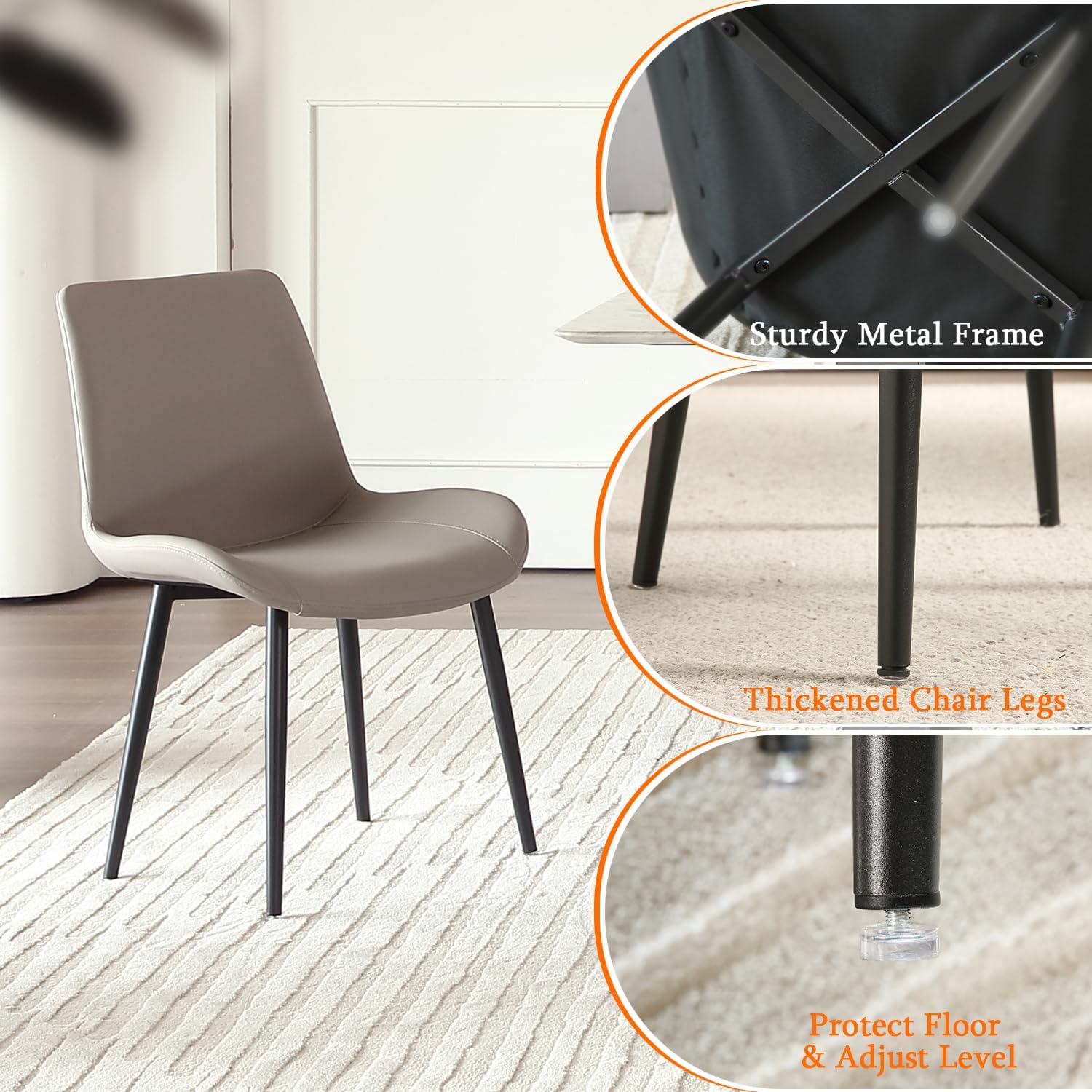
Figure 4.2: Details of Chair Stability Features
Assembly Video Guide
Video 4.1: Ironalita Modern Leather Dining Chairs Assembly. This video provides a visual step-by-step guide for assembling your dining chairs.
5. Product Features and Usage
Your Ironalita dining chairs are designed for comfort and durability, suitable for various settings.
- Unique Modern Design: These chairs feature sleek lines and a contemporary appearance, enhancing any room decor.
- Comfortable Seating: The cushions are filled with high-density sponge for excellent comfort. The wide, curved backrest is ergonomically designed to support your back.
- Excellent Stability: Supported by thickened, cross-shaped metal tubes, the chairs offer superior load-bearing capacity and stability.
- Versatile Use: Ideal for kitchens, dining rooms, living rooms, cafes, restaurants, and waiting areas.

Figure 5.1: Ergonomic Design for Back Support
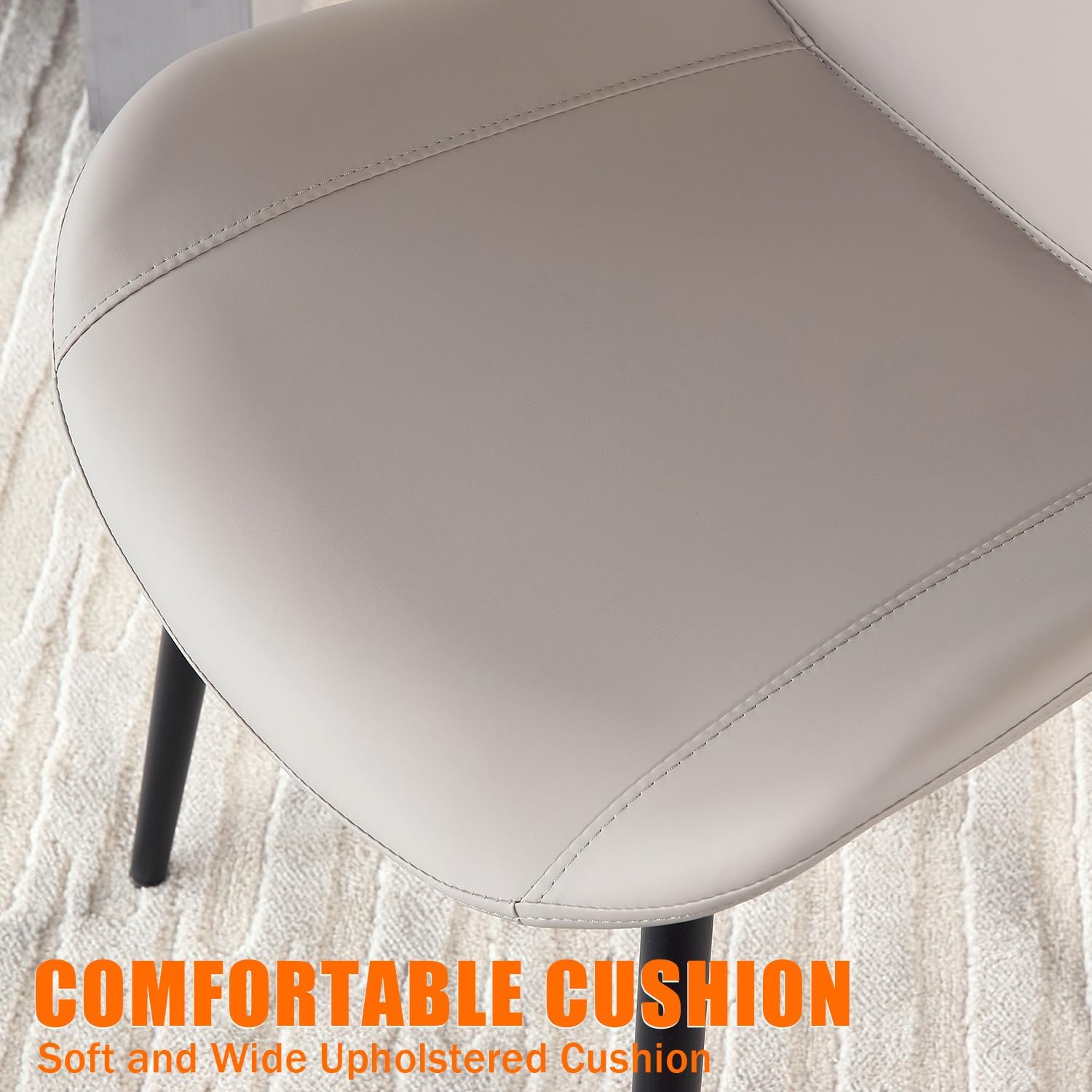
Figure 5.2: Comfortable Upholstered Cushion
Product Overview Video
Video 5.1: Ironalita Mid Century Modern Leather Dining Chairs. This video showcases the design and versatility of the chairs in various settings.
6. Care and Maintenance
Proper care will extend the life and appearance of your chairs:
- Cleaning: For daily cleaning, wipe the faux leather surface with a soft, damp cloth. For spills, blot immediately with a clean, dry cloth. Avoid abrasive cleaners or harsh chemicals.
- Dusting: Regularly dust the chair frame and legs with a soft, dry cloth.
- Avoid Direct Sunlight: Prolonged exposure to direct sunlight can cause the faux leather to fade or crack. Position chairs away from direct sunlight if possible.
- Avoid Sharp Objects: Keep sharp objects away from the faux leather to prevent punctures or tears.
- Check Fasteners: Periodically check all screws and bolts to ensure they remain tight. Re-tighten as necessary.
7. Troubleshooting
Here are solutions to common issues you might encounter:
| Problem | Possible Cause | Solution |
|---|---|---|
| Chair wobbles | Uneven floor; loose screws; protective mats not adjusted. | Adjust the protective mats at the bottom of the legs until stable. Check and tighten all assembly screws. |
| Squeaking noise | Loose connections between frame and seat. | Tighten all assembly screws. If persistent, disassemble and reassemble, ensuring all parts are correctly aligned. |
| Difficulty cleaning stains | Stain has set; incorrect cleaning agent. | For fresh stains, blot immediately. For tougher stains, use a mild soap solution on a damp cloth, then wipe with a clean damp cloth and dry thoroughly. Test on an inconspicuous area first. |
8. Specifications
| Specification | Detail |
|---|---|
| Brand | Ironalita |
| Model Name | BN-BDC-09 |
| Color | Beaver |
| Product Dimensions | 17.1"D x 20.5"W x 30.9"H (43.4cm D x 52.1cm W x 78.5cm H) |
| Seat Height | 15.9 Inches (40.4 cm) |
| Seat Depth | 17.1 inches (43.4 cm) |
| Seat Length | 20.5 Inches (52.1 cm) |
| Back Style | Continuous Back |
| Special Feature | Upholstered Leather, Ergonomic |
| Unit Count | 2.0 Count |
| Recommended Uses | Dining |
| Maximum Weight Recommendation | 400 Pounds (181 kg) |
| Style | Mid-Century Modern |
| Furniture Finish | Faux Leather |
| Fill Material | Sponge |
| Item Weight | 13.9 pounds (6.3 kg) per chair |
| Country of Origin | China |
9. Warranty and Support
Specific warranty information is not provided in this manual. For details regarding warranty coverage, returns, or technical support, please refer to the product listing on the retailer's website or contact Ironalita customer service directly.
You can typically find contact information for Ironalita on their official website or through the retailer where you purchased the product.
Ask a question about this manual
Ask about setup, troubleshooting, compatibility, parts, safety, or missing instructions. Manuals+ will review the question and use this page’s manual context to help answer it.